 42crunch/api-security-audit-action
Automates static API security auditing of OpenAPI contracts in CI/CD, running 300+ checks for authentication, authorization, and data constraints, with min-score gates and SARIF output.

The REST API Static Security Testing action locates REST API contracts that follow the OpenAPI Specification (OAS, formerly known as Swagger) and runs thorough security checks on them. Both OAS v2 and v3.0.x are supported, in both JSON and YAML format.
You can use this action in the following scenarios:
The action is powered by 42Crunch API Security Audit. Security Audit performs a static analysis of the API definition that includes more than 300 checks on best practices and potential vulnerabilities related to authentication, authorization as well as data constraints.
By default, this action will:
.json and .yaml files in the repository.This way, you can locate any new or changed API contracts in the repository.
You can fine-tune how the action behaves by specifying specific parts of the repository or filename masks to be included or excluded in the discovery of APIs. You can even disable discovery completely and instead list only specific API files to be checked and map them to your existing APIs in 42Crunch API Security Platform. You configure all these settings in the configuration file 42c-conf.yaml. For advanced examples, see here.
All discovered APIs are uploaded to an API collection in 42Crunch Platform. By default, the action uses the environment variables GITHUB_REPOSITORY and GITHUB_REF to name the repository and the branch/tag/PR name from where the API collection originated from. You can override the name using the default-collection-name action parameter. During the subsequent runs, the APIs in the collection are kept in sync with the changes in your repository.
Add this action to your CI/CD workflows in GitHub and have it fail on API definitions that contain security issues.
Security Audit gives each API contract an audit score from 0 to 100 reflecting the security surface of your APIs. You can use the min-score parameter of the GitHub Action to set the threshold for the audit score where the action fails (the default is 75, if no other value is specified). This helps to catch APIs definitions of bad quality and address the issues as early as design time.
More advanced failure conditions can be set in the configuration file 42c-conf.yaml, such as audit score by category (security or data validation), severity level of issues, or even specific issues, specified by their issue ID. For advanced examples, see here.
Additionally, the plugin enforces security quality gates defined at the platform level (default or tag-driven ones). Security quality gates enforce the application security requirements defined within the enterprise.
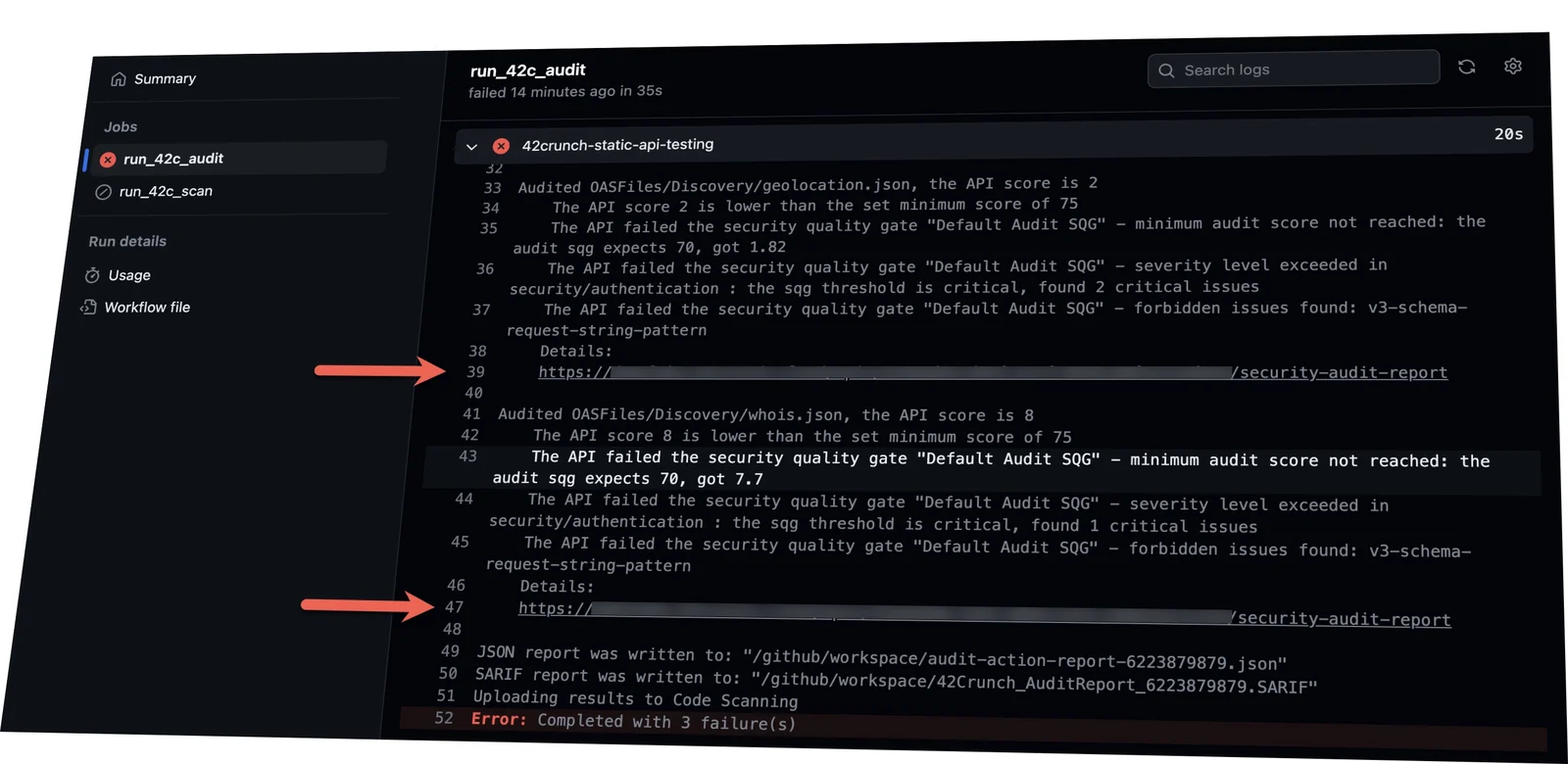
Each time the action runs, it includes a link to the detailed prioritized actionable report for each of your OpenAPI files:
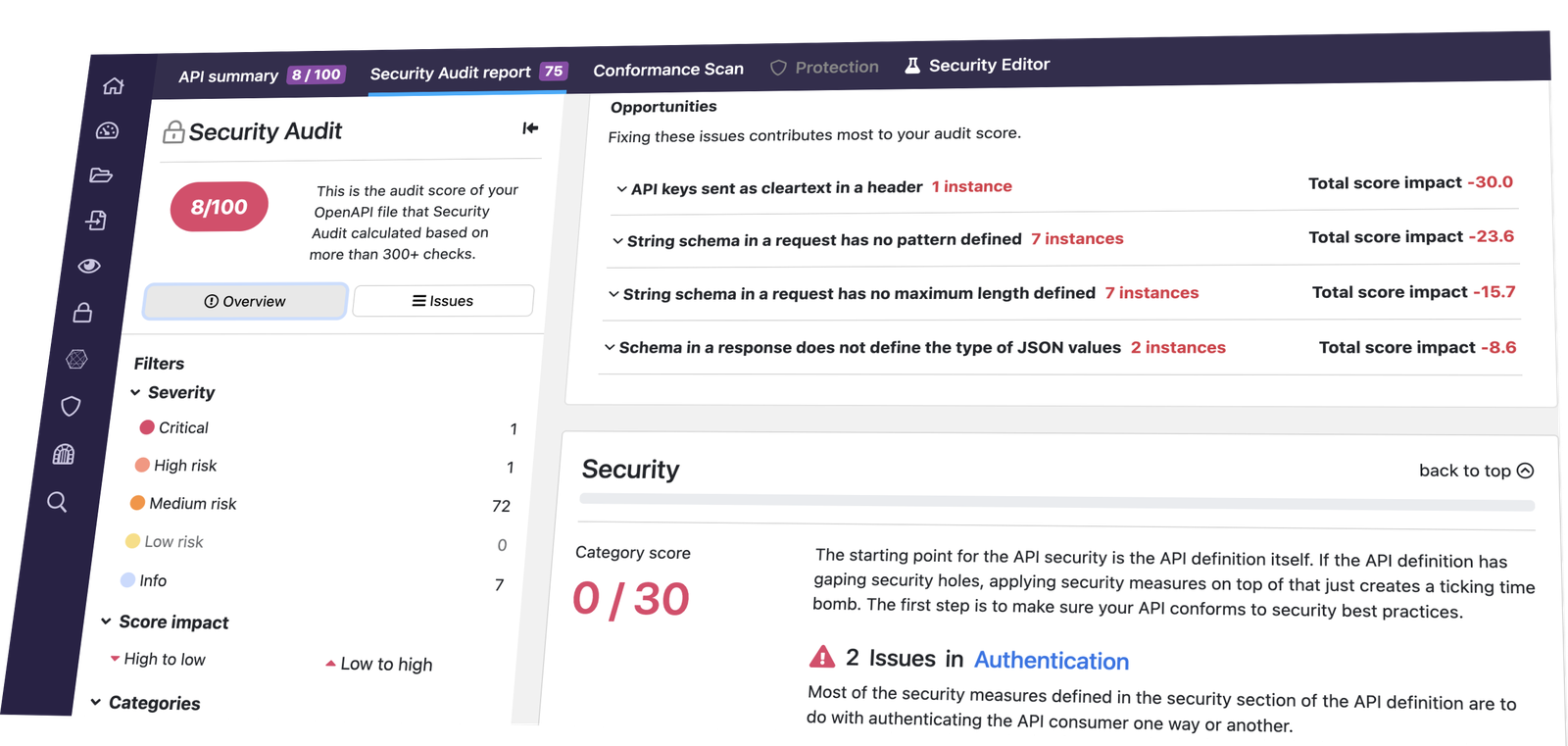
Follow the links to read the detailed report in 42Crunch Platform:
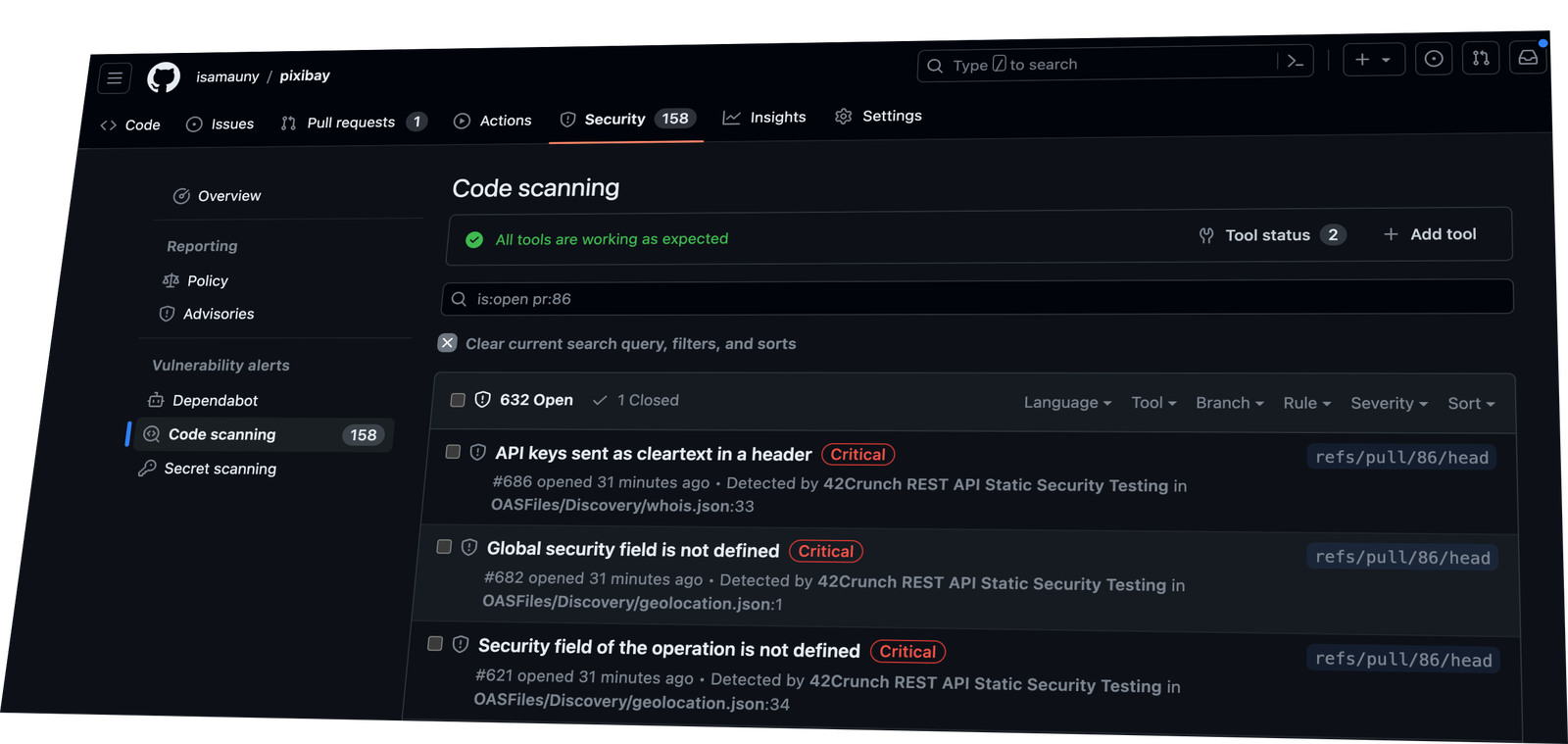
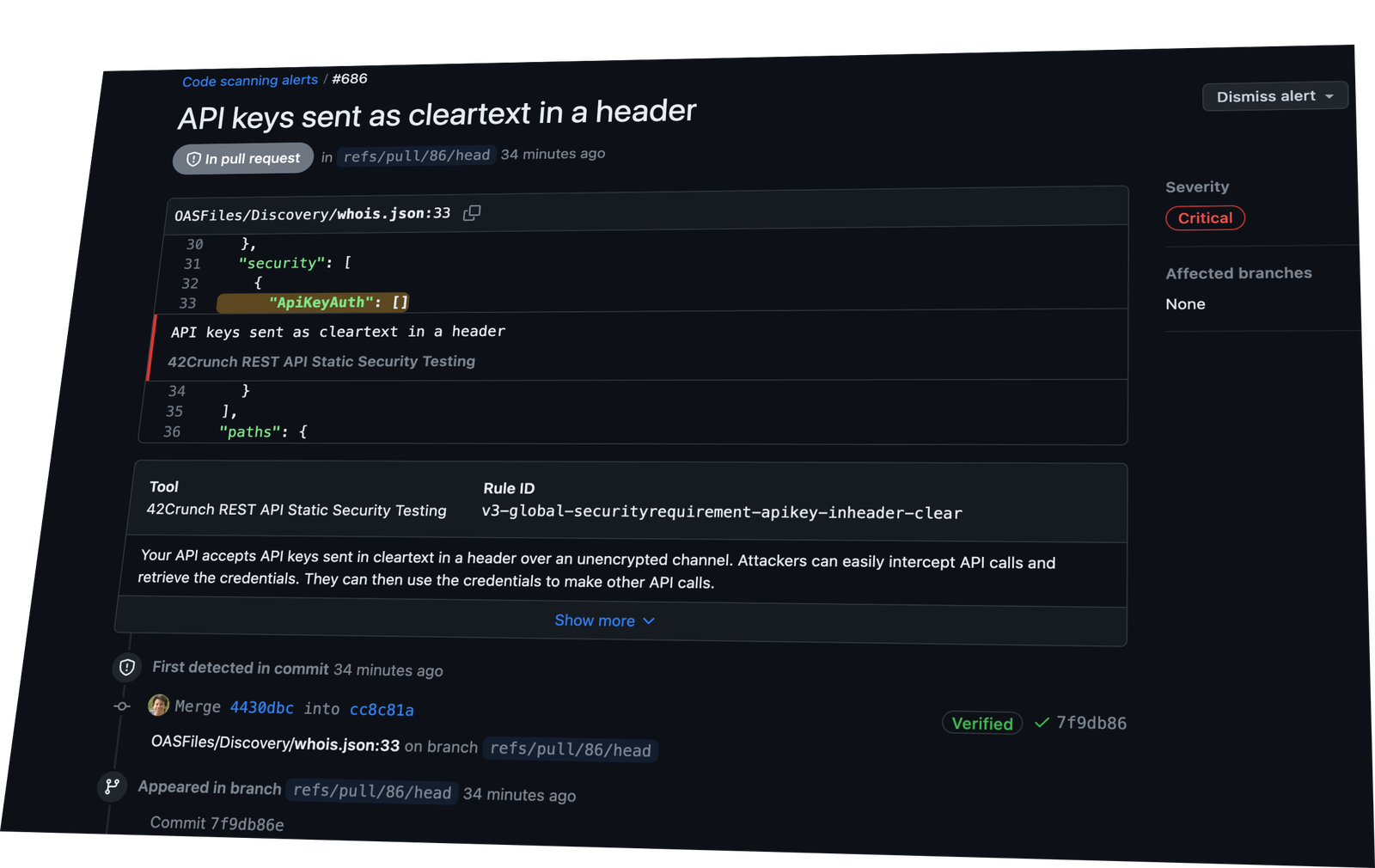
You can also track the issues that the 42Crunch audit found directly in GitHub, on the Security tab under Code scanning alerts.
To enable that, simply include upload-to-code-scanning:true to the parameters of the action in your GitHub workflow.
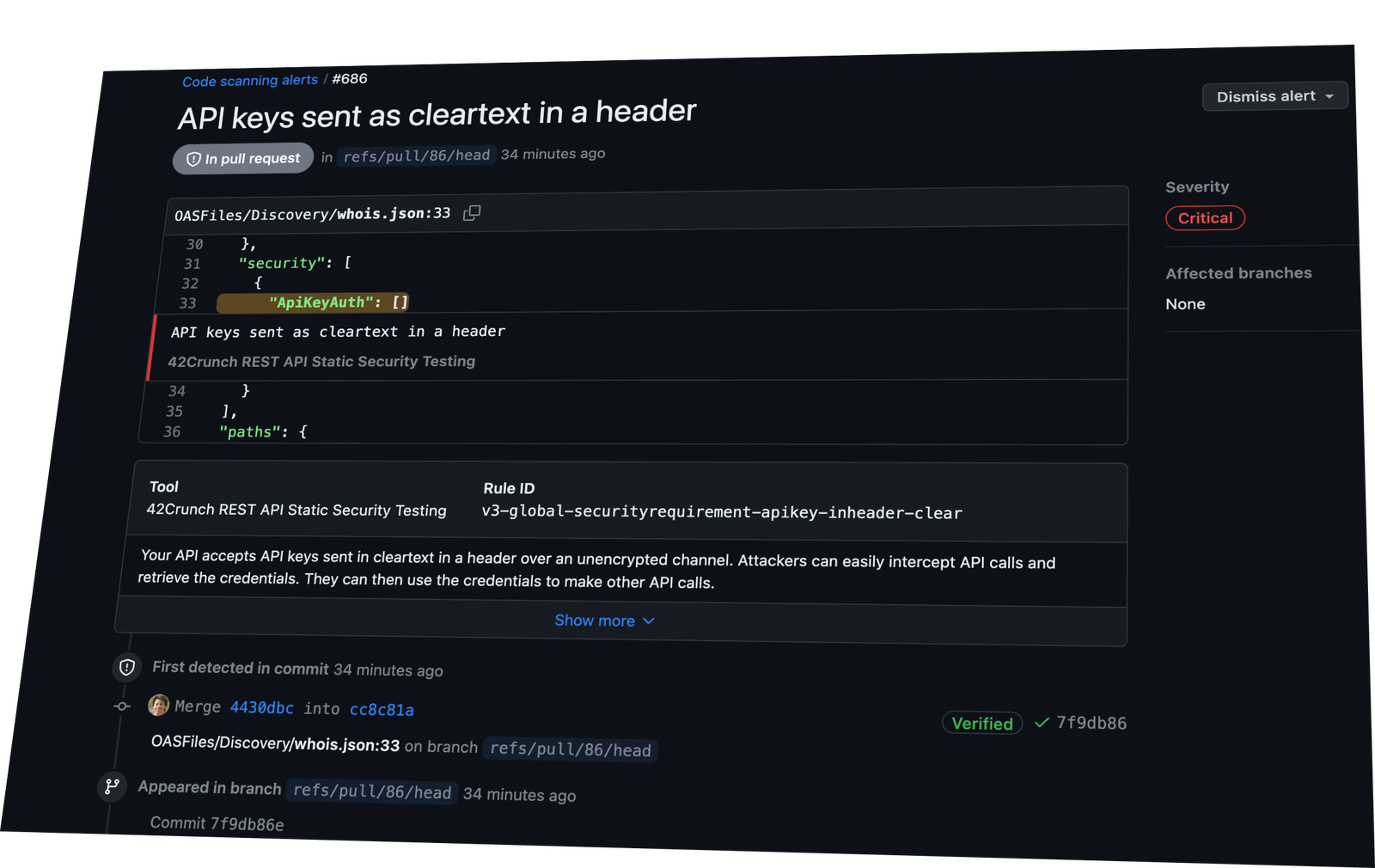
Click any of the alerts to see its exact location in your code and to get the details of the vulnerability and the recommended remediation steps.
This action uses 42Crunch API Security Audit service. Before using the action, you will need to have an account on the 42Crunch platform. If you are not a 42Crunch customer, you can request a free account from this page: https://42crunch.com/get-started/.
Then, follow the steps described in the documentation to create an API token for the action to authenticate to 42Crunch Platform, and save it as a secret in GitHub.
api-tokenRequired The API token that the GitHub action uses to authenticate to 42Crunch Platform. Do not put your API token directly in the workflow file! Instead, create a Github secret in your repository settings and refer to it as shown in the example below.
min-scoreThe minimum audit score that OpenAPI files must reach, otherwise the action fails. Default is 75.
upload-to-code-scanningUpload the audit results to Github Code Scanning. Default is false. Note that the workflow must have specific permissions for this step to be successful.
...
jobs:
  run_42c_audit:
    permissions:
      contents: read # for actions/checkout to fetch code
      security-events: write # for results upload to Github Code Scanning
...
ignore-failuresIf set to true, forces to complete execution successfully even if the failures conditions (like min-score or SQG criteria) you have set are met. Default is false.
This parameter can be useful if you want to detect SQG failures scenarios without enforcing them (i.e. give a grace period to development teams before you start breaking builds).
ignore-network-errorsIf set to true, forces to complete execution successfully even if a network error has occurred (such as a failure to connect to 42Crunch Platform, etc.). Default is false.
skip-local-checksIf set to true, disables all failure conditions (like minimum score) set in the 42c-conf.yaml file and fails execution only if the criteria defined in SQGs are not met. Default is false.
platform-urlThe URL where you access 42Crunch Platform. Default is https://us.42crunch.cloud.
If you are an enterprise customer, enter the URL you use to access your production platform.
root-directoryThe root directory that contains the 42c-conf.yaml configuration file. If not specified, the current working directory for the plugin is used instead, which normally corresponds to the root of the checked out repository.
default-collection-nameThe default collection name used when creating collections for discovered apis. If no name is given, a default name is created from the repository and branch/PR information.
log-level