
Skip to content
KitploitKITPLOIT
ToolsBlog
Submit
ToolsBlog
Submit

Hacking, PenTest, and Cybersecurity Tools for Your Security Arsenal!

Kitploit is a directory of hacking, cybersecurity, and pentesting tools. Discover the latest project updates to find vulnerabilities, analyze systems, automate testing, and strengthen your security.

··Feeds·Contact·Privacy·© 2026 Kitploit

Tool Directory

Categories

View all categories
Loading categories
Apepe — Extracts app settings, permissions, deeplinks, and SSL pinning bypass suggestions from Android APK files via static analysis of AndroidManifest.xml, DEX, and JSON resources. | Kitploit
Tools/GitHubGitHub/0xdsm/apepe
Android SecurityStatic AnalysisMobile App PentestingInformation Gathering
GitHub0xdsm/apepe

Apepe

Extracts app settings, permissions, deeplinks, and SSL pinning bypass suggestions from Android APK files via static analysis of AndroidManifest.xml, DEX, and JSON resources.

View Repository
1552610 months agoReviewed by Kitploit

Most Popular

View all →

Discover the most used tools by our community.

Explore all tools

Browse our collection of tools

View all tools →
Share

📲 Apepe

📲 Enumerate information from an app based on the APK file



🕵️ What is Apepe?

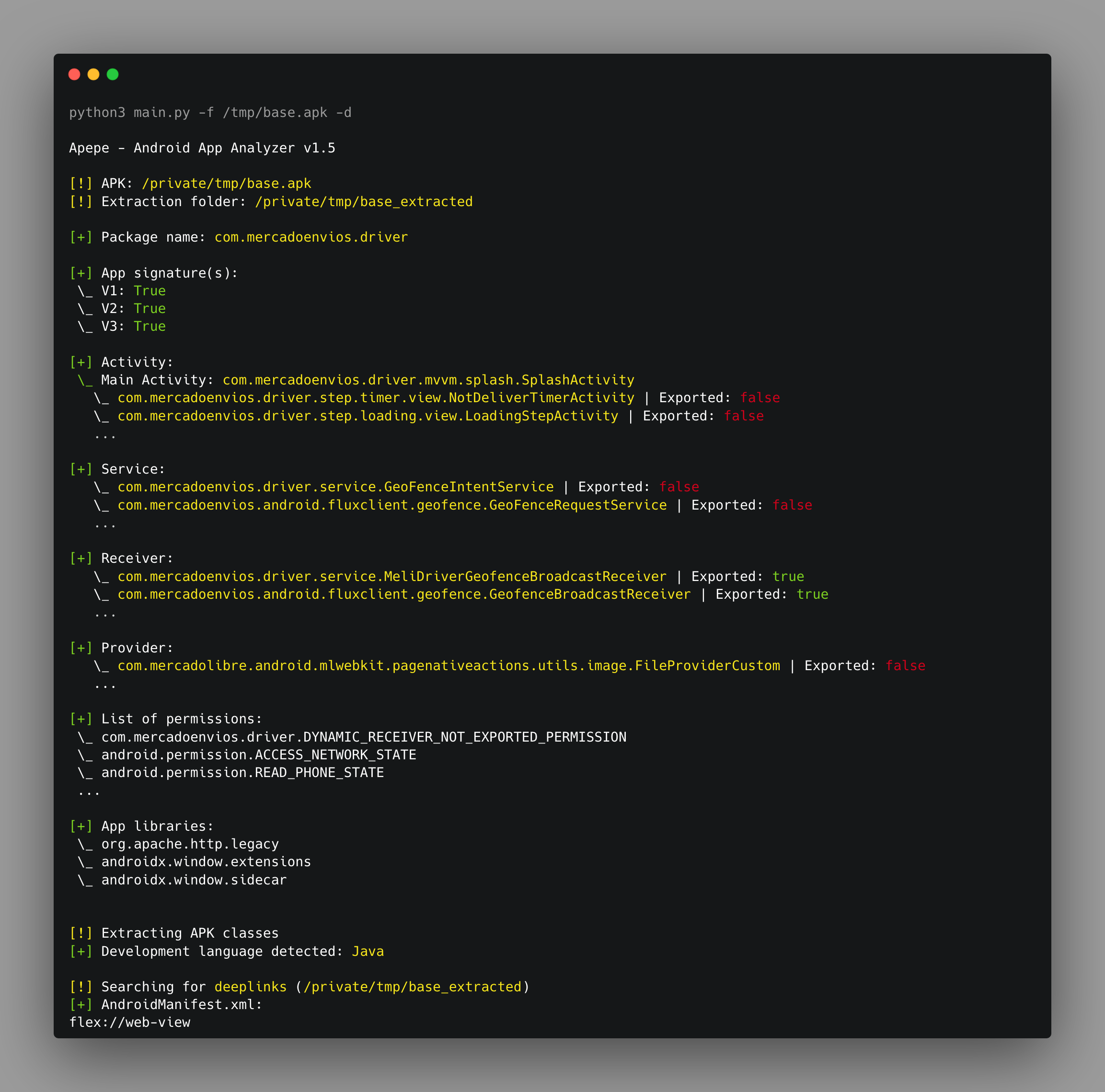
🕵️ Apepe is a project developed to help to capture informations from a Android app through his APK file. It can be used to extract the content, get app settings, suggest SSL Pinning bypass based on the app detected language, extract deeplinks from AndroidManifest.xml, JSONs and DEX files.


⚡ Getting started

A quick guide of how to install and use Apepe.

  1. git clone https://github.com/oppsec/Apepe.git
  2. pip install -r requirements.txt --break-system-packages
  3. python3 main -h

✨ Features

  • List the activies, permissions, services, and libraries used by the app
  • Identify the app development language based on classes name
  • Suggest SSL Pinnings bypass with the -l flag
  • Find deeplinks in DEX, JSONs files and AndroidManifest.xml with the -d flag

🖼️ Preview


🔨 Contributing

A quick guide of how to contribute with the project.

  1. Create a fork from Apepe repository
  2. Download the project with git clone https://github.com/your/Apepe.git
  3. cd Apepe/
  4. Make your changes
  5. Commit and make a git push
  6. Open a pull request

⚠️ Warning

  • The developer is not responsible for any malicious use of this tool.
Download Tool