
Skip to content
KitploitKITPLOIT
ToolsBlog
Submit
ToolsBlog
Submit

Hacking, PenTest, and Cybersecurity Tools for Your Security Arsenal!

Kitploit is a directory of hacking, cybersecurity, and pentesting tools. Discover the latest project updates to find vulnerabilities, analyze systems, automate testing, and strengthen your security.

··Feeds·Contact·Privacy·© 2026 Kitploit

Tool Directory

Categories

View all categories
Loading categories
NextPass — A tool which can be used to generate password list or dictionary from the details of the target | Kitploit
Tools/GitHubGitHub/0xblarky/nextpass
Password CrackingPassword AttacksInformation GatheringPenetration TestingUtilities & FrameworksAI Security
GitHub0xblarky/nextpass

NextPass

A tool which can be used to generate password list or dictionary from the details of the target

View Repository
636 months agoNot yet reviewed

Most Popular

View all →

Discover the most used tools by our community.

Explore all tools

Browse our collection of tools

View all tools →
Share

🚀 NextPass

The Privacy-Centric AI Password Dictionary Generator.

Next Pass is a specialized password dictionary generator that uses both the rule-based logic and Large Language Models to generate passwords. Designed for security researchers, it offers offline generation to generate a password dictionary on the go and also leverages AI to predict human-like password patterns while maintaining a strict privacy air-gap for target data.
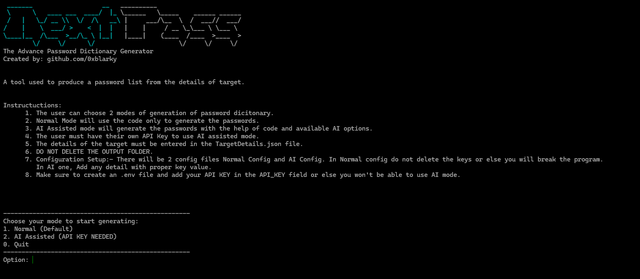

Screenshot

🛡️ Privacy-First AI Architecture

Most AI tools leak sensitive target data (Names, Birthdays, Hobbies) by sending them directly to an LLM. Next Pass solves this by:

  • Local Data Processing: Raw target information is processed locally to protect sensitive datas."
  • Abstract Prompting: The AI receives structural patterns and linguistic archetypes rather than real-world Identifiable Information (PII).

✨ Features

  • Offline Generation: Generates most probable human like password used by target ( generated using pre-defined rules )
  • AI Mode: Leverage the power of AI to go beyond the pre-defined rules and generate more varieties of passowrds
  • Clean Exports: Outputs dictionaries in .txt format, optimized for tools like Hashcat and John the Ripper.

⚙ Pre-Requisites:-

  • Python 3
  • Gemini API Key ( Required for AI Mode )

🚀 Installation & Setup

1. Clone the Repository

root@kitploit:~
git clone https://github.com/0xblarky/NextPass.git
cd Next-Pass

2. Install requiremenets

root@kitploit:~
pip install -r requirements.txt

3. AI mode setup

  • Create a new file named .env
  • Inside .env, copy paste API_KEY={YOUR_API_KEY}

4. Running the tool

Inside the config folder, Put the necessary details in Normal.json if using Normal mode (New key fields cannot be entered) Put More than 2 details in AI.json if using AI mode (Can enter any data in key value pair)

Note:- You can add multiple datas in a field (Only some fields can have multiple data in Normal mode while any fields can have multiple data in AI mode)

After setting up the json files, Run the command below

Linux:-

root@kitploit:~
python3 main.py

Windows:-

root@kitploit:~
python main.py

After generation, Output text file can be found in the Output folder

Download Tool