 0liverflow/cve2poc
CVE2PoC is a tool that helps penetration testers, bug hunters, and security researchers quickly find public exploits or PoCs related to a CVE ID



CVE2PoC is a tool that helps penetration testers, bug hunters, and security researchers quickly find public exploits, Proof-of-Concepts (PoCs), and advisories related to a CVE ID.
CVE2PoC can be installed using pipx or uv.
pipx install git+https://github.com/0liverFlow/cve2poc
uv tool install git+https://github.com/0liverFlow/CVE2PoC
uvx git+https://github.com/0liverFlow/CVE2PoC
CVE2PoC usage is straightforward. You can use it by simply specifying a CVE ID.
Refer to the help menu and the demonstration section below to better understand the tool's features.
usage: cve2poc.py [-h] [-x] [-d] [-f FILE] [-o OUTPUT] [-l LANGUAGE] [--limit LIMIT] [-t] [--labs CVE ID]
                  [--bugbounty-reports CVE ID] [--mitigations CVE ID] [--cve2cpe CVE ID] [--cpe2cve CPE] [-s FILE]
                  [--api-keys] [--no-banner]
                  [cve]

A simple yet powerful tool to quickly find PoCs related to a CVE ID

positional arguments:
  cve                               CVE ID

options:
  -h, --help                        show this help message and exit
  -x , --examine                    Examine an exploit's README file
  -d, --description                 Display a CVE ID description
  -f FILE, --file FILE              Specify a file containing a list of CVE IDs
  -o OUTPUT, --output OUTPUT        Output directory to store the reports
  -l LANGUAGE, --language LANGUAGE  Filter PoCs by programming language
  --limit LIMIT                     Number of PoCs to display
  -t , --threads                    Number of concurrent threads
  --labs CVE ID                     Search pre-built docker environments and Hands-on labs related to a CVE ID
  --bugbounty-reports CVE ID        Search Bug Bounty reports related to a CVE ID
  --mitigations CVE ID              Remediation steps to fix a vulnerability
  --cve2cpe CVE ID                  Retrieve CPEs related to a CVE ID
  --cpe2cve CPE                     Retrieve CVEs related to a CPE
  -s FILE, --save FILE              Output file to save CPE2CVE results
  --api-keys                        Configure your GitHub and NVD API keys (Not required)
  --no-banner                       Remove banner
Run this command to search for public exploits related to a CVE ID:
cve2poc <CVE ID>

By default, the tool will return the top 10 exploits, sorted by their stars and forks.
Additionally, it will search for Metasploit modules, Nuclei templates and Exploit-DB exploits related to the specified CVE ID.
To search for multiple CVEs, specify a file containing a list of CVE IDs (one CVE per line) using the -f flag:
cve2poc -f <file>
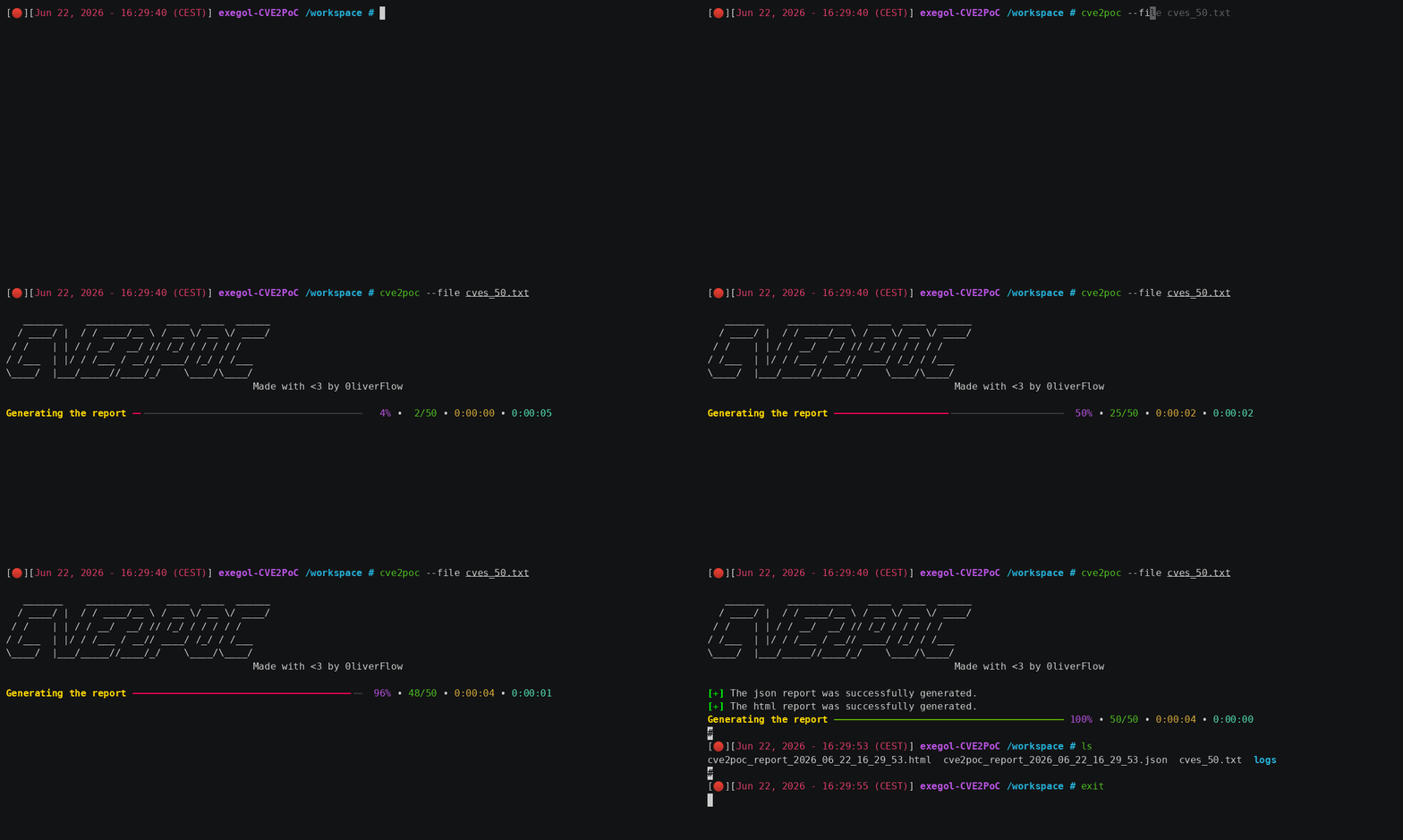
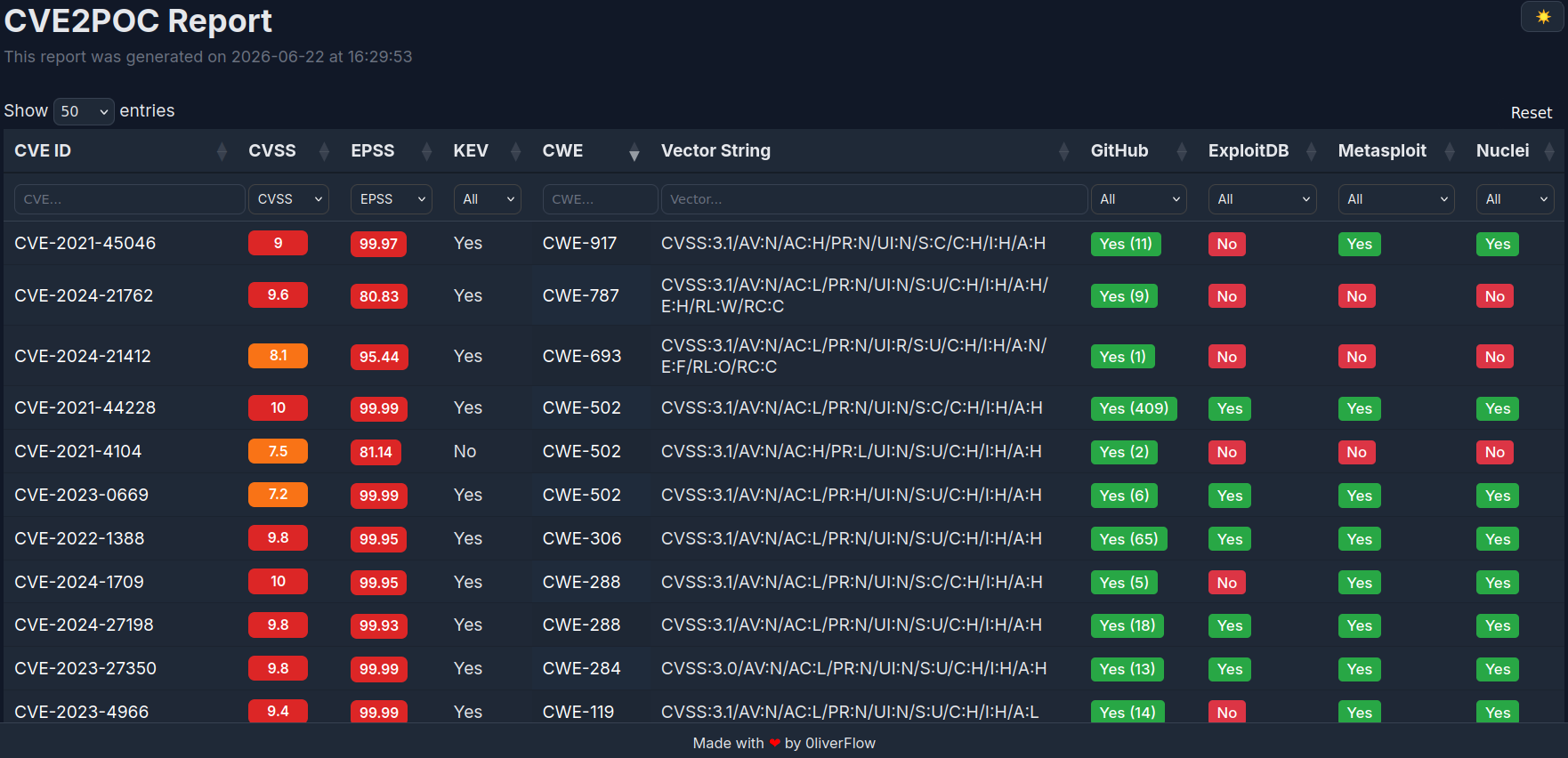
By default, CVE2PoC automatically generates a detailed JSON and HTML reports in the current directory.
To use a different output directory, use the-oflag.
To test this feature, use the provided sample files.
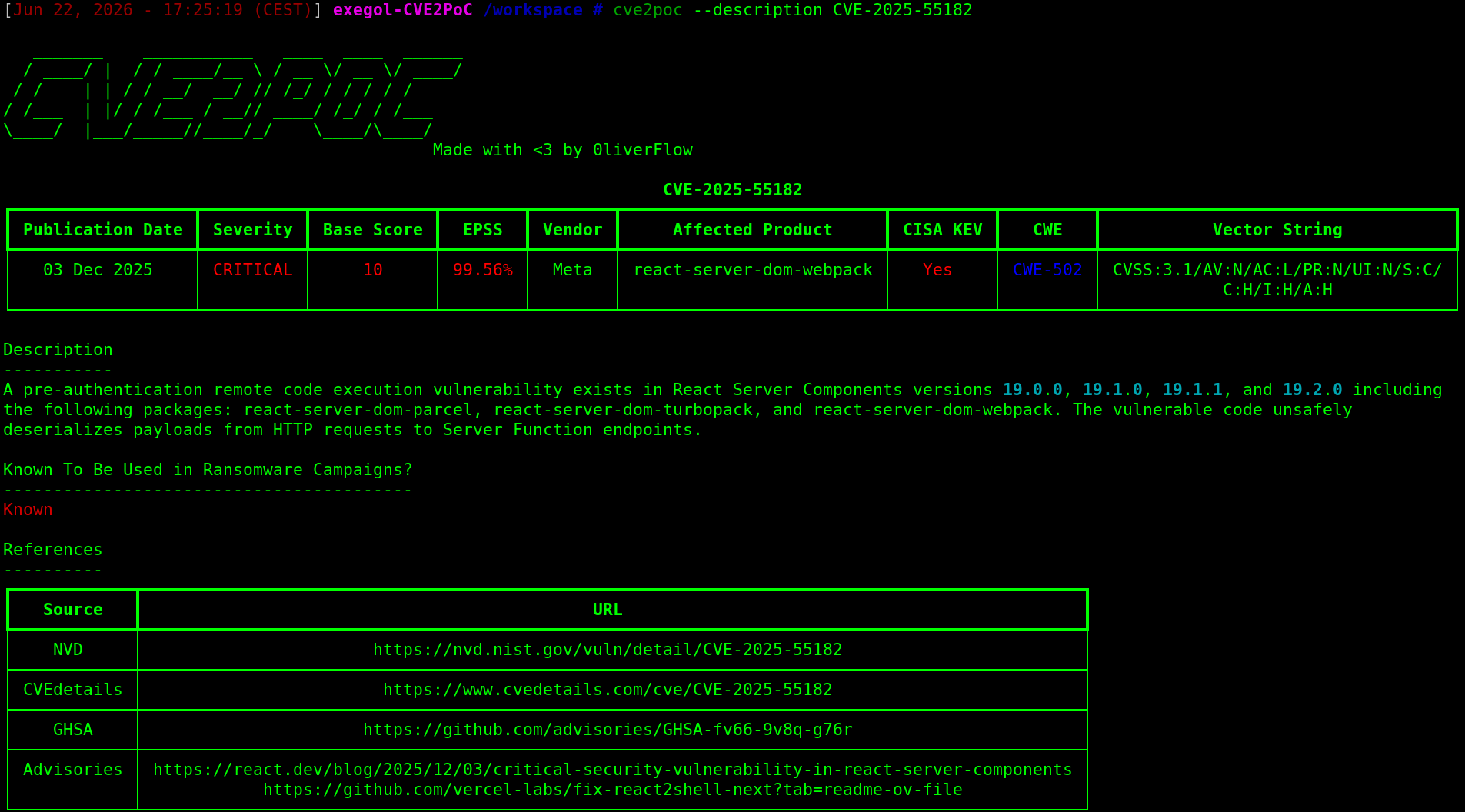
The command below returns a CVE ID description, as well as additional references to better understand the vulnerability:
cve2poc --description <CVE ID>
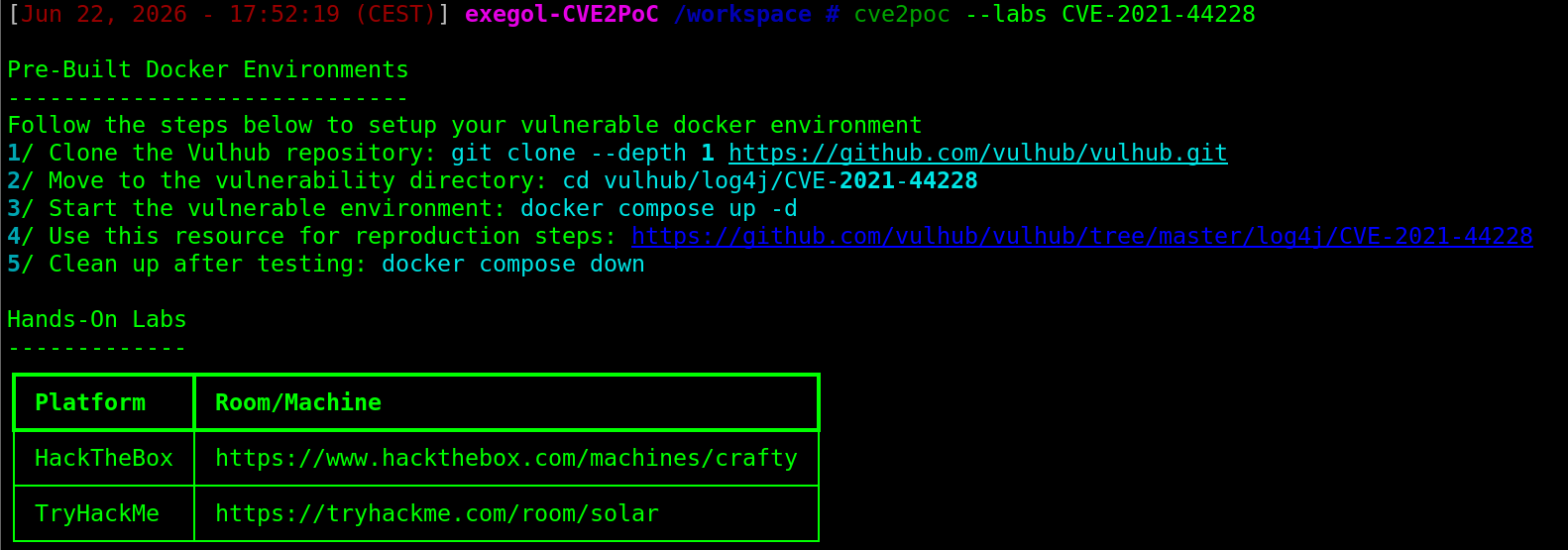
CVE2PoC can be used to find ready-to-use Docker environments and hands-on labs to safely understand and test exploits before using them in real-world environments, reducing the risk of production disruptions.
cve2poc --labs <CVE ID>
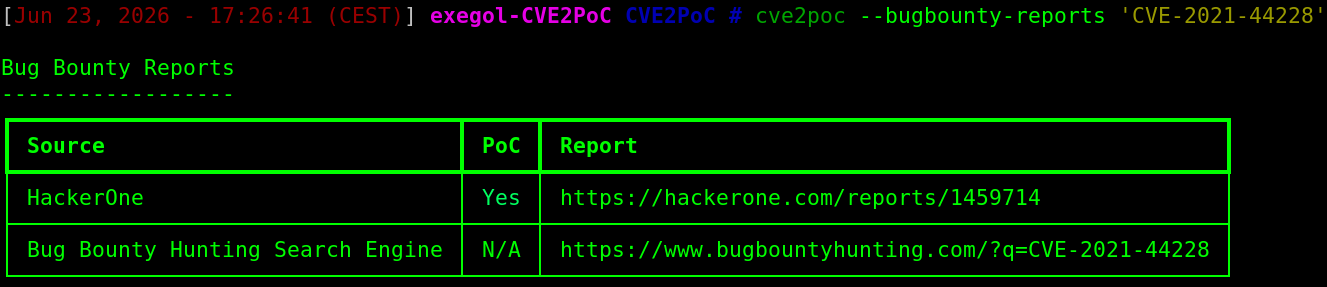
Bug Bounty reports can be useful to better understand how a CVE was exploited in real life scenarios. They may also contain PoCs which can help you reproduce the vulnerability.
cve2poc --bugbounty-reports <CVE ID>
To quickly identify remediation steps for a vulnerability, use this command:
cve2poc --mitigations <CVE ID>

CVE2PoC has a feature similar to searchsploit -x, that allows you to read the README file of an exploit directly from your terminal. This is handy especially if you need to have a quick understanding of how the exploit works without using your browser.
To examine the exploit documentation, use this command:
cve2poc --examine <GitHub Clone URL>

The GitHub Clone URL is the URL returned by CVE2PoC for each PoC.
To retrieve CVE IDs related to a CPE, run this command:
cve2poc --cpe2cve <CPE>

To retrieve CPEs related to a CVE ID, run this command:
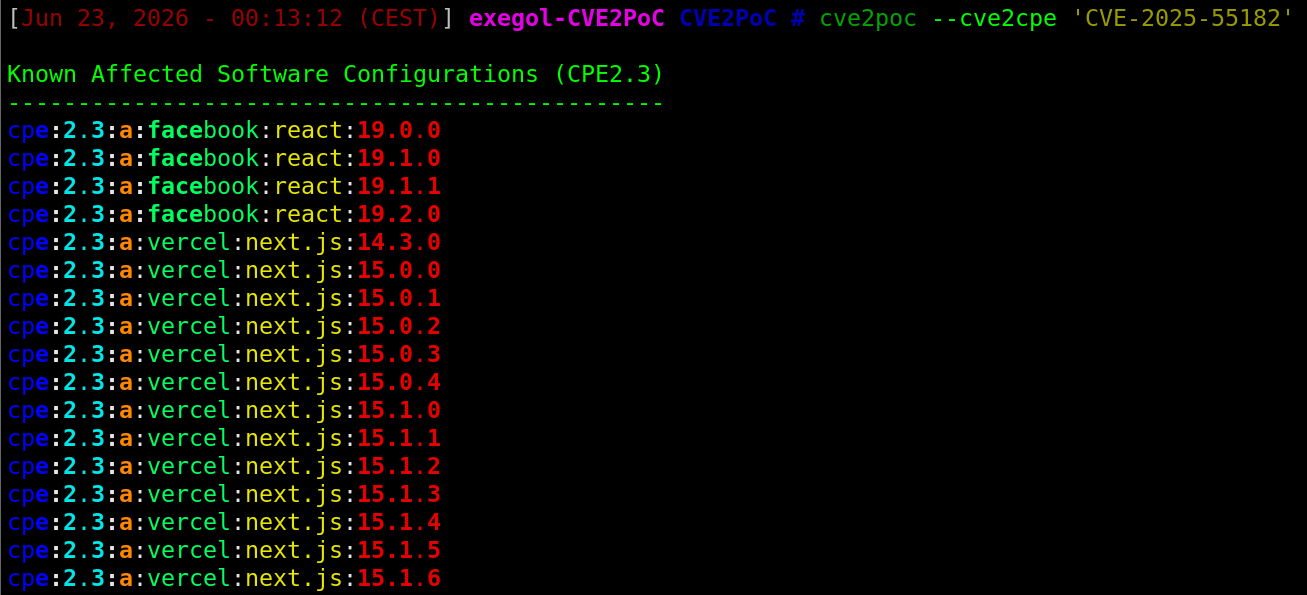
cve2poc --cve2cpe <CVE ID>

