
netbird v0.84.0
Identity-based Zero Trust networking platform that builds peer-to-peer WireGuard overlay networks with granular access policies, SSO/MFA, and self-hosted management.





Start using NetBird at netbird.io
See Documentation
Join our Discord server or our Community forum
🚀 We are hiring! Join us at https://netbird.io/careers
🤖 NetBird Agent Network (Beta)
Identity-aware access control for AI agents — keyless access to LLM APIs and private resources over the encrypted NetBird tunnel. See
agent-network/or read the docs at netbird.ai.
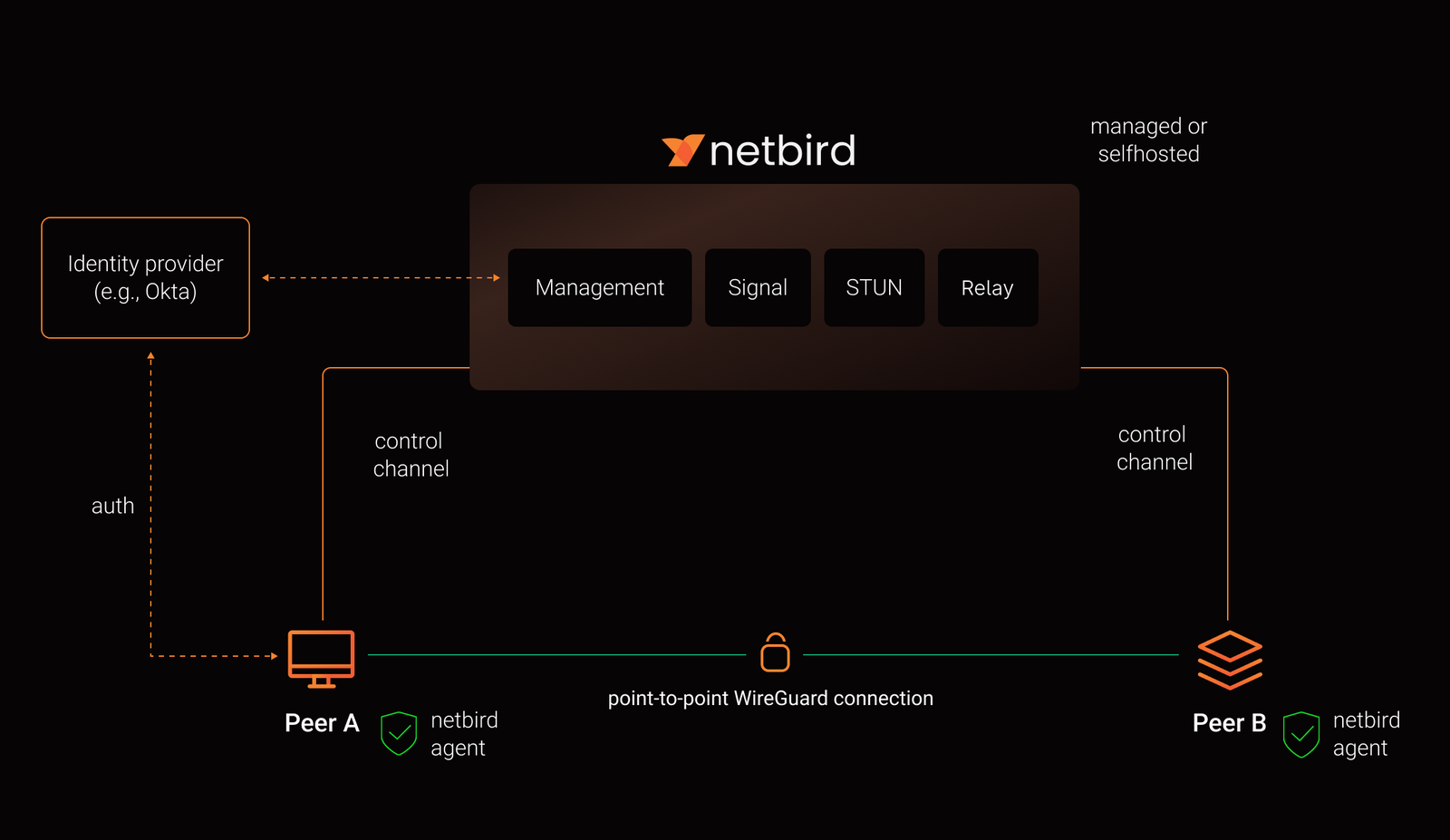
NetBird combines a configuration-free peer-to-peer private network and a centralized access control system in a single platform, making it easy to create secure private networks for your organization or home.
Connect. NetBird creates a WireGuard-based overlay network that automatically connects your machines over an encrypted tunnel, leaving behind the hassle of opening ports, complex firewall rules, VPN gateways, and so forth.
Secure. NetBird enables secure remote access by applying granular access policies while allowing you to manage them intuitively from a single place. Works universally on any infrastructure.
https://github.com/user-attachments/assets/10cec749-bb56-4ab3-97af-4e38850108d2
Self-host NetBird (video)

Key features
| Connectivity | Management | Security | Automation | Platforms |
|---|---|---|---|---|
| ✓ Kernel WireGuard | ✓ Admin Web UI | ✓ SSO & MFA support | ✓ Public API | ✓ Linux |
| ✓ Peer-to-peer connections | ✓ Auto peer discovery and configuration | ✓ Access control: groups & rules | ✓ Setup keys for bulk provisioning | ✓ macOS |
| ✓ Connection relay fallback | ✓ IdP integrations | ✓ Activity logging | ✓ Self-hosting quickstart script | ✓ Windows |
| ✓ Routes to external networks | ✓ Private DNS | ✓ Traffic events | ✓ IdP groups sync with JWT | ✓ Android |
| ✓ Domain-based DNS routes | ✓ Custom DNS zones | ✓ Device posture checks | ✓ Terraform provider | ✓ Android TV |
| ✓ Exit nodes | ✓ Multiuser support | ✓ Peer-to-peer encryption | ✓ Ansible collection | ✓ iOS |
| ✓ IPv6 dual-stack overlay | ✓ Multi-account profile switching | ✓ SSH with central access policies | ✓ Apple TV | |
| ✓ Browser SSH & RDP | ✓ Quantum-resistance with Rosenpass | ✓ FreeBSD | ||
| ✓ Reverse proxy with auto-TLS | ✓ Periodic re-authentication | ✓ pfSense | ||
| ✓ OPNsense | ||||
| ✓ MikroTik RouterOS | ||||
| ✓ OpenWrt | ||||
| ✓ Synology | ||||
| ✓ TrueNAS | ||||
| ✓ Unraid | ||||
| ✓ Proxmox | ||||
| ✓ Raspberry Pi | ||||
| ✓ Serverless | ||||
| ✓ Container |
Quickstart with NetBird Cloud
- Download and install NetBird at https://app.netbird.io/install.
- Follow the steps to sign up with Google, Microsoft, GitHub or your email address.
- Check the NetBird admin UI.
Quickstart with self-hosted NetBird
This is the quickest way to try self-hosted NetBird. It should take around 5 minutes to get started if you already have a public domain and a VM. Follow the Advanced guide with a custom identity provider for installations with different IdPs.
Infrastructure requirements:
- A Linux VM with at least 1 CPU and 2 GB of memory.
- The VM should be publicly accessible on TCP ports 80 and 443 and UDP port 3478.
- A public domain name pointing to the VM.