
xalgorix v4.5.106
Autonomous AI pentesting agents — real-time reconnaissance, vulnerability detection, and exploitation orchestration. Go + TypeScript.







Xalgorix — Open-source AI pentester that proves vulnerabilities
Most scanners detect. Xalgorix proves. An autonomous LLM agent works a full pentest methodology, then an independent verifier re-exploits every finding before it's reported — so you get proof, not a pile of maybes to triage. Self-hosted, private, and bring-your-own-LLM. Built in Go + TypeScript.
🚀 Quick Start · 💡 Why Xalgorix · ✨ Features · 🎯 Use Cases · ☁️ Self-host or Cloud · 📖 Docs · 💬 Discussions
| 🖥️ Self-host — this repo | ☁️ Xalgorix Cloud — nothing to install |
|---|---|
| Free and Apache-2.0. Runs on your machine with your own LLM key, or fully local with Ollama. Findings and reports stay on your infrastructure. | The same exploit-verified engine in your browser. Model, out-of-band callbacks and scheduling are managed for you. Packs from $10; credits never expire. |
| Install in two commands ↓ | Compare self-hosted vs Cloud → |
🤖 Only need PR reviews? The free Xalgorix GitHub App comments a security review on every pull request — no account, no API key.
📸 Screenshots
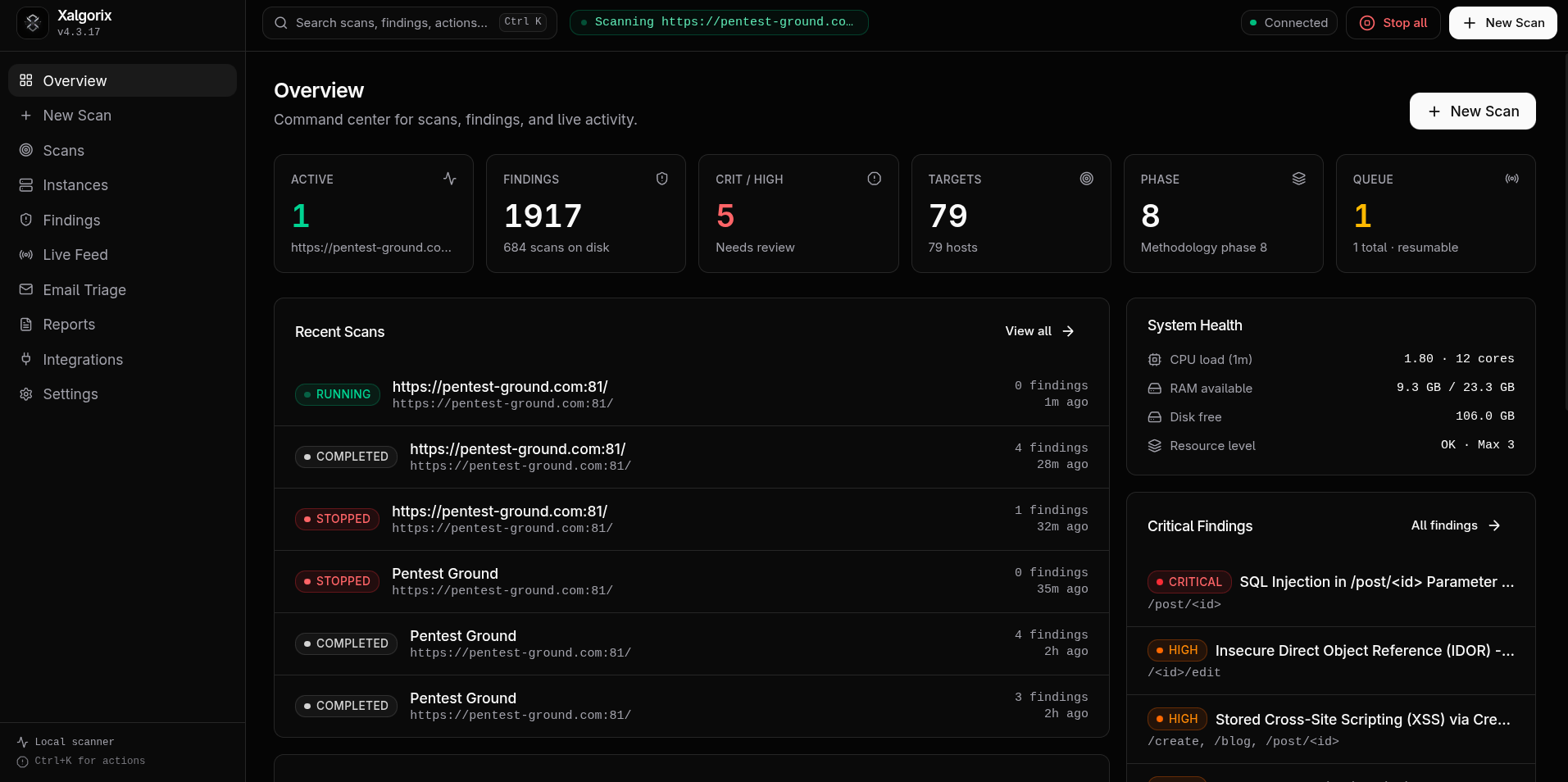
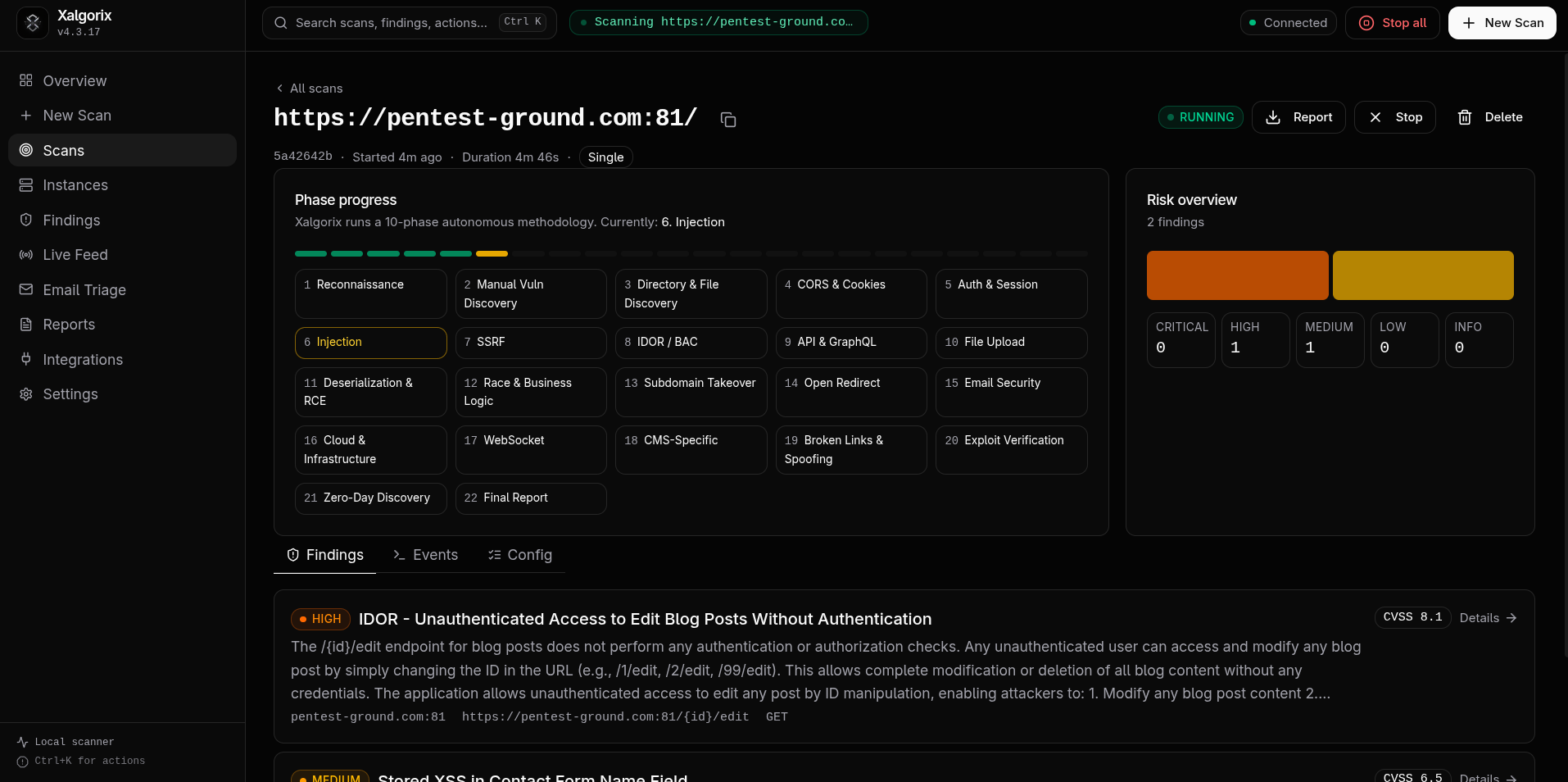
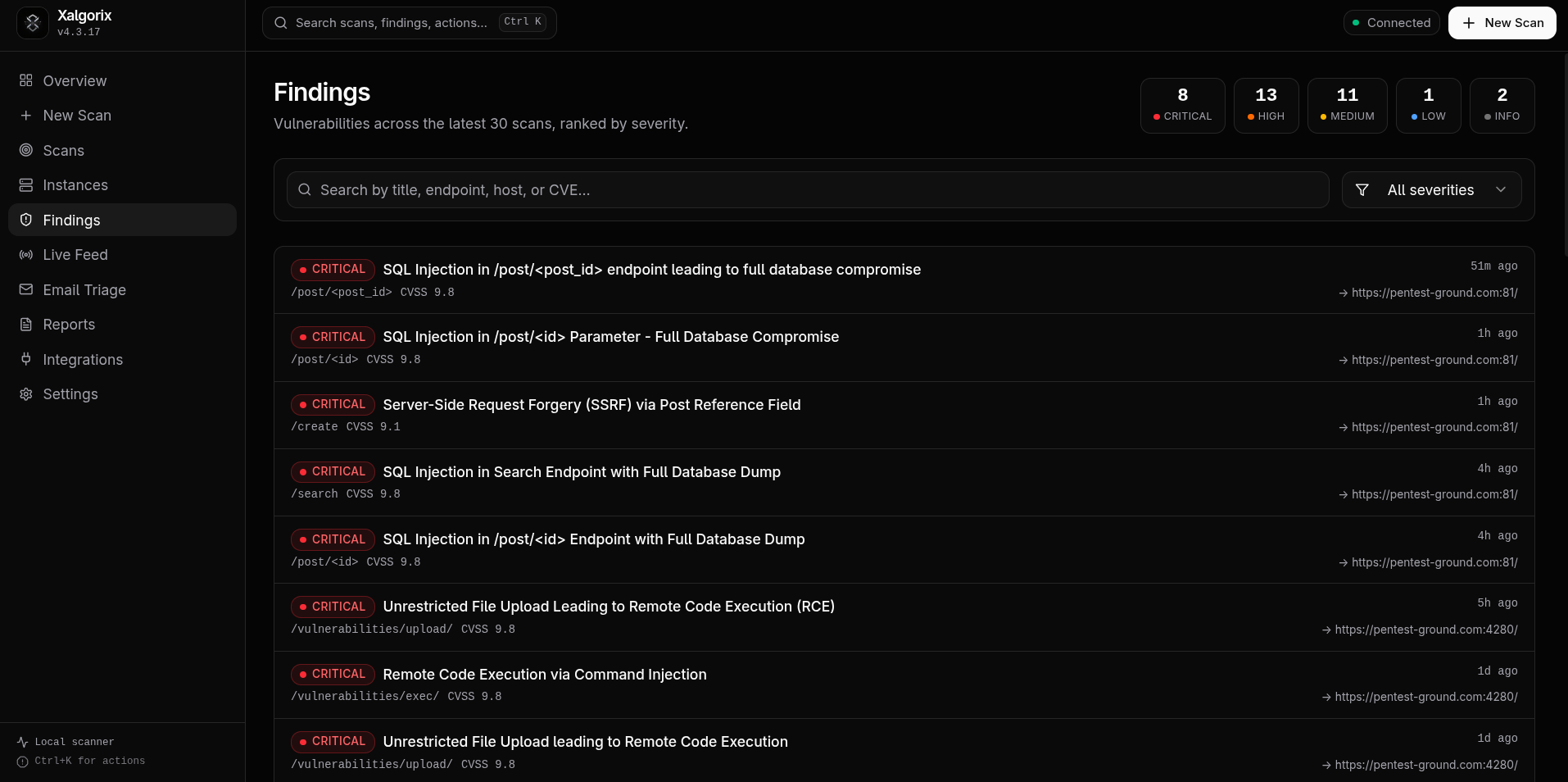
🖥️ Self-hosted dashboard — runs locally on 127.0.0.1:9137
| Overview dashboard | Scan detail | Findings |
|---|---|---|
 |  |  |
☁️ Xalgorix Cloud dashboard — the managed version at www.xalgorix.com

🤝 Sponsors
Xalgorix is supported by these proxy-infrastructure partners — handy for checking how your own apps behave across regions. Both speak HTTP(S) and SOCKS5, the protocols Xalgorix uses.

|

|
|
Swiftproxy Residential proxies from $0.70/GB · location targeting · sticky sessions Xalgorix users get 10% off with PROXY90
|
Proxy-Seller 47M+ residential IPs · 220+ locations · residential, mobile, ISP & datacenter Xalgorix users get 15% off with XALGORIX
|
🚀 Quick Start
Install (one line):
curl -sSL https://www.xalgorix.com/install | bash
This downloads the prebuilt binary for your platform (Linux or macOS, amd64/arm64) from the latest release.
Or install with Go 1.26 or newer:
go install github.com/xalgord/xalgorix/v4/cmd/xalgorix@latest
Ensure $(go env GOPATH)/bin (or your GOBIN) is on your PATH before running xalgorix.
Then run the interactive setup wizard:
xalgorix --setup
Choose your provider, confirm a model, and enter the API key when prompted. For best results, use a current frontier model with strong reasoning, long-context performance, and reliable tool calling—such as the latest capable GPT, Claude, or Gemini model available to you. Smaller or local models remain supported, but may require more supervision during long autonomous scans. Xalgorix stores the key privately in ~/.xalgorix.env (mode 0600) and can launch the dashboard for you. Local Ollama needs no API key.
If you choose not to launch immediately, start later with xalgorix --web and open http://127.0.0.1:9137. You can change providers or advanced options at any time under Settings → LLM, or rerun xalgorix --setup.
Or run with Docker — batteries included, no toolchain needed:
docker run --rm -p 9137:9137 \
  --privileged \
  -v xalgorix-data:/data \
  xalgord/xalgorix:latest