
agent-bom v0.102.0
Open security scanner and self-hosted control plane for AI, MCP, and cloud. One evidence model — run scans in your environment, centralize findings, govern in your VPC.








Find vulnerable software behind your AI agents—and trace the exposure evidence.
Open security scanner and self-hosted control plane for AI, MCP, and cloud infrastructure. For AppSec and platform engineers responsible for AI agents and MCP servers: scan a repository, correlate its findings with agent and infrastructure context, and prioritize fixes by blast radius and reachability evidence. Local scans need no account.
Quick start · Integrations · Sample graph · Self-host · Product tour · Docs
Quick start
From the repository you want to inspect, with uv installed:
uvx agent-bom scan .
Read the discovered agents and MCP servers, prioritize the highest-severity findings, and follow the affected package's fix guidance. Review coverage gaps beside the verdict: incomplete evidence is not a clean assessment. What this scan does and does not establish.
Apply a reviewed fix, update the lockfile, then rerun uvx agent-bom scan .
against the same repository to verify the finding changed.
Save a report with uvx agent-bom scan . -f sarif -o findings.sarif, then
upload it and gate CI.
Run uvx agent-bom doctor if setup fails. See the first-run guide
for pip installation and the existing checkup assistant workflow.
In GitHub Actions, the same scan uploads SARIF to code scanning and fails on high or critical findings, the same default gate as the CLI:
permissions:
  contents: read
  security-events: write
steps:
  - uses: actions/checkout@v4
  - uses: koda-ai-studio/agent-bom@v0
    with:
      upload-sarif: 'true'
No project handy? Run uvx agent-bom scan --demo --offline for a bundled sample.
Exit 1 is expected: the sample trips the security gate. A non-zero exit
can mean a security gate or incomplete assessment; inspect the report and coverage.
See the exit codes.
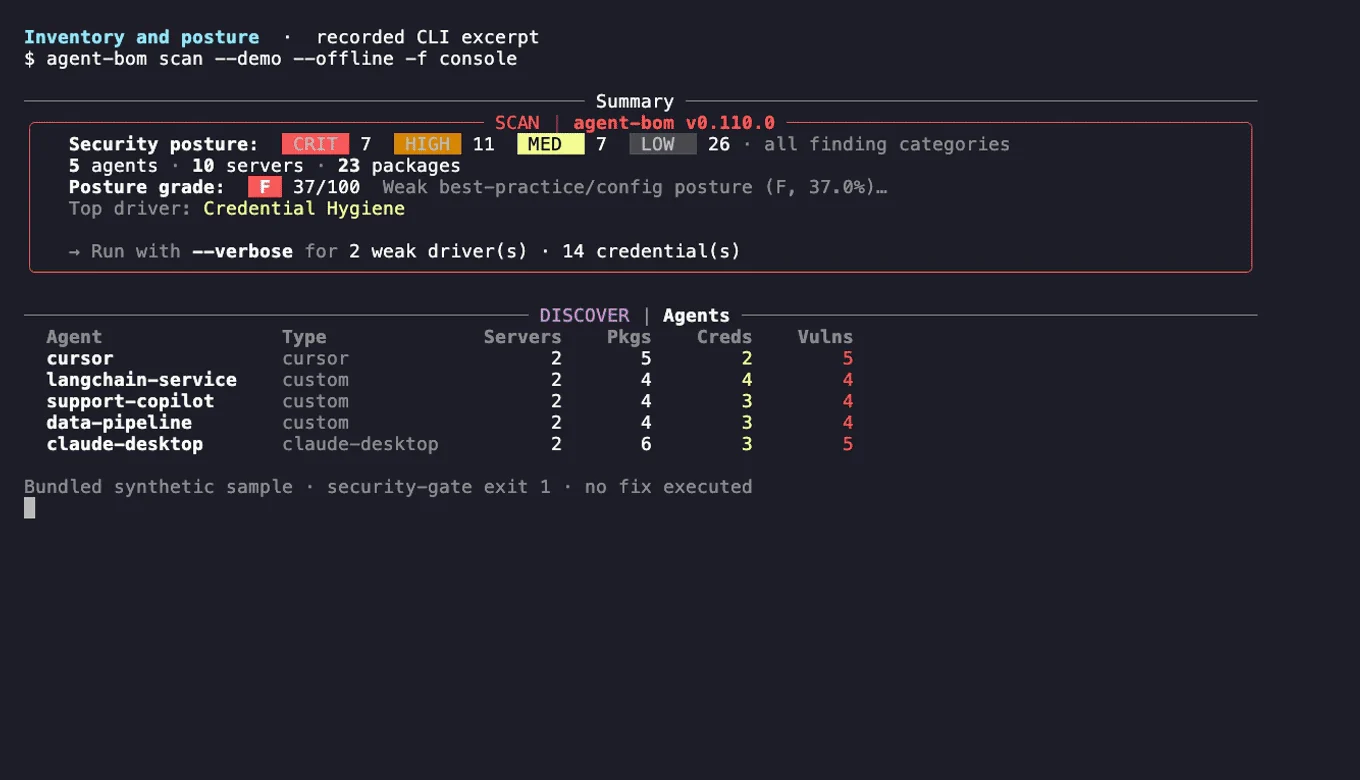
The recording uses labeled sample data and bundled advisories. Credential references are names, not secret values. Recorded relationships do not prove exploitation or successful data access.
What it covers
| Area | What you get |
|---|---|
| Dependencies | Lockfiles and manifests across Python, JavaScript, Go, Java, .NET, Rust and more, matched against OSV, GitHub advisories and NVD with KEV and EPSS. Ask "am I affected by CVE-X" across every stored scan. |
| Code | Findings from Semgrep or any SARIF tool, plus native analysis of AI code (prompt-injection sinks, guardrails, tool exposure) and whether your code reaches the vulnerable function. |
| Containers and IaC | Images scanned in bounded memory and time; Dockerfile, Terraform, Kubernetes, Helm and compose risks with exact lines in SARIF. |
| AI agents and MCP | Agents, MCP servers, tools and credentials from local configs and agent frameworks, linked to what they can reach. |
| Cloud | Read-only collection from AWS, Azure, GCP, Databricks, Snowflake and more, with CIS and best-practice checks in the same graph. |
| Runtime | An MCP proxy and gateway that alert on poisoned tools and injected results, or block them with --injection-mode enforce. |
Supported sources
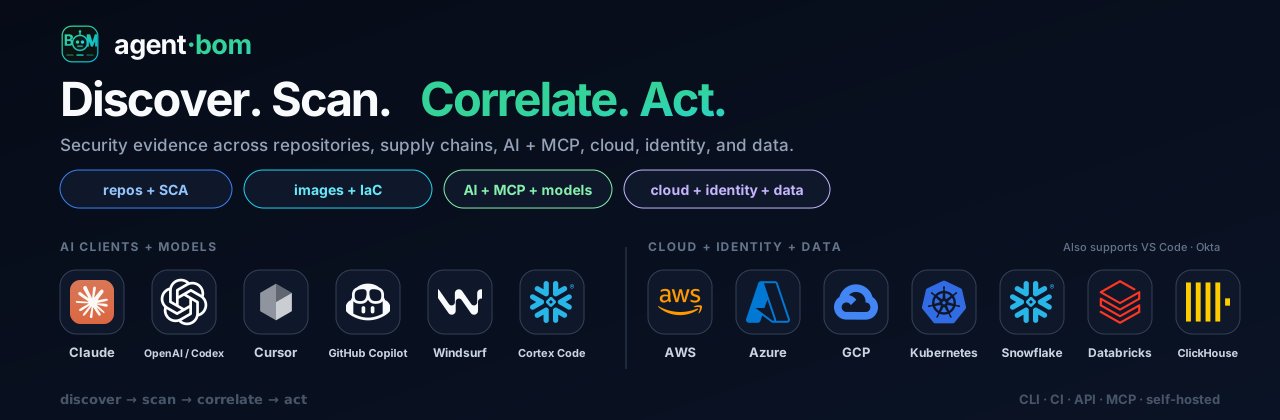
Discovery and scanning read from these sources today; the last row lists where evidence can be sent. The list is generated from a code-backed manifest (docs/images/integrations-manifest.json); a test fails if it names anything without an implementation.
| Area | Integrations |
|---|---|
| AI clients + IDEs | Claude, Codex, Cursor, GitHub Copilot, Windsurf, Cortex Code, Gemini CLI, JetBrains AI, Junie, Amazon Q, Cline, Roo Code, Continue, Zed, Goose, Snowflake CLI, Docker MCP Toolkit, Tabnine, Sourcegraph Cody, Aider, Void, Aide, Trae, Pieces, OpenClaw, mcp-cli |
| AI platforms + model hubs | OpenAI, Hugging Face, Ollama, MLflow, W&B, Langfuse, LangSmith |
| GPU + neo clouds | CoreWeave, Nebius, Lambda, RunPod, Vast.ai, Crusoe, GPU containers + K8s GPU nodes |
| Hyperscalers + Kubernetes | AWS, Azure, GCP, Kubernetes |
| Data + vector stores | Snowflake, Databricks, Supabase, Pinecone, Qdrant, Weaviate, Chroma, Milvus |
| Identity + SaaS + dev | Okta, GitHub Actions, Vercel, Microsoft Entra ID, Jira, ServiceNow, Slack, Jamf |
| Evidence out | ClickHouse, BigQuery, S3, GCS, Azure Blob, Jira tickets, Slack alerts, Vanta, Drata, OCSF syslog |
Product names and logos are trademarks of their owners, used only to identify supported evidence sources. Their use does not imply endorsement or partnership.
Investigate context and exposure
Which agent uses the vulnerable component? What could it reach? What evidence supports that path? Correlate retained scans by exact, tenant-scoped identities; trace the recorded blast radius from each agent through its MCP servers to packages, findings, credentials and data stores. Inspect each relationship's source and evidence kind, then rescan the same scope to check what changed.