

minder v0.2.0
Software Supply Chain Security Platform

 |
|  |
|  |
|  | |
| | 
Installation | Documentation | Releases
What is Minder?
Minder is an open source platform that helps development teams and open source communities build more secure software, and prove to others that what they’ve built is secure. Minder helps project owners proactively manage their security posture by providing a set of checks and policies to minimize risk along the software supply chain, and attest their security practices to downstream consumers.
Minder allows users to enroll repositories and define policy to ensure repositories and artifacts are configured consistently and securely. Policies can be set to alert only or auto-remediate. Minder provides a predefined set of rules and can also be configured to apply custom rules.
Minder can be deployed as a Helm chart and provides a CLI tool minder. Custcodian also
provides a free-to-use hosted version of Minder. Minder is designed to be extensible,
allowing users to integrate with their existing tooling and processes.
Features
- Repo configuration and security: Simplify configuration and management of security settings and policies across repos.
- Proactive security enforcement: Continuously enforce best practice security configurations by setting granular policies to alert only or auto-remediate.
- Artifact attestation: Continuously verify that packages are signed to ensure they’re tamper-proof, using the open source project Sigstore.
- Dependency management: Manage dependency security posture by helping developers make better choices and enforcing controls. Minder is integrated with OSV (and can be integrated with other SCA APIs) to enable policy-driven dependency management based on the risk level of dependencies.
Public Instance
Custcodian provides a free-to-use public instance of Minder at api.custcodian.dev. This is the default instance used when you use the minder CLI starting with release 0.0.89. This instance is free to use for public repositories; for private repositories, there may be an additional charge for using this cloud-hosted instance.
Getting Started (< 1 minute)
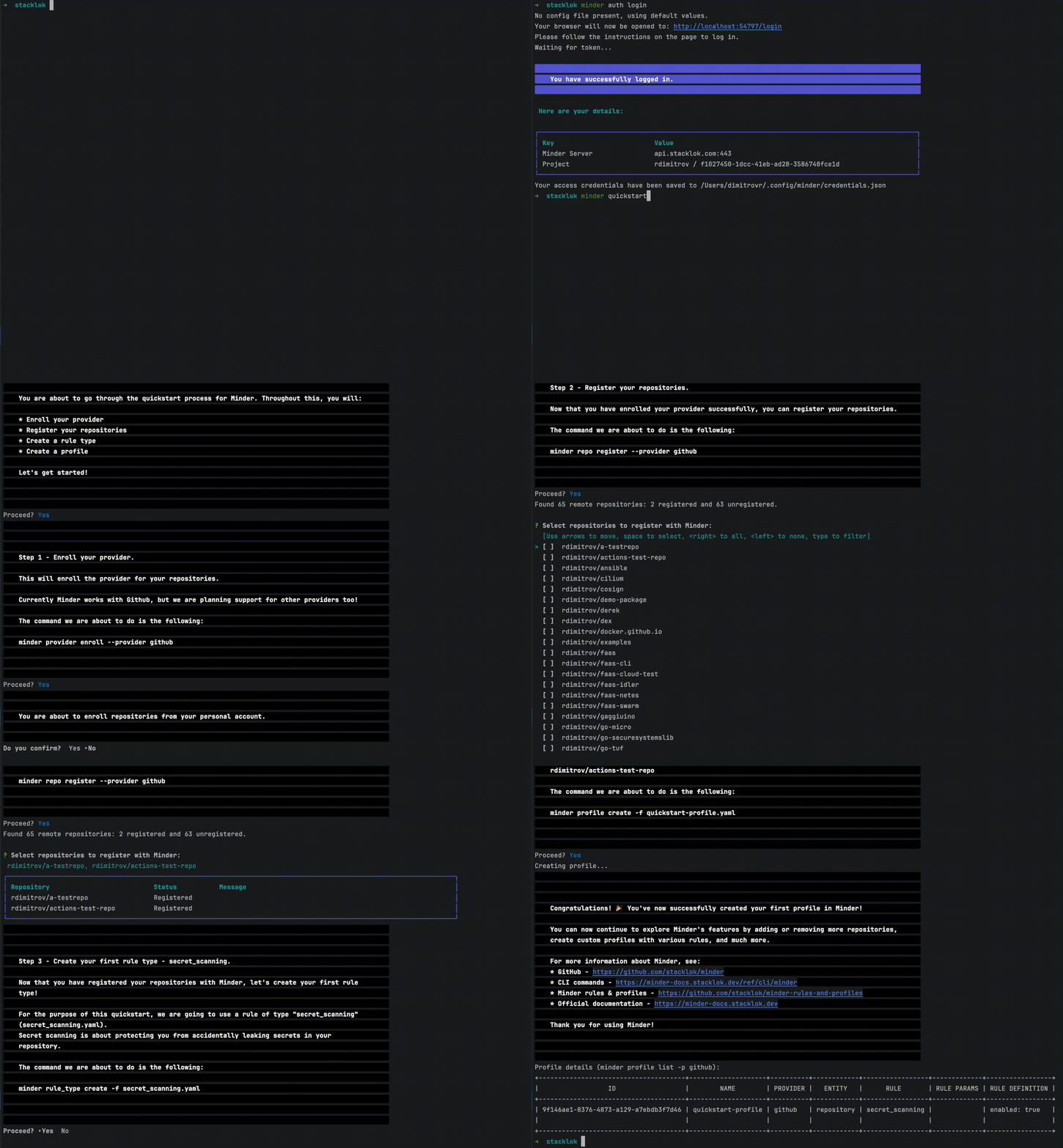
Getting up and running with Minder takes under a minute and is as easy as:
- Installing Minder
- Logging in to Minder
- and running
minder quickstartto create your first profile.
In just a few seconds, you will register your repositories and enable secret scanning protection for all of them! 🤯
Installation
Choose your preferred method to install minder:
MacOS (Homebrew)
Make sure you have Homebrew installed.
brew install minder
Windows (Winget)
Make sure you have Winget installed.
winget install mindersec.minder
Download a release
Download the latest release from minder/releases.
Build it from source
Build minder and minder-server from source by following the build from source guide.
Logging in to Minder
To use minder with the public instance of Minder (api.custcodian.dev), log in by running:
minder auth login --grpc-host api.custcodian.dev
(This API host is the default starting with the 0.0.89 release.) Upon completion, you should see that the Minder Server is set to api.custcodian.dev.
Run Minder quickstart
The quickstart command guides you through creating your first profile in Minder, register your repositories, and enabling secret scanning protection for your repositories in seconds.
To do so, run:
minder quickstart
This will prompt you to enroll your provider, select the repositories you'd like, create the secret_scanning
rule type and create a profile which enables secret scanning for the selected repositories.
To see the status of your profile, run:
minder profile status list --profile quickstart-profile --detailed
You should see the overall profile status and a detailed view of the rule evaluation statuses for each of your registered repositories.
Minder will continue to keep track of your repositories and will ensure to fix any drifts from the desired state by
using the remediate feature or alert you, if needed, using the alert feature.
Congratulations! 🎉 You've now successfully created your first profile!
What's next?
You can now continue to explore Minder's features by adding or removing more repositories, create more profiles with various rules, and much more. There's a lot more to Minder than just secret scanning.
The secret_scanning rule is just one of the many rule types that Minder supports.
You can see the full list of ready-to-use rules and profiles maintained by Minder's team here - mindersec/minder-rules-and-profiles.
In case there's something you don't find there yet, Minder is designed to be extensible. This allows for users to create their own custom rule types and profiles and ensure the specifics of their security posture are attested to.
Now that you have everything set up, you can continue to run minder commands against the public instance of Minder
where you can manage your registered repositories, create profiles, rules and much more, so you can ensure your repositories are
configured consistently and securely.
For more information about minder, see:
minderCLI commands - Docs.minderREST API Documentation - Docs.minderrules and profiles maintained by Minder's team - GitHub.- Minder documentation - Docs.
Roadmap
The Minder community are actively working on new features and improvements for Minder.
You can find our roadmap here.
Should you wish to request or contribute a feature or improvement, please use the following issue template
Development
This section describes how to build and run Minder from source.
Build from source
Prerequisites
You'd need the following tools available - Go, Docker and Docker Compose.
To build and run minder-server, you will also need ko.
To run the test suite via make test, you will need gotestfmt and helm.