
mcpsnoop v0.13.0
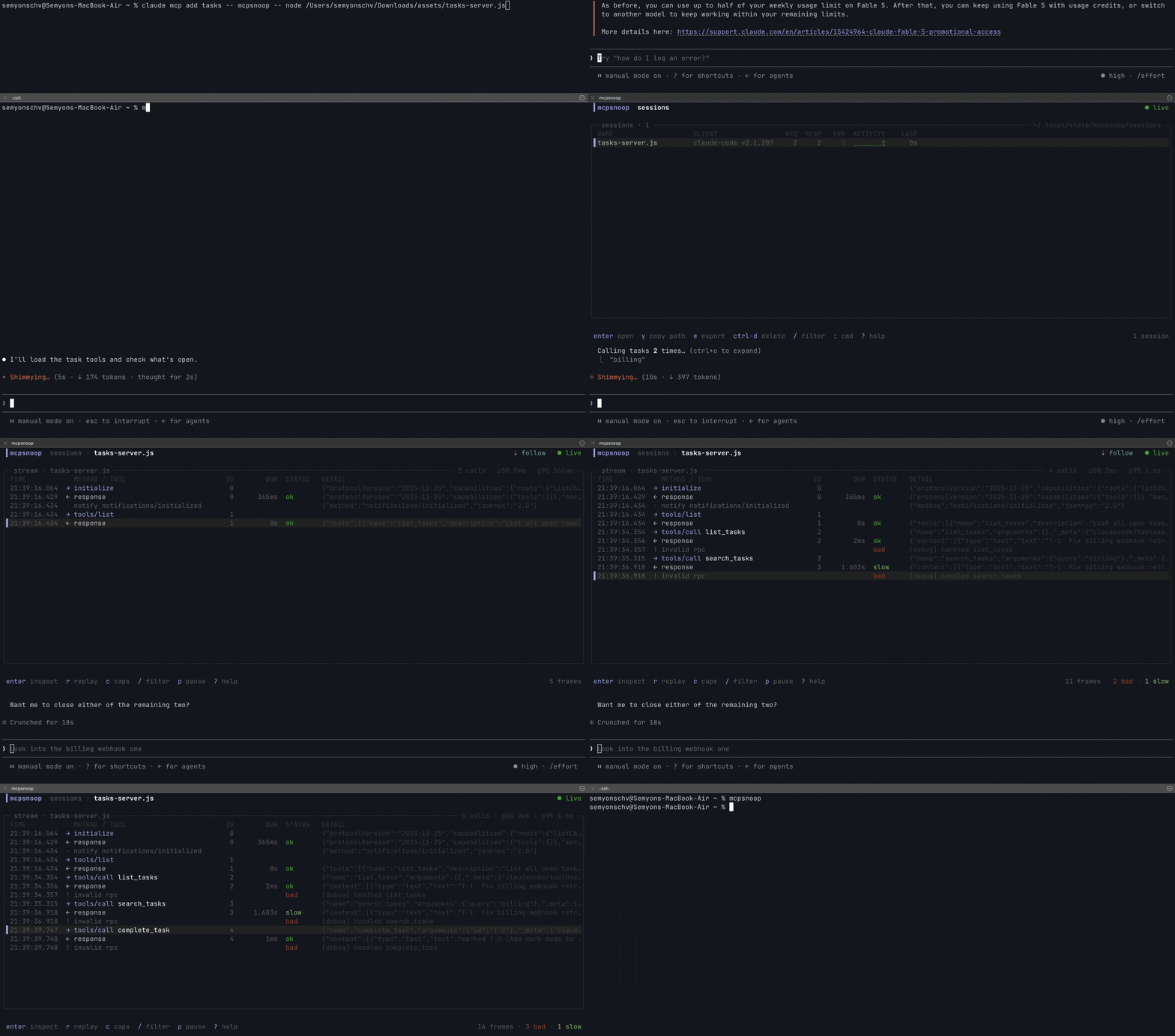
Wireshark for MCP. A transparent proxy that shows every real tool call between your AI client and your MCP servers, live in your terminal.

Wireshark for MCP. mcpsnoop sits between your AI client and your MCP server and records every JSON-RPC frame they exchange, with no change to either side. Watch it live in your terminal, fail CI on what it finds, or send it to your tracing backend as OpenTelemetry spans.



The problem
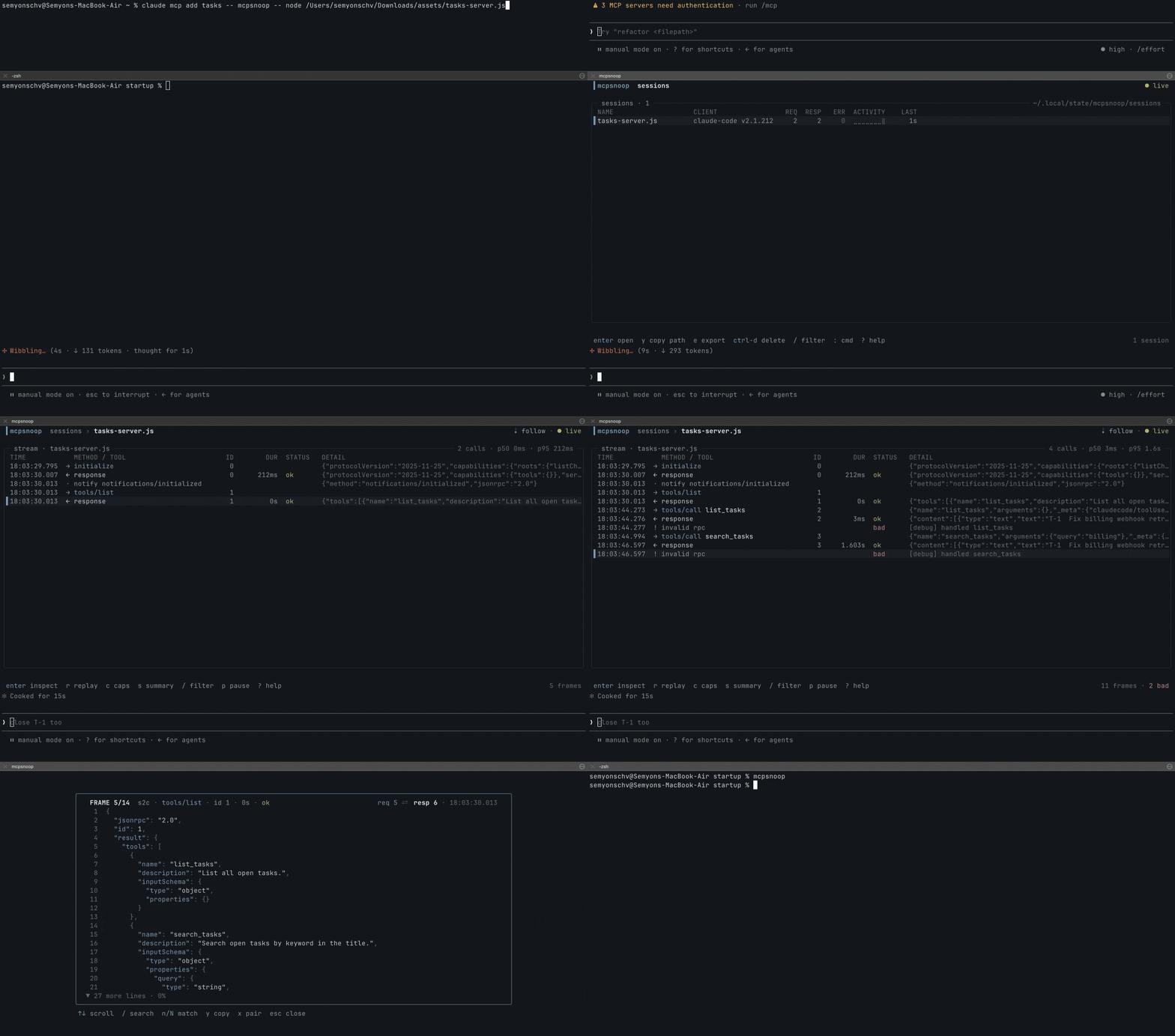
The official MCP Inspector connects as its own client, so it never sees what your client (Cursor, Claude Code, Codex) actually sends your server. And anything that waits for a request to arrive can't show the call the model never made, or made with the wrong arguments. When a tool silently isn't called, capabilities don't line up, or a call just hangs, you're left digging through logs and guessing.
mcpsnoop sits in the real data path instead. Wrap your server command with it and watch every JSON-RPC frame live, as your real client and server talk.
In CI
This page is also the listing for the mcpsnoop GitHub Action, so here is the whole of it. It checks a captured session, files every finding as a code scanning alert, and fails the job on what you gated on.
permissions:
  security-events: write
  contents: read

steps:
  - uses: kerlenton/[email protected]
    with:
      session: artifacts/session.jsonl
No capture to hand? Record one session with your own client once, commit it,
and let the action replay it against every build. No model and no API key run
in CI. The replay is checked like any capture, and the job also fails when the
server got worse than in the recording. A server reached over Streamable HTTP
gets target with its endpoint, and a recording replays over either transport.
steps:
  - uses: kerlenton/[email protected]
    with:
      replay: tests/mcp/claude-code-session.jsonl
      server: node dist/index.js
Pin whichever release you want. The newest is on the releases page. Every input and output is in The GitHub Action further down, and every signal the check can fail on is in docs/CI.md.
OpenTelemetry
MCP revision 2026-07-28 deprecates protocol-level Logging and tells
implementations to move to stderr on stdio, or to OpenTelemetry for structured
observability. mcpsnoop covers both without touching the client or the server.
A stdio server's stderr lines show up in the stream beside its frames, and
every request becomes a span that follows the
OpenTelemetry semantic conventions for MCP.
mcpsnoop export -T otlp -o trace.json   # spans from a capture
mcpsnoop --otlp-endpoint http://localhost:4318/v1/traces -- node build/index.js   # spans as calls complete
A tool call arrives as a span named tools/call search, carrying
mcp.method.name, gen_ai.tool.name and error.type, so it lands in a
dashboard built for MCP rather than one built for mcpsnoop. Live tool metrics for
Prometheus are one flag away. Both are in
docs/OPENTELEMETRY.md.
Quick start
See it right away, with nothing to set up.
mcpsnoop demo
To use it for real, wrap your server in your client's MCP config.
{
  "mcpServers": {
    "my-server": {
      "command": "mcpsnoop",
      "args": ["--", "node", "build/index.js"]
    }
  }
}
Everything after -- is the command that normally launches your server. Swap in
whatever you already use, like python server.py, npx -y @scope/server, or a
compiled binary.
On Claude Desktop you don't have to make that edit by hand.
mcpsnoop wrap my-server     # route my-server through mcpsnoop
mcpsnoop unwrap my-server   # put it back
wrap finds claude_desktop_config.json, copies it to
claude_desktop_config.json.mcpsnoop.bak the first time, and rewrites only that
one server's entry, so your formatting and every other server are left alone.
Inside the rewritten entry the keys come back in alphabetical order. unwrap
restores the file, and removes the backup once no server is wrapped any more.
Restart Claude Desktop after either, since MCP servers are launched once at
startup.
Then use your client as usual and open the UI.
mcpsnoop
No flags, no socket paths, no startup order to remember. The shim and the UI find each other on their own, and the UI backfills past sessions from disk.
For a streamable-HTTP server, run mcpsnoop as a reverse proxy.
mcpsnoop http --target http://localhost:3000/mcp --listen :7000
The HTTP status of every response shows in the stream, so a response that carries
no JSON-RPC message of its own is still a visible frame rather than nothing. That
covers the 401 challenge, the 403 on a rejected Origin, the 202 that acknowledges
a notification, and the 502 when the target cannot be reached at all. A 401's
WWW-Authenticate header is kept verbatim and shown in the inspector, since it
names the auth scheme and the resource metadata to go to next. Filter by status
with status:401 in the TUI, or by any failure with status:err. A 4xx or 5xx
counts as an error, so a default mcpsnoop check run fails on it, and the call it
answered reads as failed rather than as one still waiting.
No server of your own? Try it for real against a published test server, driven by your own client. To inspect a session after it happened, see review past sessions from logs.
Install
npm
No Go toolchain needed. Most MCP servers are written in Node or Python, so this is the shortest way in.
npx mcpsnoop -- node build/index.js
The npm package ships no code of its own. Six platform packages each carry one
build, and npm installs the single one that matches your machine, so there is
nothing to download at install time and nothing to unblock in a proxy. To keep it
around rather than fetching it each run, npm i -g mcpsnoop.
Homebrew
brew install mcpsnoop
Go
go install github.com/kerlenton/mcpsnoop/cmd/mcpsnoop@latest
Prebuilt binaries for every platform are on the Releases page.
mcpsnoop ships completions for bash, zsh, fish, and PowerShell. Run
mcpsnoop completion <shell> --help for the setup steps, which cover enabling
completion and the install path for your OS.