
dredge-cargo v0.11.1
Encrypted CLI vault for notes, configs, keys, and files. Search, don't organize.
This is NOT a password manager. NOT a notes app. And definetely NOT a deep-sea benthic abberant specimen taxonomic provenance registry. But it does the first two better than either. Just kidding (not really).
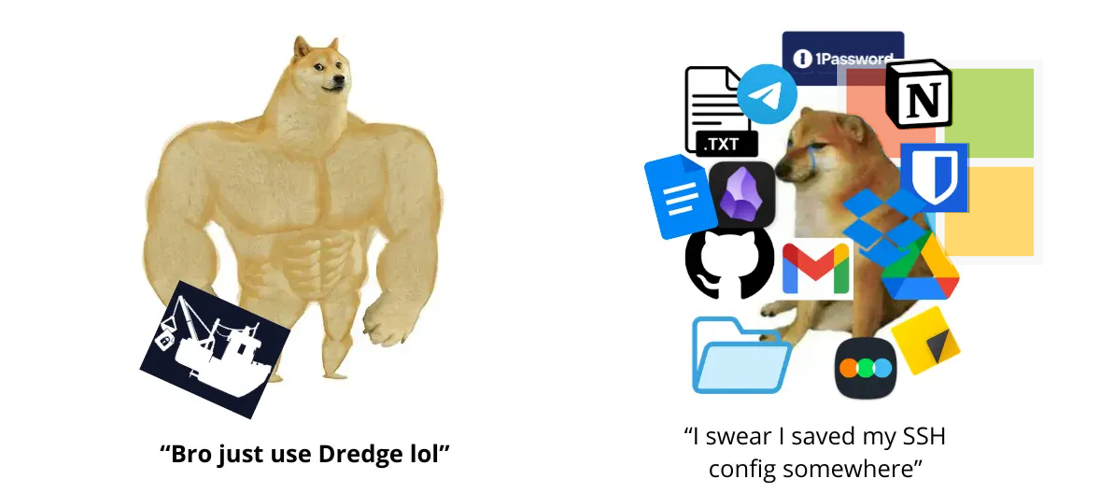


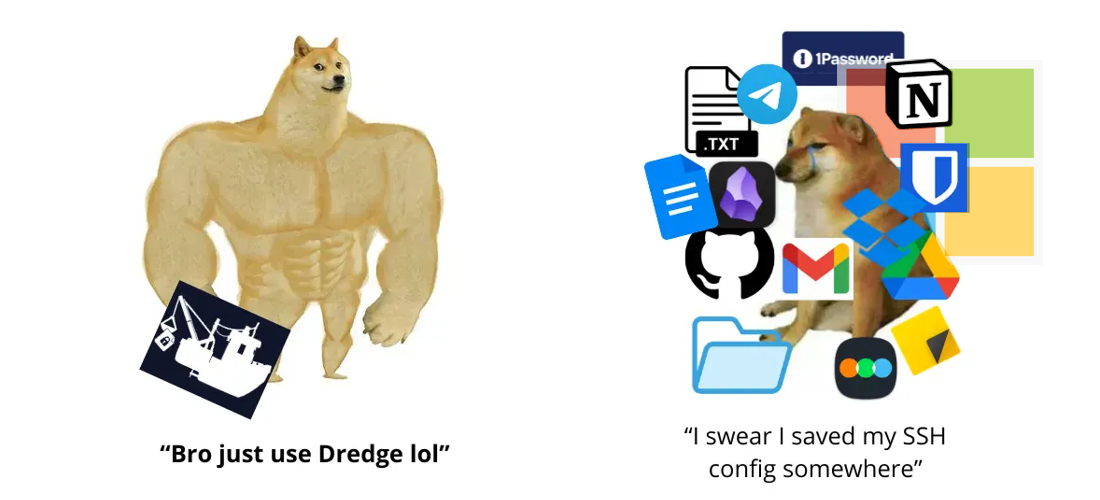
Search, don't organize. Notes, configs, keys, secrets — five seconds from your terminal.


"Do not bother me with common clutter." — The Fishmonger
go install github.com/DeprecatedLuar/dredge-cargo/cmd/dredge@latest
 The cool features you've never seen before
- Encrypted storage — Clone the repo and get absolute cryptic gibberish. You can't even tell what's in the repo without the password. (I used AES-256-GCM + Argon2id)
- Instant search — I made a custom fuzzy search algorithm because I'm lazy and want the right entry among 300 others in millisecond without having to think about it.
- Store anything — notes, scripts, dotfiles, images, zip archives. If it's a file and it exists it can be stored in dredge.
- Live file linking — Cool feature, symlink any item to a system path so you can read and edit directly or through dredge. Any changes sync both ways with the repo.
- Git-backed — private repo you own. So just
git cloneit and you have your data. - Session password — One prompt per terminal session. After that, you can use passwordless untill you kill the terminal. (read the security session to understand better)
- Trash + undo — deleted items go to trash. So just use
dredge undoif you delete accidentally.
 What to store in dredge?
I won't judge you. Annoying API keys that show only once, SSH config, AI prompts, passwords, literal shell scripts you can execute, email templates?, dotfiles (weird but will work fine), zip archives, movie list, lists of URLs for quick access...
Even a legal copy of Chainsaw Man chapter 2 in Japanese. (I may or not have that one specifically)
 Install


Go
go install github.com/DeprecatedLuar/dredge-cargo/cmd/dredge@latest
Make sure $GOPATH/bin (usually ~/go/bin) is in your PATH.
Universal
curl -sSL https://raw.githubusercontent.com/DeprecatedLuar/the-satellite/main/satellite.sh | bash -s -- install DeprecatedLuar/dredge-cargo:dredge
Other Install Methods
Manual Install
- Download binary for your OS from releases
- Make executable:
chmod +x dredge-* - Move to PATH:
mv dredge-* ~/.local/bin/dredge
From Source
git clone https://github.com/DeprecatedLuar/dredge-cargo
cd dredge-cargo
go build -o dredge ./cmd/dredge
mv dredge ~/.local/bin/
 Quick start
# Initialize with an existing git remote
dredge init yourusername/vault   # GitHub shorthand
# or: dredge init [email protected]:you/vault.git

# Add your first item
dredge add "OpenAI Key" -c "sk-..." -t keys api #opens the editor without -c flag

# Search for it
dredge search openai

# Push to git
dredge push
Usage
# Add anything
dredge add My SSH Config -t ssh dotfiles --import ~/.ssh/config
dredge add "Master Architect Prompt" --import prompt.md -t ai prompts
dredge add "Watchlist" -c "Dune 2, Oppenheimer..." -t lists
dredge add "project-backup" --import project.tar.gz   # binary files too :D

# Search — just type whatever you remember
dredge search prompt
dredge search aws key
dredge search ssh

# View, edit, remove
dredge view <id>
dredge edit <id>
dredge rm <id>
dredge undo          # brought it back

# Search results are numbered — just type the number to view
dredge search ssh    # shows: 1. [xKP] SSH Config  2. [mNq] SSH Key
dredge 1             # views it directly

# Git sync
dredge push
dredge pull
dredge sync          # pull + push
 How it works
"I can't imagine what's down there in the deep." — The Lighthouse Keeper
Okay so to summarize:
I settled on using two main crypto technologies Argon2id and of course AES-256 more specifically the GCM variant.
Argon2id because it is THE reccomendation from RFC 9106 and the 2015 PHC winner. That's it The GCM variant of AES because it makes all encrypted data impossible to tamper with due to fingerprinting. That's it too
For now I'm storing everything as encrypted files in ~/.local/share/dredge/. That directory is also a git repository (at leat for now). So dredge push commits and pushes everything for backup stuff. Each item is a standalone encrypted blob with a random 3-character ID. I decided that no filenames should be exposed so even if someone can see your stuff they have no idea what thy are looking at.