
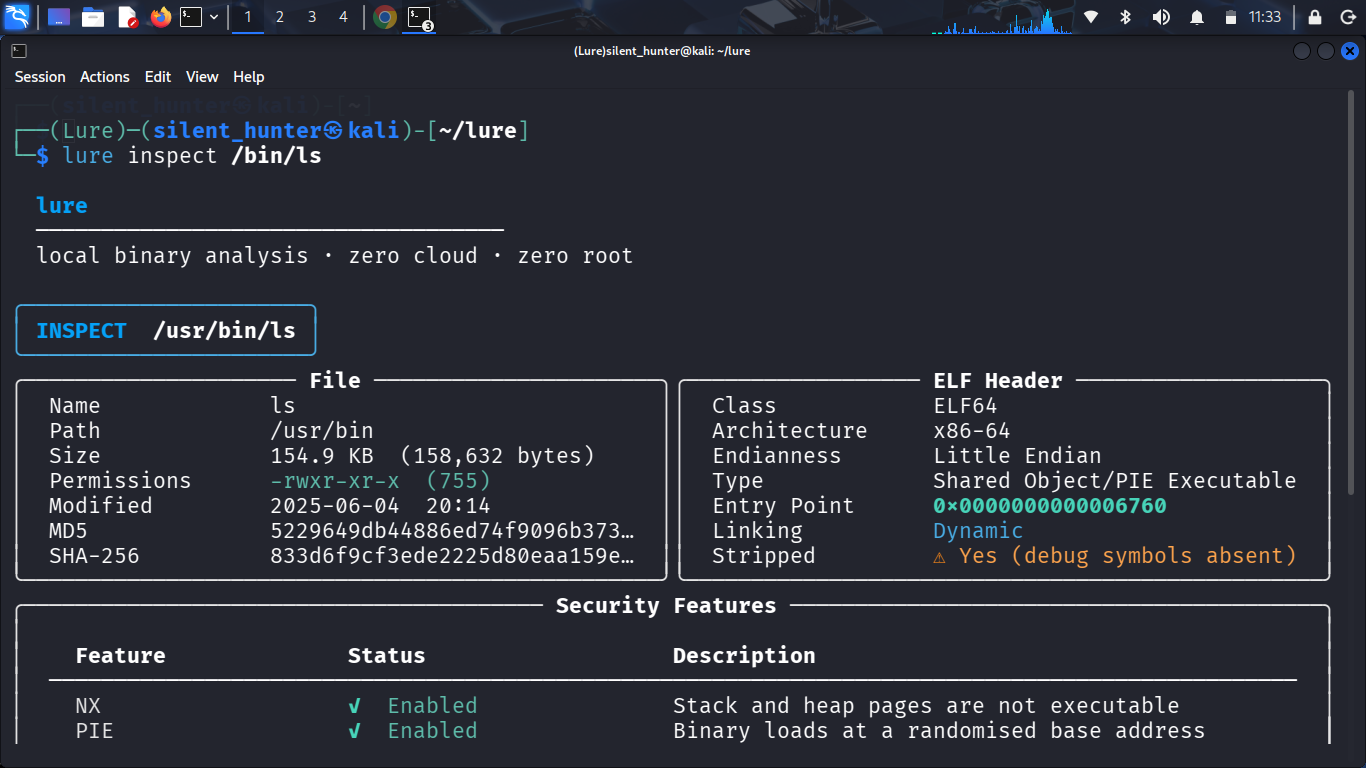
lure v0.3.0
Local Linux binary analysis tool. Zero cloud. Zero root. See exactly what a binary does before you run it.
lure
Local Linux binary analysis. Zero cloud. Zero root. Zero cost.
lure is a local Linux ELF analysis and sandboxing tool for security researchers, reverse engineers, and CTF players. Version 0.7.1 adds ARM64 binary support via QEMU user-mode emulation.
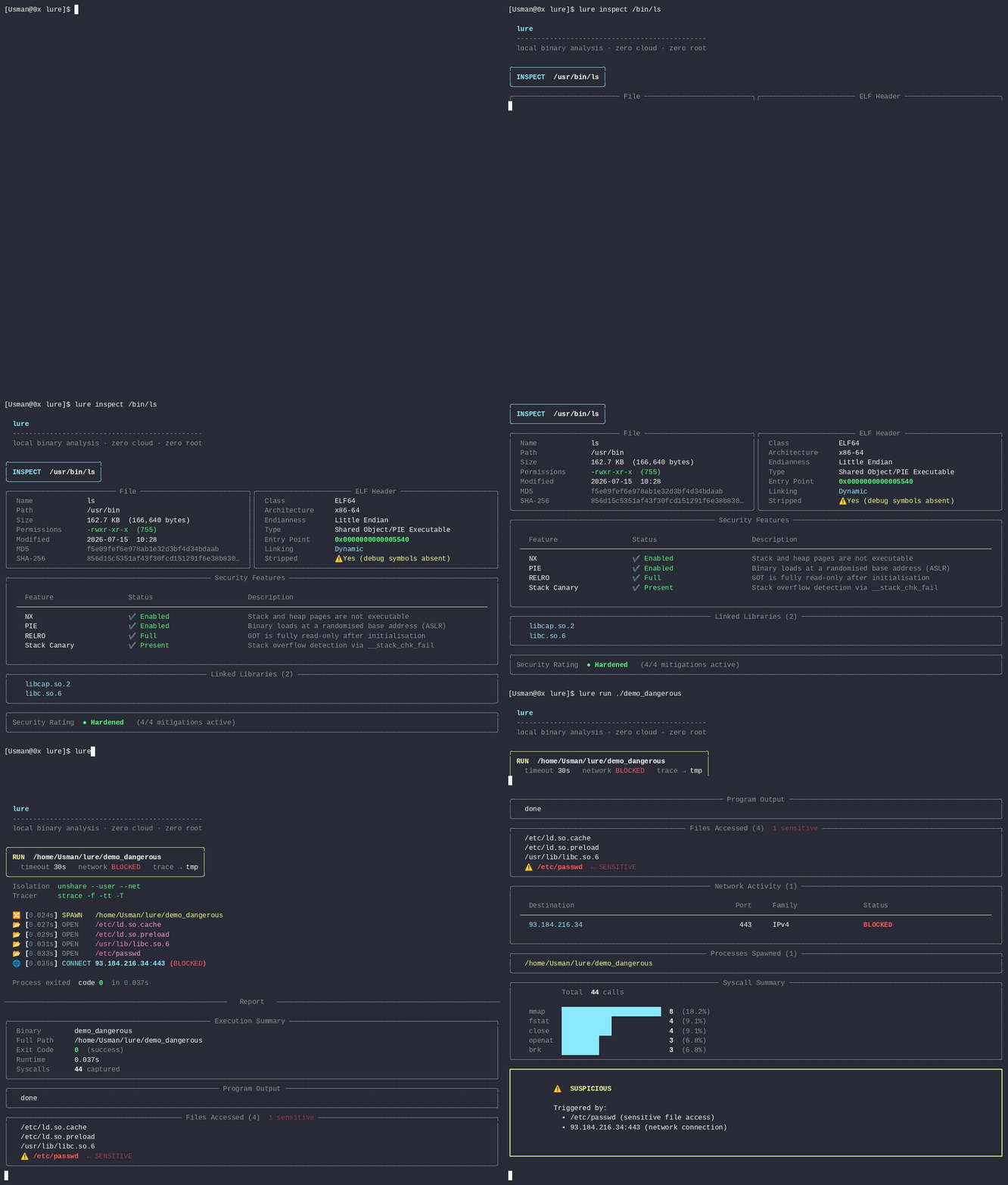
It provides three complementary workflows:
- Static analysis with
lure inspect— inspect an ELF without executing it. - Behavioral analysis with
lure run— execute an ELF under Linux namespaces,strace, and a seccomp-bpf policy, then produce a readable report. - Report comparison with
lure diff— compare two saved behavioral reports.
Everything is processed locally. No sample or report is uploaded to a cloud service.
Alpha software: lure is still under active development. Test it in an environment appropriate for security research and do not treat this sandbox as a replacement for a dedicated malware-analysis VM.
What it does
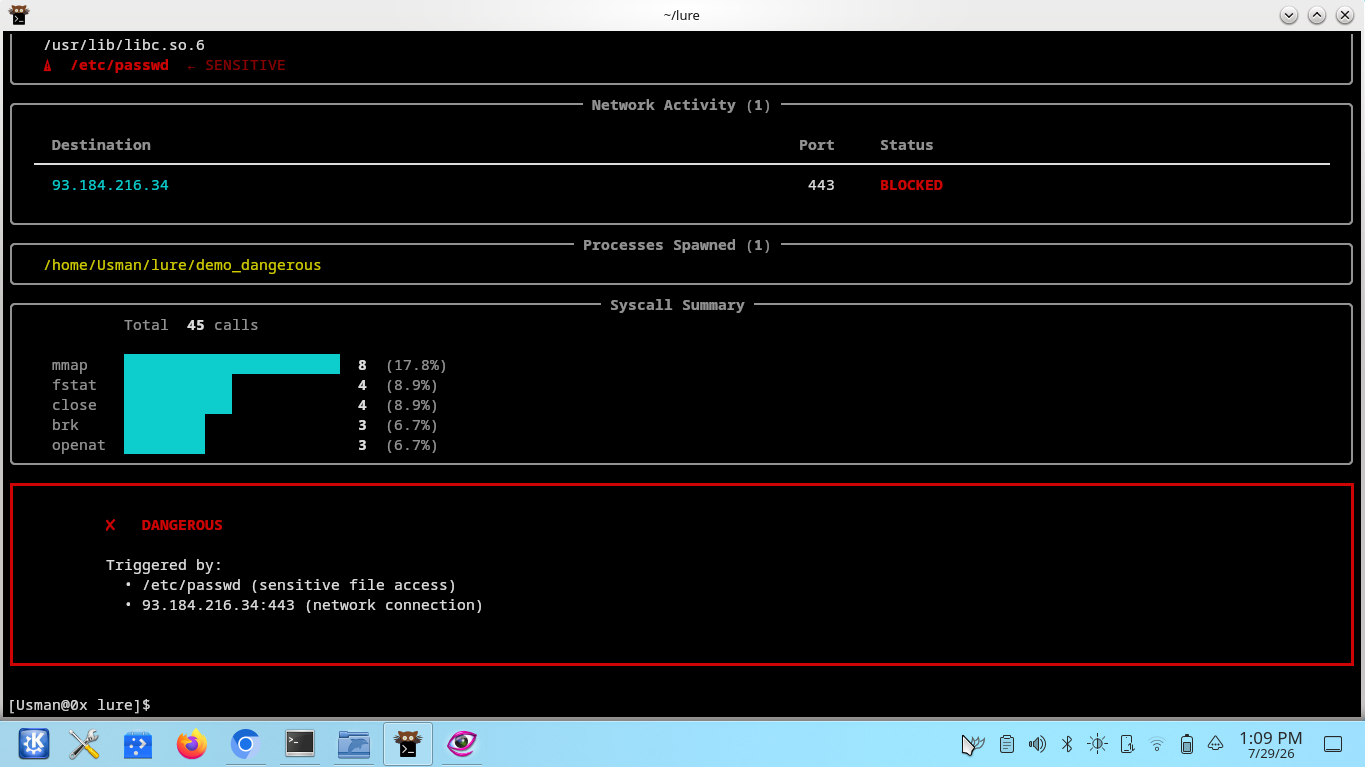
Lure combines static ELF inspection with behavioral execution analysis. It can show what a binary accesses, what network connections it attempts, what processes it spawns, and how the run is classified as CLEAN, SUSPICIOUS, or DANGEROUS.
Why
- Privacy — samples and reports stay on your machine.
- Readable — structured reports instead of raw
stracenoise. - Simple workflow — inspect, run, save, and compare from one CLI.
- Free — MIT licensed and built around standard Linux tooling.
- Multi-architecture — x86-64 native + ARM64 via QEMU user-mode emulation.
Features
Static ELF inspection
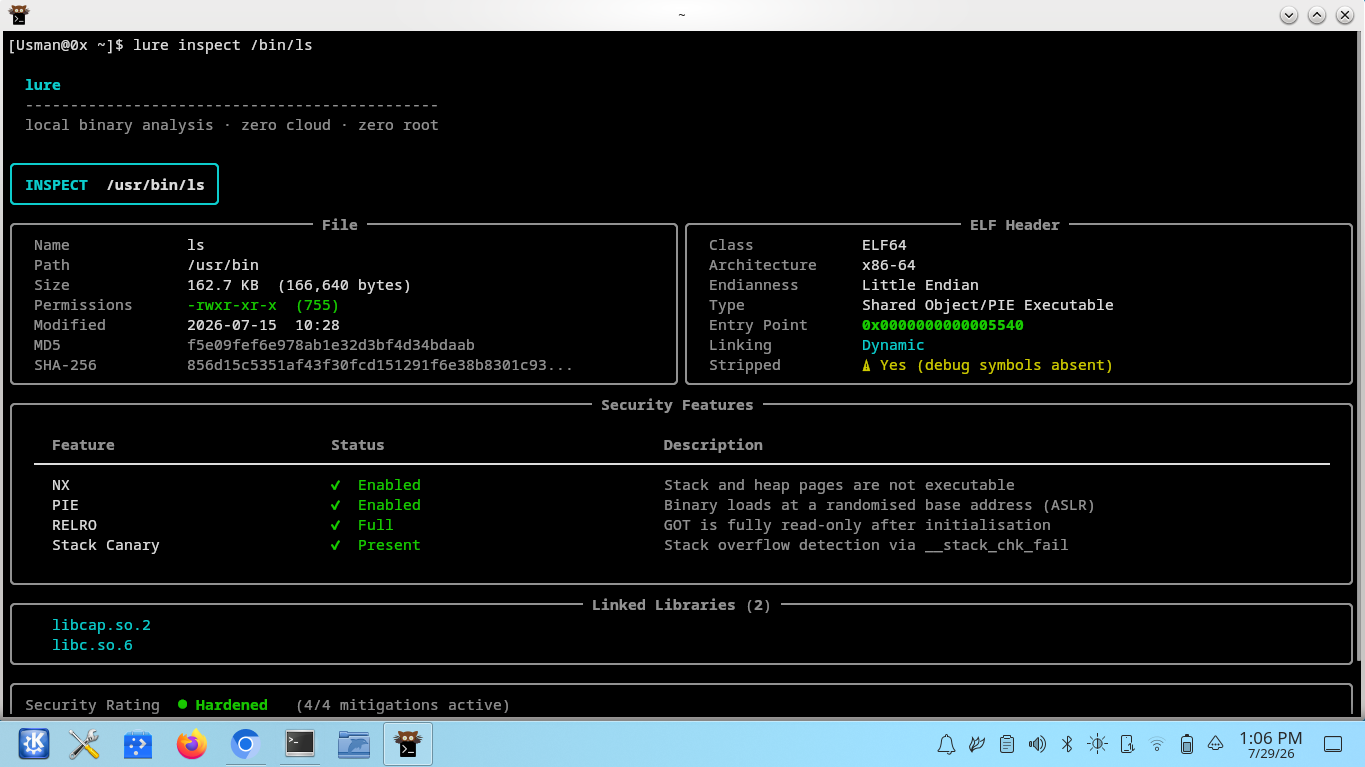
lure inspect reports:
- ELF architecture and type (x86-64, ARM64, and more)
- Endianness
- File size
- MD5 and SHA-256 hashes
- NX
- PIE
- RELRO status
- Stack-canary presence
- Linked libraries
- ELF section headers with
--sections - Printable ASCII strings with
--strings
The inspected file is not executed.
lure inspect /bin/ls
lure inspect ./arm64_binary   # ARM64 ELF — no QEMU needed for inspection
Sandboxed execution
lure run combines:
- Linux user namespaces
- A network namespace
- A mount namespace
- A PID namespace
stracesyscall tracing- A seccomp-bpf syscall policy applied to the guest
- A minimal sandbox filesystem
- A timeout (30 seconds by default)
- Optional network access with
--allow-net - Optional raw
straceoutput - Optional TXT + JSON reports
- Best-effort cgroups v2 resource limits when available
- ARM64 binary emulation via
qemu-aarch64(v0.7.1+)
Network access is blocked by default.
lure run ./suspicious_binary
lure run ./arm64_binary          # ARM64: qemu-aarch64 wraps the binary automatically
When an ARM64 binary is detected, lure:
- Checks that
qemu-aarch64is on PATH (exits with a clear install hint if not). - Prepends
qemu-aarch64to the execution command — strace traces the entire QEMU chain. - Shows Architecture: ARM64 (QEMU emulated) in the Execution Summary panel.
Report comparison
lure diff compares two saved .json reports:
lure run --save ./binary_v1
lure run --save ./binary_v2
lure diff ~/.lure/reports/binary_v1_*.json ~/.lure/reports/binary_v2_*.json
Installation
From PyPI
pip install lure-analyze
System dependencies (required)
| Tool | Package | Purpose |
|---|---|---|
strace | sudo pacman -S strace | syscall tracing |
unshare | part of util-linux (pre-installed) | namespace isolation |
gcc / cc | sudo pacman -S gcc | compile seccomp wrapper at runtime |
System dependencies (optional)
| Tool | Package | Purpose |
|---|---|---|
qemu-aarch64 | sudo pacman -S qemu-user | ARM64 binary emulation |
Install qemu-user to analyse ARM64 ELF binaries with lure run. Static inspection with lure inspect works for ARM64 ELFs without any additional tools.
cgroups v2 resource limits (optional)
To enable memory and PID limits, delegate a cgroup subtree to your user:
sudo mkdir -p /sys/fs/cgroup/lure
sudo chown "$USER" /sys/fs/cgroup/lure
Usage
lure inspect BINARY [--json] [--sections] [--strings]
lure run BINARY [--timeout SECS] [--args 'ARG ...'] [--allow-net] [--out FILE] [--save]
lure diff REPORT1 REPORT2
Changelog
v0.7.1
- ARM64 binary support via
qemu-aarch64user-mode emulation lure inspectcorrectly displaysARM64for AArch64 ELFslure runauto-detects ARM64 ELFs and wraps execution withqemu-aarch64- Execution Summary shows
Architecture: ARM64 (QEMU emulated)for ARM64 runs - Clean error and install hint when
qemu-aarch64is missing - 4 new tests covering ARM64 inspect (display + JSON) and run (missing-qemu + QEMU success)
v0.6.0
- cgroups v2 resource limits (512 MB memory, 64 PIDs max)
- seccomp-bpf allow-list via compiled C lure-wrapper
- Full mount + PID namespace isolation with minimal chroot
lure diffreport comparison
License
MIT — see LICENSE.