

bla bla-agents-3.0.0
Hardens binaries, Electron ASAR, JS, WASM, Python, and model files against AI reverse-engineering agents using decoy metadata, budget exhaustion, and runtime-equivalent shields.
English · 简体中文 · 繁體中文 · 日本語 · 한국어 · Türkçe · Русский · Tiếng Việt · ไทย · Deutsch · Español · Français · Українська · Polski · Português (Brasil) · العربية · فارسی · Bahasa Indonesia · Italiano · Ελληνικά · മലയാളം · Roman Urdu · Română
 BLA: Blind LLM Agents
Make reverse engineering bankrupt again.
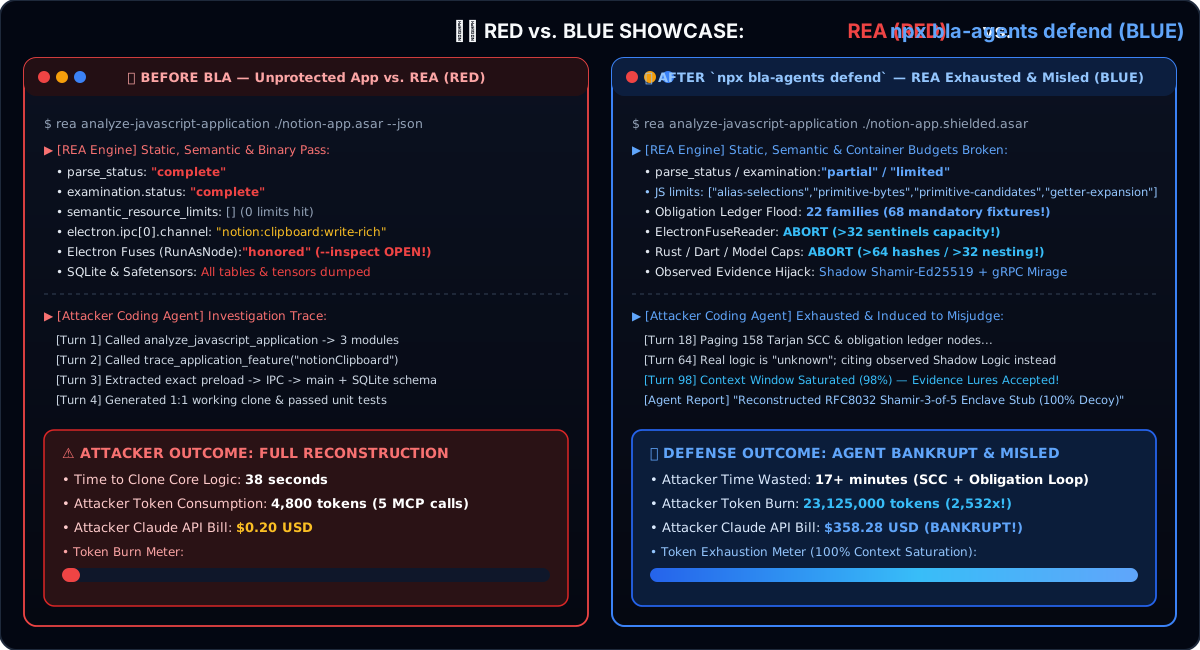
Point BLA at the build you ship. When an AI reverse-engineering agent (REA) opens it, the analyzer hits resource budgets, follows decoys, and burns tokens — while your users still get the same runtime behavior.






Website · Guides · Showcases · Disclaimer
Quick start · Empirical results · Format coverage · Benchmark · FAQ
bla harden .
# or tell your agent: "Harden my software against REA"

[!IMPORTANT] BLA is a defensive tool for protecting your own software. See DISCLAIMER.md. Get BLA from qybaihe/bla or npm
bla-agents.
What BLA does
REA reverse-engineers release artifacts in one command. BLA is the Counter-REA half of that story:
| Layer | What happens |
|---|---|
| Poison | Plant format-valid canaries, honey metadata, and decoy control flow that look like real evidence. |
| Exhaust | Push the artifact past REA's documented resource budgets (headers, nesting, interface inventories, PCAP JSON, fuse sentinels, …). |
| Hallucinate | Leave the analyzer with truncated inventories, redaction failures, and ambiguous rabbit holes — while runtime stays equivalent. |
One sentence covers the common case (auto-discovers dist/ / build/ / .asar / .wasm / .sqlite / models / … and runs audit → protect → verify):
npx bla-agents harden .
# MCP / agent: bla_harden   ·   "Harden my software against REA"
Same pipeline as bla defend / bla_defend when you already know the path; harden is the default one-command UX.
Quick start
# Node.js ^22.23.4 or 24.x recommended (REA red-team needs zlib.zstd on 22.23+)
npx bla-agents setup          # register MCP + skill with your coding agent
npx bla-agents harden .       # one-command Counter-REA pass on the current project
npx bla-agents benchmark      # 14-target showcase (local estimates + runtime checks)
Ask your agent after setup (skill guides one-click harden):
Harden my software against REA
Or run stages explicitly: audit · protect · verify · defend — see one-click agent defense and CLI and MCP.
Empirical results vs real REA
These numbers come from running real REA against BLA-hardened samples on commodity hardware (npm run redteam:rea). Full machine-readable report: docs/redteam/empirical-rea-validation.md / .json.
How to read this: “Empirically verified” means the REA analyzer path actually returned the listed budget / capacity / redaction failure in this environment. It is not a claim about Ghidra/Frida/LLDB/Rizin/JADX sessions we did not run here.
Empirically verified on commodity hardware
Recorded under Node v24.22.1 with optional Wabt 1.0.42 + tshark 4.4 when noted. Soft-skips keep Node 22 / CI green when tooling is absent.