Reverse-engineering toolkit: disassembler, SSA decompiler, C++ class recovery and live-process analysis for PE and ELF. Scriptable CLI, every answer JSON. Source-available (PolyForm Noncommercial).
A reverse-engineering toolkit: disassembler, SSA decompiler, C++ class recovery and live-process analysis for PE and ELF. Static files and running processes go through one pipeline, and every answer is JSON a script can act on.
Three front ends share that core: the CLI, where a command answers with one JSON object (a serve session with a ready envelope, then one per request); a
desktop GUI in its own repository, n0xis-gui; and
an MCP server, n0xis-mcp — 27 tools returning the same envelope over JSON-RPC on stdio.
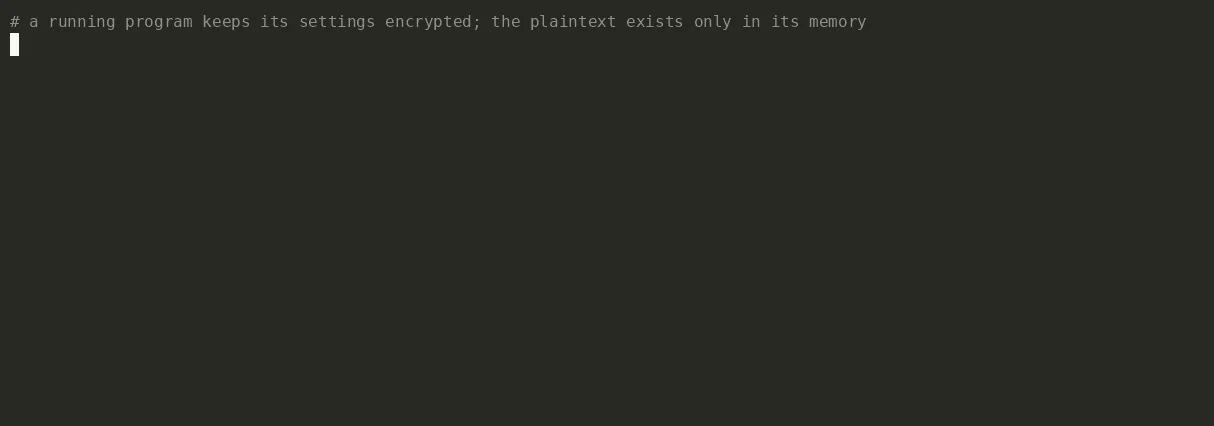
A real run of examples/config-demo: a program keeps its settings encrypted and decrypts them into memory; find the plaintext, arm a hardware watchpoint on it, and get the decompiled code that wrote it. Rerun it yourself with demo.sh.
$ n0xis provenance trace --pid 181529 --addr 0x564e32cb7060 --kind write
"instruction_va": "0x564e32cb4266",   // the byte store that wrote the watched address
"function_va": "0x564e32cb4230",      // the function it sits in, on this build (see below)
"decompiled_context": [
  "rcx.3 = (uint32_t)((uint32_t)(uint32_t)*(uint8_t*)((rsi.1 + v2)) ^ (uint32_t)v1);",
  "*(uint8_t*)((rdi.1 + v2)) = (uint8_t)rcx.3;",   // ← the write
  "rcx.4 = (uint32_t)(v1 + (v1 * 0x2));",
  "v2 = (v2 + 0x1);",
  "v1 = (uint32_t)((v1 + (rcx.4 * 0x4)) + 0x7);"
]
In the source this is config[i] = sealed[i] ^ key; key = key * 13 + 7;: the two statements
rcx.4 = v1 + v1 * 2 and v1 = v1 + rcx.4 * 4 + 7 together are v1 * 13 + 7. The answer gives
addresses, not the names config and decrypt_config: names from the binary's symbols are not
carried into it yet. This build is gcc -O2, where function_va is the function's start; on clang
-O2 and gcc -O1 builds of the same source it is the loop head, answered ok:true with no note.
This run is on Linux; the last Windows run of provenance trace is in the ledger.
yes: every check agreed · partial: usable, with the gaps below · wrong: ok:true with wrong
results on measured inputs · refused: a typed error · not yet: no code path. Measured in October
2026 on programs built from known source, against the processor and independent tools.
| Format | Static file | Live process |
|---|---|---|
| PE32+, PE32 (x86-64, x86, ARM64) | partial: the gaps and wrong answers below | Windows: not measured for this table |
| ELF64, ELF32 (x86-64, x86, AArch64, ARMv7) | partial: the gaps and wrong answers below; big-endian: decompile and RTTI refused | Linux x86-64: partial: the live entries below; other ISAs not measured |
| Mach-O, thin and universal | refused (load-failed) | not yet |
| WebAssembly | partial: the function list, disassembly, calls to and from a function, imports, exports, profile and strings (with each string's place in linear memory) agreed with wasm-objdump on every module measured; decompile, IR and the other commands that need the lift refused (not-lifted: the lift is stage 3) | not yet |
Raw bytes (--bytes) | disassemble, cross-references, strings with a range; discover and decompile partial; profile and rtti scan refused | — |
| ISA | Disassemble | Discover functions | Decompile |
|---|---|---|---|
| x86-64 | yes | yes with unwind tables; partial without | partial |
| x86 (i386) | yes | partial: even with .eh_frame, GCC's padding and .plt listed as functions, dots in names rewritten, an end missing | partial |
| AArch64, little- and big-endian | yes | yes with .eh_frame, little- and big-endian; partial without; on PE --pdata is wrong | partial; big-endian refused |
| ARMv7 A32 | partial: no NEON, data in code decoded as code | partial | wrong: jump tables, tail calls |
ARMv7 Thumb-2 (--arch thumb) | wrong: branch targets, IT conditions | partial: no names or ends | wrong: an IT-predicated return ends the function |
| WebAssembly | yes; a branch's target is a label depth, not given until stage 3 | yes: every body, its extent, index and name | refused (stage 3) |
ok:true: Itanium RTTI in a MinGW PE (reported absent), --pdata on ARM64 PE, long
MinGW section names in profile (/4), the export list of an ELF shared object and the
.localalias names it gives that object's functions, GCC's i386 padding and .plt block listed as
functions, dots in symbol names printed as underscores (__x86_get_pc_thunk_bx for
__x86.get_pc_thunk.bx), and big-endian AArch64 discovery missing functions its .eh_frame declares.
The decompiler drops pass-through arguments, can read a register it never assigns, on AArch64 can
name the wrong string, and on 32-bit x86 loses stack arguments and the high half of 64-bit results.
The countdown loop on A32 and AArch64 is printed in full now, which was checked on bytes and not yet on a processor.
Its quality field counts what a body leaves unsaid; 1.0 is not a statement that the body is right.
The full list, with counts, is in the ledger.ok with less: without unwind tables, functions reached only through vtables,
the MSVC-ABI entry point and most of an ELF shared object; references held in absolute immediates,
AArch64 adrp+add or adr, or the i386 GOT; Itanium secondary vtables, and every Itanium class
of a stripped image; names that only the COFF symbol table holds. A PDB beside an x64 PE gave every
start, name and end on the two lld-link images measured (35 of 35, 18 of 18).provenance trace prints a written address as a string literal when the bytes
there happen to be printable, and on some builds names the loop head as the function (above);
scan dissect guesses field types; Windows-only commands refuse elsewhere.Prebuilt binaries for Linux and Windows, the MCP server and sha256sums.txt: latest release.
curl -LO https://github.com/Structio-labs/N0xis/releases/latest/download/n0xis-linux-x86_64
curl -LO https://github.com/Structio-labs/N0xis/releases/latest/download/sha256sums.txt
sha256sum -c --ignore-missing sha256sums.txt
chmod +x n0xis-linux-x86_64 && mv n0xis-linux-x86_64 n0xis && ./n0xis --version
Or build it with stable Rust, on Linux or Windows: cargo build --workspace --release. rust-toolchain.toml
pins the channel only, and says how to build on Windows without the MSVC Build Tools.
n0x update installs a newer release, n0x update --check only asks, and n0x update --rollback goes back for this binary. A
download is checked against a signed manifest before anything moves.
The tool never replaces itself unasked, and never prompts. In a terminal, at most once a day, it prints one line on
standard error, such as [n0x] 0.3.7 is available: n0x update. That daily check is the only request the tool makes
on its own, and it carries nothing about what is being analysed. It runs only when standard error is a terminal, so
a script, a pipe, 2>&1, CI and a scheduler make no request and get no line. --quiet silences the line anywhere.
Turn the check off with n0x config set update.check false or N0X_NO_UPDATE_CHECK=1. To install without being
asked, n0x config set update.auto true.