 qeeqbox/raven
خريطة التهديدات الإلكترونية المتقدمة (مبسطة، قابلة للتخصيص، متجاوبة ومحسّنة)

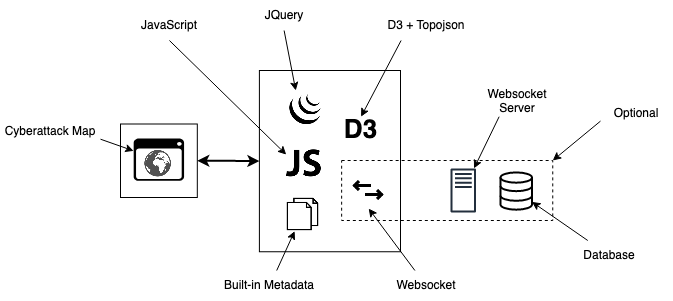
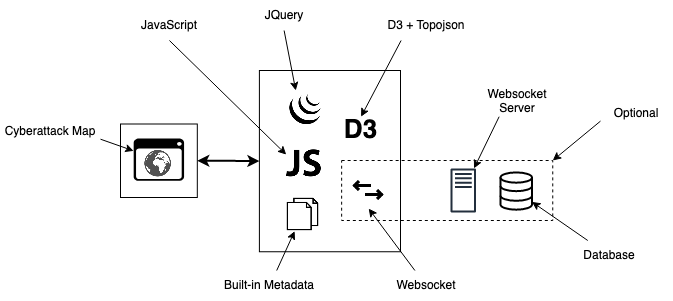
رافن - خريطة التهديدات السيبرانية المتقدمة (مبسطة، قابلة للتخصيص وسريعة الاستجابة. تستخدم D3.js مع TOPO JSON، وتحتوي على 247 دولة، وحوالي 100,000 مدينة، ويمكن استخدامها في بيئة معزولة دون عمليات بحث خارجية!.
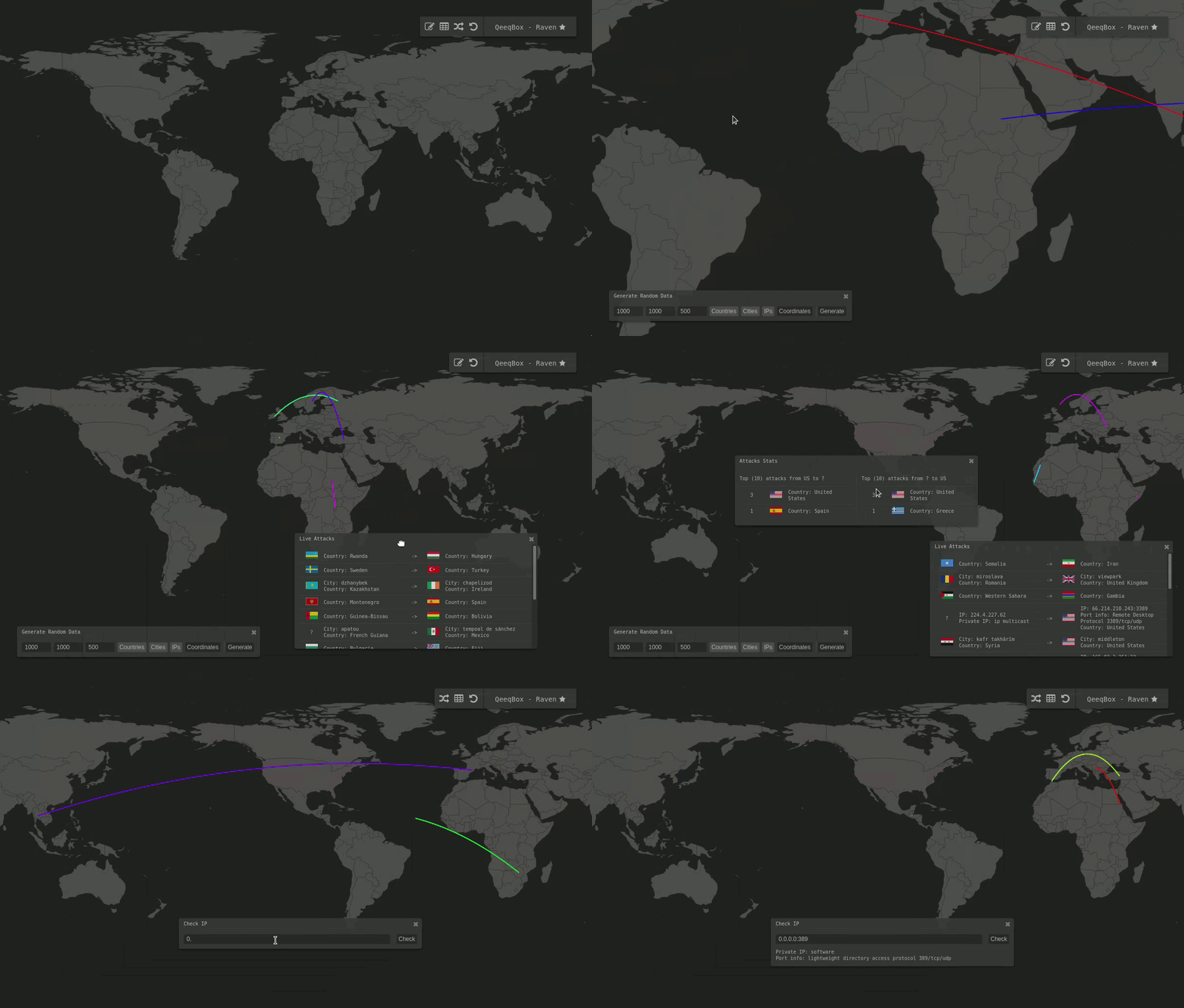
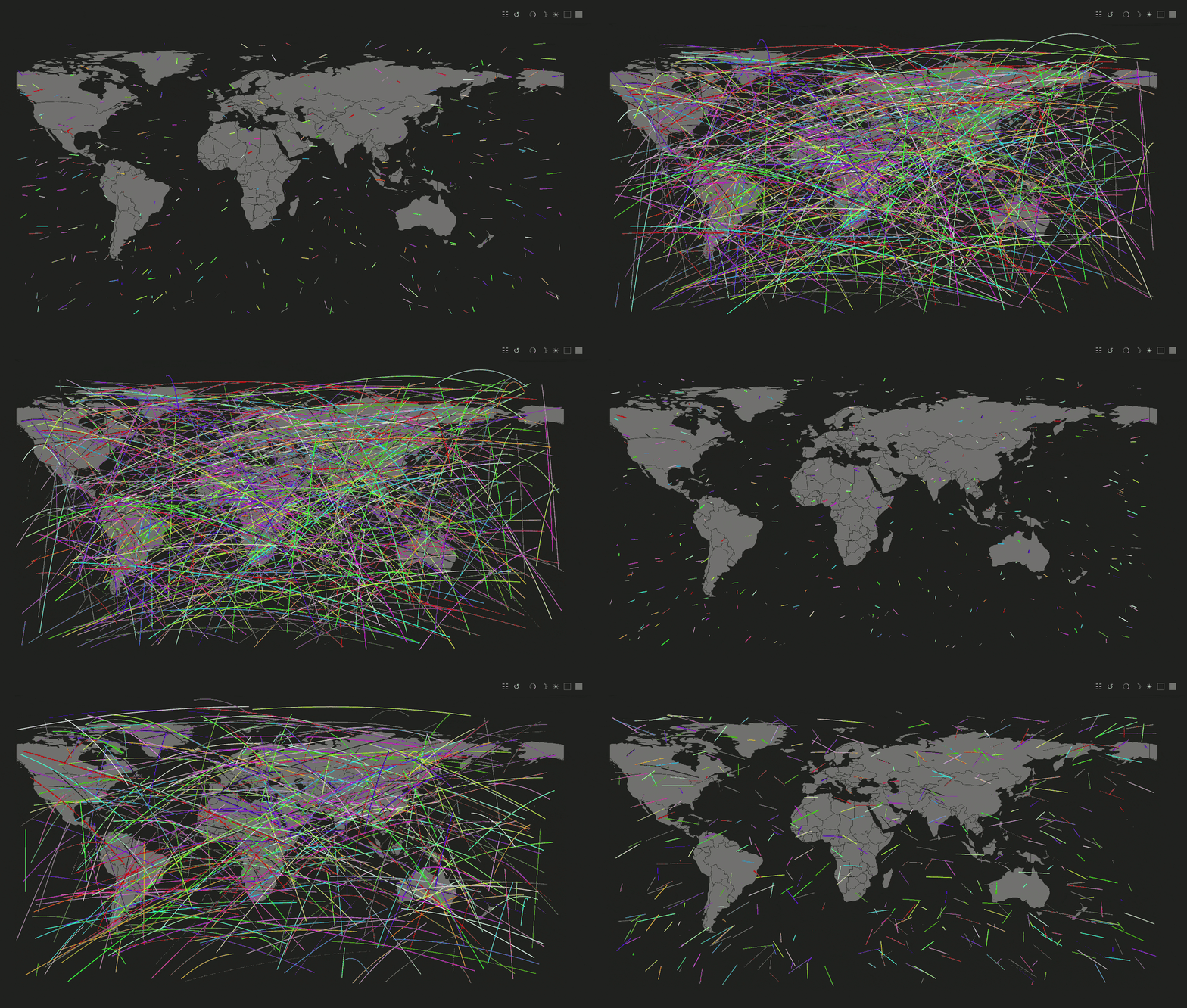
https://qeeqbox.github.io/raven/
لديك خيارات مختلفة ip، name، وcoordinates
ip ip خاص أو عام -> أي من هذه العناوين IP -> 0.0.0.0 أو 8.8.8.8 كما في {'from':'0.0.0.0','to':'8.8.8.8'}name مدينة,ولاية,دولة -> أي من هذه الصيغ تعمل -> seattle,wa,us أو 0,us كما في {'from':'seattle,wa,us','to':'0,in'}coordinates خط العرض وخط الطول مثل {'from'-11.074920','-51.648929'],'to'51.464957','-107.583864']} //You only need to embed this iframe in your project.
//Then, run the initialization script with your custom settings - That's all!
<script type="text/javascript">
document.getElementById('raven-iframe').addEventListener("load", function() {
var raven_options = {
'world_type': null,
'selected_countries': [],
'remove_countries': ['aq'],
'height': window.innerHeight,
'width': window.innerWidth,
'backup_background_color': '#212222',
'orginal_country_color': '#737373',
'clicked_country_color': '#6c4242',
'selected_country_color': '#ff726f',
'attack_output': true,
'global_timeout': 2000,
'global_stats_limit': 10,
'db_length': 1000,
'location': 'scripts',
'panels': ['multi-output', 'single-output','tooltip', 'random', 'insert','taskbar'],
'disable': [],
'verbose': true
}
window['raven'] = document.getElementById('raven-iframe').contentWindow.raven
window['raven'].init_all(raven_options)
window['raven'].init_world()
});
//After that, you can plot any data you want
raven.add_to_data_to_table({'from':'seattle,wa,us','to':'delhi,in'},{'line':{'from':null,'to':null}},2000,['line','multi-output','single-output'])
</script>
raven.add_marker_by_gussing()       //رسم المعلومات حسب اسم الدولة أو المدينة، ip أو الإحداثيات

marker_object                       //كائن {'from':'','to':""} انظر الأمثلة
colors_object                       //كائن {'line: {'from': ''#FF0000','to': 'FF0000'}} هذا لون الخط بين نقطتين - (إذا كان null، فسيتم اختيار لون عشوائي)
timeout                             //مهلة الرسوم المتحركة
options = []                        //قائمة من الخيارات مثل marker animation
raven.add_marker_by_gussing({'from':'seattle,wa,us','to':'8.8.8.8'},{'line':{'from':null,'to':null}},2000,['line'])
raven.add_marker_by_gussing({'from':'-11.074920,-51.648929','to':'0.0.0.0:53'},{'line':{'from':'#FF0000','to':'#FF0000'}},1000,['line'])
raven.add_marker_by_gussing({'from':'-11.074920,-51.648929','to':'us'},{'line':{'from':null,'to':'#FFFF00'}},1000,['line'])
raven.add_marker_by_gussing({'from':'portland,or,us','to':null},{'line':{'from':null,'to':null}},2000,['point'])
raven.add_marker_by_gussing({'from':'8.8.8.8','to':null},{'line':{'from':'#FF0000','to':'#FF0000'}},1000,['point'])
raven.add_marker_by_gussing({'from':'-11.074920,-51.648929','to':null},{'line':{'from':null,'to':'#FFFF00'}},1000,['point'])
raven.add_to_data_to_table()        //رسم المعلومات وإضافتها إلى جدول الإخراج

method                              //الاسم، IP أو الإحداثيات
marker_object                       //كائن {'from':'','to':""} انظر الأمثلة
colors_object                       //كائن {'line: {'from': ''#FF0000','to': 'FF0000'}} هذا لون الخط بين نقطتين - (إذا كان null، فسيتم اختيار لون عشوائي)
timeout                             //مهلة الرسوم المتحركة
options = []                        //قائمة من الخيارات مثل marker animation 'line'، ومكان الرسم 'multi-output' أو 'single-out' أو كلاهما
raven.add_to_data_to_table({'from':'8.8.8.8','to':'delhi,in'},{'line':{'from':null,'to':null}},2000,['line','multi-output','single-output'])
raven.add_to_data_to_table({'from':'-11.074920,-51.648929','to':'0.0.0.0:3389'},{'line':{'from':'#FF0000','to':'#FF0000'}},1000,['line','multi-output'])
raven.add_to_data_to_table({'from':'br','to':'51.464957,-107.583864'},{'line':{'from':null,'to':'#FFFF00'}},1000,['line','single-output'])
raven.add_to_data_to_table({'from':'seattle,wa,us','to':null},{'line':{'from':null,'to':null}},2000,['line','multi-output','single-output'])
raven.add_to_data_to_table({'from':'0.0.0.0','to':null},{'line':{'from':'#FF0000','to':'#FF0000'}},1000,['line','multi-output'])
raven.add_to_data_to_table({'from':'-11.074920,-51.648929','to':null},{'line':{'from':null,'to':'#FFFF00'}},1000,['line','single-output'])
  //You only need to embed this iframe in your project.


  <script type="text/javascript">

    document.getElementById('raven-iframe').addEventListener("load", function() {

      var raven_options = {
        'world_type': null,
        'selected_countries': [],
        'remove_countries': ['aq'],
        'height': window.innerHeight,
        'width': window.innerWidth,
        'backup_background_color': '#212222',
        'orginal_country_color': '#737373',
        'clicked_country_color': '#6c4242',
        'selected_country_color': '#ff726f',
        'attack_output': true,
        'global_timeout': 2000,
        'global_stats_limit': 10,
        'db_length': 1000,
        'location': 'scripts',
        'panels': ['single-output'],
        'disable': ['multi-output','tooltip', 'random', 'insert','taskbar','move_to_country'],
        'websocket':{'server':'ws://localhost:5678',
                      'request_timeout':3000},
        'verbose': false
      }

      window['raven'] = document.getElementById('raven-iframe').contentWindow.raven
      window['raven'].init_all(raven_options)
      window['raven'].init_world()
      window['raven'].fetch_data_from_server()
    });
  </script>
