
Skip to content
KitploitKITPLOIT
أدواتعمليات الاستغلالالمدونة
Log in
إرسال
أدواتعمليات الاستغلالالمدونة
إرسال

أدوات الاختراق واختبار الاختراق والأمن السيبراني لترسانتك الأمنية!

Kitploit هو دليل لأدوات الاختراق والأمن السيبراني واختبار الاختراق. اكتشف آخر تحديثات المشاريع للعثور على الثغرات وتحليل الأنظمة وأتمتة الاختبارات وتعزيز أمنك.

··الخلاصات·اتصال·الخصوصية·© 2026 Kitploit

دليل الأدوات

الفئات

عرض جميع الفئات
Loading categories
SafeGuard — CLI Encryption tool written in Go | Kitploit
أدوات/GitHubGitHub/pingminus/safeguard
Encryption/Decryption ToolsCryptographyLearning & EducationLearning Paths & Courses
GitHubpingminus/safeguard

SafeGuard

CLI Encryption tool written in Go

عرض المستودع
6118منذ 17 أياملم تتم المراجعة بعد

الأكثر شعبية

عرض الكل →

اكتشف الأدوات الأكثر استخدامًا من قبل مجتمعنا.

استكشف جميع الأدوات

تصفح مجموعتنا من الأدوات

عرض جميع الأدوات →
مشاركة
المحتوى غير متوفر باللغة المطلوبة. عرض النسخة الإنجليزية.
Safeguard Logo
./safeguard --version
1.0

Safeguard-Terminal


Safeguard is a fast, lightweight, cross-platform command-line file encryption tool written in Go.

Security Notice

This project is a learning-oriented file encryption tool.

While it uses standard cryptographic primitives from Go’s standard library (e.g. AES-GCM for authenticated encryption), it does not use a modern, memory-hard password key derivation function such as Argon2 or scrypt.

Instead, keys are derived using a lightweight, standard-library-only method. This means:

  • The encryption is secure against casual inspection
  • Integrity and tampering are detected
  • Passwords are not strongly protected against determined brute-force or GPU-based attacks

Do NOT use this tool fr your key is in plaintext and is getting saved in your terminal history

Intended use:

  • Learning and experimentation
  • Personal or low-risk file protection
  • Open-source collaboration and improvement

Installation

Build (req. Go)

git clone https://github.com/pingplus/SafeGuard.git
cd SafeGuard
go build

Usage

General syntax:

./safeguard <file> <action> <cipher> [options]

Actions:

  • --encrypt or e Encrypt a file
  • --decrypt or d Decrypt a file
  • --decrypt-directory or de Decrypt a whole directory (decrypting directory not available yet sorry :( )

Options:

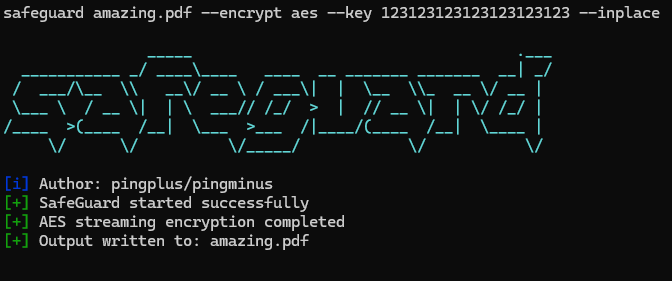
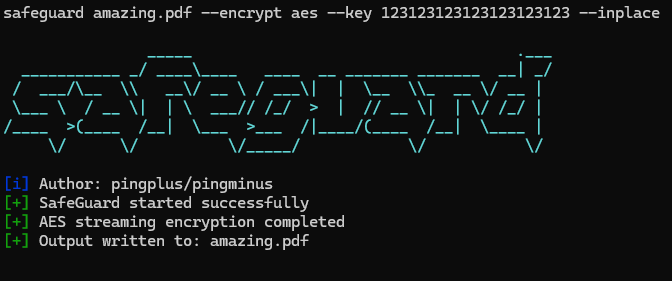
  • --inplace decrypt/encrypt a file in place (experimental)
  • --key add key
  • --output specify the output name

Supported ciphers:

./safeguard --list-ciphers
[i] Available ciphers:
  xor
  caesar
  aes

AES

Encrypt a file:

./safeguard secret.txt e aes --key "your-strong-password"
# or
./safeguard secret.txt --encrypt aes --key "your-strong-password" --output secret.txt.aes

Decrypt a file:

./safeguard secret.txt d aes --key "your-strong-password"
# or
./safeguard secret.txt --decrypt aes --key "your-strong-password" --output secret.txt.dec

More

  • Encrypt with AES and write in place:
./safeguard secrets.txt e aes --key "123123123123123123123123" --inplace
# -> creates secrets.txt but encrypted
  • Decrypt with AES and specify output file :
./safeguard secrets.txt.aes d aes --key "123123123123123123123123" --output secrets_decrypted.txt
تنزيل الأداة