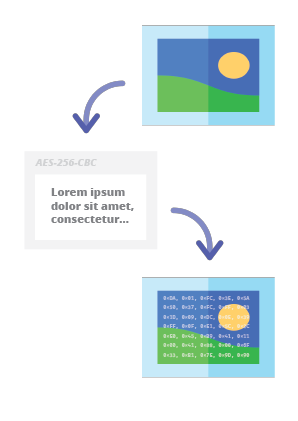
 pelock/steganography-online-codec-javascript
مُرمّز صوري (Steganographic) عبر الإنترنت يتيح لك إخفاء رسالة مشفّرة بكلمة مرور داخل الصور والصور الفوتوغرافية باستخدام خوارزمية تشفير AES بمفتاح مشتق من PBKDF2 بطول 256 بت.

Steganographic Online Codec يتيح لك إخفاء رسالة مشفرة بكلمة مرور داخل الصور والصور الفوتوغرافية باستخدام خوارزمية تشفير AES بمفتاح مشتق بطول 256-بت عبر PBKDF2.
يمكنك استخدامه مجانًا على:
https://www.pelock.com/products/steganography-online-codec
يوفر هذا SDK وصولًا برمجيًا إلى برنامج الترميز ووظائف التشفير وفك التشفير الخاصة به عبر واجهة WebAPI.
إخفاء البيانات هو مصطلح يصف فن وعلم إخفاء المعلومات عن طريق تضمين الرسائل داخل ملفات صور أخرى تبدو غير ضارة.
في هذه الحالة، يتم حفظ البتات الفردية للرسالة المخفية المشفرة كبتات الأقل أهمية (LSB) في مكونات ألوان RGB في وحدات البكسل للصورة المحددة.
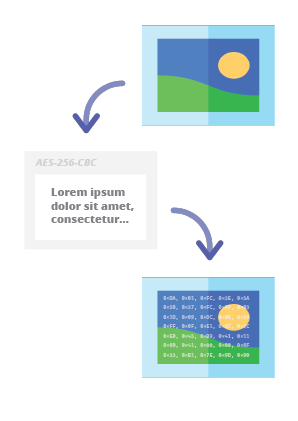
باستخدام برنامج الترميز الخاص بنا لإخفاء البيانات، ستتمكن من إخفاء أي رسالة نصية في الصورة بطريقة آمنة وإرسالها دون إثارة أي شكوك. لن يكون من الممكن قراءة الرسالة إلا بعد توفير كلمة مرور صحيحة لفك التشفير.
الطريقة المفضلة لتثبيت Web API SDK هي عبر NPM (Node Package Manager).
قم بتشغيل:
npm i steganography-online-codec
أو أضف هذا الإدخال:
  "dependencies": {
    "steganography-online-codec": "latest"
  },
مباشرة إلى package.json الخاص بك في قسم dependencies.
حزمة التثبيت متاحة على https://www.npmjs.com/package/steganography-online-codec
تم رفع حزم التثبيت إلى مستودعات للعديد من لغات البرمجة الشائعة وتم نشر أكوادها المصدرية على GitHub:
| Repository | Language | Installation | Package | GitHub |
|---|---|---|---|---|
 | Python | Run pip install steganography-online-codec | PyPI | Sources |
 | JavaScript, TypeScript | Run npm i steganography-online-codec or add "steganography-online-codec": "latest" under dependencies in package.json | NPM | Sources |
 | Rust | Run cargo add steganography-online-codec or add steganography-online-codec = "1" to Cargo.toml (optional: git / path for unreleased or vendored builds) | crates.io | Sources |
إذا كنت لا تريد استخدام وحدة Python، يمكنك الاستيراد مباشرة من الملف:
from pelock.steganography_online_codec import *
"use strict";

/******************************************************************************
 *
 * Steganography Online Codec WebApi interface usage example.
 *
 * In this example shows how to hide an encrypted secret message in an image file.
 *
 * Version      : v1.00
 * Language     : JavaScript
 * Author       : Bartosz Wójcik (original example)
 * Project      : https://www.pelock.com/products/steganography-online-codec
 * Homepage     : https://www.pelock.com
 *
 * @link https://www.pelock.com/products/steganography-online-codec
 * @copyright Copyright (c) 2020-2025 PELock LLC
 * @license Apache-2.0
 *
/*****************************************************************************/

// include Steganography Online Codec module
import { SteganographyOnlineCodec, Errors } from 'steganography-online-codec';
// or if tested locally use:
//import { SteganographyOnlineCodec, Errors } from '../src/SteganographyOnlineCodec.mjs';

// create Steganography Online Codec class instance (we are using our activation key)
const mySteganographyOnlineCodec = new SteganographyOnlineCodec('YOUR-WEB-API-KEY');

// encode a hidden message (encrypted with your password) within an image file
(async () => {

	const inputFile = 'input_file.jpg';
	const secretMessage = 'Secret message';
	const password = 'Pa$$word';
	const outputFile = 'output_file_with_hidden_secret_message.png';

	try {
		const result = await mySteganographyOnlineCodec.encode(inputFile, secretMessage, password, outputFile);

		// result object holds the encoding results as well as other information
		console.log('Secret messaged encoded and saved to the output PNG file.');
	} catch (err) {
		console.error('Encoding failed:', err.error_message || err.message || String(err));
	}
})();
"use strict";

/******************************************************************************
 *
 * Steganography Online Codec WebApi interface usage example.
 *
 * In this example, we will see how to hide an encrypted message in an
 * image file using our codec.
 *
 * Version      : v1.00
 * Language     : JavaScript
 * Author       : Bartosz Wójcik
 * Project      : https://www.pelock.com/products/steganography-online-codec
 * Homepage     : https://www.pelock.com
 *
 * @link https://www.pelock.com/products/steganography-online-codec
 * @copyright Copyright (c) 2020-2025 PELock LLC
 * @license Apache-2.0
 *
 /*****************************************************************************/

// include Steganography Online Codec module
import { SteganographyOnlineCodec, Errors } from 'steganography-online-codec';
// or if tested locally use:
//import { SteganographyOnlineCodec, Errors } from '../src/SteganographyOnlineCodec.mjs';


// create Steganography Online Codec class instance (we are using our activation key)
const mySteganographyOnlineCodec = new SteganographyOnlineCodec('YOUR-WEB-API-KEY');

// encode a hidden message within the source image file
(async () => {
	// full version image size limit is set to 10 MB (demo 50 kB max)
	// supported image formats are PNG, JPG, GIF, BMP, WBMP, GD2, AVIF, WEBP (mail me for more)
	const inputFilePath = 'input_file.webp';

	// full version message size is unlimited (demo 16 chars max)
	const secretMessage = 'Secret message';

	// full version password length is 128 characters max (demo 8 chars max)
	const password = 'Pa$$word';

	// where to save encoded image with the secret message
	const outputFilePath = 'output_file_with_hidden_secret_message.png';

	try {
		// encode a hidden message (encrypted with your password) within an image file
		const result = await mySteganographyOnlineCodec.encode(inputFilePath, secretMessage, password, outputFilePath);

		// result object holds the encoding results as well as other information
		const versionType = result.license && result.license.activationStatus ? 'full' : 'demo';
		console.log(`You are running in ${versionType} version`);

		console.log(`Secret messaged encoded and saved to ${outputFilePath}`);
		if (result.license && result.license.usagesCount !== undefined) {
			console.log(`Remaining number of usage credits - ${result.license.usagesCount}`);
		}
	} catch (err) {
		const errorCode = err.error;
