 owasp/decodebox
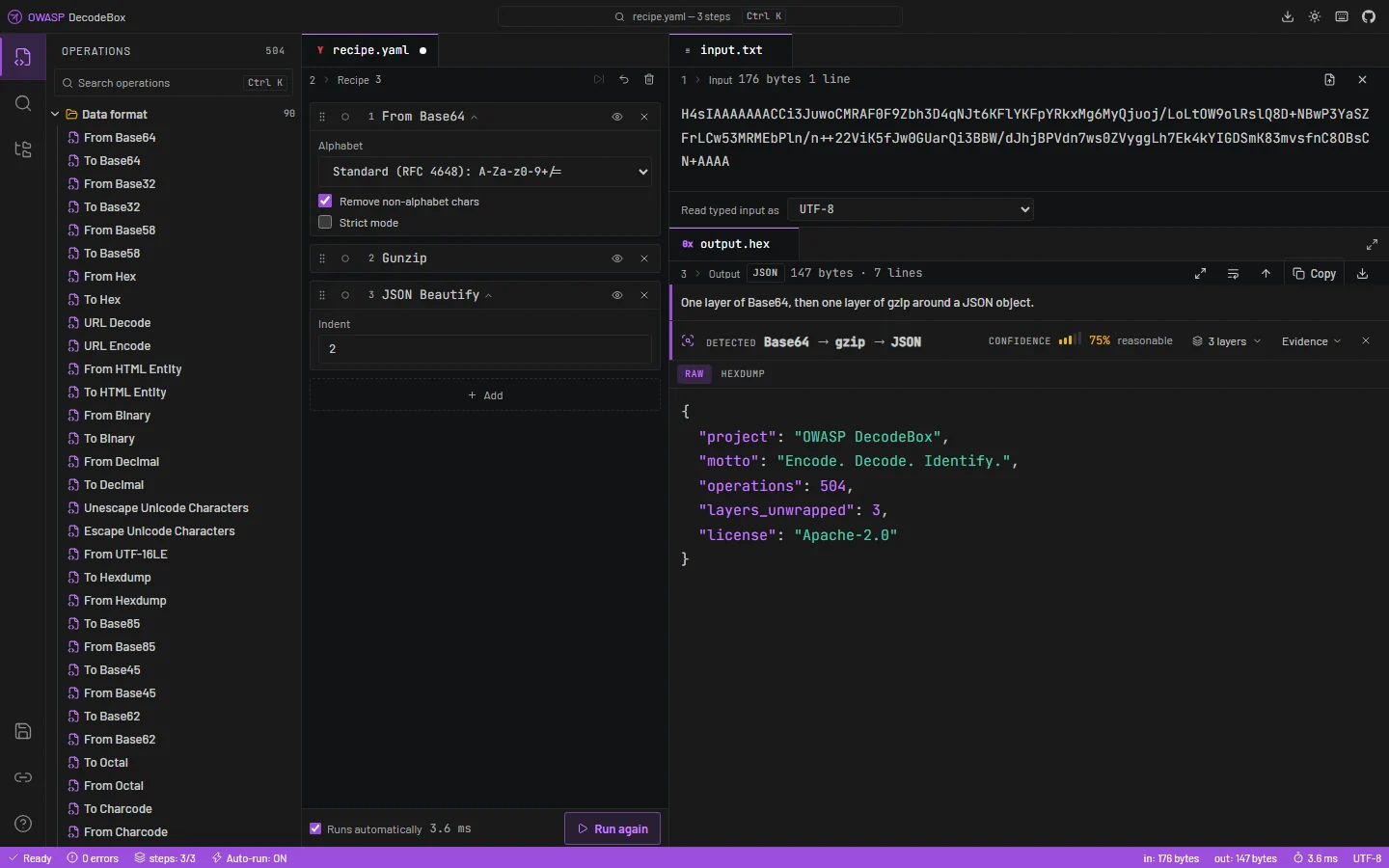
Client-side workbench that auto-detects, recursively decodes, and analyses unknown or layered data, extracting indicators and CWE-tagged security findings with evidence.





Encode. Decode. Identify.
https://github.com/user-attachments/assets/93eb8f92-7e93-4324-8d94-73d7040379f0
Pre-release, and already usable. The workbench runs, the detection engine unwraps layered payloads, and the analysis report is complete.
Still ahead: the accessibility audit and the internationalisation pass. A disassembler and an OCR engine are deliberately out of scope — they are their own projects, not operations.
The usual model for a tool like this assumes you already know what your data is: you pick the operations, you chain them, you iterate. That is fine when you recognise the format on sight, and useless when you do not — which is most of the time an analyst is looking at something new.
DecodeBox starts from the other end. You paste, and it works out what it is holding: every layer unwrapped, every indicator extracted, every security finding explained, with the evidence for each claim visible rather than asserted.
Everything runs in your browser. No input, no recipe, and no file ever leaves your machine — there is no server to send it to.
A real payload from the test suite: Base64 over Base64 over gzip over JSON, with a PowerShell loader in one field.
Findings   4        Indicators 7        Layers 8        257 ms

CRITICAL  Cloud or service credential            CWE-798
          Input → Base64 → Base64 → gzip
          AKIAIOSFODNN7EXAMPLE

CRITICAL  PowerShell download-and-execute        CWE-94
          Input → Base64 → Base64 → gzip → JSON → Base64 → UTF-16LE
          IEX (New-Object Net.WebClient).DownloadString
The second finding is six layers down, and the last hop came from a Base64 blob inside one JSON field. Nothing that greps the original blob sees it, and nothing that unwraps a single linear chain reaches it.
Base64 → Base64 → MD5), on a remainder that cannot be decoded such as a JWT signature, or on
an honest admission that a limit was reached and there may be more underneath.When nothing declared explains the input, DecodeBox tries every single-byte XOR key and every rotation and scores each result for readability — at a confidence that says plainly it was a search rather than a match.
DecodeBox processes untrusted, deliberately malformed input by design.
connect-src 'none'
and script-src 'self' plus a hash for the one inline script. Fonts are bundled rather than
fetched, and the build fails if a CDN reference ever appears in the output.eval, new Function, and any path that renders input as HTML are
forbidden by lint rules, not by convention.style-src does allow 'unsafe-inline', because React writes inline style attributes;
script-src, where the real risk lives, stays strict. To report a vulnerability, see
SECURITY.md — please do not open a public issue for security reports.
DecodeBox/
├── .github/workflows/   # CI, CodeQL, SBOM, markdown quality, Pages deployment
├── public/              # Bundled fonts, favicon, CNAME
├── src/
│   ├── engine/          # The analysis engine — the only half that knows about data
│   │   ├── index.ts     # THE SEAM — the only module the interface imports from
│   │   ├── operations/  # One self-contained module per transformation
│   │   ├── detection/   # Entropy, charset, magic bytes, structural validity
│   │   ├── analysis/    # Recursive exploration, indicators, security findings
│   │   ├── ctf/         # Flag search, cipher key recovery, ranked hints
│   │   ├── core/        # Recipe executor, byte handling, ciphers, codecs
│   │   └── worker/      # The engine off the main thread, past a size threshold
│   ├── components/      # The interface: workspace, report, CTF mode
│   ├── store/           # One zustand store
│   ├── hooks/           # Interaction logic shared across components
│   ├── lib/             # Share links, saved recipes, recipe text format
│   ├── i18n/            # Every user-facing string
│   └── styles/          # Design tokens and themes
├── SECURITY.md
└── LICENSE
The interface reaches the engine through one narrow facade exposing seven functions —
listOperations, bake, detect, autoDecode, identify, analyse and hints. Both halves
can be developed, tested and replaced independently; the workspace was once rebuilt from scratch
without the engine changing by a line. Adding an operation should never require touching the UI.
Requires Node.js 22.12 or later. CI builds on 22 and 24; .nvmrc pins 22 for development.
npm install
npm run dev     # development server
npm run test    # 1,167 tests
npm run build   # static site in dist/
The build output is fully static — no runtime, no server, no environment variables. Any static host will serve it.
There is a Download DecodeBox button in the header of the running application. It hands you
decodebox.html: the whole thing in a single 1.2 MB file — the interface, all 504 operations, the
fonts, the styles. Double-click it and it runs. No server, no npm, no network, nothing to install,
which is the point on an air-gapped machine where getting a build toolchain in is harder than
getting one file in.
npm run build produces it alongside the site, so any deployment serves it:






