
Skip to content
KitploitKITPLOIT
أدواتعمليات الاستغلالالمدونة
Log in
إرسال
أدواتعمليات الاستغلالالمدونة
إرسال

أدوات الاختراق واختبار الاختراق والأمن السيبراني لترسانتك الأمنية!

Kitploit هو دليل لأدوات الاختراق والأمن السيبراني واختبار الاختراق. اكتشف آخر تحديثات المشاريع للعثور على الثغرات وتحليل الأنظمة وأتمتة الاختبارات وتعزيز أمنك.

الخلاصاتاتصالالخصوصية© 2026 Kitploit

دليل الأدوات

الفئات

عرض جميع الفئات
Loading categories
ReArk — An intelligent reverse engineering analysis tool designed for multiple target platforms, currently supporting HarmonyOS (HAP/APP/ABC) and Android (APK/AAB). | Kitploit
أدوات/GitHubGitHub/lkimuk/reark
Android SecurityStatic AnalysisDynamic Analysis (Sandboxing)Reverse EngineeringMalware AnalysisCTFMobile SecurityBinary AnalysisAI-Assisted Reversing
GitHublkimuk/reark

ReArk

An intelligent reverse engineering analysis tool designed for multiple target platforms, currently supporting HarmonyOS (HAP/APP/ABC) and Android (APK/AAB).

45873100منذ 16 أيامتمت المراجعة من قبل Kitploit

الأكثر شعبية

عرض الكل →

اكتشف الأدوات الأكثر استخدامًا من قبل مجتمعنا.

استكشف جميع الأدوات

تصفح مجموعتنا من الأدوات

عرض جميع الأدوات →
مشاركة
عرض المستودع
المحتوى غير متوفر باللغة المطلوبة. عرض النسخة الإنجليزية.

ReArk

English | 简体中文

ReArk is a desktop reverse engineering and AI-assisted analysis tool for HarmonyOS and Android applications. Open HarmonyOS .hap, .app, and .abc files or Android .apk and .aab packages to inspect code, resources, metadata, and application behavior in one workspace.

Combine static analysis with connected-device inspection and ReArk Agent to investigate application logic, review security, and work through CTF challenges.

Installation and platforms

Download the installer for your computer from Latest release. See All releases for version history and release notes.

OSRequirementsDirect links
Windows
Windows
Windows 10+
x64
Setup x64
macOS
macOS
macOS 14.0+
Apple Silicon
DMG Apple Silicon
Linux
Linux
x64
System requirements to be announced
Coming in the next release

Feature Highlights

Package and static analysis

  • Analyze HarmonyOS HAP/APP/ABC and Android APK/AAB files
  • Browse package structure, modules, source output, resources, and application metadata
  • Disassemble and decompile ABC bytecode; explore strings, literals, cross-references, and call argument flows
  • Inspect Android manifests, permissions, components, entry points, resources, and application icons
  • Read Android disassembly and Java-like decompiled output
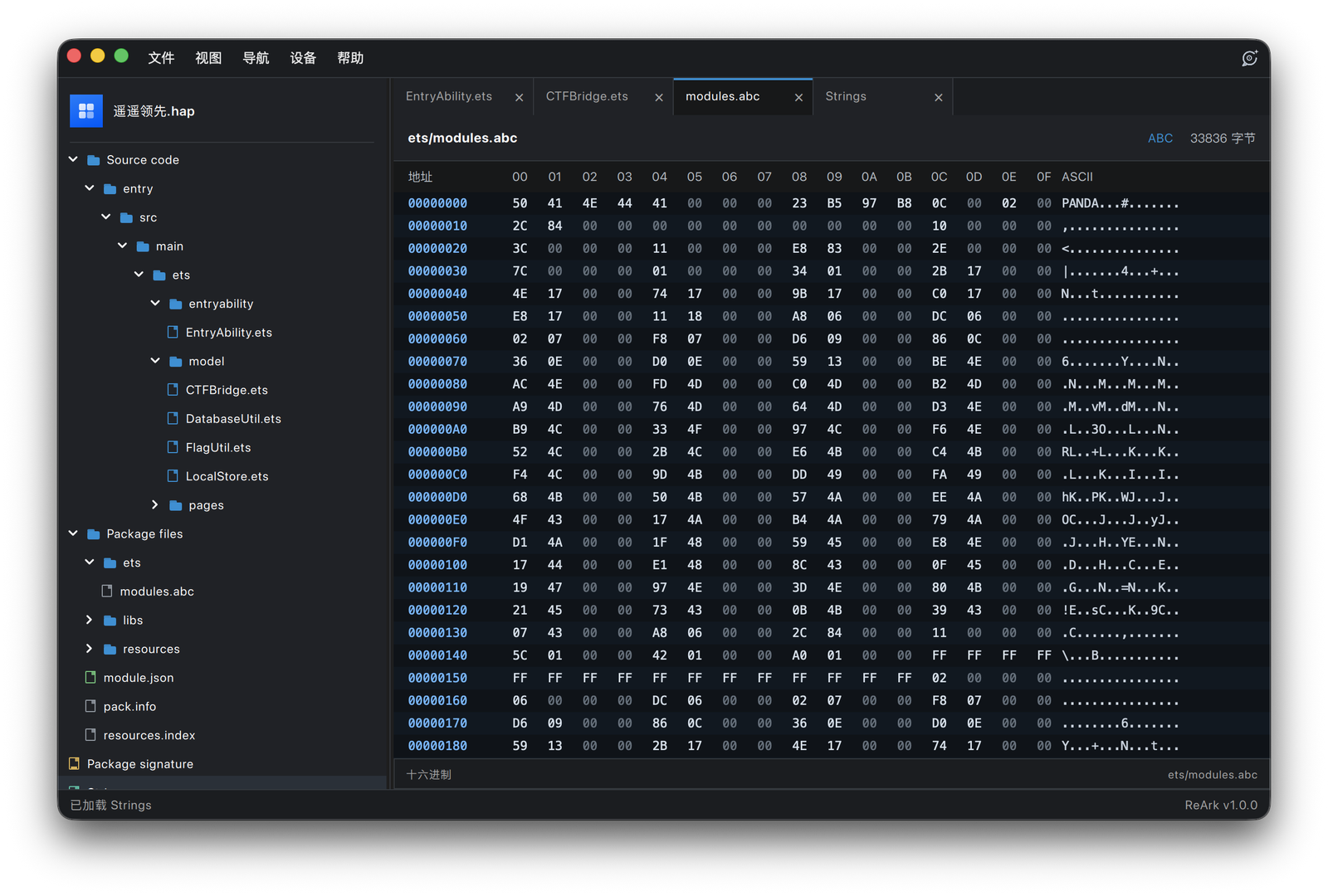
  • View hex data, formatted JSON, XML, text, images, and media resources; search files and navigate source output

HarmonyOS signing and packaging

  • Inspect signatures, certificates, and signing validity
  • Configure signing materials, re-sign, and repackage HarmonyOS applications
  • Install supported application packages on connected devices; Android device installation uses APK files

ReArk Agent

  • Ask contextual questions about the current HarmonyOS or Android package
  • Discover analysis capabilities and retrieve package files, metadata, strings, disassembly, and decompiled output as needed
  • Attach reference documents to supplement package evidence with your own materials
  • Use supported model providers, including OpenAI-compatible endpoints and local Ollama models
  • Combine static analysis with device workflows; host commands, Python execution, and device operations use the applicable approval flows

Connected devices

  • Discover HarmonyOS devices through HDC and Android devices through ADB
  • Install and launch applications, capture screenshots, inspect UI nodes, and read device logs
  • Mirror device screens in real time and control devices using mouse and keyboard
  • Use screen recording, audio, clipboard, and device controls where supported by the device and runtime
  • Work with fullscreen or detached mirroring windows

Available analysis views and device actions depend on the package format, operating system version, and device capabilities. ABC evidence tools and HarmonyOS re-signing are specific to HarmonyOS packages.

Screenshots

HarmonyOS decompilationAndroid decompilation
ABC / Hex inspectionABC strings
ReArk Agent analysisAndroid screen mirroring

Safety and Privacy

Use ReArk only for legally authorized reverse engineering, interoperability research, malware analysis, and security research.

When using ReArk Agent with remote model providers, avoid submitting secrets, certificates, user data, trade secrets, or other sensitive content.

License

ReArk is licensed under the Apache License 2.0. See LICENSE for details.

Third-party notices are listed in THIRD_PARTY_NOTICES.md.

Support

  • Issues: GitHub Issues
  • User guide: cppmore.com/ReArk

Star History

Star History Chart

تنزيل الأداة