
Skip to content
KitploitKITPLOIT
أدواتعمليات الاستغلالالمدونة
Log in
إرسال
أدواتعمليات الاستغلالالمدونة
إرسال

أدوات الاختراق واختبار الاختراق والأمن السيبراني لترسانتك الأمنية!

Kitploit هو دليل لأدوات الاختراق والأمن السيبراني واختبار الاختراق. اكتشف آخر تحديثات المشاريع للعثور على الثغرات وتحليل الأنظمة وأتمتة الاختبارات وتعزيز أمنك.

الخلاصاتاتصالالخصوصية© 2026 Kitploit

دليل الأدوات

الفئات

عرض جميع الفئات
Loading categories
ogi — Open Source Link Analysis & OSINT Framework | Kitploit

أدوات/GitHubGitHub/khashashin/ogi
OSINT (Open Source Intelligence)ReconnaissanceInformation GatheringWeb SecuritySocial EngineeringThreat IntelligenceEmail HarvestingLearning & EducationCrawlerDNS Analysis
GitHubkhashashin/ogi

ogi

Open Source Link Analysis & OSINT Framework
عرض المستودعالموقع الإلكتروني
2803748منذ 2 أيامتمت المراجعة من قبل Kitploit
مشاركة
المحتوى غير متوفر باللغة المطلوبة. عرض النسخة الإنجليزية.
OGI Mascot

OpenGraph Intel (OGI)

Open-source visual link analysis and OSINT framework. Free, self-hostable, and community-driven.

License: AGPL v3 CI Docker Python 3.14+ TypeScript React FastAPI Version

Features • Screenshots • Quick Start • Docker • Transform Hub • Architecture • Contributing


Heads up: This project is actively evolving. It has solid core capabilities and test coverage, and we continue to improve documentation, hardening, and feature depth with each release. Contributions, bug reports, and feedback are very welcome.

Features

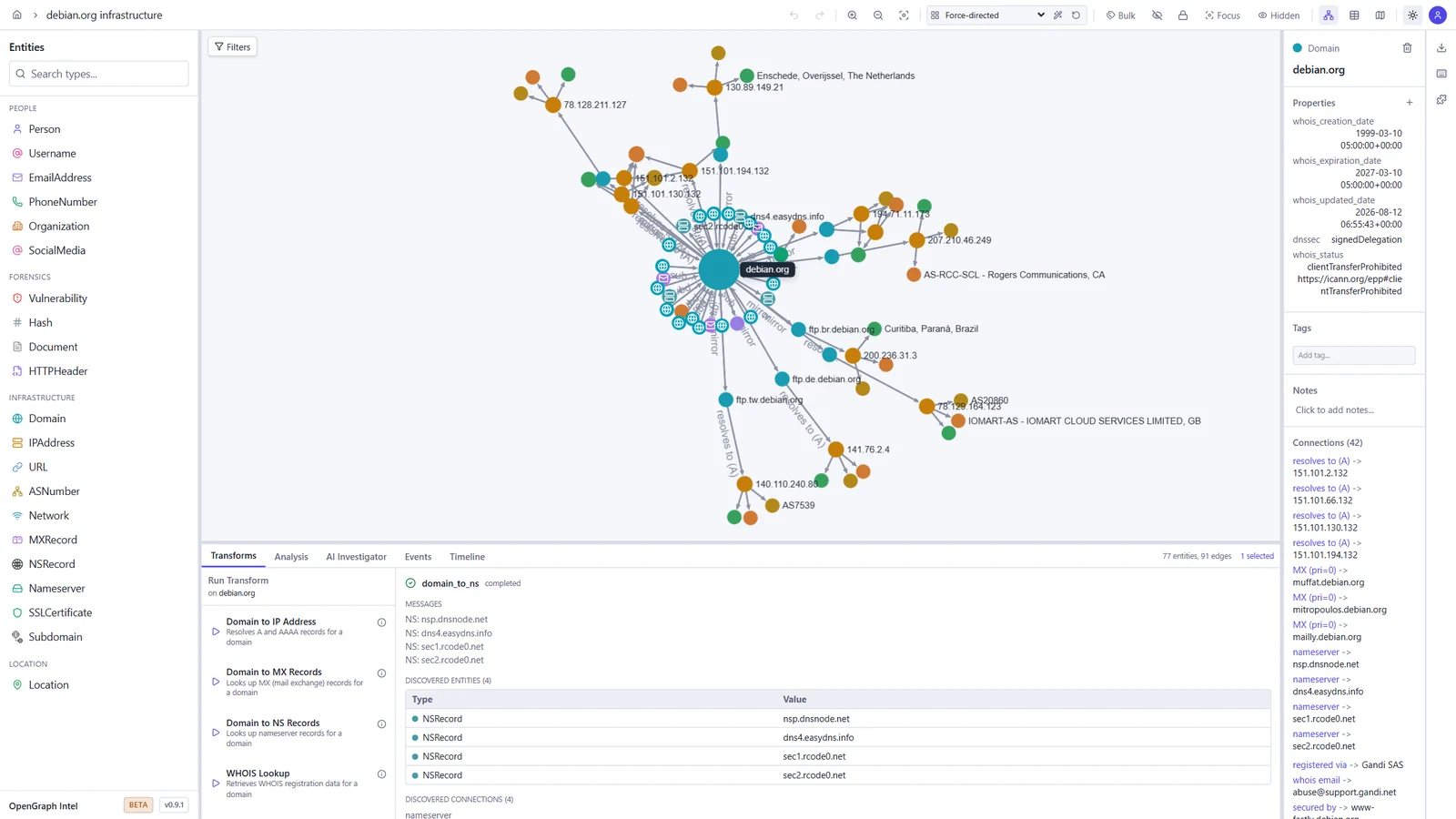
  • Visual graph investigation — drag-and-drop entities, explore connections interactively, 14 layout presets
  • 25+ built-in transforms — DNS, WHOIS, SSL certificates, geolocation, web, email, hash, people, and location enrichment
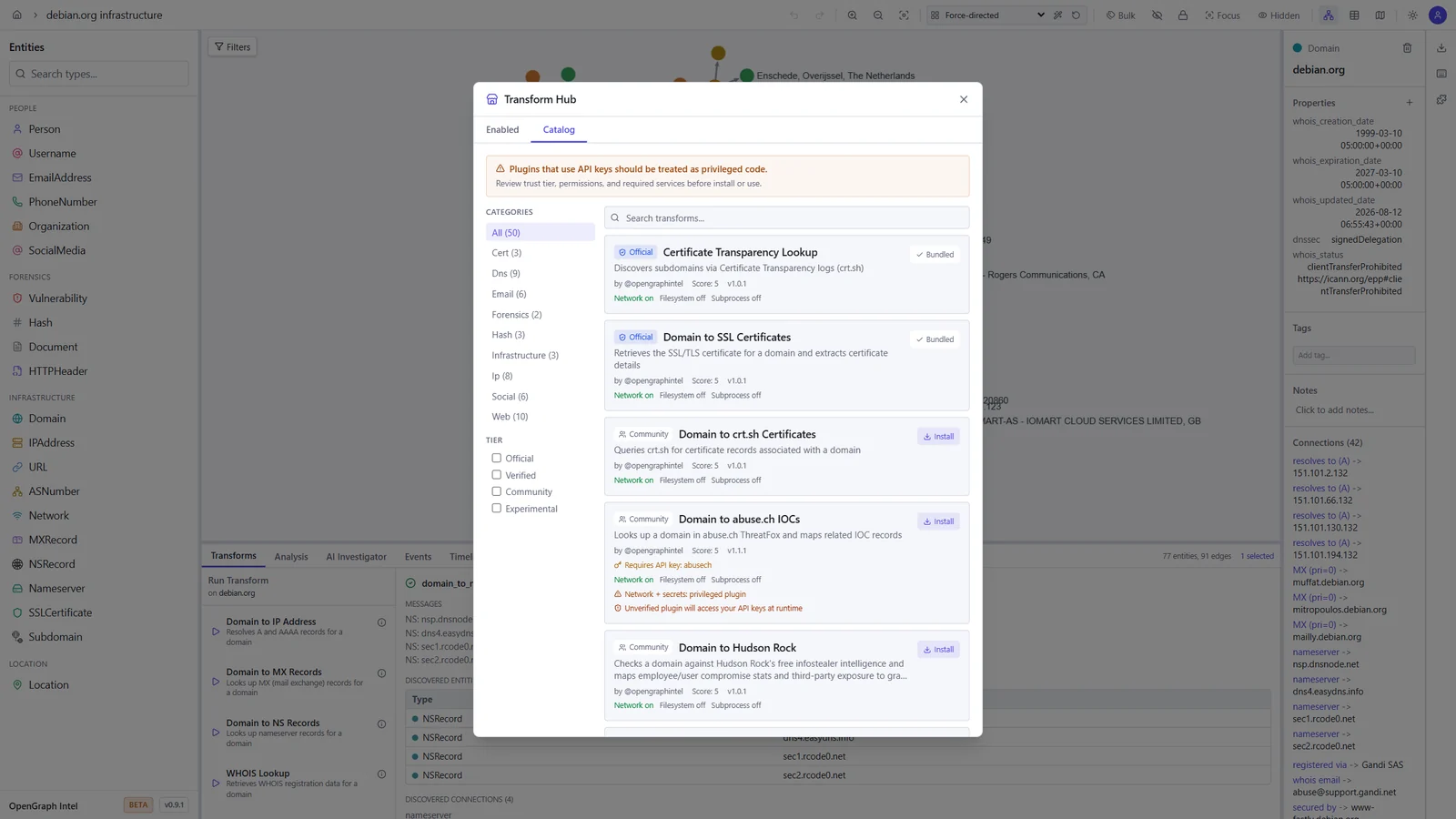
  • Transform Hub — browse and install community transforms from the registry
  • AI Investigator — prompt-driven agentic investigations that plan transform runs, stream progress live, and summarize findings with auditability
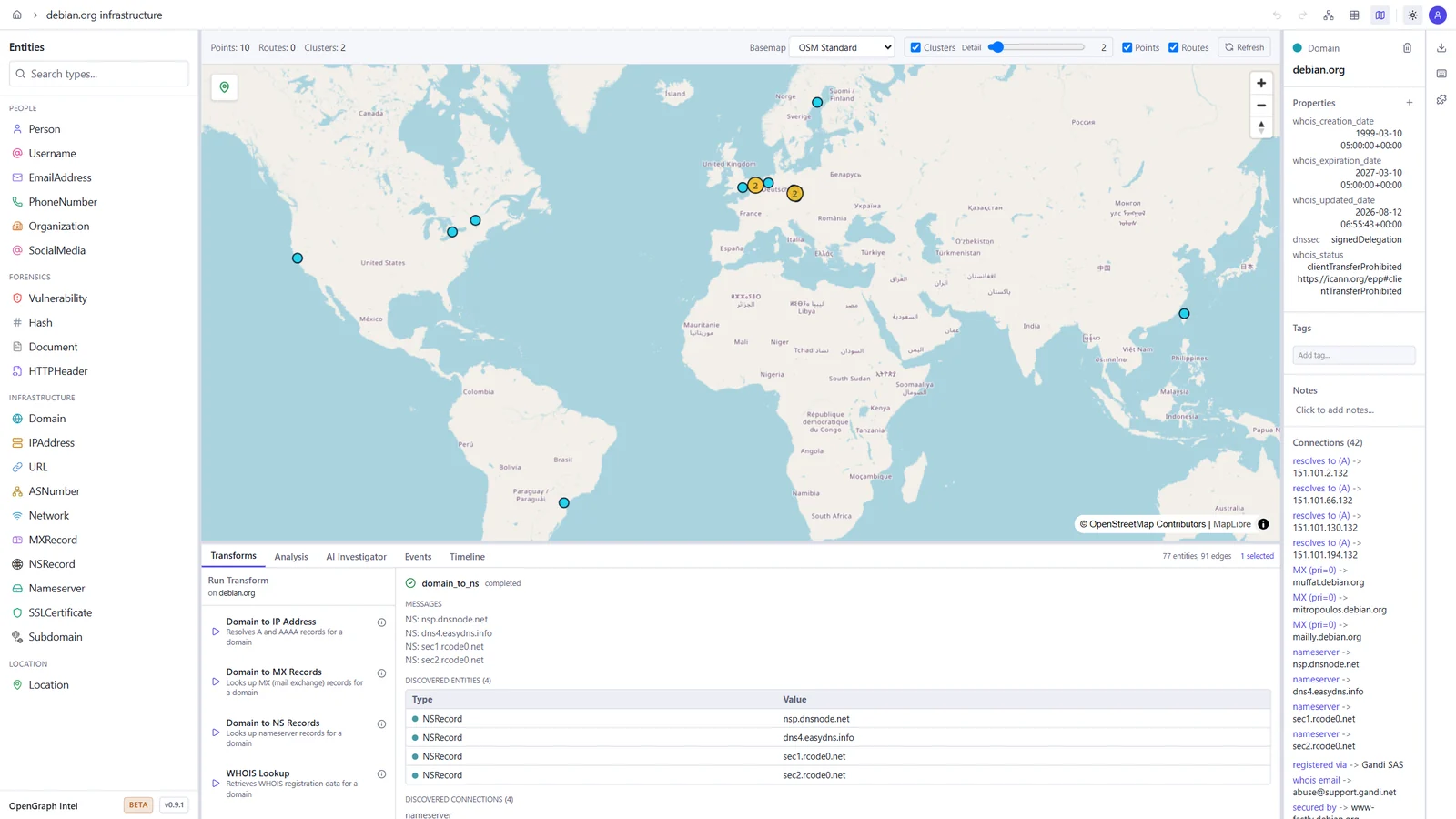
  • Map view — geolocated entities on an interactive map, with clustering and routes
  • Timeline and events — filter the graph by time window and review every transform run in the project's activity log
  • Import / Export — import JSON, CSV, GraphML, and MTGX; export JSON, CSV, GraphML, and PNG images of the graph
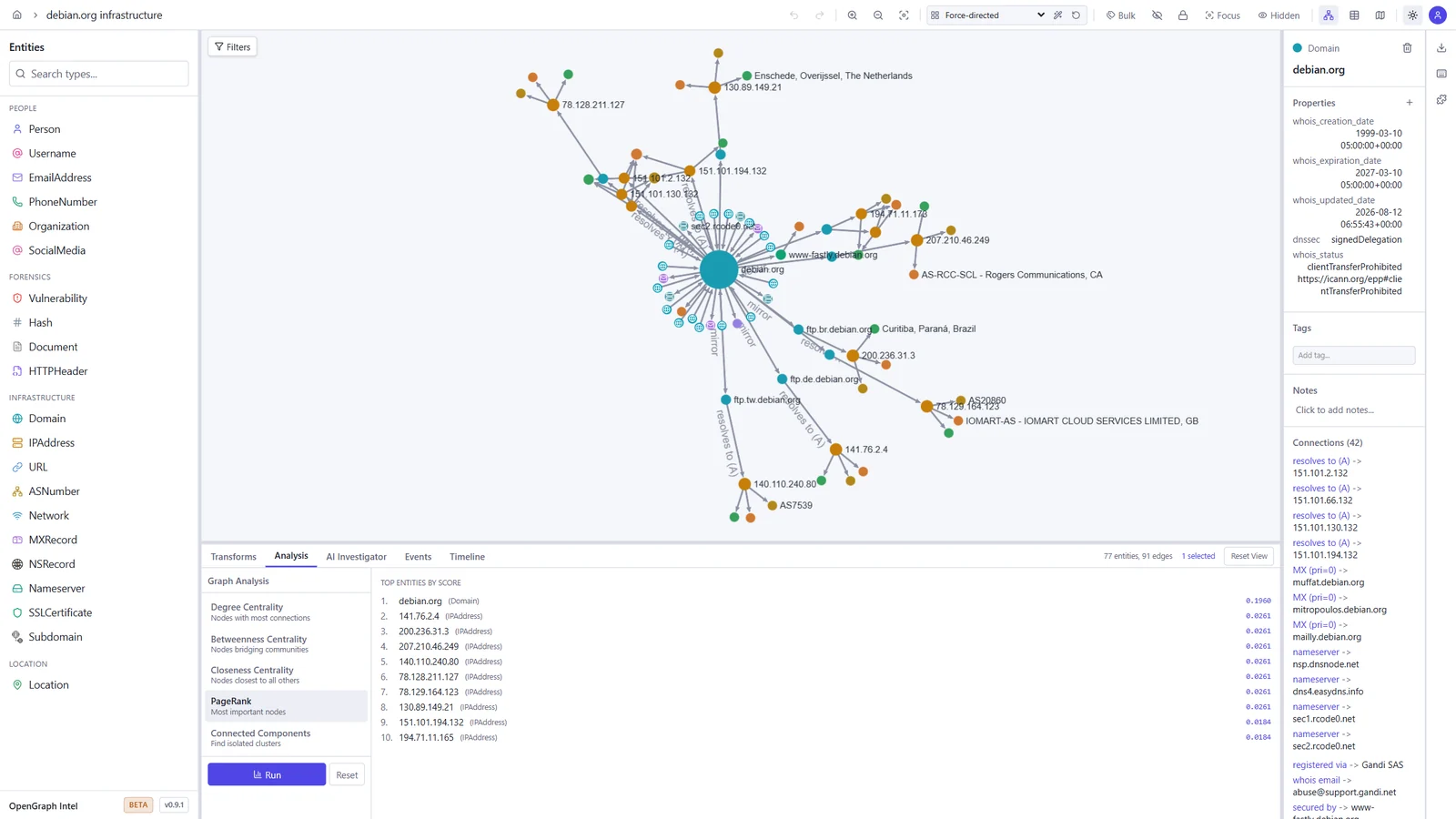
  • Graph analysis — degree, betweenness, and closeness centrality, PageRank, and connected components
  • Light and dark themes — pick dark, light, or follow your system setting
  • Real-time collaboration — projects, sharing, and live sync via Supabase Realtime
  • Async transform jobs — Redis/RQ queue with WebSocket progress updates
  • Plugin system — directory-based plugin discovery with YAML manifests
  • CLI tool — search, install, and manage transforms from the terminal
  • Runs anywhere — local SQLite mode (zero config) or PostgreSQL + Supabase for team/cloud setups
  • Docker ready — one-command deployment with docker compose up

Screenshots

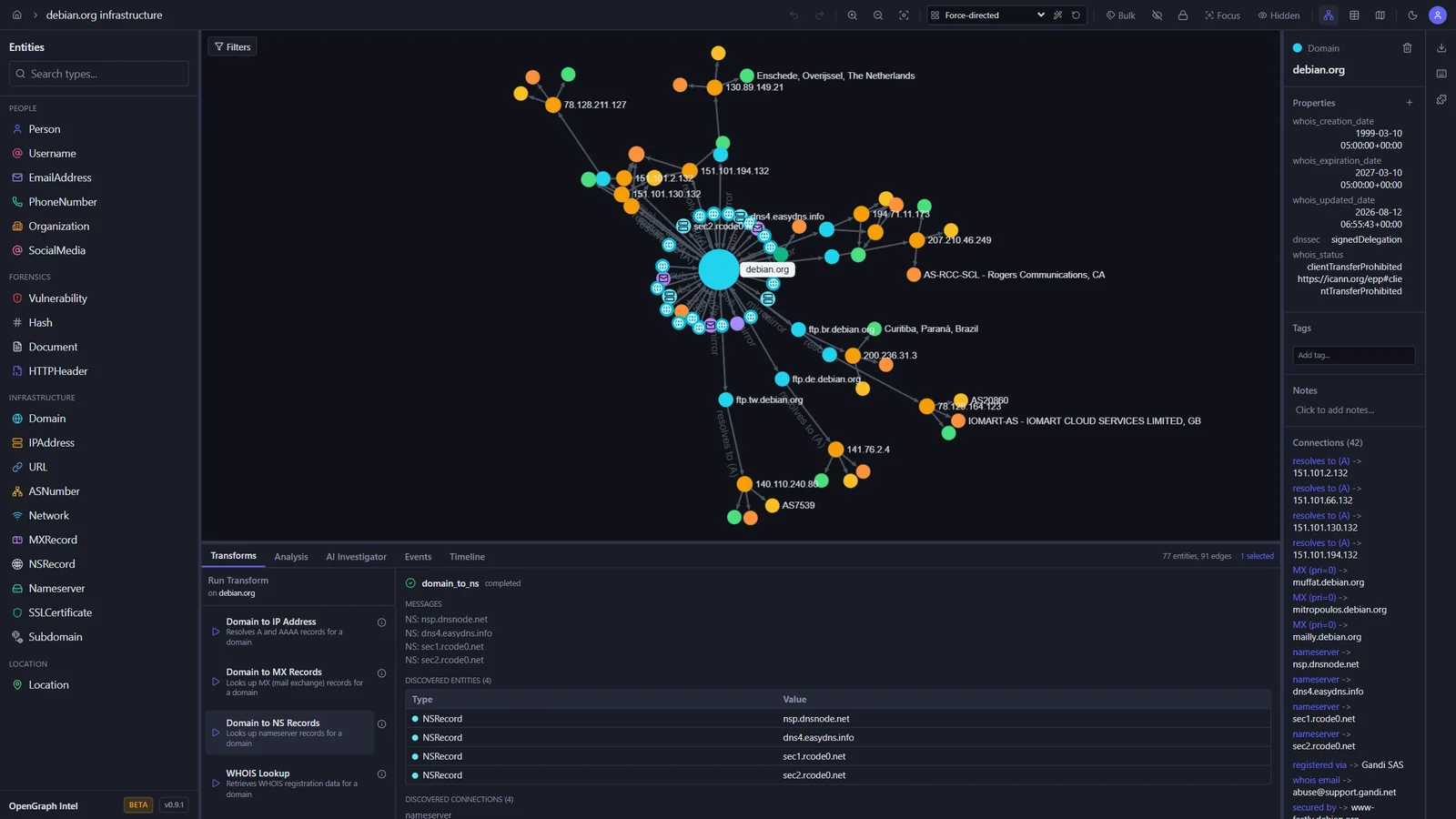
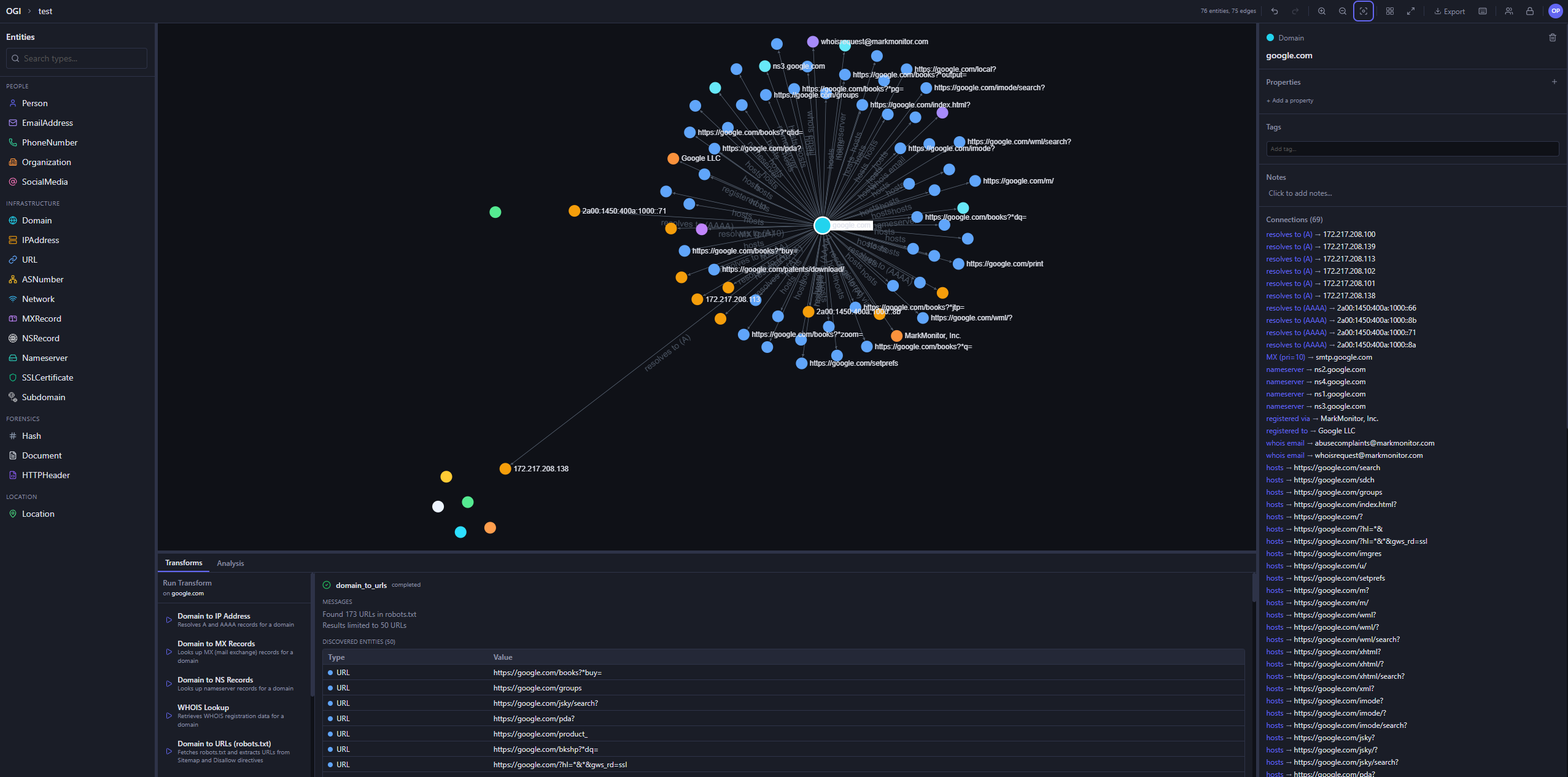
These screenshots show an investigation of the public debian.org infrastructure, built with the built-in transforms.

Graph investigation Map view
Graph of debian.org with its IP addresses, mail and name servers, subdomains, and mirrors, and the output of a DNS transform World map with the geolocated Debian mirror servers
Transform Hub Graph analysis
Transform Hub catalog with official and community transforms, trust tiers, and permissions PageRank results ranking the most important entities in the graph

Light and dark themes

The toggle in the toolbar switches between dark, light, and your system setting.

Dark Light
The graph workspace in the dark theme The graph workspace in the light theme

Quick Start

Prerequisites

ToolVersion
Python3.14+
uvlatest
Node.js24 LTS (22.22+ also works)
pnpm10.x

Backend

cd backend
uv sync
uv run uvicorn ogi.main:app --reload

The API will be available at http://localhost:8000.

For local transform execution, Redis and the transform worker must also be running. Redis alone is not enough.

Start Redis:

docker run -d --name ogi-redis -p 6379:6379 redis:7-alpine

Start the transform worker in a second terminal:

cd backend
uv run python -m ogi.worker.run_worker

If you see Job queue not available or Redis not available, verify that:

  • OGI_REDIS_URL points to redis://localhost:6379/0 for local host-based runs
  • the backend was restarted after Redis came up
  • the separate worker process is running
  • you are not using the Docker-only hostname redis outside Docker Compose

If you run the backend against PostgreSQL (OGI_USE_SQLITE=false), startup will automatically apply Alembic migrations before serving requests. Docker deployments do the same in the backend container entrypoint.

تنزيل الأداة

الأكثر شعبية

عرض الكل →

اكتشف الأدوات الأكثر استخدامًا من قبل مجتمعنا.

  • 1

    OsintHunter

    letox4/osinthunter

    🎯 مجموعة أدوات OSINT المثالية: رسم بياني للتحقيق، وتقييم الثقة، وعائلات الأسماء المستعارة، وخريطة، وخط زمني، وتقارير. 49 وحدة، وأكثر من 400 موقع، دون الحاجة إلى مفاتيح API.

    708
  • 2

    ghostlock-app

    yukonga/ghostlock-app

    # تطبيق GhostLock للتنفيذ بنقرة واحدة (CVE-2026-43499)

    500
  • 3

    ARTEX

    baarai/artex

    منصة اختبار اختراق مستقلة متعددة الوكلاء تعتمد على LLM، مع وكلاء تخطيط وتنفيذ، ومخططات للأصول والاستكشاف، وتسجيل حركة مرور MITM، وإعادة اختبار الثغرات.

    398
  • 4

    redforge

    cybersecurity91/redforge

    مجموعة أدوات الفريق الأحمر في المتصفح مع 102 أداة دون اتصال للاستطلاع، وتوليد الحمولات، وهجمات بيانات الاعتماد، والتشفير، والترميز، وإعداد تقارير المهام.

    341
  • 5

    CyberStrikeAI

    ed1s0nz/cyberstrikeai

    نظام العمل للأمن السيبراني الأصلي بالذكاء الاصطناعي — حيث تتحول النية إلى تنفيذ محكوم، وتصبح الأدلة ذاكرة تشغيلية، وكل عملية تحسن التي تليها.

    259
  • 6

    antifox

    antifox-ai/antifox

    منصة اختبار اختراق متعددة الوكلاء ذاتية التشغيل بالذكاء الاصطناعي تُجري الاستطلاع واكتشاف سطح الهجوم والتحقق من الاستغلال وتسليم تقارير مدعومة بالأدلة.

    257

استكشف جميع الأدوات

تصفح مجموعتنا من الأدوات

عرض جميع الأدوات →