 k2/ehtrace
ATrace هي أداة لتتبع تنفيذ البرامج الثنائية على Windows.

EhTrace (تُنطق "ATrace") هو إطار عمل عالي الأداء لتتبع وتحليل الثنائيات (binary tracing) وأدوات القياس (instrumentation) على نظام Windows. يُمكّن من التحليل العميق لوقت التشغيل لملفات ويندوز القابلة للتنفيذ دون الحاجة إلى الكود المصدري أو تعديل الثنائيات أو التصحيح التقليدي.
يستفيد EhTrace من معالجة الاستثناءات الموجهة في Windows (Vectored Exception Handling - VEH) وتقنيات التنقل بالكتل (block-stepping) لتوفير تتبع شامل للتنفيذ بأقل قدر من التحميل الزائد. على عكس أدوات التصحيح أو القياس التقليدية، يعمل EhTrace بالكامل داخل العملية (in-process) ولا يتطلب أي تصحيحات على الثنائيات المستهدفة.
flowchart TB
    subgraph Target["🎯 Target Process"]
        direction TB
        APP[Application Code]
        VEH[Vectored Exception Handler]
        style APP fill:#e1f5ff,stroke:#01579b,stroke-width:3px,color:#000
        style VEH fill:#fff3e0,stroke:#e65100,stroke-width:3px,color:#000
    end

    subgraph EhTrace["⚡ EhTrace Engine"]
        direction TB
        BLOCK[Block Stepper]
        DISASM[Capstone Disassembler]
        FIGHTERS[BlockFighters]
        CTX[Context Manager]
        style BLOCK fill:#f3e5f5,stroke:#4a148c,stroke-width:3px,color:#000
        style DISASM fill:#e8f5e9,stroke:#1b5e20,stroke-width:3px,color:#000
        style FIGHTERS fill:#ffebee,stroke:#b71c1c,stroke-width:3px,color:#000
        style CTX fill:#e0f2f1,stroke:#004d40,stroke-width:3px,color:#000
    end

    subgraph Output["📊 Analysis Output"]
        direction TB
        SHMEM[Shared Memory Log]
        GRAPHS[Visual Graphs]
        REPORTS[Coverage Reports]
        style SHMEM fill:#fce4ec,stroke:#880e4f,stroke-width:3px,color:#000
        style GRAPHS fill:#f1f8e9,stroke:#33691e,stroke-width:3px,color:#000
        style REPORTS fill:#fff8e1,stroke:#f57f17,stroke-width:3px,color:#000
    end

    APP -->|Exception| VEH
    VEH -->|Single Step| BLOCK
    BLOCK -->|Instruction| DISASM
    DISASM -->|Analysis| FIGHTERS
    FIGHTERS -->|State| CTX
    CTX -->|Events| SHMEM
    SHMEM -->|Data| GRAPHS
    SHMEM -->|Data| REPORTS

    style Target fill:#e3f2fd,stroke:#0d47a1,stroke-width:4px
    style EhTrace fill:#f3e5f5,stroke:#6a1b9a,stroke-width:4px
    style Output fill:#e8f5e9,stroke:#2e7d32,stroke-width:4px
يعمل EhTrace عبر أنبوب خطي متطور:
يحافظ الإطار على حالة التنفيذ لكل خيط (thread) باستخدام هياكل سياق متخصصة ويوفر خطاطيف (hooks) للقياس القابل للتخصيص.
graph LR
    subgraph Traditional["🐌 Traditional Debugger"]
        T1[Single Step]
        T2[Context Switch]
        T3[Kernel Mode]
        T4[~1M events/sec]
        style T1 fill:#ffcdd2,stroke:#c62828,stroke-width:2px,color:#000
        style T2 fill:#ffcdd2,stroke:#c62828,stroke-width:2px,color:#000
        style T3 fill:#ffcdd2,stroke:#c62828,stroke-width:2px,color:#000
        style T4 fill:#ef5350,stroke:#b71c1c,stroke-width:3px,color:#fff
    end

    subgraph EhTrace["⚡ EhTrace"]
        E1[Block Step]
        E2[In-Process]
        E3[User Mode]
        E4[~43M events/sec]
        style E1 fill:#c8e6c9,stroke:#2e7d32,stroke-width:2px,color:#000
        style E2 fill:#c8e6c9,stroke:#2e7d32,stroke-width:2px,color:#000
        style E3 fill:#c8e6c9,stroke:#2e7d32,stroke-width:2px,color:#000
        style E4 fill:#66bb6a,stroke:#1b5e20,stroke-width:3px,color:#fff
    end

    T1 --> T2 --> T3 --> T4
    E1 --> E2 --> E3 --> E4

    style Traditional fill:#ffebee,stroke:#d32f2f,stroke-width:3px
    style EhTrace fill:#e8f5e9,stroke:#388e3c,stroke-width:3px
يحقق EhTrace أداءً عالياً من خلال عدة تحسينات:
📊 معيار أداء (Benchmark): 428,833,152 حدثًا (32 بايت لكل حدث) تم التقاطها في 10 ثوانٍ = ~43 مليون حدث/ثانية
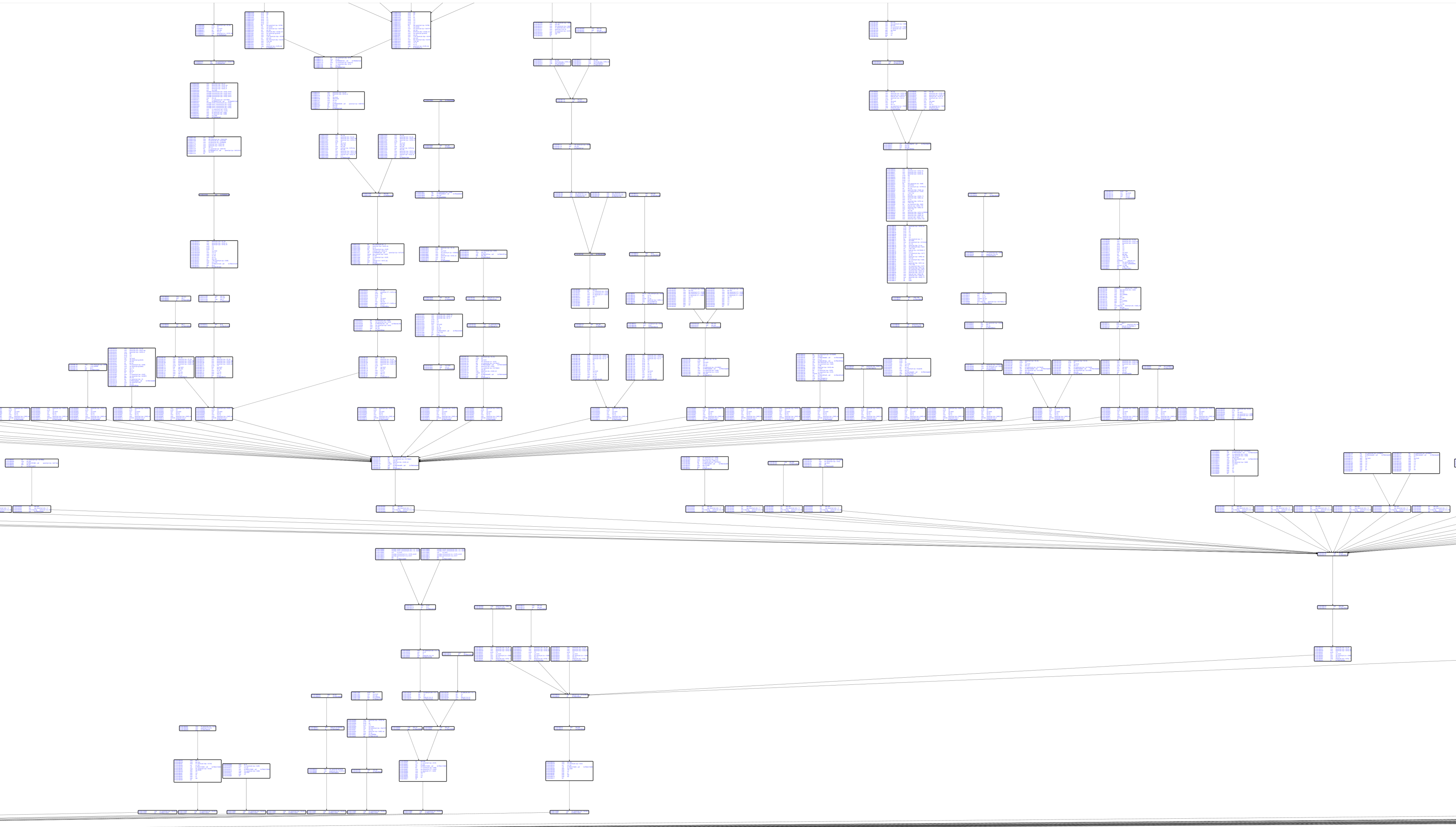
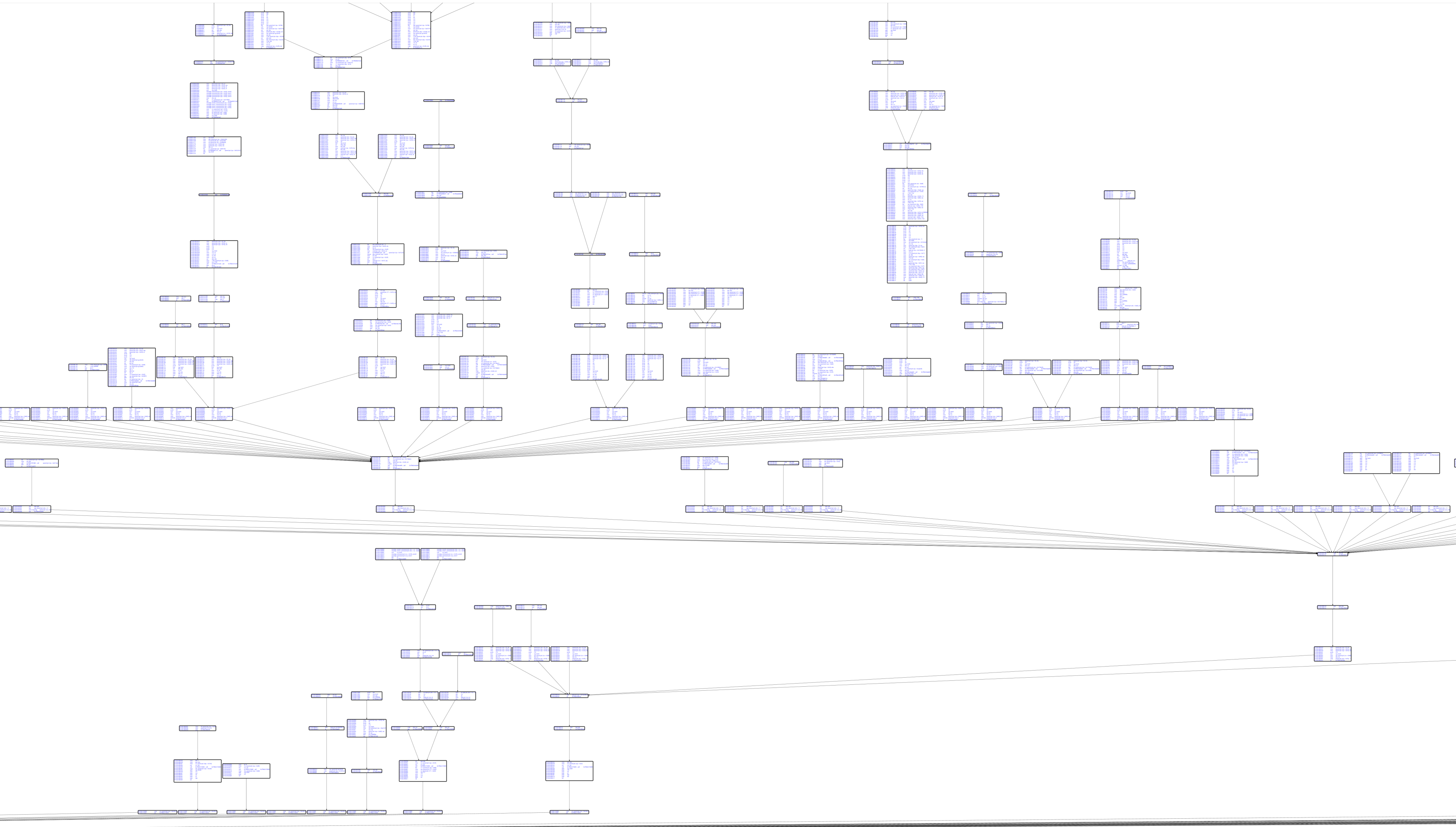
تتبع تجريبي لـ CSW16 لبرنامج notepad.exe بدون رموز:
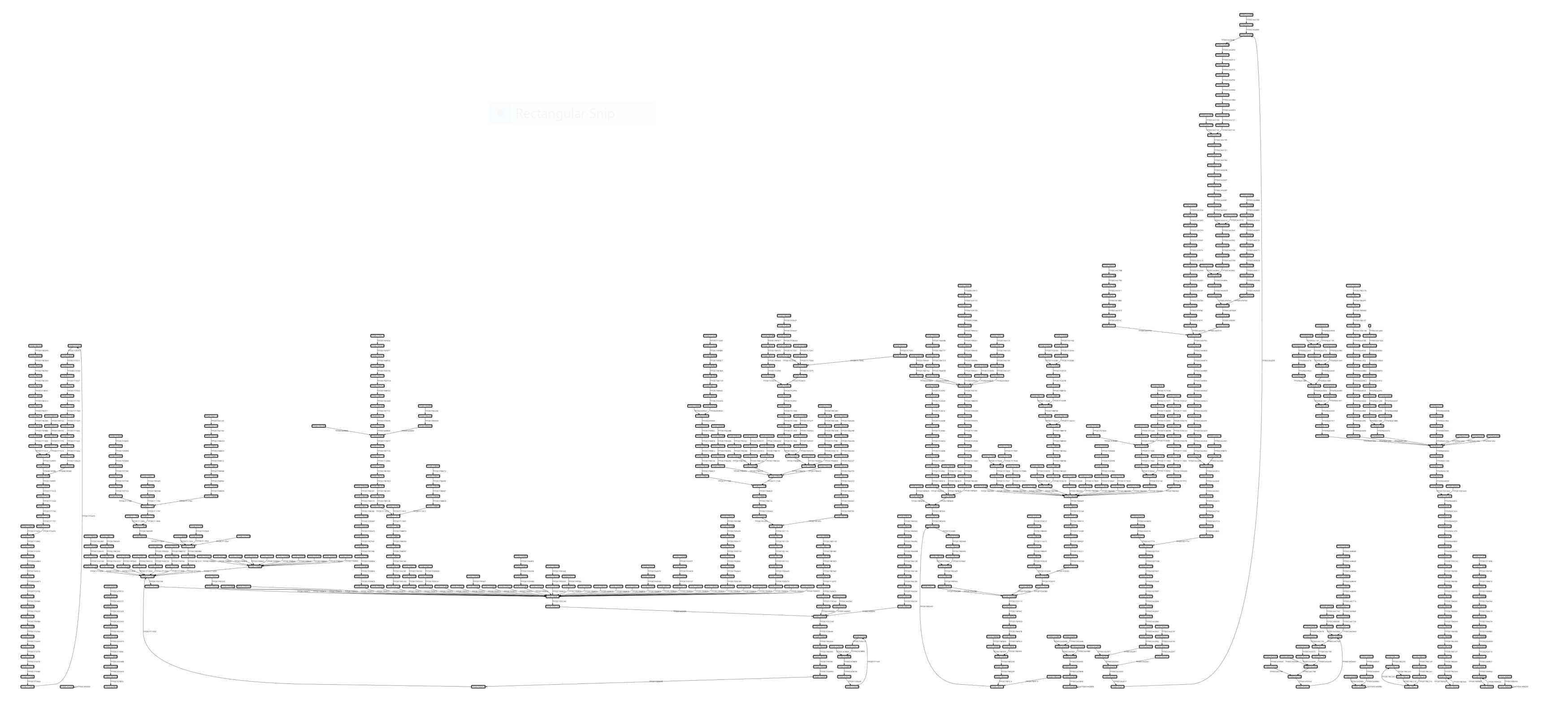
رسم بياني للكتل الأساسية مع تفكيك Capstone:
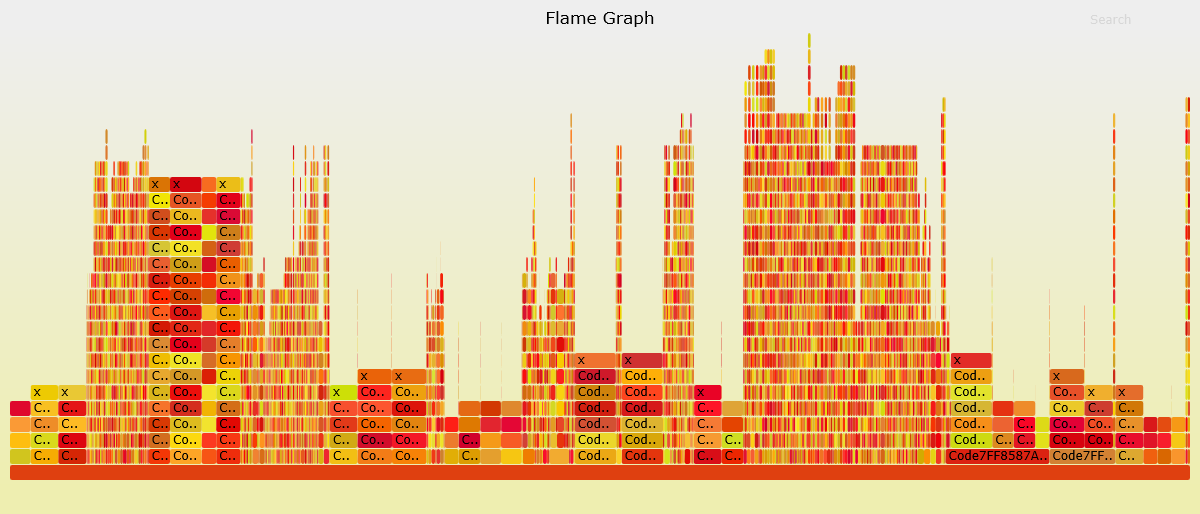
تصوّر تغطية الكود:
graph TD
    subgraph Core["🎯 Core Components"]
        EH[EhTrace.dll<br/>Main Instrumentation]
        AC[Acleanout<br/>Log Dumper]
        AG[Agasm<br/>Graph Generator]
        style EH fill:#e1bee7,stroke:#6a1b9a,stroke-width:3px,color:#000
        style AC fill:#c5cae9,stroke:#3949ab,stroke-width:3px,color:#000
        style AG fill:#b2dfdb,stroke:#00695c,stroke-width:3px,color:#000
    end

    subgraph Tools["🔧 Supporting Tools"]
        AL[Aload<br/>DLL Injector]
        AP[Aprep<br/>Test EXE]
        AS[Astrace<br/>Stack Tracer]
        style AL fill:#ffe0b2,stroke:#e65100,stroke-width:3px,color:#000
        style AP fill:#f8bbd0,stroke:#c2185b,stroke-width:3px,color:#000
        style AS fill:#d1c4e9,stroke:#512da8,stroke-width:3px,color:#000
    end

    subgraph Fuzzing["🐛 Fuzzing Integration"]
        AWA[AWinAFL<br/>AFL Instrumentation]
        style AWA fill:#ffccbc,stroke:#d84315,stroke-width:3px,color:#000
    end

    subgraph Viz["📊 Visualization"]
        WPF[WPFx<br/>Graph Viewer]
        DIA[Dia2Sharp<br/>Symbol Resolver]
        ASF[AStackFolding<br/>Flame Graphs]
        style WPF fill:#c8e6c9,stroke:#2e7d32,stroke-width:3px,color:#000
        style DIA fill:#fff9c4,stroke:#f9a825,stroke-width:3px,color:#000
        style ASF fill:#ffecb3,stroke:#ff8f00,stroke-width:3px,color:#000
    end

    EH -->|Logs| AC
    AC -->|Data| AG
    AG -->|Graphs| WPF
    AL -->|Inject| EH
    DIA -->|Symbols| AG
    ASF -->|Process| AC
    AWA -->|Variant| EH

    style Core fill:#f3e5f5,stroke:#7b1fa2,stroke-width:4px
    style Tools fill:#fff3e0,stroke:#ef6c00,stroke-width:4px
    style Fuzzing fill:#fbe9e7,stroke:#bf360c,stroke-width:4px
    style Viz fill:#e8f5e9,stroke:#388e3c,stroke-width:4px
