 jeanextreme002/pymemoryeditor
مكتبة Python نقية تسمح لك بفحص وتعديل والبحث في ذاكرة أي عملية قيد التشغيل في بضعة أسطر من Python 🐍 .

مكتبة Python خالصة (مبنية على ctypes) تتيح لك فحص وتعديل والبحث في ذاكرة أي عملية قيد التشغيل ببضعة أسطر من Python — سير عمل Cheat Engine على Windows وLinux وmacOS!

اقرأ واكتب وافحص ذاكرة أي عملية — مباشرةً من Python.
واجهة برمجية موحّدة واحدة. ثلاث أنظمة تشغيل. لا مُصرّف C. لا خطوة بناء أصلية.




يعمل على Windows · Linux · macOS — بنسختي 32-bit و64-bit.
عدّل قيمة في لعبة قيد التشغيل · افحص حالة برنامج حيّ · اجمع البيانات مباشرةً من الذاكرة RAM.
pip install PyMemoryEditor
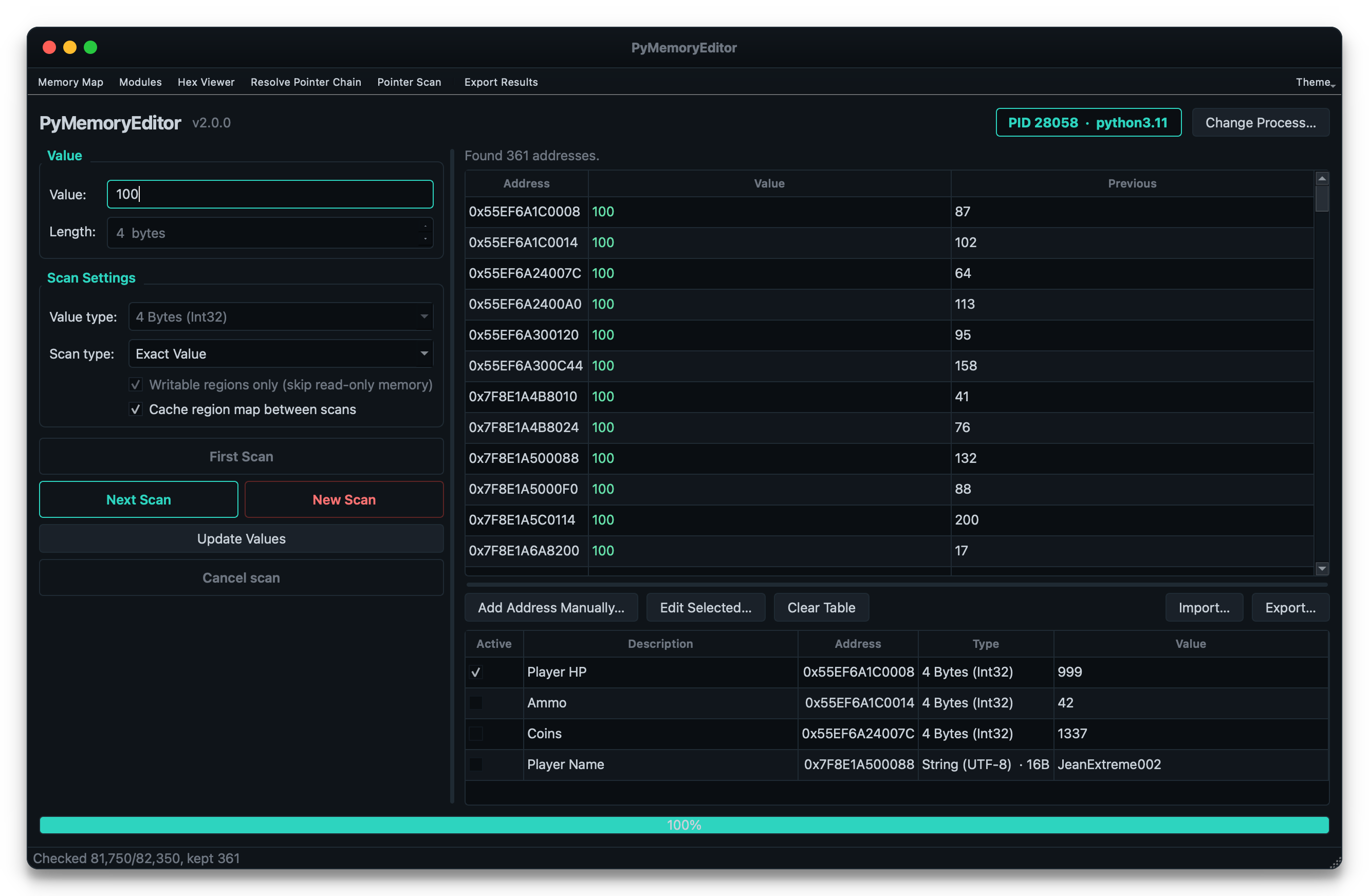
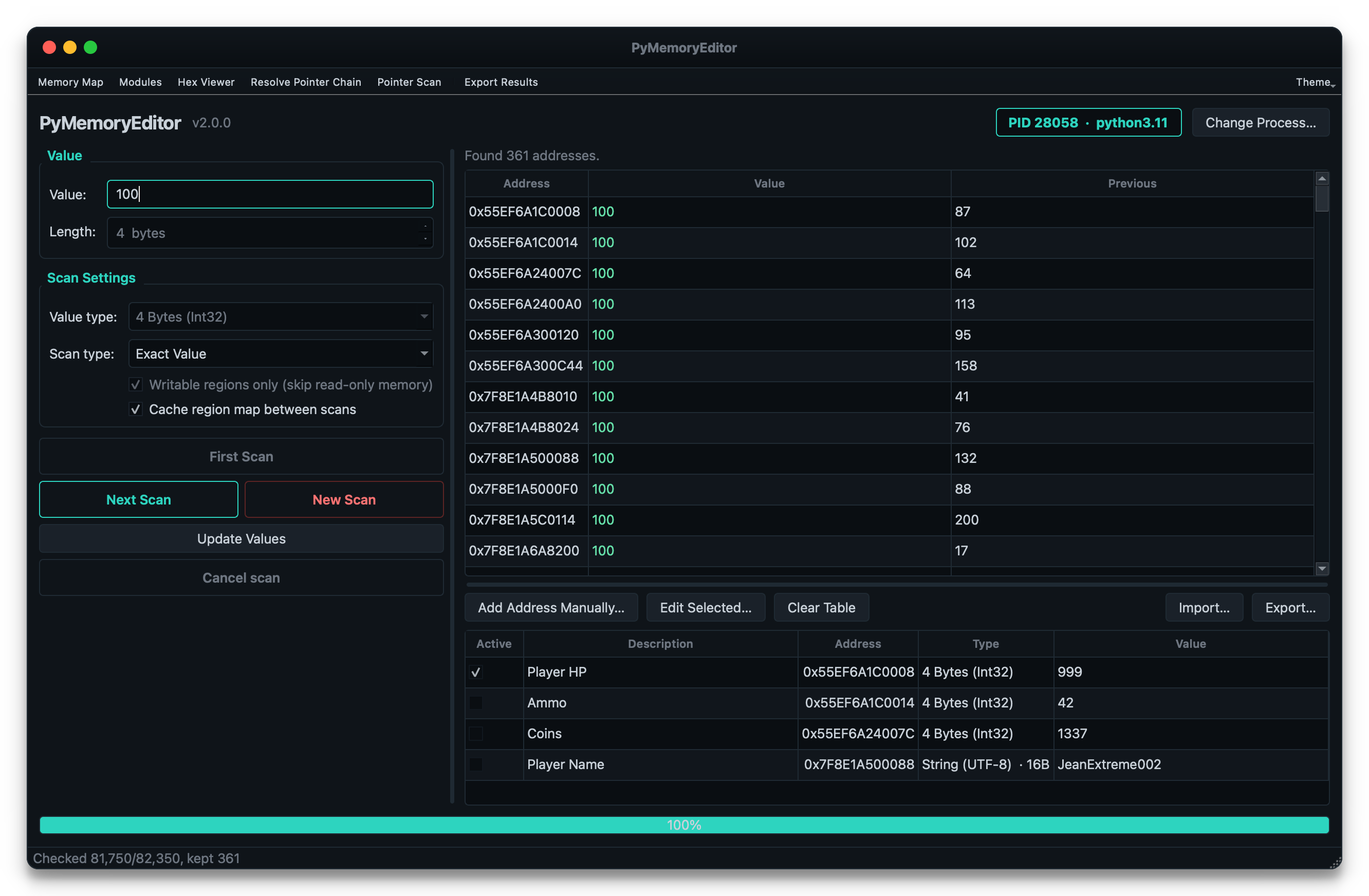
لتثبيت تطبيق الواجهة الرسومية المرفق أيضًا (ماسح على غرار Cheat Engine)، استخدم الإضافة app:
pip install "PyMemoryEditor[app]"
pymemoryeditor
لإجراء عمليات فحص أسرع على العمليات الكبيرة، أضف الإضافة speed. فهي تجلب NumPy
وتقوم تلقائيًا بتحويل حلقة مقارنة الفحص الرقمي إلى صيغة متجهية — أسرع بنحو 10–30× في
عمليات الفحص الانتقائي:
pip install "PyMemoryEditor[speed]"
للسماح لمساعد ذكاء اصطناعي بتشغيل المكتبة عبر بروتوكول Model Context Protocol، استخدم
الإضافة mcp (انظر أدناه):
pip install "PyMemoryEditor[mcp]"
📖 الدليل الكامل على Read the Docs.
from PyMemoryEditor import OpenProcess

with OpenProcess(name="game.exe") as process:

    # Scan the whole process for every address holding the value 100.
    for address in process.search_by_value(int, value=100):
        print(f"Found at 0x{address:X}")

    # Read the current value, then write a new one back.
    current = process.read_int(address)
    process.write_int(address, current + 500)
هذا كل شيء — اقرأ أو اكتب أو افحص عملية أخرى في ثلاثة أسطر، بالطريقة نفسها على كل نظام أساس.
توفّر PyMemoryEditor خادم Model Context Protocol، بحيث يمكن لمساعد ذكاء اصطناعي تشغيل الحلقة كاملة بنفسه:
"ابحث عن قيمة الصحة health في لعبتي. إنها 100 الآن."
يقوم بالفحص، ويطلب منك تلقّي ضرر، ثم يحسّن التطابقات، ويمنحك العنوان.
pip install "PyMemoryEditor[mcp]"
claude mcp add pymemoryeditor -- pymemoryeditor-mcp
أو في أي عميل يقرأ JSON الخاص بـ mcpServers (Claude Desktop، والمحررات، …):
{
  "mcpServers": {
    "pymemoryeditor": {
      "command": "pymemoryeditor-mcp",
      "args": []
    }
  }
}
تغطي أربعة عشر أداة سير العمل الكامل، مع الاحتفاظ بنتائج الفحص على جانب الخادم خلف مقبض handle، بحيث يكلفك الفحص الأول الذي يعطي 40 000 نتيجة بضعة رموز tokens بدلًا من سياقك بالكامل.
اقرأ دليل MCP لمعرفة المزيد.
التوثيق الكامل موجود على pymemoryeditor.readthedocs.io — التثبيت، وسير عمل Cheat Engine، وكل دالة ومعامل، ودليل تطبيق الواجهة الرسومية، وملاحظات الأنظمة الأساسية، واستكشاف الأخطاء وإصلاحها.
خريطة سريعة لأين تتجه:
| Quick Start | افتح عملية، واقرأ، واكتب، وشغّل أول عملية فحص لك. |
| Searching memory | عمليات فحص القيم، والنطاقات، وتحسين النتائج، وحلقة Cheat Engine. |
| Pattern scan | ابحث عن الكود/البيانات باستخدام بصمات البايتات (AOB) والتعبيرات النمطية regex. |
| Pointers | سلاسل المؤشرات متعددة المستويات وRemotePointer الحيّ. |
| Pointer scan | ابحث عن مؤشرات ثابتة تصمد أمام ASLR. |
| The GUI app | الماسح المرفق على غرار Cheat Engine. |
| The MCP server | دع مساعد ذكاء اصطناعي يدير حلقة الفحص/التحسين. |
| API reference | كل صنف class ودالة ومعامل عام. |
| Platform notes | الأذونات والخصوصيات على Windows وLinux وmacOS. |
| Troubleshooting | الأخطاء الشائعة وكيفية إصلاحها. |
[!NOTE] الاستخدام المسؤول. تتواصل PyMemoryEditor مع العمليات الأخرى عبر واجهات برمجية على مستوى نظام التشغيل. وجّهها فقط نحو العمليات التي تملكها أو لديك إذن صريح بفحصها.
طلبات السحب pull requests وتقارير الأخطاء وأفكار الميزات مرحّب بها جدًا. اقرأ
CONTRIBUTING.md للاطلاع على إعداد التطوير، وتخطيط الاختبارات،
والمجموعة الصغيرة من الخصوصيات الخاصة بكل نظام أساس التي يجب الانتباه إليها.
إذا ساعدت PyMemoryEditor مشروعك، فيرجى وضع ⭐ على المستودع — فهي أسهل طريقة لدعم العمل ومساعدة الآخرين على اكتشاف المكتبة.
صدرت تحت رخصة MIT — مجانية للاستخدام الشخصي والتجاري.
