 hahwul/urx
استخراج عناوين URL من أرشيفات OSINT للحصول على رؤى أمنية

<div align="center">
<picture>
<source media="(prefers-color-scheme: dark)" srcset="docs/static/images/urx-dark.png" width="500px;">
<source media="(prefers-color-scheme: light)" srcset="docs/static/images/urx-light.png" width="500px;">
<img alt="Urx Logo" src="https://assets.kitploit.com/production/public/readmes/6668/5a2d1d3a8e7696eeddde2e7bdda96d12583931420025bfcf80670f6b6305c504.png" width="500px;">
</picture>
<p>يستخرج عناوين URL من أرشيفات OSINT للحصول على رؤى أمنية.</p>
</div>
<p align="center">
<a href="https://github.com/hahwul/urx/releases/latest"><img src="https://img.shields.io/github/v/release/hahwul/urx?style=for-the-badge&logoColor=%23000000&label=urx&labelColor=%23000000&color=%23000000"></a>
<a href="https://app.codecov.io/gh/hahwul/urx"><img src="https://img.shields.io/codecov/c/gh/hahwul/urx?style=for-the-badge&logoColor=%23000000&labelColor=%23000000&color=%23000000"></a>
<a href="https://github.com/hahwul/urx/blob/main/CONTRIBUTING.md"><img src="https://img.shields.io/badge/CONTRIBUTIONS-WELCOME-000000?style=for-the-badge&labelColor=000000"></a>
<a href="https://rust-lang.org"><img src="https://img.shields.io/badge/Rust-000000?style=for-the-badge&logo=rust&logoColor=white"></a>
</p>
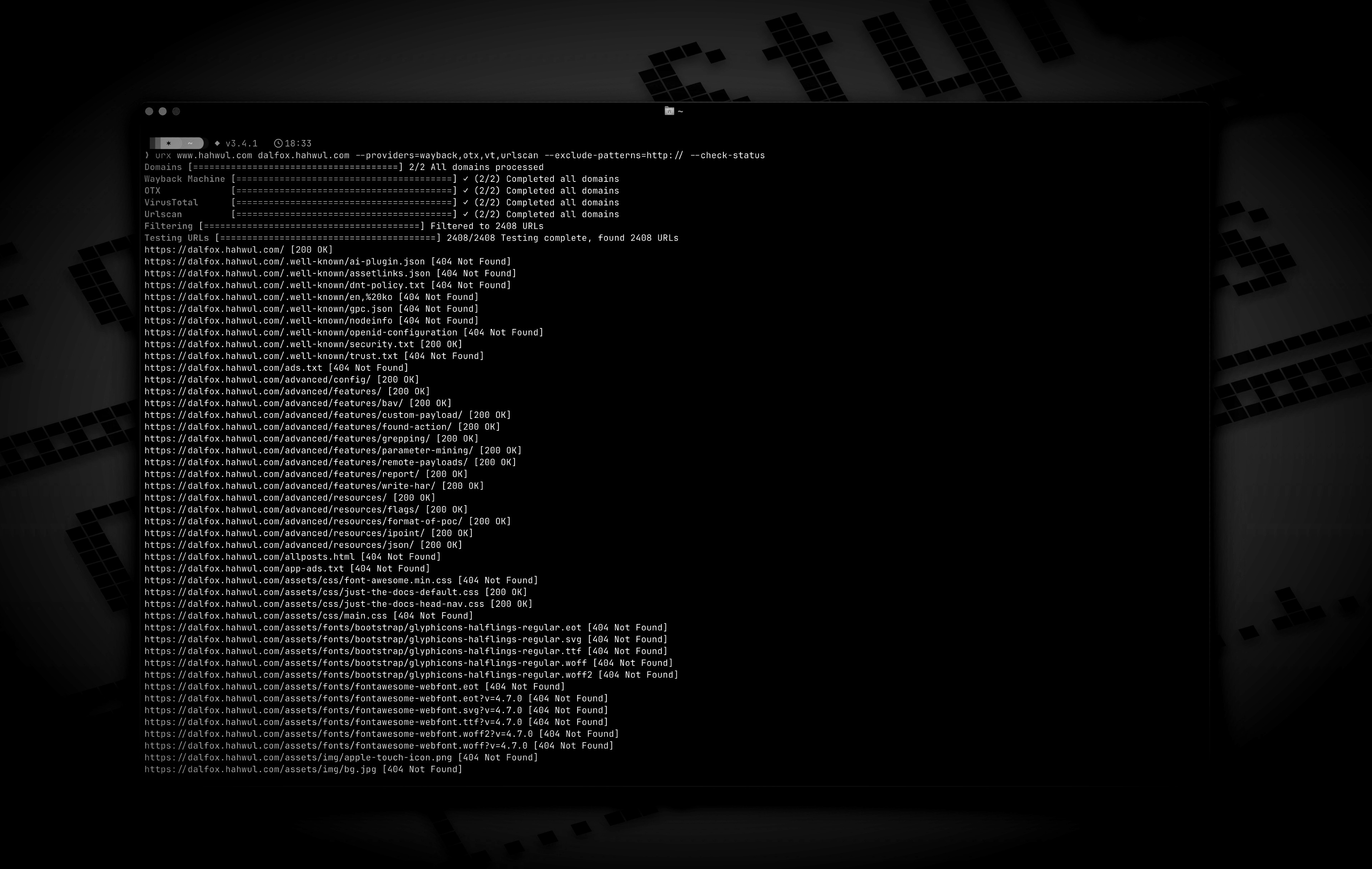
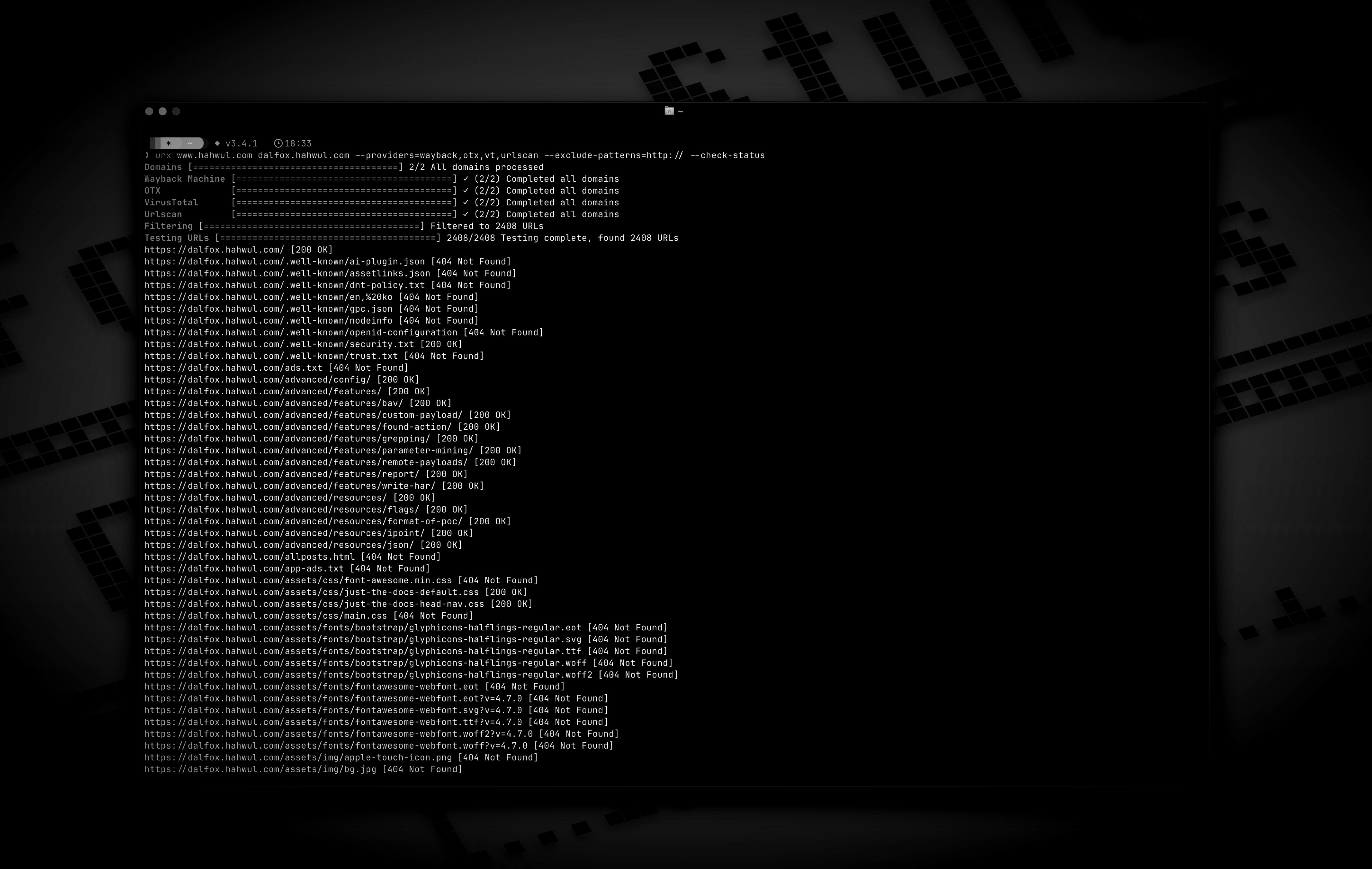
يجمع Urx عناوين URL الخاصة بنطاق ما من أرشيفات OSINT مثل Wayback Machine وCommon Crawl. يستعلم من كل مصدر على حدة بالتوازي، ثم يصفّي النتائج ويختبرها ويُنسّقها لأغراض العمل الأمني.
## الميزات
* مصادر بدون مفاتيح: Wayback Machine، Common Crawl، OTX، Arquivo.pt، URLScan (مجهول)
* مصادر تتطلب مفاتيح مع تدوير المفاتيح: VirusTotal، URLScan، ZoomEye، GitHub Code Search، BeVigil (عناوين URL من تطبيقات Android)
* أي خادم CDX آخر (pywb، OutbackCDX، الأرشيفات الوطنية) عبر `--cdx-endpoint`
* مرشّحات على جانب الأرشيف (`--from`/`--to`، `--archive-status`، `--archive-mime`) تُنفَّذ داخل استعلام CDX
* مرشّحات البيانات الوصفية على جانب العميل (`--meta-*`) على تاريخ الالتقاط ونوع MIME والحالة، لكل مزوّد
* أهداف محدّدة النطاق بالمسار (`urx example.com/shop`) وملفات نطاق صيد الثغرات (`--scope-file`)
* التصفية حسب الامتداد والسلسلة الفرعية والتعبير النمطي (`--match-regex`، `--filter-regex`) والإعدادات المسبقة (`no-images`، `only-js`، `only-secrets`، `only-backup`، `only-config`، `only-api`)
* التطبيع وإزالة التكرار: `--normalize-url`، `--merge-endpoint`، `--dedup-similar`
* الإخراج بصيغة نص عادي أو JSON أو JSON Lines أو CSV أو `wordlist`؛ ويكتب `--stream` عناوين URL فور وصولها
* عروض المعاملات: `--params`، `--params-by-endpoint`، `--fuzz-placeholder FUZZ` لـ ffuf أو dalfox
* بيانات وصفية للالتقاط لكل عنوان URL: `first_seen`، `last_seen`، `mime`، `archive_status`، `digest`
* الإدخال من ملفات WARC وURLTeam والملفات النصية (`--files`) أو من stdin
* الاختبار المباشر: `--check-status`، `--check-title`، `--extract-links`، `--extract-js-endpoints`
* المحتوى المؤرشف: يستخرج `--archive-body` الروابط من صفحات لم تعد موجودة، بطلب واحد لكل محتوى مميّز؛ ويحتفظ `--archive-body-dir` بها
* توسيع مواصفات API (`--expand-specs`): OpenAPI 3.x، Swagger 2.0، استبطان GraphQL
* نسخ robots.txt وsitemap.xml المؤرشفة (`--archived-discovery`)
* طلبات مصادَق عليها إلى الهدف (`-H`، `--cookie`، `--user-agent`)، لا تُرسَل أبدًا إلى الأرشيفات
* ذاكرة تخزين مؤقت SQLite أو Redis (يتطلب Redis بناءً بـ `--features redis-cache`)، وفحوص `--incremental`، وصيانة `urx cache`، وخطافات ويب `--notify`
## التثبيت
```bash
cargo install urx # https://crates.io/crates/urx
brew install urx # https://formulae.brew.sh/formula/urx
yay -S urx # AUR
choco install urx # Chocolatey (Windows)
```
من المصدر (الملف الثنائي في `target/release/urx`):
```bash
git clone https://github.com/hahwul/urx.git
cd urx
cargo build --release
```
Docker ([ghcr.io/hahwul/urx](https://github.com/hahwul/urx/pkgs/container/urx)). لا تحتوي الصورة على نقطة دخول، لذا ضع `./urx` بعد اسم الصورة:
```bash
docker run --rm ghcr.io/hahwul/urx:latest ./urx example.com
```
توجد ملفات ثنائية مبنية مسبقًا لأنظمة Linux وmacOS وWindows، كل منها مرفق بملف `.sha256`، على [صفحة الإصدارات](https://github.com/hahwul/urx/releases/latest).
إكمالات الصدفة (bash، zsh، fish، powershell، elvish) وصفحة الدليل:
```bash
urx --completions zsh > ~/.zfunc/_urx # ~/.zfunc must be on $fpath
urx --completions bash > ~/.local/share/bash-completion/completions/urx
urx --completions fish > ~/.config/fish/completions/urx.fish
urx --manpage > ~/.local/share/man/man1/urx.1
```
## الاستخدام
### الاستخدام الأساسي
```bash
urx example.com # one domain
urx example.com example.org # several domains
cat domains.txt | urx # domains from stdin
```
### الخيارات
```
Usage: urx [OPTIONS] [DOMAINS]... [COMMAND]
Commands:
cache Inspect and maintain the URL cache: stats, list, prune, drop <DOMAIN>..., clear
Arguments:
[DOMAINS]... Domains to fetch URLs for
Options:
-c, --config <CONFIG> Config file to load
--provider-config <PATH> Separate provider config file holding only API keys (default: ~/.config/urx/provider-config.toml; %APPDATA%\urx\ on Windows). CLI/env > provider-config > main config.
--completions <SHELL> Print a shell completion script (bash, zsh, fish, powershell, elvish) to stdout and exit
--manpage Print the roff man page to stdout and exit
-h, --help Print help
-V, --version Print version
Input Options:
--files <FILES>... Read URLs directly from files (supports WARC, URLTeam compressed, and text files)
--domain-list <PATH> File of newline-separated domains to scan (repeatable; merged with positional DOMAINS; stdin is read only when they name no domains; `#` comments allowed) [alias: --dL]
Output Options:
-o, --output <OUTPUT> Output file to write results
--output-dir <PATH> Write one file per URL host into this directory (extension matches --format). Coexists with --output / stdout. [alias: --oD]
-f, --format <FORMAT> Output format: "plain", "json" (one array), "jsonl" (one JSON object per line), "csv", "wordlist" (path segments and parameter names, deduplicated and sorted); anything else is a usage error [default: plain]
--stream Write URLs as each provider reports them instead of once at the end (unsorted; bypasses cache; rejects options needing the full result set)
--merge-endpoint Merge endpoints with the same path and merge URL parameters
--normalize-url Normalize URLs for better deduplication (sorts query parameters, removes trailing slashes)
--dedup-similar Collapse URLs that differ only in variable data (numeric ids, UUIDs, hashes, dates, query values)
--params Replace the URL list with every query parameter name the run saw, once each
--params-by-endpoint
One line per endpoint: the endpoint and the comma-separated union of the parameter names seen on it (id-looking path segments collapse to `{id}`)
--fuzz-placeholder <VALUE>
Replace every query parameter value with VALUE, keeping one URL per parameter signature — output you can feed straight to ffuf or dalfox
Provider Options:
--providers <PROVIDERS>
Providers to use (comma-separated, e.g., "wayback,cc,otx,arquivo,vt,urlscan") [default: wayback,cc,otx]
--exclude-providers <EXCLUDE_PROVIDERS>
Providers to exclude (comma-separated). Wins on conflict with --providers / --all-providers.
--all-providers
Enable every supported provider. API-keyed providers only activate when a key is available.
--list-providers
List every supported provider then exit.
--subs
Include subdomains when searching
--cc-index <CC_INDEX>
Common Crawl index to use; accepts comma-separated list to query multiple indexes in parallel (e.g. `CC-MAIN-2026-17,CC-MAIN-2025-51`). `latest` (the default) resolves the newest via collinfo.json. [default: latest]
--cdx-endpoint <URL>
Query an additional CDX index server (any pywb, OutbackCDX, or classic Internet-Archive-style CDX API) by its full API URL, e.g. https://vefsafn.is/cdx. Repeatable. Each endpoint becomes a provider with id `cdx:<host>` (`cdx:<host>:<port>` with a port) and honours --subs, --from/--to and the --archive-* filters. See "Custom CDX Endpoints" below
--cdx-dialect <DIALECT>
Which CDX dialect the --cdx-endpoint servers speak: `pywb` or `classic`. Unset: urx probes each endpoint once and falls back to pywb when the answer is ambiguous
--from <DATE>
Restrict every CDX-backed provider (wayback, cc, arquivo, --cdx-endpoint) to captures at or after DATE (YYYY/YYYYMM/YYYYMMDD/YYYYMMDDhhmmss). Alias: --wayback-from
--to <DATE>
Restrict every CDX-backed provider to captures at or before DATE (same format as --from). Alias: --wayback-to
--archive-status <CODE>
Keep only captures the archive recorded with this HTTP status code (e.g. "200"). Applied by the CDX index itself, so unlike --include-status it costs no extra requests. A multi-value list works on wayback and classic-dialect endpoints only — see "Archive-side Filtering" below
--archive-exclude-status <CODES>
Drop captures the archive recorded with these HTTP status codes (comma-separated, e.g. "404,500"). Multi-value works on every CDX provider
--archive-mime <TYPE>
Keep only captures with this recorded MIME type (e.g. "application/json"). Catches endpoints with no file extension, which -e/--extensions cannot
--archive-exclude-mime <TYPES>
Drop captures with these recorded MIME types (comma-separated, e.g. "text/html,image/png")
--vt-api-key <VT_API_KEY>
API key for VirusTotal (can be used multiple times for rotation, can also use URX_VT_API_KEY environment variable with comma-separated keys)
--urlscan-api-key <URLSCAN_API_KEY>
Optional API key for Urlscan; the provider also works anonymously (rate-limited ~30 req/min per IP). Can be used multiple times for rotation, or via URX_URLSCAN_API_KEY (comma-separated keys)
--zoomeye-api-key <ZOOMEYE_API_KEY>
API key for ZoomEye (can be used multiple times for rotation, can also use URX_ZOOMEYE_API_KEY environment variable with comma-separated keys)
--github-api-key <GITHUB_API_KEY>
Personal access token for the GitHub Code Search provider (also reads URX_GITHUB_API_KEY, comma-separated for rotation)
--bevigil-api-key <BEVIGIL_API_KEY>
API key for BeVigil, which returns URLs extracted from unpacked Android apps (also reads URX_BEVIGIL_API_KEY, comma-separated for rotation). Required for the `bevigil` provider
Discovery Options:
--exclude-robots
Exclude robots.txt discovery
--exclude-sitemap
Exclude sitemap.xml discovery
--archived-discovery
Also read every distinct archived version of robots.txt and sitemap.xml the Wayback Machine holds
--archived-discovery-limit <N>
Maximum archived documents fetched per domain by each archived provider (nested sitemaps count) [default: 50]
Display Options:
-v, --verbose Show verbose output
--silent Silent mode (no output)
--no-progress No progress bar
--no-color Disable ANSI color in the progress UI and output (NO_COLOR is also honored)
--show-sources Annotate output URLs with the providers that returned them
--show-meta Annotate plain-text URLs with the archive capture metadata
--stats Print a per-provider summary to stderr at end of run
Filter Options:
-p, --preset <PRESET>
Filter Presets (e.g., "no-resources,no-images,no-audio,only-js,only-style,only-secrets,only-backup,only-config,only-api")
-e, --extensions <EXTENSIONS>
Filter URLs to only include those with specific extensions (comma-separated, e.g., "js,php,aspx")
--exclude-extensions <EXCLUDE_EXTENSIONS>
Filter URLs to exclude those with specific extensions (comma-separated, e.g., "html,txt")
--patterns <PATTERNS>
Filter URLs to only include those containing specific patterns (comma-separated)
--exclude-patterns <EXCLUDE_PATTERNS>
Filter URLs to exclude those containing specific patterns (comma-separated)
--match-regex <RE>
Keep only URLs matching this regular expression (repeatable, ORed; case-sensitive; never comma-split)
--filter-regex <RE>
Drop URLs matching this regular expression (repeatable; one match is enough)
--show-only-host
Only show the host part of the URLs
--show-only-path
Only show the path part of the URLs
--show-only-param
Only show the parameters part of the URLs
--min-length <MIN_LENGTH>
Minimum URL length to include
--max-length <MAX_LENGTH>
Maximum URL length to include
--strict
Enforce exact host validation (default)
--no-strict
Disable host validation (keep URLs on any host a provider returns). Wins over --strict. A target's path scope still applies: only the *host* check is waived
--scope-file <FILE>
Bug-bounty scope file: one host pattern per line, `!` to exclude, `*.example.com` for a wildcard (which covers the apex too), bracketed IPv6 literals such as `[2001:db8::1]`, `#` for a comment. Repeatable and unioned; exclusions always win. See "Scope Files" below
--meta-first-seen-after <DATE>
Keep URLs whose oldest archived capture is on or after DATE (YYYY/YYYYMM/YYYYMMDD/YYYYMMDDhhmmss)
--meta-first-seen-before <DATE>
Keep URLs whose oldest archived capture is on or before DATE
--meta-last-seen-after <DATE>
Keep URLs whose newest archived capture is on or after DATE — "still alive as of"
--meta-last-seen-before <DATE>
Keep URLs whose newest archived capture is on or before DATE — "dead since"
--meta-mime <TYPE>
Keep only URLs whose archived MIME type is one of these (comma-separated; `image/*` matches any subtype)
--meta-exclude-mime <TYPE>
Drop URLs whose archived MIME type is one of these
--meta-status <CODE>
Keep only URLs whose archived status code matches (comma-separated; `20x` / `5xx` patterns)
--meta-exclude-status <CODE>
Drop URLs whose archived status code matches
Network Options:
--network-scope <NETWORK_SCOPE> Control which components network settings apply to (all, providers, testers, or providers,testers) [default: all]
--proxy <PROXY> Use proxy for HTTP requests (format: <http://proxy.example.com:8080>)
--proxy-auth <PROXY_AUTH> Proxy authentication credentials (format: username:password)
--insecure Skip SSL certificate verification (accept self-signed certs)
--random-agent Use a random User-Agent for HTTP requests
-H, --header <NAME: VALUE> Extra request header, repeatable; sent only on requests urx makes to the target, never to an archive
--cookie <COOKIES> Cookie header for requests to the target; shorthand for -H "Cookie: ..."
--user-agent <STRING> User-Agent for requests to the target, overriding the default and --random-agent
--timeout <TIMEOUT> Request timeout in seconds [default: 120]
--retries <RETRIES> Number of retries for failed requests [default: 2]
--parallel <PARALLEL> Maximum domains fetched concurrently per provider (and concurrent URL tests); a provider's --rate-limit is shared across them [default: 5]
--rate-limit <RATE_LIMIT> Rate limit (requests per second)
--rate-limit-by <PAIRS> Per-provider rate overrides (e.g. `vt=1,wayback=10`); falls back to --rate-limit for unlisted providers
--max-time <MAX_TIME> Global ceiling on provider enumeration time in seconds (0 = unlimited) [default: 0]
Testing Options:
--check-status
Check HTTP status code of collected URLs [alias: --cs]
--check-title
Also record each response's HTML <title> while checking statuses; implies --check-status
--include-status <INCLUDE_STATUS>
Include URLs with specific HTTP status codes or patterns (e.g., --is=200,30x) [alias: --is]
--exclude-status <EXCLUDE_STATUS>
Exclude URLs with specific HTTP status codes or patterns (e.g., --es=404,50x,5xx) [alias: --es]
--extract-links
Extract additional links from collected URLs (requires HTTP requests)
--extract-js-endpoints
Fetch collected JavaScript files and extract the endpoint paths and URLs found in their string literals (requires HTTP requests); with --archive-body this also mines the *archived* copy of each script
--max-js-files <N>
Maximum number of files --extract-js-endpoints will fetch (0 = unlimited) [default: 500]
--archive-body
Fetch the archived body of each collected URL from the Wayback Machine and extract the links inside it (works for pages that no longer exist)
--archive-body-limit <N>
Maximum number of archived bodies --archive-body fetches per run; bounds distinct bodies, not URLs [default: 500]
--archive-body-dir <DIR>
Keep every body --archive-body replays in DIR, with an index.jsonl mapping each file back to its URL, capture and content type
--expand-specs
Fetch the API specification documents among the collected URLs (OpenAPI, Swagger, GraphQL introspection; JSON or YAML) and expand every route they document into a URL. See "Expanding API Specifications" below
--max-spec-files <N>
Maximum number of specification documents --expand-specs will fetch (0 = unlimited) [default: 50]
Cache Options:
--incremental Enable incremental scanning mode (only return new URLs compared to previous scans)
--cache-type <TYPE> Cache backend: sqlite or redis [default: sqlite]
--cache-path <PATH> Path for the SQLite cache database
--redis-url <URL> Redis connection URL for remote caching
--cache-ttl <SECONDS> Cache time-to-live in seconds [default: 86400]
--no-cache Disable caching entirely
Notification Options:
--notify <URL> POST a run summary to this webhook when the run ends (repeatable; also URX_NOTIFY_URL, provider-config `notify_url`, or `[notify].url`)
--notify-on <NOTIFY_ON> When to send: new (only if URLs were emitted), always, or never [default: new]
--notify-format <NOTIFY_FORMAT> Payload shape: json (urx summary), slack ({"text"}), or discord ({"content"}) [default: json]
```
أشياء يجب معرفتها:
* ينطبق التحقق من المضيف ونطاقات المسارات على كل هدف، سواء جاء من الوسائط أو `--domain-list` أو stdin.
* تعمل المرشّحات على عناوين URL المجمّعة قبل أي أداة اختبار، ومرة أخرى على الروابط التي تكتشفها أدوات الاختبار. يُرجع `--extract-links -e js` لا شيء، لأن `-e js` يستبعد صفحات HTML أولًا. رشّح المخرجات باستخدام `grep` بدلًا من ذلك.
* يُخفي `--silent` قائمة عناوين URL على stdout أيضًا. اقرنه بـ `-o` أو `--notify`.
* يُبلَّغ عن فشل الكتابة في `-o` أو `--output-dir` حتى مع `--silent` ويجعل التشغيل يخرج بالرمز 1. لا يزال urx يحاول كلا الوجهتين وأي خطافات ويب `--notify` أولًا.
* يقرأ `--extract-links` كل وسم يحمل عنوان URL (`a`، `script`، `link`، `form`، `iframe`، `img`، `source`، `object`، `embed`، meta refresh). يستخرج `--extract-js-endpoints` المسارات وعناوين URL من السلاسل النصية الحرفية في السكربتات (10 MiB لكل جسم، ملفات `--max-js-files`). يشغّل `--archive-body` الاستخراج نفسه على النسخ المخزّنة في Wayback Machine.
### أمثلة
```bash
# output
urx example.com -o results.txt
urx example.com -f json -o results.json
urx example.com --subs -f wordlist -o words.txt
# filters
urx example.com -e js
urx example.com --exclude-extensions html,txt
urx example.com --patterns api,v1,graphql --exclude-patterns static,images
urx example.com -p no-images
urx example.com -p only-secrets # /.env, /.git/config, id_rsa, *.pem
urx example.com --match-regex '(?i)/api/v[0-9]+/' --filter-regex '/(assets|static)/'
urx example.com --subs --scope-file scope.txt
# providers and API keys
urx example.com --providers wayback,cc,otx,arquivo
urx example.is --cdx-endpoint https://vefsafn.is/cdx --rate-limit-by cdx:vefsafn.is=1
urx example.com --vt-api-key=key1 --vt-api-key=key2 # keyed providers enable themselves
URX_VT_API_KEY=key1,key2 URX_URLSCAN_API_KEY=ukey1 urx example.com
# archive-side filters (no extra requests)
urx example.com --from 2023 --to 2024
urx example.com --archive-exclude-status 404
urx example.com --archive-mime application/json
# metadata filters, after collection
urx example.com --providers wayback --meta-last-seen-after 2024 --meta-exclude-mime 'image/*'
# discovery
urx example.com --exclude-robots --exclude-sitemap
urx example.com --archived-discovery --from 2014 --to 2016
# dedup and parameters
urx example.com --normalize-url --merge-endpoint
urx example.com --dedup-similar
urx example.com --params-by-endpoint
urx example.com --fuzz-placeholder FUZZ | ffuf -w - -u FUZZ
# testing (live requests to the target)
urx example.com --check-status --include-status 200,30x
urx example.com --check-title -f jsonl
urx example.com --check-status -H "Authorization: Bearer $TOKEN"
urx example.com --extract-links | grep -E '\.js(\?|$)'
urx example.com --extract-js-endpoints | grep api
urx example.com --expand-specs
# archived bodies
urx example.com --archive-body --archive-body-limit 200 --rate-limit 5
urx example.com --archive-body --archive-body-dir ./corpus
# files, network, streaming
urx --files urls.txt --patterns api,admin -f json
urx example.com --proxy http://localhost:8080 --timeout 60 --parallel 10 --insecure
urx big-target.com --stream -f jsonl | jq -r .url
# cache and monitoring
urx example.com --incremental --silent --notify https://hooks.slack.com/services/... --notify-format slack
urx cache stats
urx cache drop example.com
```
## التوثيق
توجد الأدلة الكاملة على [urx.hahwul.com](https://urx.hahwul.com/).
- [التثبيت](https://urx.hahwul.com/getting-started/installation/)
- [البدء السريع](https://urx.hahwul.com/getting-started/quick-start/)
- [خيارات CLI](https://urx.hahwul.com/guide/cli-options/)
- [ملف التكوين](https://urx.hahwul.com/guide/configuration/)
- [أمثلة](https://urx.hahwul.com/guide/examples/)
- [متغيرات البيئة](https://urx.hahwul.com/guide/environment-variables/)
- [المزوّدون ونقاط نهاية CDX المخصصة](https://urx.hahwul.com/guide/cli-options/#available-providers)
- [التصفية من جهة الأرشيف](https://urx.hahwul.com/guide/cli-options/#archive-side-filtering)
- [مرشّحات بيانات الأرشيف الوصفية](https://urx.hahwul.com/guide/cli-options/#archive-metadata-filters)
- [بيانات التقاط الأرشيف الوصفية](https://urx.hahwul.com/guide/cli-options/#archive-capture-metadata)
- [تحديد نطاق التشغيل إلى مسار](https://urx.hahwul.com/guide/cli-options/#scoping-a-run-to-a-path)
- [ملفات النطاق](https://urx.hahwul.com/guide/cli-options/#scope-files)
- [التصفية بالتعبيرات النمطية](https://urx.hahwul.com/guide/cli-options/#regular-expression-filtering)
- [دمج العناصر شبه المكررة](https://urx.hahwul.com/guide/cli-options/#collapsing-near-duplicates)
- [عروض المعاملات والـ fuzz](https://urx.hahwul.com/guide/cli-options/#parameter-and-fuzz-views)
- [إخراج قائمة الكلمات](https://urx.hahwul.com/guide/cli-options/#wordlist-output)
- [الإخراج المتدفق](https://urx.hahwul.com/guide/cli-options/#streaming-output)
- [بيانات الاستجابة الوصفية المباشرة](https://urx.hahwul.com/guide/cli-options/#live-response-metadata)
- [الطلبات الموثّقة والمخصصة](https://urx.hahwul.com/guide/cli-options/#authenticated-and-custom-requests)
- [استخراج نقاط نهاية JavaScript](https://urx.hahwul.com/guide/cli-options/#javascript-endpoint-extraction)
- [أجسام الاستجابات المؤرشفة](https://urx.hahwul.com/guide/cli-options/#archived-response-bodies)
- [توسيع مواصفات API](https://urx.hahwul.com/guide/cli-options/#api-specification-expansion)
- [ملفا robots.txt وsitemap.xml المؤرشفان](https://urx.hahwul.com/guide/cli-options/#archived-robotstxt-and-sitemapxml)
- [التخزين المؤقت والفحص التزايدي](https://urx.hahwul.com/guide/caching/)
- [إشعارات Webhook](https://urx.hahwul.com/guide/cli-options/#webhook-notifications)
- [ضبط الأداء](https://urx.hahwul.com/guide/performance/)
- [التكامل مع الأدوات الأخرى](https://urx.hahwul.com/guide/integration/)
## التكامل مع الأدوات الأخرى
```bash
echo "example.com" | urx | grep "login" > potential_targets.txt
cat domains.txt | urx --patterns api | other-tool
```
## مصدر الإلهام
استُلهم Urx من [gau (GetAllUrls)](https://github.com/lc/gau)، الذي يجلب عناوين URL المعروفة من AlienVault's Open Threat Exchange وWayback Machine وCommon Crawl. وقد كُتب Urx من الصفر بلغة Rust، مع المزيد من المصادر والمرشّحات.
## المساهمة
المساهمات مرحّب بها. راجع [CONTRIBUTING.md](https://github.com/hahwul/urx/blob/main/CONTRIBUTING.md)، ثم افتح طلب سحب (pull request).
[](https://github.com/hahwul/urx/graphs/contributors)