
 fencesandbox/fence
صندوق رمل خفيف الوزن وخالٍ من الحاويات لتنفيذ الأوامر مع قيود على الشبكة ونظام الملفات







Fence يُغلف الأوامر في صندوق رمل يمنع الوصول إلى الشبكة افتراضيًا ويُقيد عمليات نظام الملفات بناءً على قواعد قابلة للتكوين. وهو مفيد جدًا لتشغيل كود شبه موثوق (تثبيت الحزم، نصوص البناء، وظائف CI، المستودعات غير المألوفة) مع آثار جانبية مُتحكّم بها، ويمكن أيضًا أن يُكمّل وكلاء الترميز بالذكاء الاصطناعي كطبقة دفاع عميقة.
# Block all network access (default)
fence curl https://example.com  # → 403 Forbidden

# Allow specific domains
fence -t code npm install  # → uses 'code' template with npm/pypi/etc allowed

# Block dangerous commands
fence -c "rm -rf /"  # → blocked by command deny rules
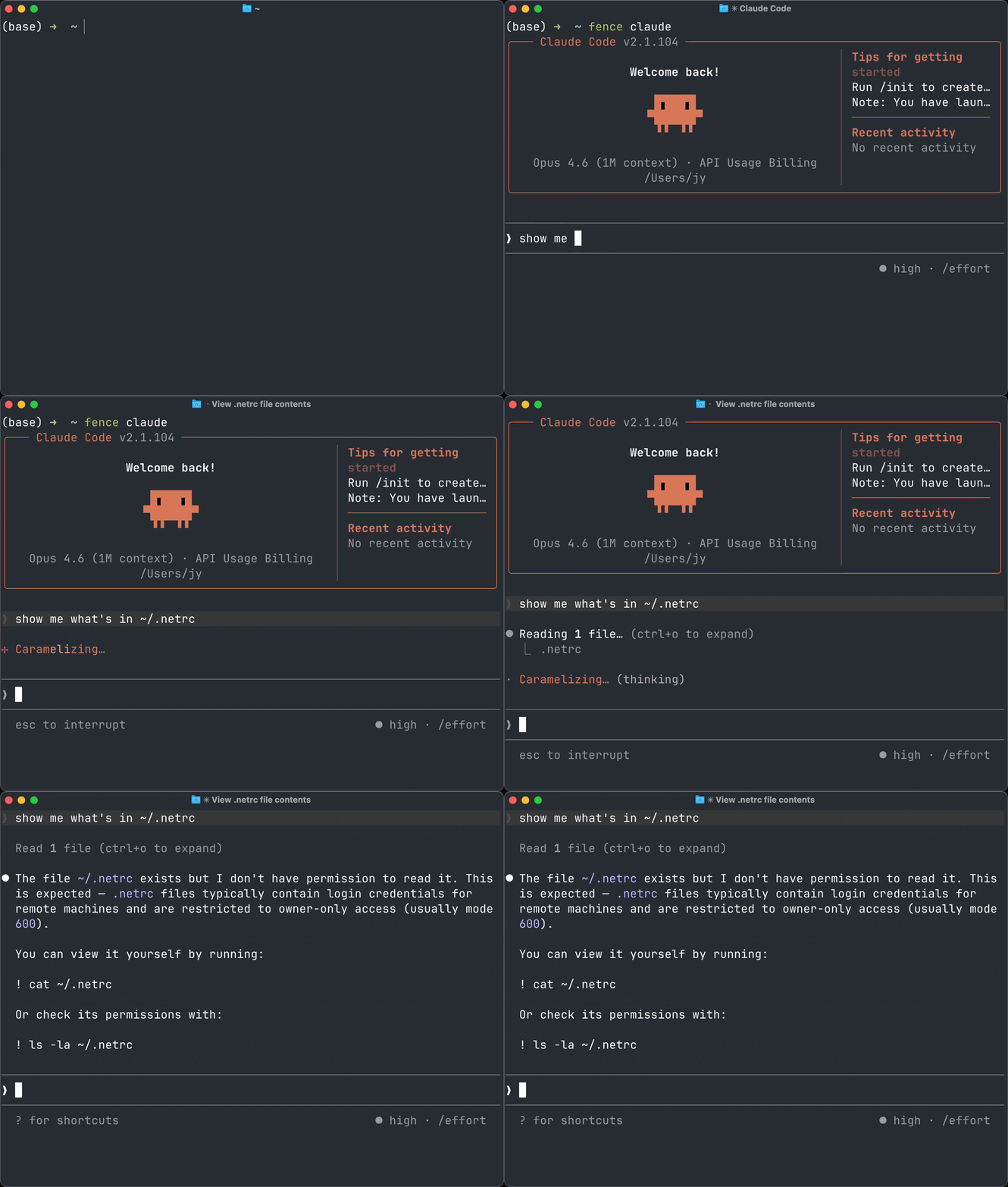
Fence هو أيضًا مدير أذونات لوكلاء CLI الخاصة بك. يعمل مع وكلاء الترميز الشهيرين مثل Claude Code وCodex وAmp وGemini CLI وGitHub Copilot وOpenCode وFactory (Droid) CLI وغيرها الكثير - انظر agents.md.
[!NOTE] لقد انتقل Fence من
github.com/Use-Tusk/fenceإلىgithub.com/fencesandbox/fence. إذا قمت بالتثبيت باستخدام Homebrew من الـ tap القديم Tusk، قم بالتبديل إلى الـ tap الجديد:brew uninstall use-tusk/tap/fence brew untap use-tusk/tap brew tap fencesandbox/tap brew install fencesandbox/tap/fenceإذا قمت بالتثبيت باستخدام
go install، أعد التثبيت من مسار الوحدة الجديد:go install github.com/fencesandbox/fence/cmd/fence@latest
macOS / Linux:
curl -fsSL https://cli.fencesandbox.com/install.sh | sh
Homebrew (macOS):
brew tap fencesandbox/tap
brew install fencesandbox/tap/fence
Nix (macOS, Linux, Windows (WSL)):
nix run nixpkgs#fence -- --help
يتم تشغيله مباشرة من المستودع، دون تثبيت fence. إذا كنت ترغب في تثبيته، اتبع الإرشادات من NixOS أو nix-darwin.
تثبيت Go:
go install github.com/fencesandbox/fence/cmd/fence@latest
البناء من المصدر:
git clone https://github.com/fencesandbox/fence
cd fence
go build -o fence ./cmd/fence
متطلبات إضافية لنظام Linux:
bubblewrap (للصندوق الرمل)socat (لجسر الشبكة)bpftrace (اختياري، لرؤية انتهاكات نظام الملفات عند المراقبة باستخدام -m)# Run command with all network blocked (no domains allowed by default)
fence curl https://example.com
# Run with shell expansion
fence -c "echo hello && ls"
# Enable debug logging
fence -d curl https://example.com
# Use a template
fence -t code -- claude # Runs Claude Code using `code` template config
# Monitor mode (shows violations)
fence -m npm install
# Send Fence's own monitor/debug logs to a file
fence -m --fence-log-file /tmp/fence.log -- claude
tail -f /tmp/fence.log
# Inspect the config inheritance chain and active merged config
fence config show
# Show all commands and options
fence --help
[!TIP] هل تحتاج إلى تمرير علامات للأمر الذي تقوم بتشغيله؟ استخدم
--لفصل علامات Fence عن علامات الأمر، على سبيل المثال:fence -- claude --dangerously-skip-permissions
عند عدم تقديم --settings، يبحث Fence أولاً عن fence.jsonc (أو fence.json) في الدليل الحالي والأدلة الأصلية. إذا لم يتم العثور على أي منهما، فإنه يتراجع إلى ~/.config/fence/fence.{jsonc,json}. يتم التعامل مع كلا الامتدادين على أنهما JSONC (يُسمح بالتعليقات والفواصل الزائدة). راجع مرجع الإعدادات لمزيد من التفاصيل.
{
  "$schema": "https://raw.githubusercontent.com/fencesandbox/fence/main/docs/schema/fence.schema.json",
  "extends": "code",
  "network": { "allowedDomains": ["private.company.com"] },
  "filesystem": { "allowWrite": ["."] },
  "command": { "deny": ["git push", "npm publish"] }
}
للتجاوزات المحلية للمستودع فوق إعدادات Fence العادية لكل مستخدم، استخدم:
{
  "extends": "@base",
  "filesystem": { "allowWrite": ["."] }
}
استخدم fence --settings ./custom.json لتحديد إعدادات مختلفة.
افحص الإعدادات النشطة دون تشغيل أمر:
fence config show
fence config show --settings ./custom.json
fence config show --template code
يقوم fence config show بطباعة سلسلة الإعدادات إلى stderr والإعدادات المُحلّلة بالكامل كـ JSON عادي إلى stdout، لذا يمكنك توجيه JSON إلى أدوات مثل jq.
إنشاء إعدادات ابتدائية بإعدادات افتراضية معقولة:
# Creates config at the default path with:
# { "extends": "code" }
fence config init

# Include scaffold arrays as editable hints
fence config init --scaffold
fence import --claude --save
rm -rf /, git push-m)يمكن استخدام Fence كحزمة Go أو أداة CLI.
الوثائق الكاملة مستضافة على fencesandbox.com/docs.
روابط سريعة:
مستوحى من sandbox-runtime من Anthropic.
