 brandon7cc/mac-monitor
Advanced macOS system monitor leveraging Apple Endpoint Security to collect, enrich, and display process, file, memory, and XPC events for malware triage, threat hunting, and forensic analysis.

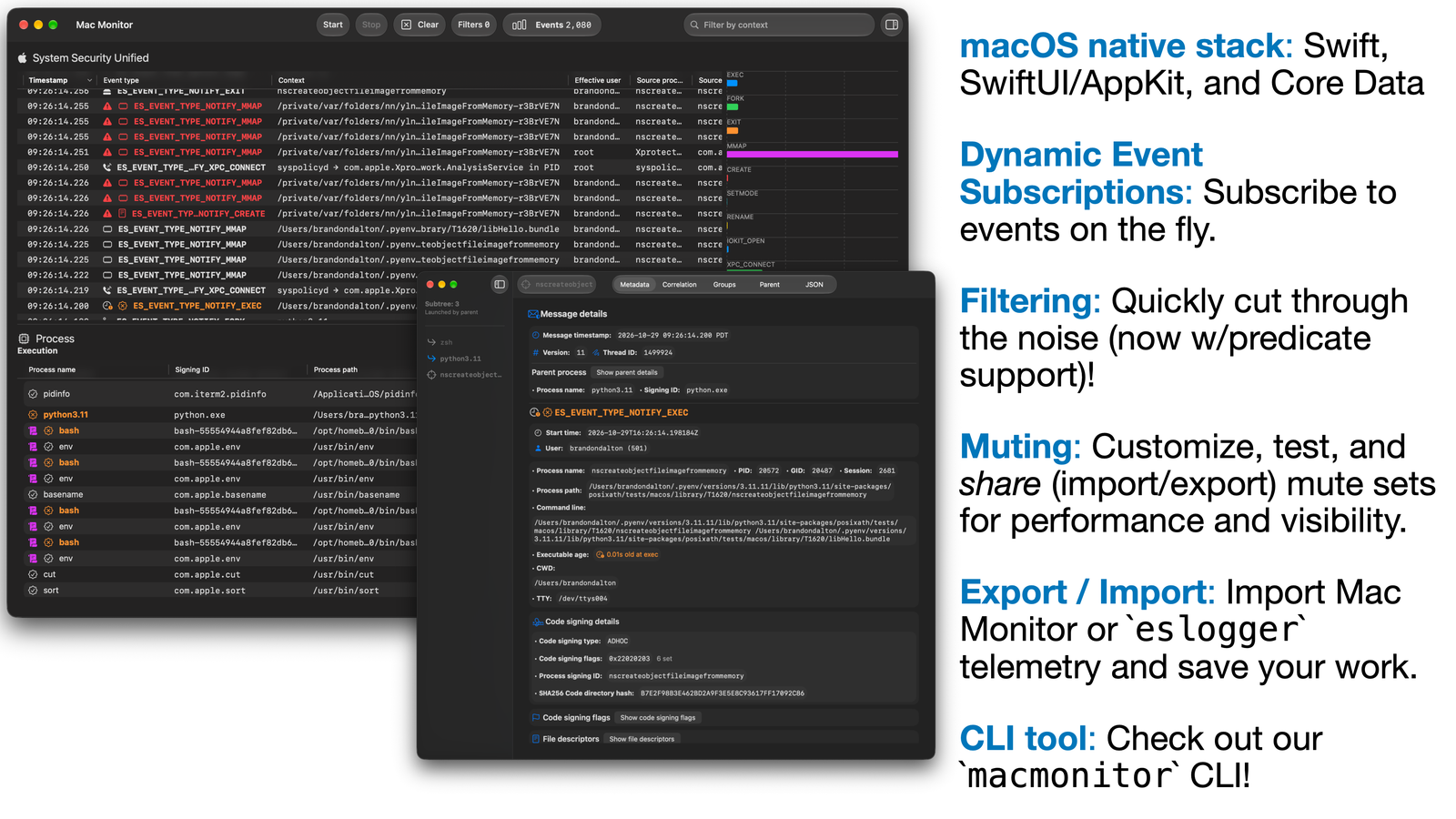
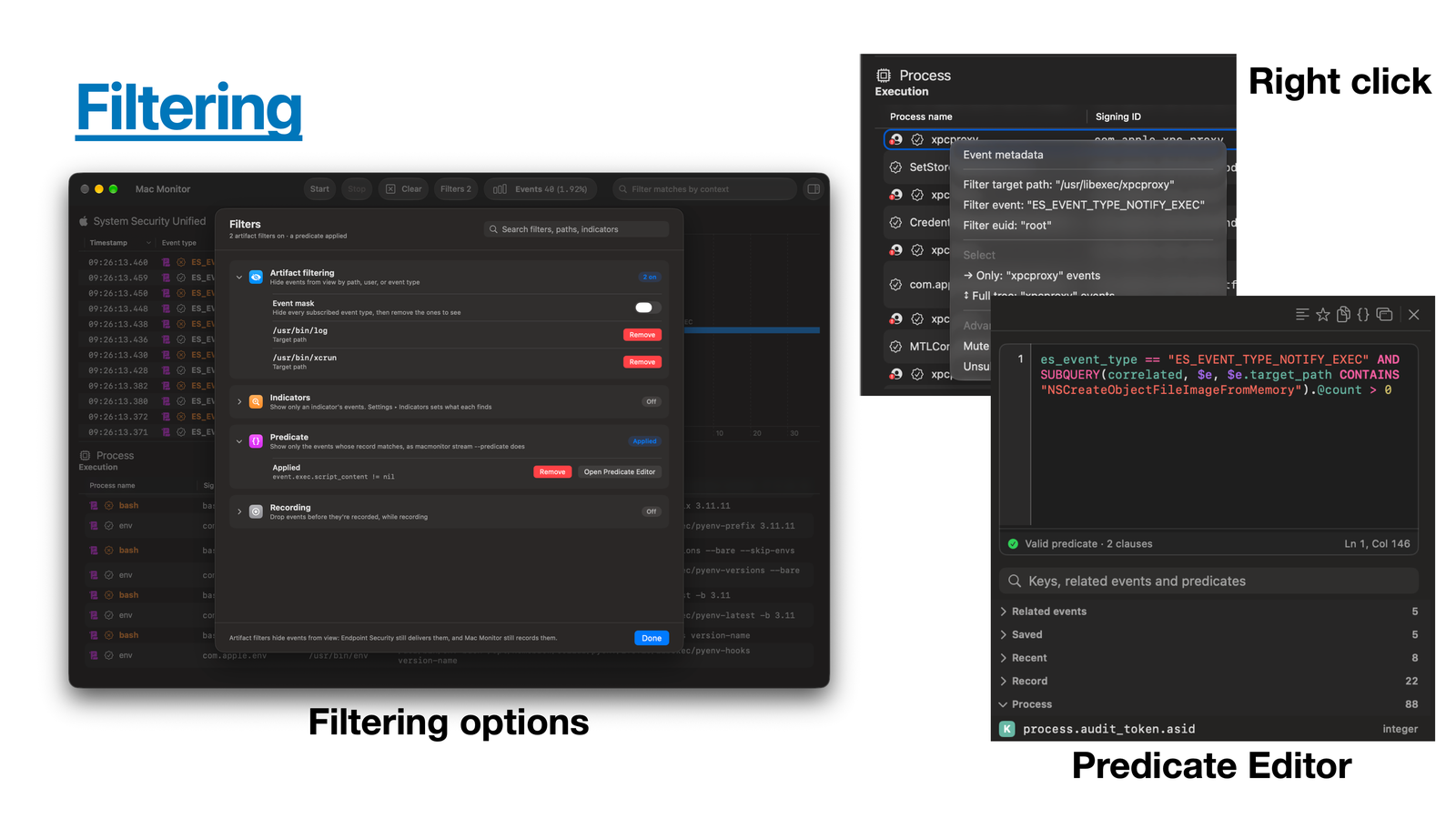
Mac Monitor is an advanced, stand-alone system monitoring tool tailor-made for macOS security research, malware triage, and system troubleshooting. Built on Apple's Endpoint Security (ES) and System Extension APIs, it collects and enriches process, interprocess, memory, XPC and file events, and helps you surface only the ones relevant to you.
Introducing the Next Generation of Mac Monitor:
Apple Silicon machine, but Intel works too!4GB+ is recommended13.1+ (Ventura)☕️ (Recommended) Homebrew
brew install --cask mac-monitor📦 Installer package
Install
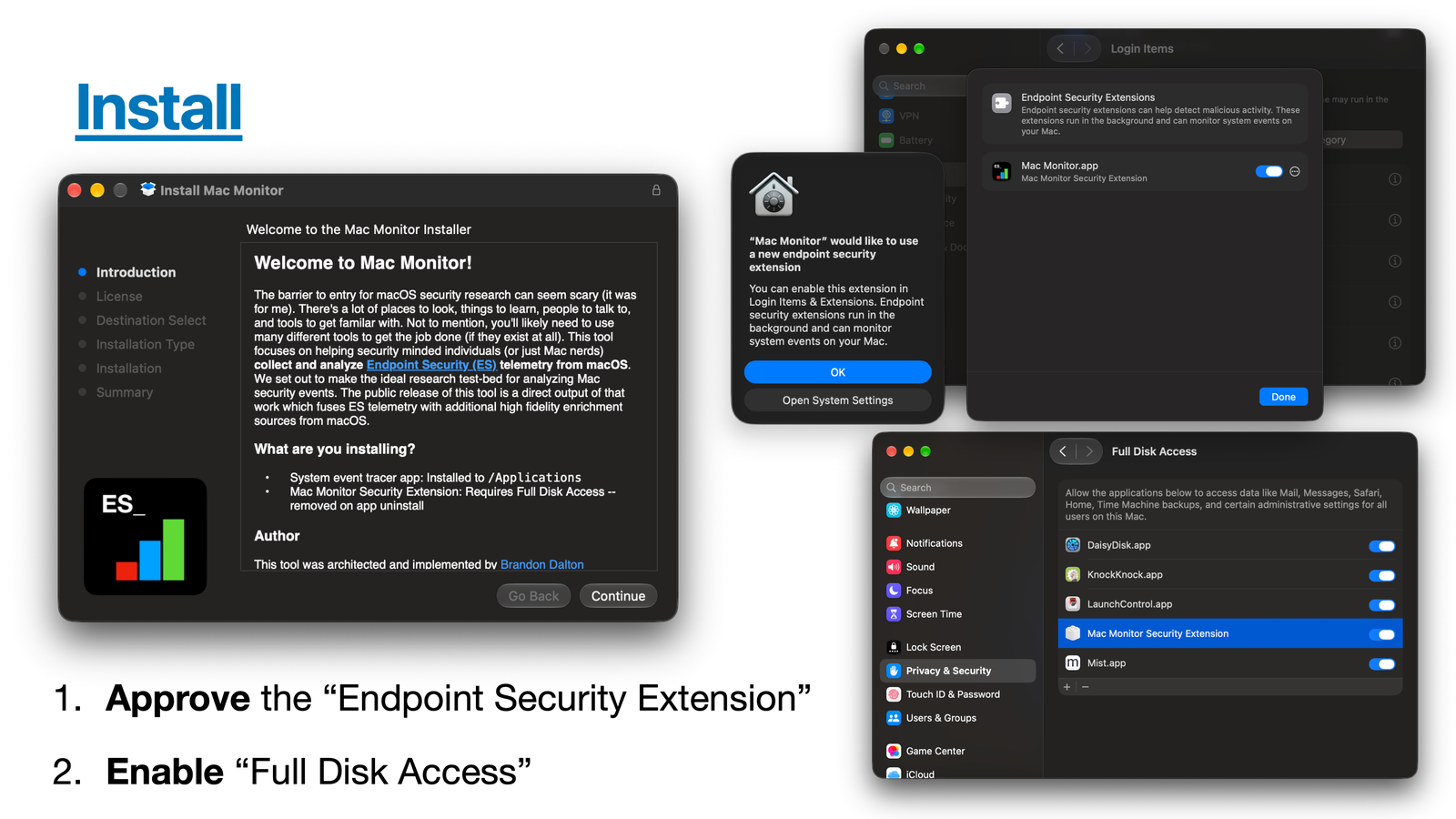
Mac Monitor.app and "Allow" the System Extension when prompted.Mac Monitor Security Extension in System Settings.Settings > General > Check Now looks for updates.
/Applications/Mac Monitor.app (com.swiftlydetecting.agent)com.swiftlydetecting.agent.securityextension/usr/local/bin/macmonitor if you install it from Settingsmutes.json and indicators.json in /Library/Application Support/com.swiftlydetecting.agent.securityextension/Mac Monitor.app/Contents/SharedSupport/uninstall.sh, which also removes the saved sets and the macmonitor link.Mac Monitor keeps one saved mute set. It survives restarts, applies right away, and is shared with sudo macmonitor.
/private/tmp/..., not /tmp/....macmonitor streams events to a terminal or a pipe while Mac Monitor keeps recording. Install it from Settings > Command Line.
sudo macmonitor stream                     # Mac Monitor's default events
sudo macmonitor stream exec fork exit      # only these events
sudo macmonitor stream all | jq -c .       # every event, as JSONL
sudo macmonitor stream exec --for 30s      # 30 seconds of execs
sudo macmonitor stream close --every close # every close, not only those of modified files

# an osascript script asking for a password, as macOS stealers do
sudo macmonitor stream exec --target '/osascript$' \
    --predicate 'event.exec.script_content CONTAINS[c] "display dialog" AND event.exec.script_content CONTAINS[c] "password"'

sudo macmonitor mute list                  # the saved mute set
sudo macmonitor indicators list            # this Mac's indicators, with each one's severity
sudo macmonitor indicators show 'Plist modified'  # every detail of one, by name or ID
sudo macmonitor indicators edit 'Plist modified' --severity medium  # change one, keeping its ID
sudo macmonitor stream --indicator 'Plist modified'  # events the Security Extension matched to it
macmonitor validate trace.jsonl            # check an export against the schema
macmonitor status                          # versions, what the Security Extension needs, and who is capturing
eslogger superset.macmonitor help <command> covers every option.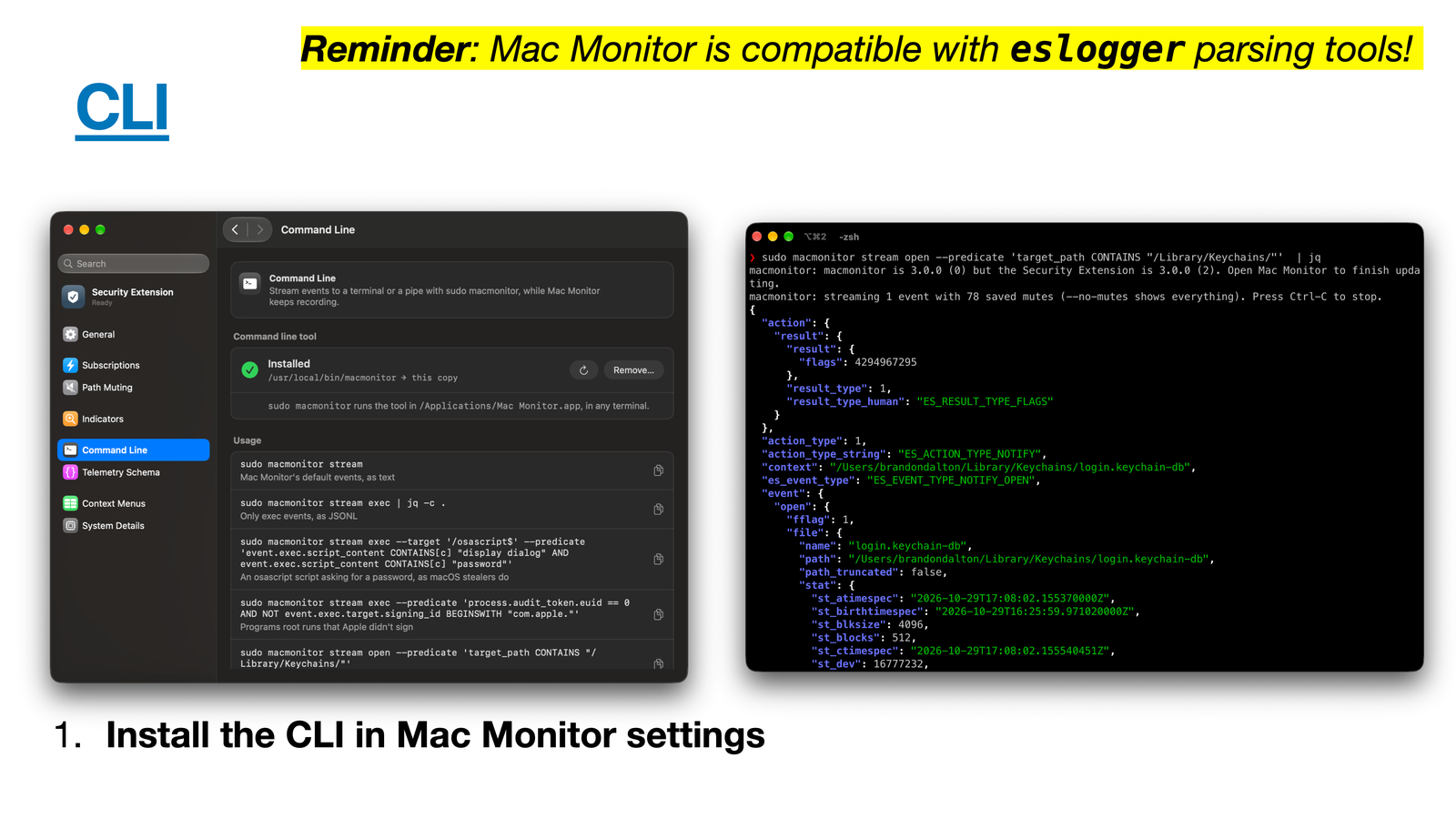
event.close.mach_o_type == "MH_EXECUTE" for executables written to disk.es_mute_path and es_mute_path_events, with every ES_MUTE_PATH_TYPE_*.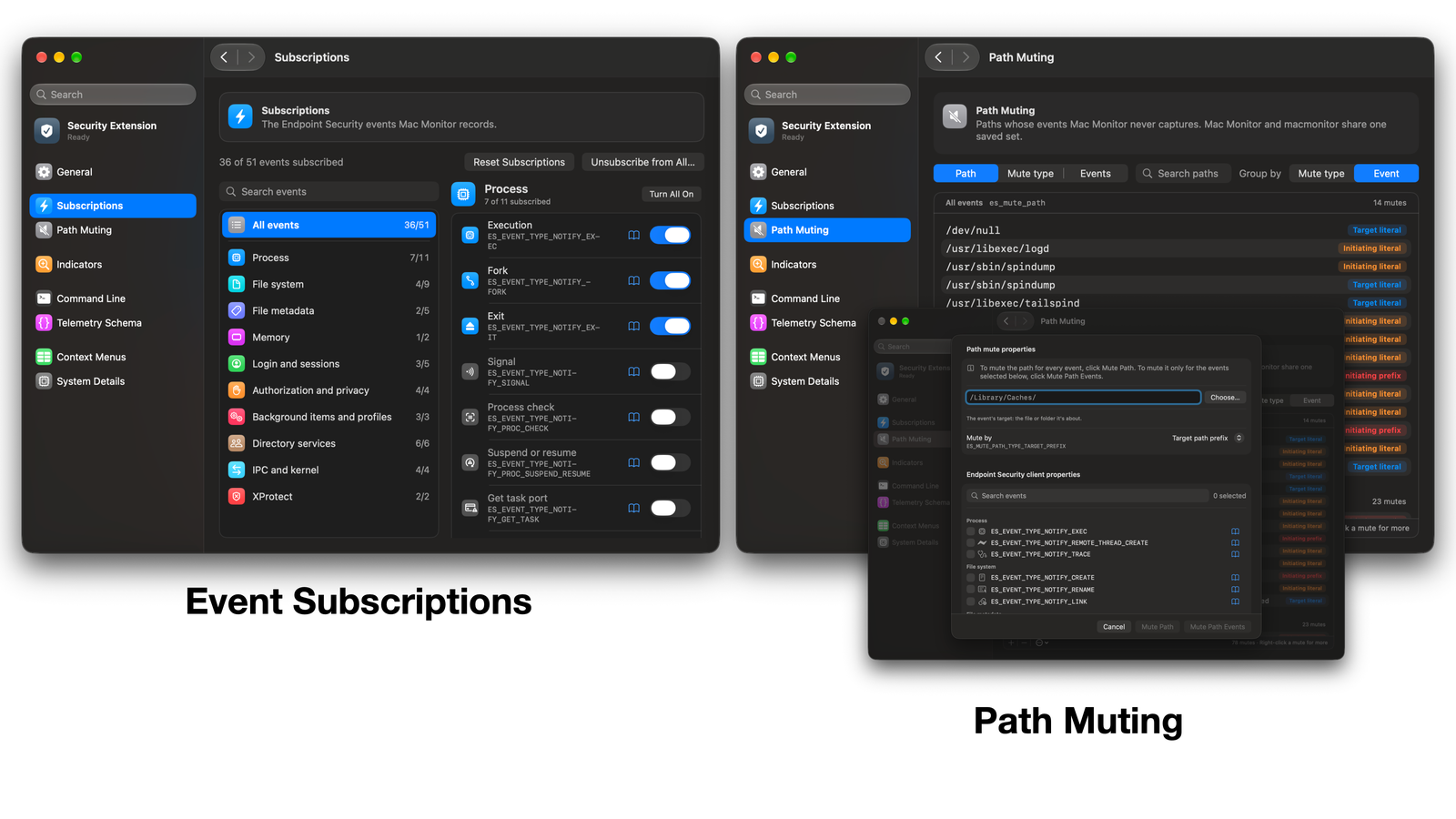
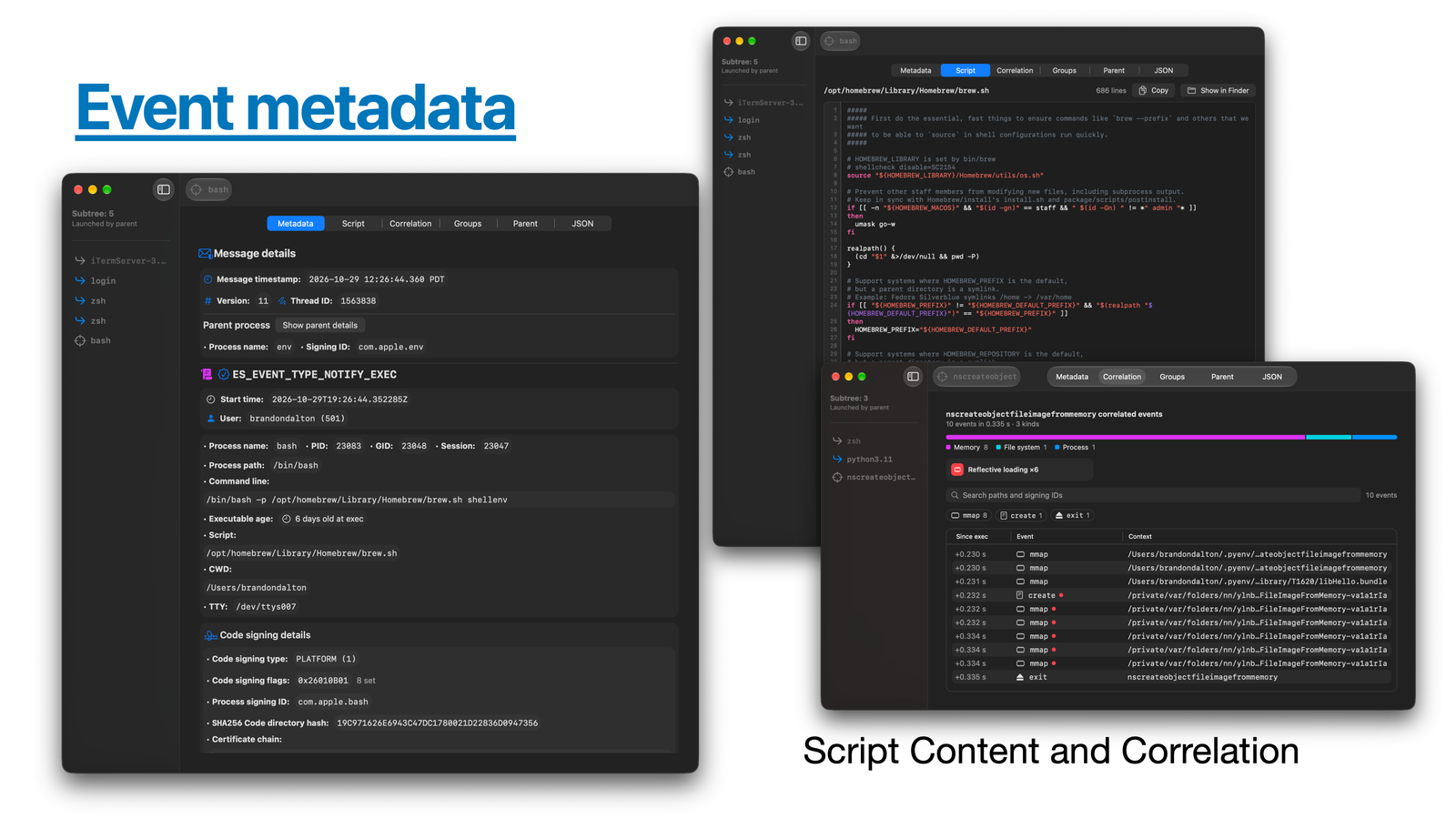
macmonitor stream lists what it matched, and Mac Monitor can notify you of a High or Medium match. 43 ship by default, each with a severity and an ATT&CK tactic.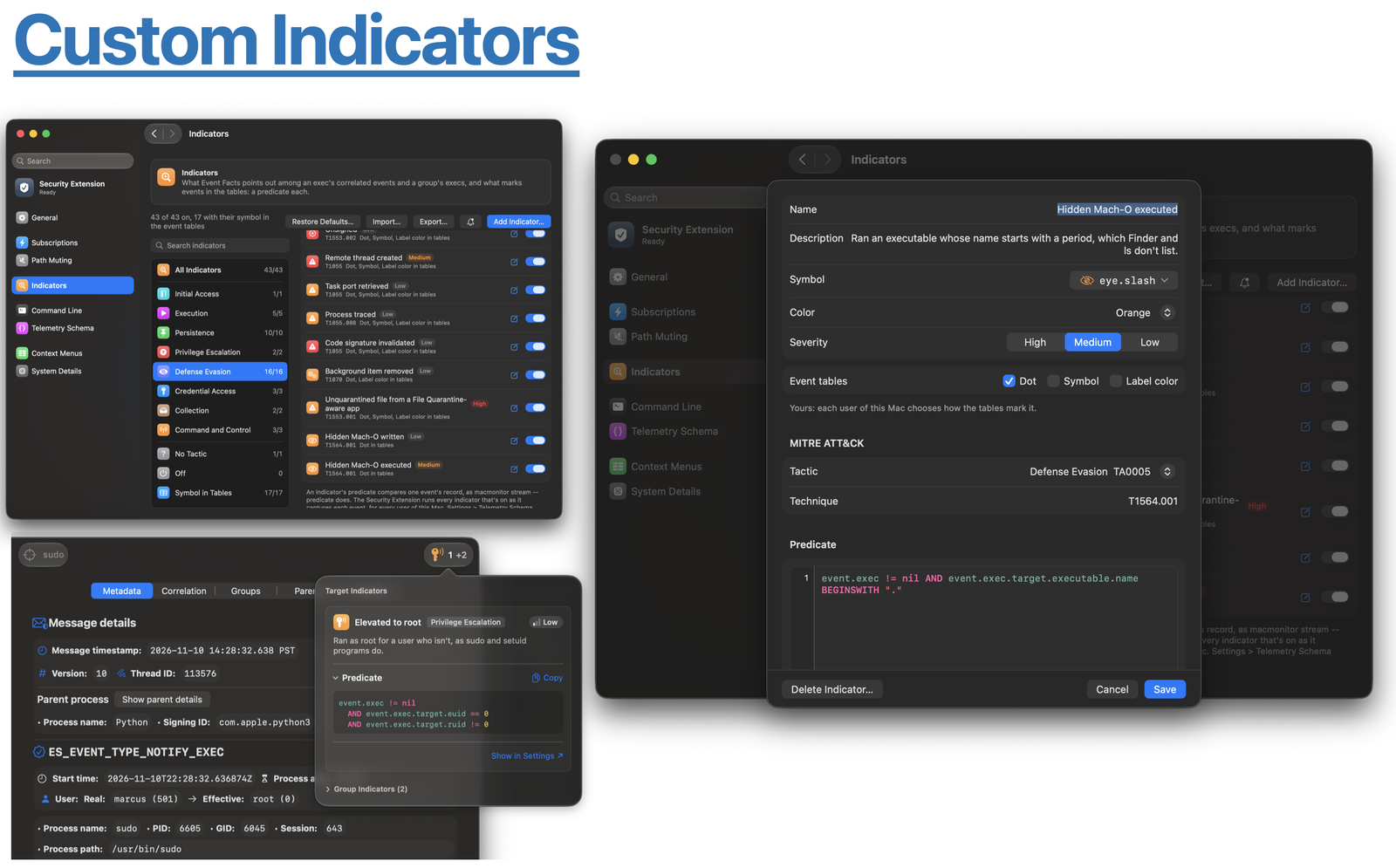
eslogger traces (File > Open Trace...).