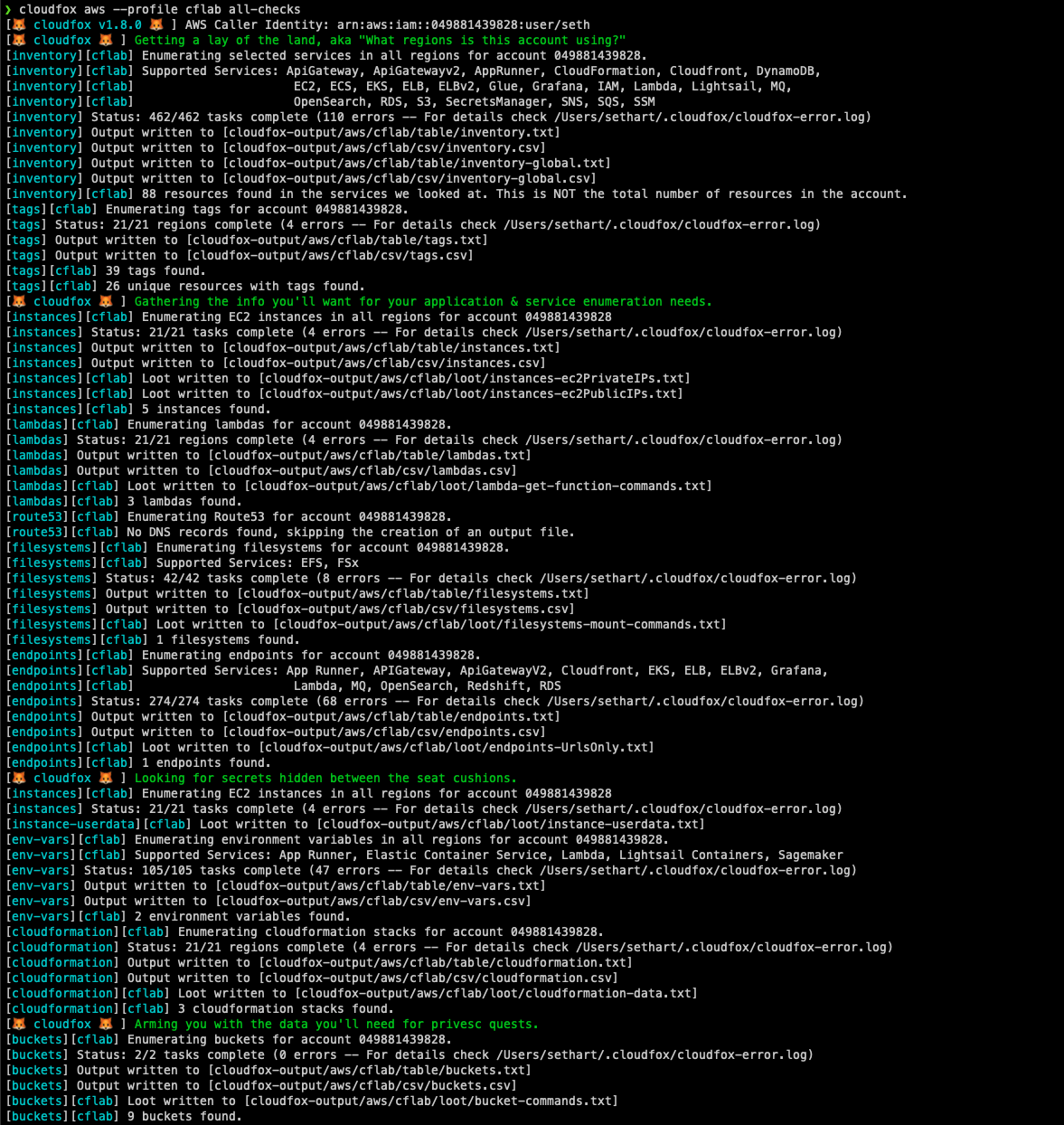
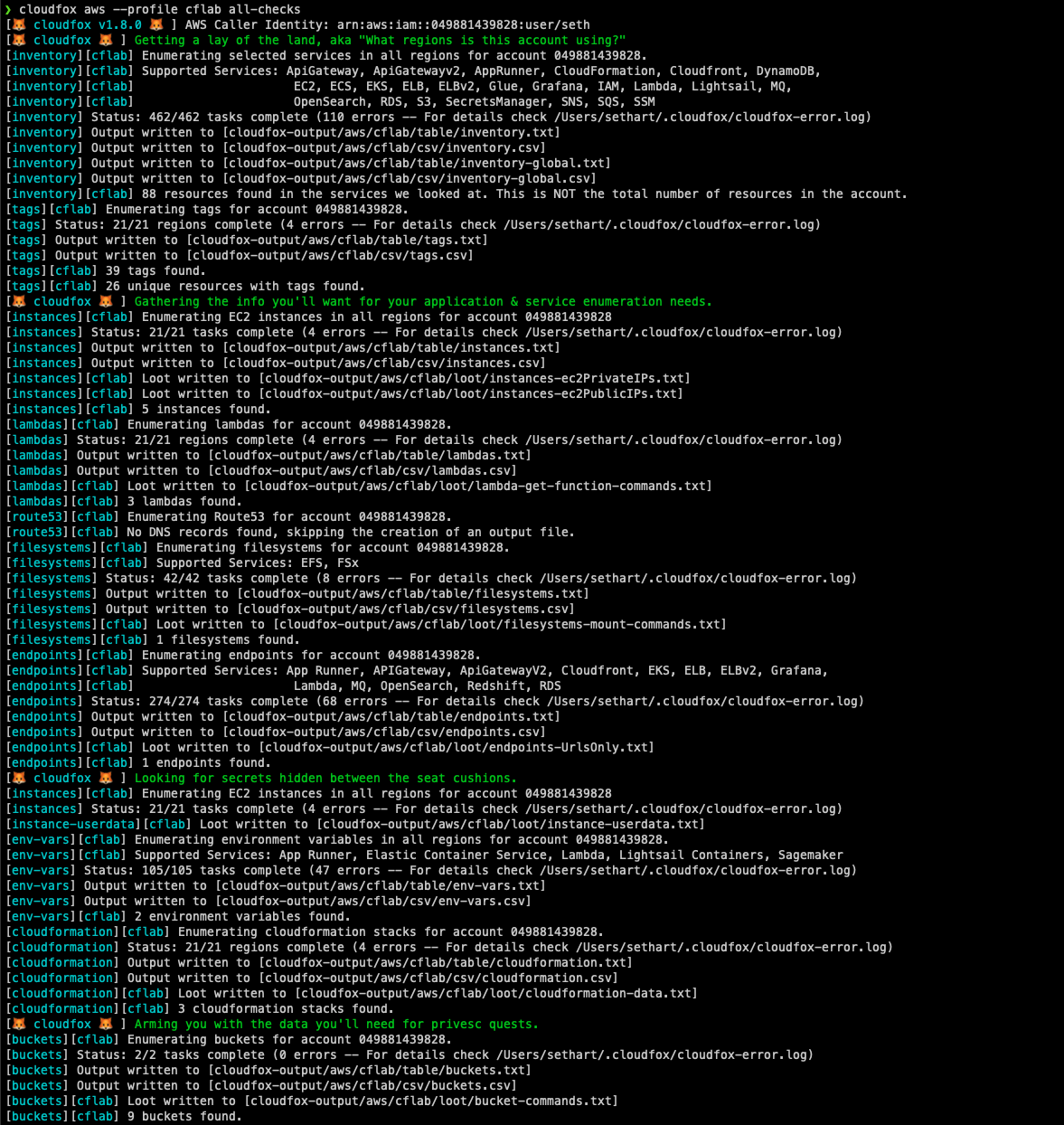
CloudFox helps you gain situational awareness in unfamiliar cloud environments. It’s an open source command line tool created to help penetration testers and other offensive security professionals find exploitable attack paths in cloud infrastructure.
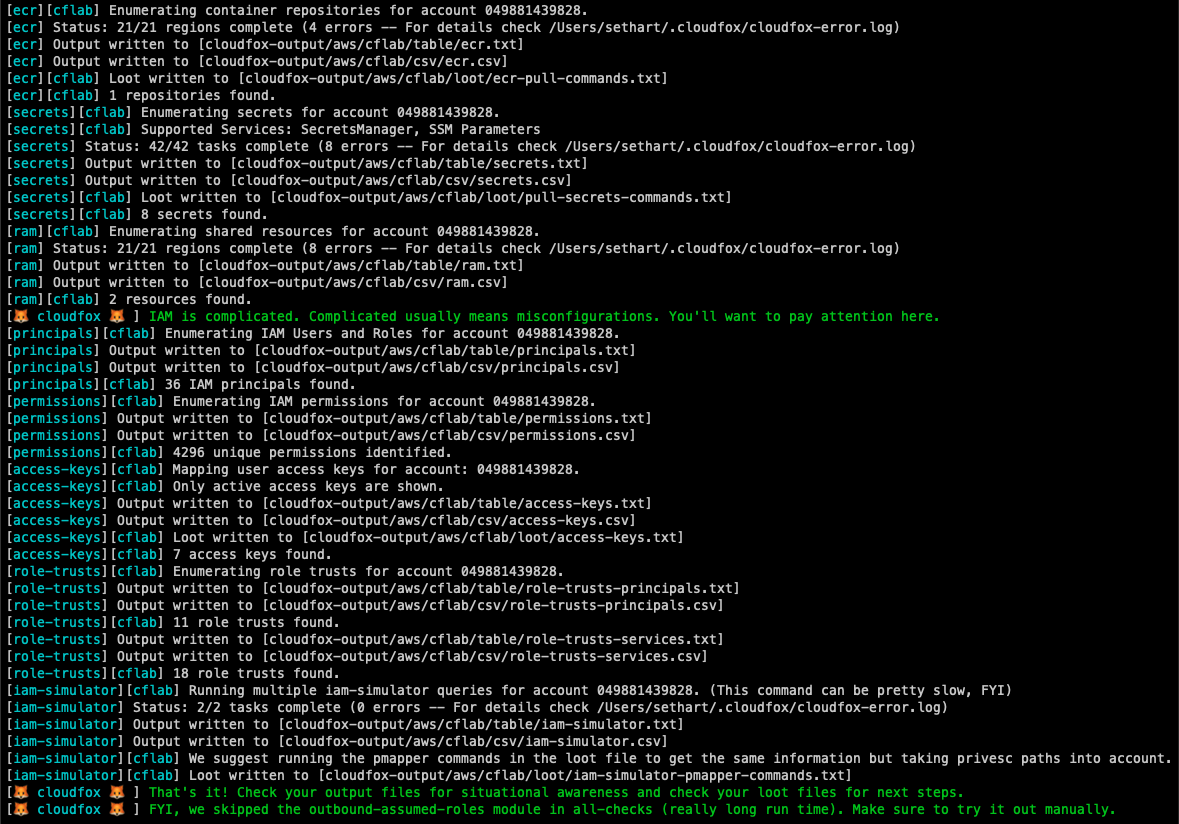
CloudFox is modular (you can run one command at a time), but there is an aws all-checks command that will run the other aws commands for you with sane defaults:
cloudfox aws --profile [profile-name] all-checks
White Box Enumeration
CloudFox was designed to be executed by a principal with limited read-only permissions, but it's purpose is to help you find attack paths that can be exploited in simulated compromise scenarios (aka, objective based penetration testing).
Black Box Enumeration
CloudFox can be used with "found" credentials, similar to how you would use weirdAAL or enumerate-iam. Checks that fail, do so silently, so any data returned means your "found" creds have the access needed to retrieve it.
Documentation
For the full documentation please refer to our wiki.
Option 2: If you use homebrew: brew install cloudfox
Option 3:Install Go, use go install github.com/BishopFox/cloudfox@latest to install from the remote source
Option 4: Developer mode:
Install Go, clone the CloudFox repository and compile from source
root@kitploit:~
# git clone https://github.com/BishopFox/cloudfox.git
# cd ./cloudfox
# Make any changes necessary
# go build .
# ./cloudfox
Option 5: Testing a bug fix
root@kitploit:~
git clone [email protected]:BishopFox/cloudfox.git
git checkout seth-dev
go build .
./cloudfox [rest of the command options]
Prerequisites
AWS
AWS CLI installed
Supports AWS profiles, AWS environment variables, or metadata retrieval (on an ec2 instance)
To run commands on multiple profiles at once, you can specify the path to a file with a list of profile names separated by a new line using the -l flag or pass all stored profiles with the -a flag.
A principal with one recommended policies attached (described below)
Has a complete list of every permission cloudfox uses and nothing else
arn:aws:iam::aws:policy/SecurityAudit
Covers most cloudfox checks but is missing newer services or permissions like apprunner:*, grafana:*, lambda:GetFunctionURL, lightsail:GetContainerServices
Covers most cloudfox checks but is missing newer services or permissions like AppRunner:*, grafana:*, lambda:GetFunctionURL, lightsail:GetContainerServices - and is also missing iam:SimulatePrincipalPolicy.
arn:aws:iam::aws:policy/ReadOnlyAccess
Only missing AppRunner, but also grants things like "s3:Get*" which can be overly permissive.
arn:aws:iam::aws:policy/AdministratorAccess
This will work just fine with CloudFox, but if you were handed this level of access as a penetration tester, that should probably be a finding in itself :)
Recommended permissions at appropriate hierarchy levels (see below)
GCP Permissions: Minimal vs Comprehensive
Minimal Permissions (Single Project):
For basic enumeration of a single project, the roles/viewer role provides read access to most resources (includes logging, monitoring, and compute/network viewing).
Comprehensive Permissions (Organization-Wide):
For thorough security assessments across an entire organization:
Scope
Role
Purpose
Organization
roles/resourcemanager.organizationViewer
View organization structure and metadata
Organization
roles/iam.securityReviewer
Review IAM policies across the organization
Organization
roles/cloudasset.viewer
Query Cloud Asset Inventory for all resources
Organization
roles/cloudidentity.groupsViewer
Enumerate Google Groups and memberships
Folder
roles/resourcemanager.folderViewer
View folder hierarchy and metadata
Project
roles/viewer
Read access to most project resources (includes logging.viewer, monitoring.viewer, compute.viewer)
Tooling Project
roles/serviceusage.serviceUsageAdmin
(Optional) Manage API quotas for CloudFox operations
Note: The basic roles/viewer role includes permissions from roles/logging.viewer, roles/monitoring.viewer, and roles/compute.networkViewer, so these don't need to be granted separately.
GCP API Requirements
APIs must be enabled in each project you want to assess. GCP APIs are project-scoped.
Run all of the other commands using reasonable defaults. You'll still want to check out the non-default options of each command, but this is a great place to start.
List all ecs tasks. This returns a list of ecs tasks and associated cluster, task definition, container instance, launch type, and associated IAM principal.
Displays information on the tenant, subscriptions and resource groups available to your current Azure CLI session. This is useful to provide situation awareness on what tenant and subscription IDs to use with the other sub commands.
How does CloudFox compare with ScoutSuite, Prowler, Steampipe's AWS Compliance Module, AWS Security Hub, etc.
CloudFox doesn't create any alerts or findings, and doesn't check your environment for compliance to a baseline or benchmark. Instead, it simply enables you to be more efficient during your manual penetration testing activities. If gives you the information you'll likely need to validate whether an attack path is possible or not.
Why do I see errors in some CloudFox commands?
Services that don't exist in all regions - CloudFox tries a few ways to figure out what services are supported in each region. However some services don't support the methods CloudFox uses, so CloudFox defaults to just asking every region about the service. Regions that don't support the service will return errors.
You don't have permission - Another reason you might see errors if you don't have permissions to make calls that CloudFox is making. Either because the policy doesn't allow it (e.g., SecurityAudit doesn't allow all of the permissions CloudFox needs. Or, it might be an SCP that is blocking you.
You can always look in the ~/.cloudfox/cloudfox-error.log file to get more information on errors.
Steampipe - We used steampipe to prototype many cloudfox commands. While CloudFox is laser focused on helping cloud penetration testers, steampipe is an easy way to query any and all of your cloud resources.
Principal Mapper - Inspiration for, and a strongly recommended partner to the iam-simulator command
Cloudsplaining - Inspiration for the permissions command
ScoutSuite - Excellent cloud security benchmark tool. Provided inspiration for the --userdata functionality in the instances command, the permissions command, and many others
Prowler - Another excellent cloud security benchmark tool.
Pacu - Excellent cloud penetration testing tool. PACU has quite a few enumeration commands similar to CloudFox, and lots of other commands that automate exploitation tasks (something that CloudFox avoids by design)
CloudMapper - Inspiration for the inventory command and just generally CloudFox as a whole
List all EKS clusters, see if they expose their endpoint publicly, and check the associated IAM roles attached to reach cluster or node group. Generates a loot file with the aws eks udpate-kubeconfig command needed to connect to each cluster.
Enumerates endpoints from various services. Scan these endpoints from both an internal and external position to look for things that don't require authentication, are misconfigured, etc.
Grabs the environment variables from services that have them (App Runner, ECS, Lambda, Lightsail containers, Sagemaker are supported. If you find a sensitive secret, use cloudfox iam-simulator AND pmapper to see who has access to them.
Enumerate the EFS and FSx filesystems that you might be able to mount without creds (if you have the right network access). For example, this is useful when you have ec:RunInstance but not iam:PassRole.
Like pmapper, but uses the IAM policy simulator. It uses AWS's evaluation logic, but notably, it doesn't consider transitive access via privesc, which is why you should also always also use pmapper.
Enumerates useful information for EC2 Instances in all regions like name, public/private IPs, and instance profiles. Generates loot files you can feed to nmap and other tools for service enumeration.
Lists the lambda functions in the account, including which one's have admin roles attached. Also gives you handy commands for downloading each function.
Enumerates AWS services that are potentially exposing a network service. The security groups and the network ACLs are parsed for each resource to determine what ports are potentially exposed.
List the roles that have been assumed by principals in this account. This is an excellent way to find outbound attack paths that lead into other accounts.
Enumerates IAM permissions associated with all users and roles. Grep this output to figure out what permissions a particular principal has rather than logging into the AWS console and painstakingly expanding each policy attached to the principal you are investigating.
Looks for pmapper data stored on the local filesystem, in the locations defined here. If pmapper data has been found (you already ran pmapper graph create), then this command will use this data to build a graph in cloudfox memory let you know who can privesc to admin.
List all resources in this account that are shared with other accounts, or resources from other accounts that are shared with this account. Useful for cross-account attack paths.
Looks through multiple services that support resource policies and helps you find any overly permissive resource trusts. KMS is supported but disabled by default. To include KMS resource policies in the output, add this flag to the command: cloudfox aws resource-trusts --include-kms.
List secrets from SecretsManager and SSM. Look for interesting secrets in the list and then see who has access to them using use cloudfox iam-simulator and/or pmapper.
This command enumerates all of the sns topics and gives you the commands to subscribe to a topic or send messages to a topic (if you have the permissions needed). This command only deals with topics, and not the SMS functionality. This command also attempts to summarize topic resource policies if they exist.
This command enumerates all of the sqs queues and gives you the commands to receive messages from a queue and send messages to a queue (if you have the permissions needed). This command also attempts to summarize queue resource policies if they exist.
List all resources with tags, and all of the tags. This can be used similar to inventory as another method to identify what types of resources exist in an account.
List all of the compute workloads and what role they have. Tells you if any of the roles are admin (bad) and if you have pmapper data locally, it will tell you if any of the roles can privesc to admin (also bad)
 bishopfox/cloudfox