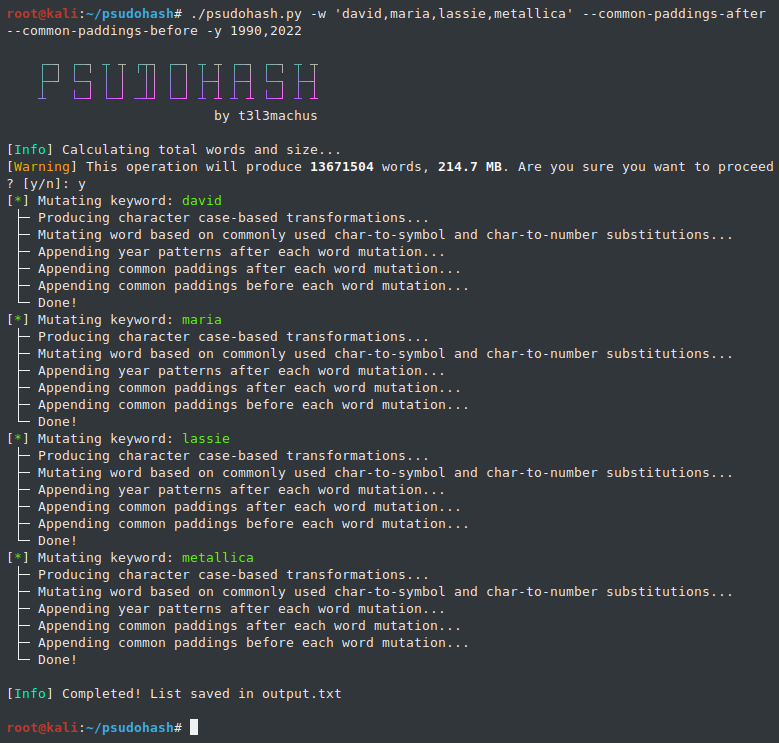
 t3l3machus/psudohash
Generates millions of keyword-based password mutations in seconds.



Special thanks to DavidAngelos:
▶️ Added a progress bar in every step to track execution.
▶️ Added options:
-i / --inorder): join keywords only in the original order (e.g. foo,bar,baz → foo, bar, baz, foobar, foobaz, barbaz, foobarbaz).-c / --combinations): generate every ordering of each subset (e.g. foo,bar,baz → foo, bar, baz, foobar, foobaz, barfoo, …, bazbarfoo).--sep <string>): when joining words, insert this string between tokens (defaults to no separator).--max-combine <N>): limit how many raw keywords get joined together (default: 2).--minlen/--maxlen <N>): filter the final wordlist only with word with the desired length.Psudohash is a password list generator for orchestrating brute force attacks and cracking hashes. It imitates certain password creation patterns commonly used by humans, like substituting a word's letters with symbols or numbers (leet), using char-case variations, adding a common padding before or after the main passphrase and more. It is keyword-based and highly customizable. 🎥 -> Video Presentation
System administrators and other employees often use a mutated version of the Company's name to set passwords (e.g. Am@z0n_2022). This is commonly the case for network devices (Wi-Fi access points, switches, routers, etc), application or even domain accounts. With the most basic options, psudohash can generate a wordlist with all possible mutations of one or multiple keywords, based on common character substitution patterns (customizable), case variations, strings commonly used as padding and more. Take a look at the following example:
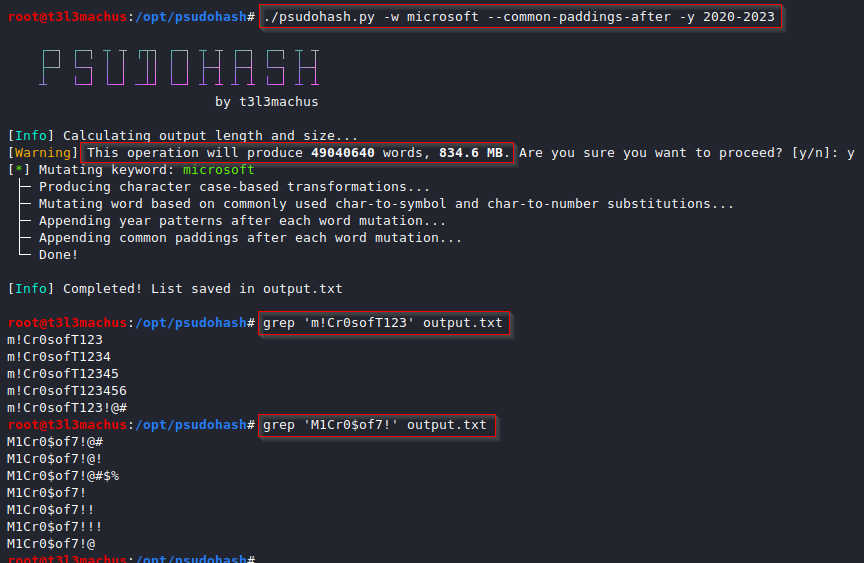
The script implements the following character substitution schema. You can add/modify character substitution mappings by editing the transformations list in psudohash.py and following the data structure presented below (default):
transformations = [
	{'a' : ['@', '4']},
	{'b' : '8'},
	{'e' : '3'},
	{'g' : ['9', '6']},
	{'i' : ['1', '!']},
	{'o' : '0'},
	{'s' : ['$', '5']},
	{'t' : '7'}
]
When setting passwords, I believe it's pretty standard to add a sequence of characters before and/or after the main passphrase to make it "stronger". For example, one may set a password "dragon" and add a value like "!!!" or "!@#" at the end, resulting in "dragon!!!", "dragon!@#", etc. Psudohash reads such values from common_padding_values.txt and uses them to mutate the provided keywords by appending them before (-cpb) or after (-cpa) each generated keyword variation. You can modify it as you see fit.
When appending a year value to a mutated keyword, psudohash will do so by utilizing various seperators. by default, it will use the following seperators which you can modify by editing the year_seperators list:
year_seperators = ['', '_', '-', '@']
For example, if the given keyword is "amazon" and option -y 2023 was used, the output will include "amazon2023", "amazon_2023", "amazon-2023", "amazon@2023", "amazon23", "amazon_23", "amazon-23", "amazon@23".
Install Python 3.x and tqdm first:
pip3 install tqdm
Then clone the repo and make the script executable:
git clone https://github.com/t3l3machus/psudohash.git
cd ./psudohash
chmod +x psudohash.py
./psudohash.py [-h] -w WORDS [-i] [-c] [--sep SEP] [--max-combine N] [-an LEVEL] [-nl LIMIT] [-y YEARS] [-ap VALUES] [-cpb] [-cpa] [-cpo] [-o FILENAME] [-q]
The help dialog [ -h, --help ] includes usage details and examples.
-w, --words <kw1,kw2,…>
Comma‐separated raw keywords (required).
-i, --inorder
Join up to --max-combine keywords in the given order (e.g. foo,bar,baz → foo, bar, baz, foobar, foobaz, barbaz, foobarbaz).
-c, --combinations
Generate every permutation of each subset (up to --max-combine) (e.g. foo,bar,baz → foo, bar, baz, foobar, foobaz, barfoo, …).
--max-combine <N> (default: 2)
Maximum number of raw keywords to join into one base string.
--sep <string>
When joining words (-i or ), place this string between tokens. Defaults to an empty string.
No multi‐word (singletons only)
./psudohash.py -w foo,bar,baz -cpa
# → foo, bar, baz
In‐order joins (-i, up to 2 words by default)
./psudohash.py -w foo,bar,baz -i
# → foo, bar, baz, foobar, foobaz, barbaz
All‐order combinations (-c, up to 2 words by default)
./psudohash.py -w foo,bar,baz -c
# → foo, bar, baz, foobar, foobaz, barfoo, barbaz, bazfoo, bazbar
Change separator between joined words
./psudohash.py -w foo,bar,baz -i --sep "_"
# → foo, bar, baz, foo_bar, foo_baz, bar_baz
Length Filtering (--minlen/--maxlen)
 ./psudohash.py -w apple,banana -i --minlen 10
 # Warning: exact size cannot be determined because of length filters.
 # Example final outputs might include “applebanana” (11 chars), “bananaapple” (11 chars).
Combine up to 3 words (instead of default 2)
--years and --append-numbering with a --numbering-limit ≥ last two digits of any year input, will most likely produce duplicate words because of the mutation patterns implemented by the tool.--minlen or --maxlen, the script cannot pre-calculate the exact word count; you’ll see a “exact size cannot be determined” warning and the size without this filter will be calculated, the final size will be smaller.When it comes to people, i think we all have (more or less) set passwords using a mutation of one or more words that mean something to us e.g., our name or wife/kid/pet/band names, sticking the year we were born at the end or maybe a super secure padding like "!@#". Well, guess what?
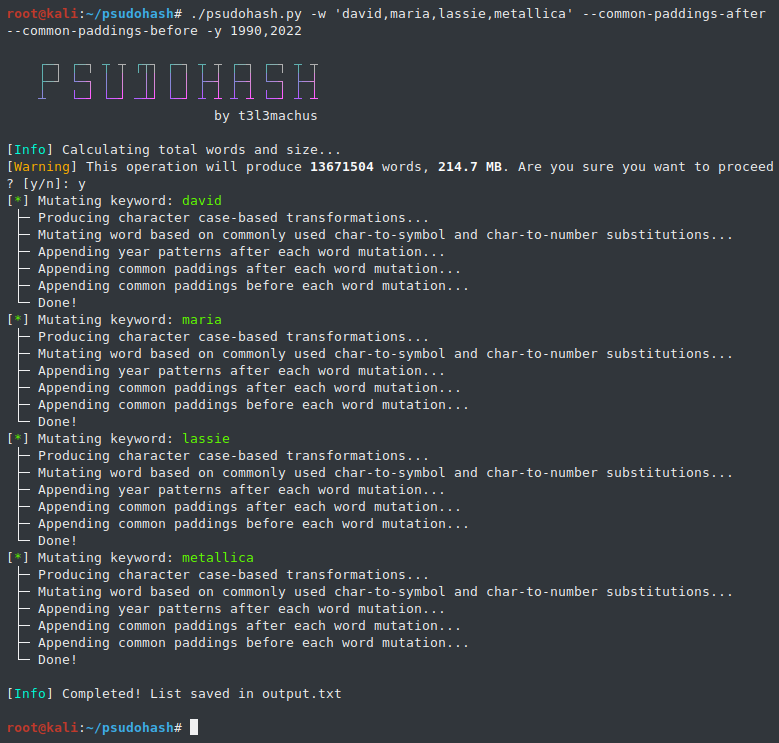
I'm gathering information regarding commonly used password creation patterns to enhance the tool's capabilities.
-c--minlen <N>
Discard any final password shorter than N characters.
--maxlen <N>
Discard any final password longer than N characters.
-an, --append-numbering <LEVEL>
Append numbered suffixes (zero‐padded to <LEVEL> digits) to each word mutation.
-nl, --numbering-limit <LIMIT>
Maximum number to count up to when appending numbers (default: 50).
-y, --years <years>
Append one or more years to each mutation (e.g. 1990-2000, or 2022,2023).
-ap, --append-padding <vals>
Append custom padding values (comma‐separated). Must be used with -cpb or -cpa.
-cpb, --common-paddings-before
Prepend values from common_padding_values.txt before each mutation.
-cpa, --common-paddings-after
Append values from common_padding_values.txt after each mutation.
-cpo, --custom-paddings-only
Use only user‐provided paddings (no defaults). Must be used with -ap.
-o, --output <file>
Write the results to <file> (default: output.txt).
-q, --quiet
Suppress the ASCII art banner on startup.

