
 p0dalirius/apachetomcatscanner
A python script to scan for Apache Tomcat server vulnerabilities.

-tt/--target option.-tu/--target-url option./manager/html accessibility.--list-cves option, print detailed CVEs descriptions with --show-cves-descriptionsYou can now install it from PyPI (latest version is 
sudo python3 -m pip install apachetomcatscanner
$ ./ApacheTomcatScanner.py -h
Apache Tomcat Scanner v3.4 - by Remi GASCOU (Podalirius)

usage: ApacheTomcatScanner.py [-h] [-v] [--debug] [-C] [--show-cves-descriptions] [-T THREADS] [-s] [--no-colors] [--only-http] [--only-https] [--export-xlsx EXPORT_XLSX] [--export-json EXPORT_JSON] [--export-sqlite EXPORT_SQLITE]
                              [-PI PROXY_IP] [-PP PROXY_PORT] [-rt REQUEST_TIMEOUT] [--tomcat-username TOMCAT_USERNAME] [--tomcat-usernames-file TOMCAT_USERNAMES_FILE] [--tomcat-password TOMCAT_PASSWORD]
                              [--tomcat-passwords-file TOMCAT_PASSWORDS_FILE] [-tf TARGETS_FILE] [-tt TARGET] [-tu TARGET_URL] [-tp TARGET_PORTS] [-ad AUTH_DOMAIN] [-ai AUTH_DC_IP] [-au AUTH_USER] [-ap AUTH_PASSWORD]
                              [-ah AUTH_HASHES] [--ldaps] [--subnets]

A python script to scan for Apache Tomcat server vulnerabilities.

options:
  -h, --help            show this help message and exit
  -v, --verbose         Verbose mode. (default: False)
  --debug               Debug mode, for huge verbosity. (default: False)
  -C, --list-cves       List CVE ids affecting each version found. (default: False)
  --show-cves-descriptions
                        Show description of found CVEs. (default: False)
  -T THREADS, --threads THREADS
                        Number of threads (default: 250)
  -s, --servers-only    If querying ActiveDirectory, only get servers and not all computer objects. (default: False)
  --no-colors           Disable colored output. (default: False)
  --only-http           Scan only with HTTP scheme. (default: False, scanning with both HTTP and HTTPs)
  --only-https          Scan only with HTTPs scheme. (default: False, scanning with both HTTP and HTTPs)

Export results:
  --export-xlsx EXPORT_XLSX
                        Output XLSX file to store the results in.
  --export-json EXPORT_JSON
                        Output JSON file to store the results in.
  --export-sqlite EXPORT_SQLITE
                        Output SQLITE3 file to store the results in.

Advanced configuration:
  -PI PROXY_IP, --proxy-ip PROXY_IP
                        Proxy IP.
  -PP PROXY_PORT, --proxy-port PROXY_PORT
                        Proxy port
  -rt REQUEST_TIMEOUT, --request-timeout REQUEST_TIMEOUT
                        Set the timeout of HTTP requests.
  --tomcat-username TOMCAT_USERNAME
                        Single tomcat username to test for login.
  --tomcat-usernames-file TOMCAT_USERNAMES_FILE
                        File containing a list of tomcat usernames to test for login
  --tomcat-password TOMCAT_PASSWORD
                        Single tomcat password to test for login.
  --tomcat-passwords-file TOMCAT_PASSWORDS_FILE
                        File containing a list of tomcat passwords to test for login

Targets:
  -tf TARGETS_FILE, --targets-file TARGETS_FILE
                        Path to file containing a line by line list of targets.
  -tt TARGET, --target TARGET
                        Target IP, FQDN or CIDR.
  -tu TARGET_URL, --target-url TARGET_URL
                        Target URL to the tomcat manager.
  -tp TARGET_PORTS, --target-ports TARGET_PORTS
                        Target ports to scan top search for Apache Tomcat servers.
  -ad AUTH_DOMAIN, --auth-domain AUTH_DOMAIN
                        Windows domain to authenticate to.
  -ai AUTH_DC_IP, --auth-dc-ip AUTH_DC_IP
                        IP of the domain controller.
  -au AUTH_USER, --auth-user AUTH_USER
                        Username of the domain account.
  -ap AUTH_PASSWORD, --auth-password AUTH_PASSWORD
                        Password of the domain account.
  -ah AUTH_HASHES, --auth-hashes AUTH_HASHES
                        LM:NT hashes to pass the hash for this user.
  --ldaps               Use LDAPS (default: False)
  --subnets             Get all subnets from the domain and use them as targets (default: False)
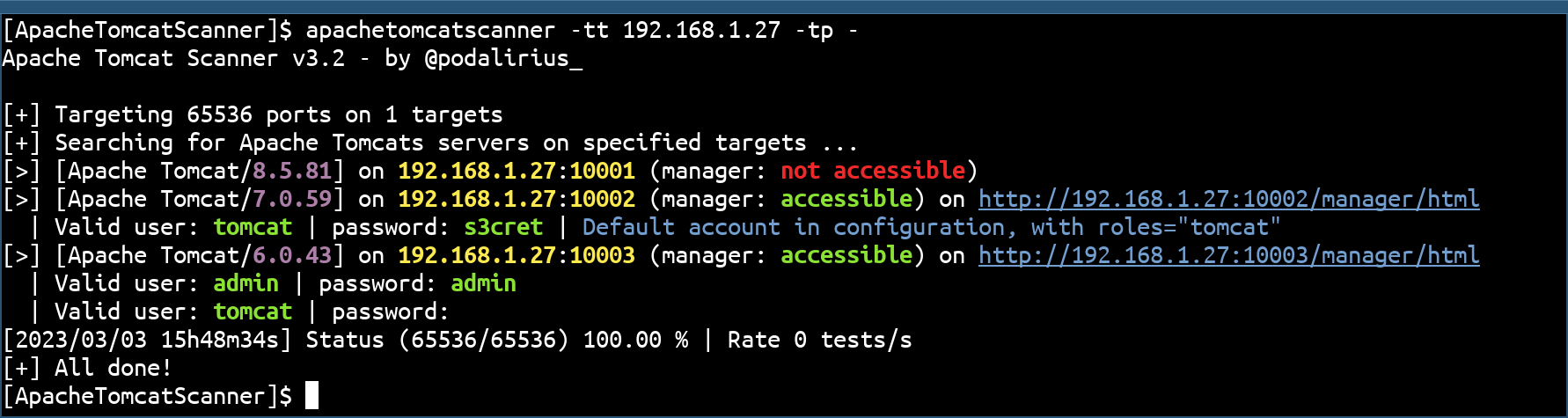
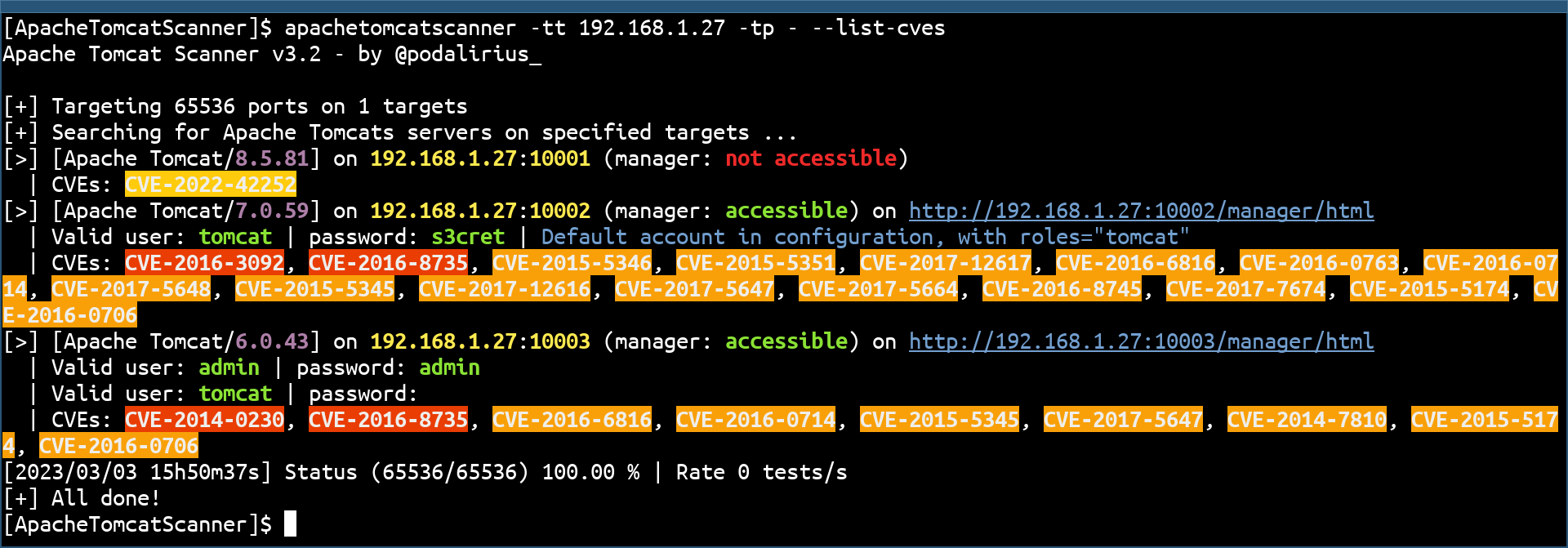
You can also list the CVEs of each version with the --list-cves option:
The scanner includes an automatic CVE database update check to ensure you always have the latest vulnerability data.
When you run the scanner, it automatically checks if the CVE database is older than 30 days. If outdated, you'll see:
[!] CVE database is outdated (last update: 2025-11-01T13:00:00)
[*] You can update it by running: python apachetomcatscanner/data/update_db_nvd.py
[?] Would you like to update now? This may take several minutes. (y/N):
Type y to update immediately, or press Enter to skip and continue scanning.
To skip the update check entirely, use the --no-auto-update flag:
python ApacheTomcatScanner.py -tt target.com --list-cves --no-auto-update
You can manually update the CVE database anytime:
cd apachetomcatscanner/data
python update_db_nvd.py
Note: Updates use the official NVD API with rate limiting (5 requests per 30 seconds). The process may take several minutes but can be interrupted and resumed anytime. Consider getting a free NVD API key for faster updates: https://nvd.nist.gov/developers/request-an-api-key
Pull requests are welcome. Feel free to open an issue if you want to add other features.




