 zzzteph/kraker
Kraker is a distributed password brute-force system that focused on easy use.


Kraker is a distributed password brute-force system that allows you to run and manage the hashcat on different servers and workstations, focused on easy of use. There were two main goals during the design and development: to create the most simple tool for distributed hash cracking and make it fault-tolerant.
Kraker consists of two main components - a server and an agent, which communicate through a REST API. You can read about their installation and configuration below.
Kraker continues to be in development, so the new functionality, documentation, and updates will be released as they become available. If you have suggestions for improvement or want to participate in the development or find bugs - feel free to open issues, pull requests, or contact us: @_w34kp455 and @_asSheShouldBe.

Here you can find a manual on how to setup your own server, build an agent from the source and run it. You always can download a Release that is already built and run it.
Server is written on Laravel and provides a web interface for creating brute force tasks and also serves for managing agents.
sudo apt update
sudo apt-get -y install unzip git
curl -fsSL https://get.docker.com -o get-docker.sh
sh get-docker.sh
rm get-docker.sh
sudo curl -L "https://github.com/docker/compose/releases/download/1.25.3/docker-compose-$(uname -s)-$(uname -m)" -o /usr/local/bin/docker-compose
sudo chmod +x /usr/local/bin/docker-compose
sudo systemctl enable docker

git clone https://github.com/zzzteph/kraker
cd kraker/server
sudo docker-compose build app
sudo docker-compose up -d
sudo docker-compose exec app composer install
sudo docker-compose exec app php artisan key:generate
sudo docker-compose exec app php artisan migrate
sudo docker-compose exec app php artisan db:seed --class=HashtypeSeeder
sudo docker-compose exec app php artisan db:seed --class=UserSeeder
Navigate the server IP address and enter the next credentials:
It is written in .NET Core 5 and works on any OS where this framework is available - Linux, Windows, MacOS (not tested yet). The agent is responsible for performing brute-force tasks that it receives from the server.
For the agent to work on the host, you need to install .NET Core 5, which can be downloaded from the following link:
https://dotnet.microsoft.com/download/dotnet/5.0
wget https://packages.microsoft.com/config/debian/10/packages-microsoft-prod.deb -O packages-microsoft-prod.deb
sudo dpkg -i packages-microsoft-prod.deb
sudo apt-get update
sudo apt-get install -y apt-transport-https
sudo apt-get update
sudo apt-get install -y dotnet-sdk-5.0
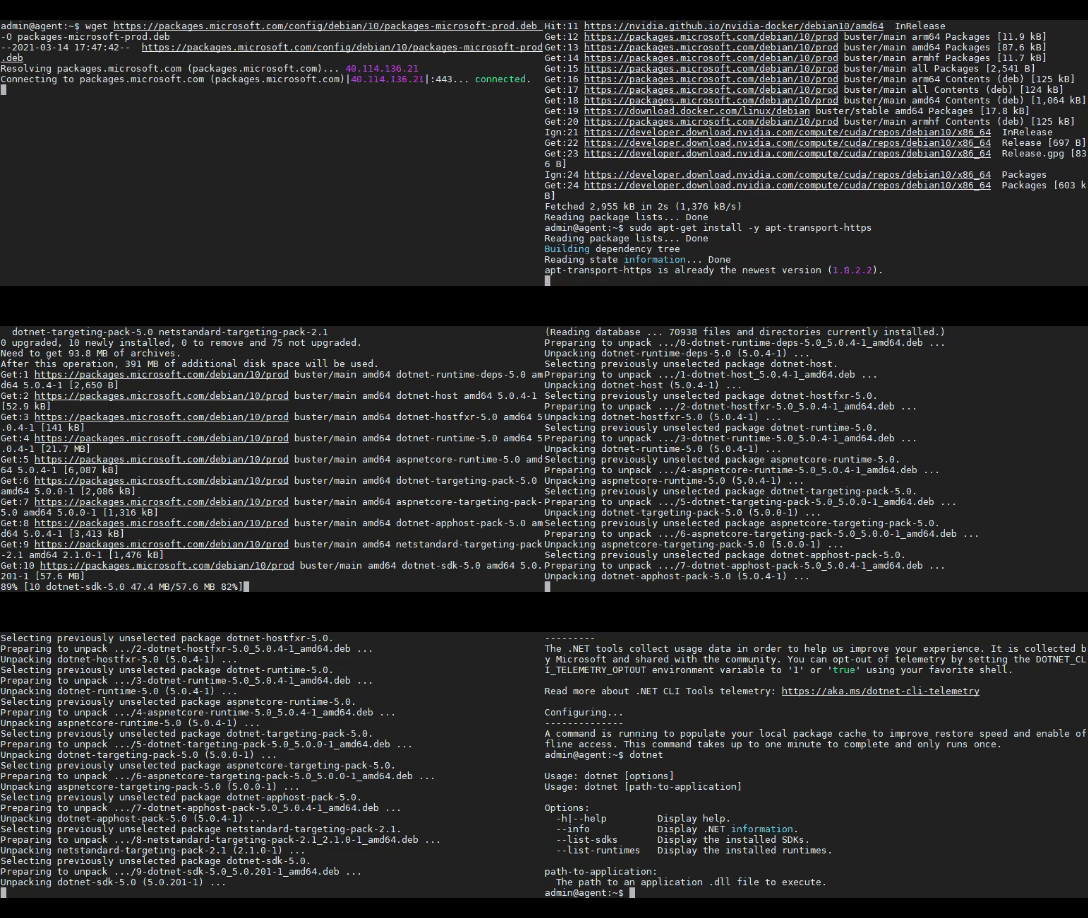
dotnet publish --configuration Release. After that in Kracker.App/bin/Release/net5.0 folder you will get the built project.appsettings.json in Kracker.App/bin/Release/net5.0 and put ServerURL and Hashcat.Path like:{
"HashCat":{
"Path": "/home/admin/Kraker/agent/Kracker.App/bin/Release/net5.0/hashcat/hashcat.bin", //hashcat path
"SilencePeriodBeforeKill": 5, //default - 60 minutes
"RepeatedStringsBeforeKill": 100, //defaut 1000 strings
"NeedForce": true,
"Options": "--quiet --status --status-timer=1 --machine-readable --logfile-disable --restore-disable --outfile-format=2"
},
"ServerUrl": "http://8.8.8.8/", //server url
"InventoryCheckPeriod": 600,
"HearbeatPeriod": 15
}
dotnet run Kraker.app.dll
In release you can find:
Running agent from release:
appsettings.json in Kracker.App/bin/Release/net5.0 and put ServerURL and Hashcat.Path.dotnet Kraker.app.dll